OpenAI has shelved its standalone browser and moved the ideas into the one most people already use. According to The Verge, the ChatGPT Atlas browser is gone, and the company’s Chrome extension now lets ChatGPT use your open tabs. OpenAI says the extension can view them when you tag Chrome in ChatGPT’s web or desktop app.
OpenAI’s demo video shows the idea at its simplest: someone asks ChatGPT to compare three open tabs of sofas they’re considering. The other sample prompts go further. They include filling out a registration form from an event brief and stopping before submitting, putting vendors from several tabs into a comparison sheet, and drafting an email to the contractor that best suits a home renovation. A fourth asks ChatGPT to complete a new-dentist form and add the appointment to both work and personal calendars.
From reading tabs to acting on them
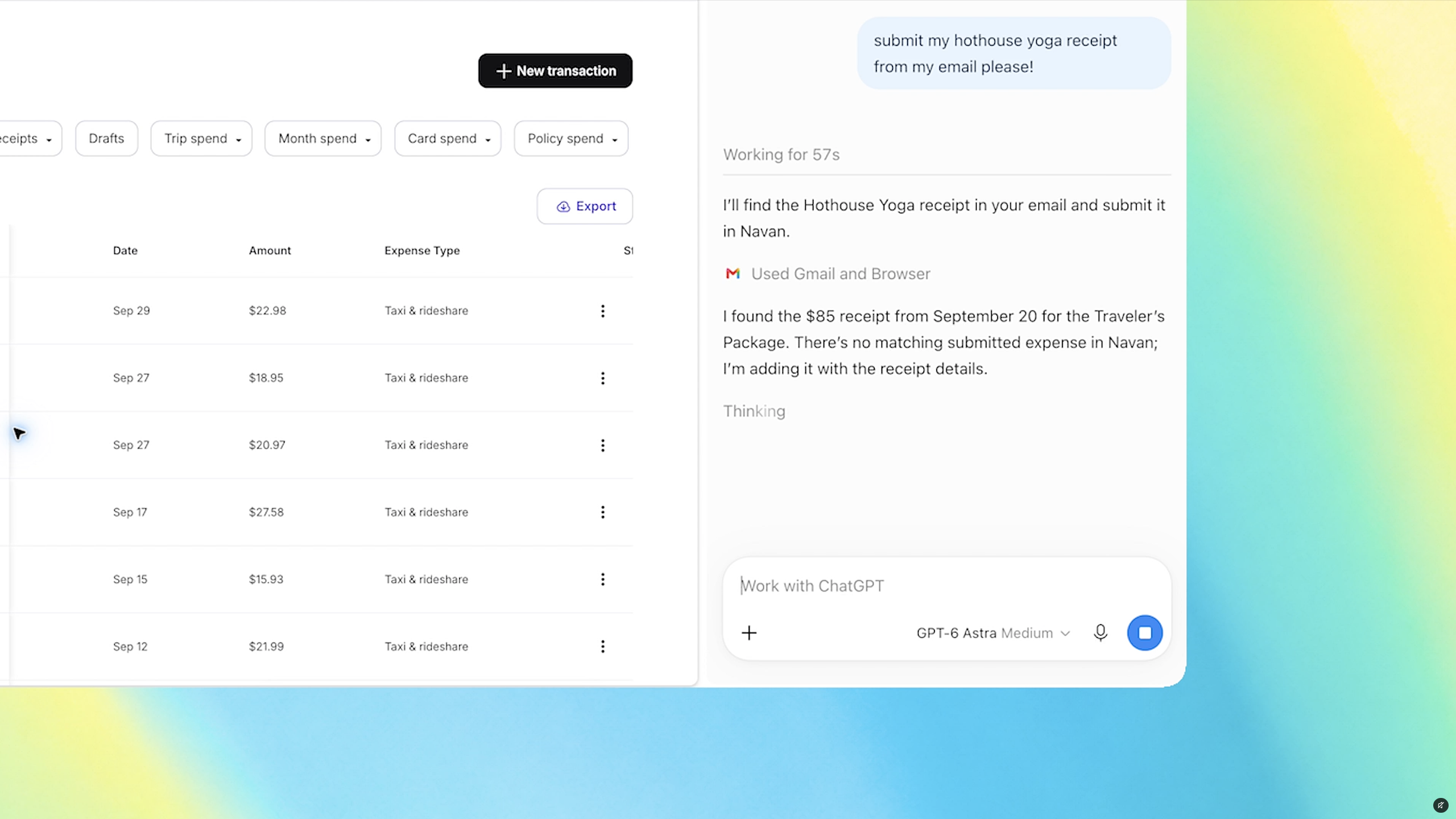
ChatGPT Work gets the heavier upgrade. The Verge reports that Work can now “control” Chrome tabs for jobs such as sending messages, filling out forms or downloading files, much like Google’s Gemini-powered auto browse. It can also organise and group your open tabs. Unite.AI reports that OpenAI announced the update on 15 October and that the extension’s Chrome Web Store listing shows 7 million users.
The sidebar has been upgraded too. OpenAI says it now offers “the full power of ChatGPT”, including your entire conversation history in Chat or Work, so you can ask questions or hand off tasks without leaving the page.
What it can see, and how to limit it
Reading tabs is only part of the privacy picture, because the extension works inside your regular browser profile. OpenAI’s browser extension guide says ChatGPT can read or act on sites where you’re already signed in, such as Gmail, LinkedIn or Salesforce. Chrome Geek adds that setup runs through the ChatGPT desktop app: open Settings, then Computer Use, install the extension for your browser, and pick it with an @-mention in a Work or Codex chat. Unite.AI says the Chrome Web Store listing also states that the extension can draw on your installed plugins, conversation history and a connected local file system.
Control sits in the same place. The guide says the browser’s Computer Use toggle decides whether it appears in the @-mention menu, while Manage changes website permissions. By default, ChatGPT asks before interacting with each new website. You can allow access once, for that site or for all sites, or decline. Manage lets you edit domain allowlists and blocklists, which are shared across supported browsers. Removing a site from the allowlist makes ChatGPT ask again before using it. We’d also keep banking, health, and work-admin tabs closed before tagging Chrome, and treat Work mode as an assistant whose form entries you check before submitting anything. Removing the extension from Chrome’s extensions page cuts off access entirely.
Availability
The extension isn’t limited to Chrome. Chrome Geek says tab mentions and browser control also work in Edge, Brave, Opera and Vivaldi, though Opera doesn’t support the side chat. OpenAI notes that browser availability can depend on rollout and your workspace settings.
Does ChatGPT watch my tabs all the time?
OpenAI says ChatGPT can view your open tabs when you tag Chrome in the web or desktop app. You can also turn off the browser under Computer Use in the desktop app’s settings, which removes it from the @-mention menu.
Can ChatGPT submit forms for me?
In Work mode, OpenAI says it can fill out forms and send messages. One sample prompt tells ChatGPT to stop before submitting, so spelling that out in your request is a sensible habit.
Which browsers does it support?
Chrome Geek says Chrome, Edge, Brave, Opera and Vivaldi get tab mentions and browser control. Opera lacks the side chat.