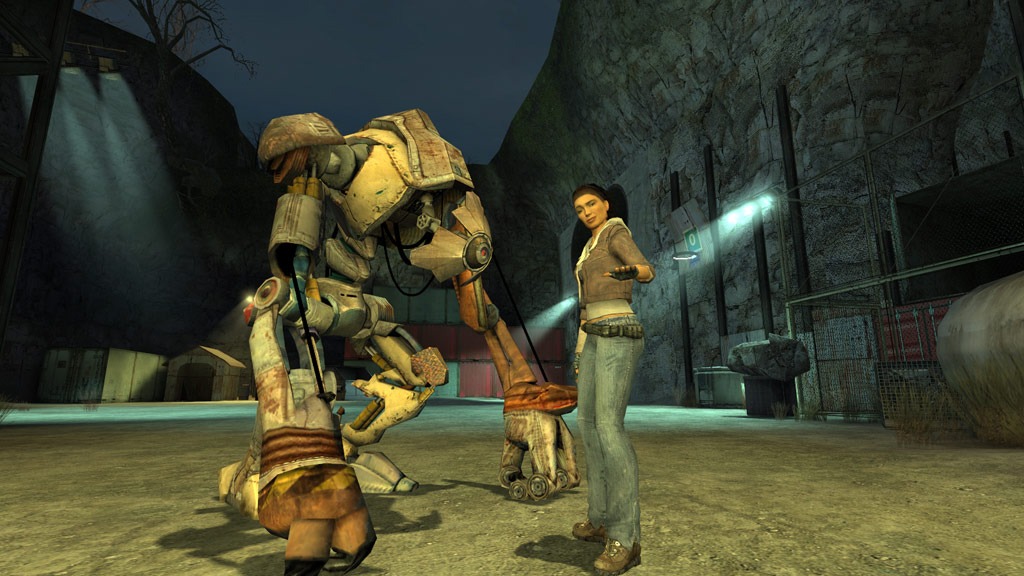
The full Half-Life 2 campaign, plus Episodes One and Two, is now playable free in a browser thanks to a fan port by developers Slqnt and 98006, built in roughly three months.
- It runs natively on your own hardware using WebGL 2 and WebAssembly — no cloud streaming, no download, no installation required.
- Save files live in your browser’s cache, and once assets are cached you can even play offline — handy if your connection is patchy.
- Testing on a Ryzen 7 7700X and RX 6700 XT desktop delivered over 100 FPS at max settings, though visual glitches like the infamous ‘zombie’ head bug persist.
- It’s an unofficial project subject to a possible DMCA takedown by Valve, so there’s no guarantee it stays online — play it while you can.
The port was built by developers Slqnt and 98006 in about three months, which frankly makes the rest of us look bad. And as Tom’s Hardware found in its testing, it isn’t just a novelty — on a decent desktop, it runs at over 100 FPS with settings maxed out.
How on earth does this work?
The clever bit is that nothing is being streamed from the cloud. The game runs natively on your own machine, using WebGL 2 — a JavaScript API that bypasses the browser’s usual layout engine and talks directly to your GPU — while WebAssembly translates the Source Engine’s C++ code into something the browser can execute.
Storage is handled by a virtual file system that pulls compressed assets via high-speed web requests. On first boot, you let the cache build for a few minutes, and then you’re off. Chapters and assets stream in as you play, so you’re not sitting through one enormous download before Ravenholm.
Because everything runs locally, performance depends on your hardware and browser rather than a remote server — good news if your home internet has moods. Even better: save files are written as .sav files directly into the browser’s cache or IndexedDB, so you can close the tab, come back later, and pick up exactly where you left off. Once the assets are cached, you can even play offline. It behaves remarkably like a proper install, minus the install.
Console commands, cheats and achievements
This is where the port goes from impressive to genuinely charming. The Source console is fully integrated, so you can pull up the classic developer terminal and type in cheats or tweak engine variables exactly as you would in the official PC release. Steam achievements are, understandably, off the table — but the game’s built-in achievement system is still there in the menus, ready to remind you that you’ve never actually caught the can in that bin on the first try.
How well does it actually run?
On a Windows desktop with a Ryzen 7 7700X and an RX 6700 XT, Tom’s Hardware managed over 100 FPS at maximum settings in fullscreen, with smooth, hiccup-free gameplay. Half-Life 2 is an old, undemanding game by modern standards, so most reasonably current PCs — the sort of machine you’d find in plenty of UAE homes and offices — should handle it comfortably. Chrome and Firefox appear to be the safest bets.
Mobile is more of a coin flip. Testing on a OnePlus 12 and a modded Switch running Android didn’t go well for the Tom’s Hardware team, though other users report better results. If you must play on a phone, pair a keyboard and mouse or a gamepad, and temper your expectations.
It’s also not glitch-free anywhere. The most famous bug is a rather hilarious ‘zombie’ glitch that renders characters’ heads improperly, leaving their eye sockets eerily vacant. Some complex animations also fail to trigger during cutscenes, and occasional texture issues and frame drops crop up. The game is playable end to end — it’s just not as polished as the official release, which, to be fair, you’d still want for something like the Half-Life 2 RTX remaster if visual fidelity is your thing.
Part of a bigger browser-gaming trend
This port isn’t a one-off. It builds on a similar browser version of Portal, and joins projects like a standalone browser port of Quake III and DOS Zone’s archive of thousands of free classics, including GTA Vice City. The developer talent is clearly there, and modern hardware has grunt to spare — copyright is really the only hurdle left for these retro revivals.
FAQ
Do I need to download or install anything to play Half-Life 2 in a browser?
No. You simply visit the site, let the assets cache for a few minutes on first load, and start a new game. Chapters then stream in as you play, and save files are stored in your browser’s cache so you can resume later.
Does the Half-Life 2 browser port work in the UAE?
Yes — it’s a free, unofficial fan project accessed via a website, not tied to any store purchase or regional storefront. However, as an unofficial port it could be taken down by Valve at any time, in any region.
Can I play the browser port offline?
Yes. Once the game’s assets are cached, you can continue playing offline in your browser, even after closing and reopening the tab, as long as the cached data remains present.
Which browsers work best for the Half-Life 2 port?
Reports indicate it runs best in Google Chrome and Mozilla Firefox on desktop. Mobile browsers can technically run it, but controls are limited and results are mixed — a keyboard and mouse or gamepad is recommended.