Cloud Rebuild is a new Windows 11 recovery method that reinstalls the entire OS, plus your device drivers, by downloading everything from Windows Update, so you no longer need a bootable USB drive even when Windows itself refuses to start.
- Unlike Reset this PC, Cloud Rebuild does not depend on the health of your current install and pulls drivers from the cloud rather than the local machine.
- It is a clean-slate reinstall: there is no option to keep your apps or files, so backups (OneDrive or otherwise) remain essential.
- It’s rolling out in preview to Windows Insiders now, with general availability expected in the coming months and Intune integration for managed enterprise PCs due in the first half of 2026.
- You need a working internet connection during recovery, so a USB installer is still worth keeping around if your connection is slow or unreliable.
How Cloud Rebuild actually works
Cloud Rebuild runs from the Windows Recovery Environment (WinRE), the pre-boot menu your PC falls back to when things go badly wrong. From there, it downloads a fresh Windows image and your hardware’s drivers from Windows Update, then performs a full clean reinstall to what Microsoft calls a “clean, known-good state”. In Microsoft’s words, the device “comes back fully functional without USB media, without a custom image, and without depending on the health of the currently installed OS.”
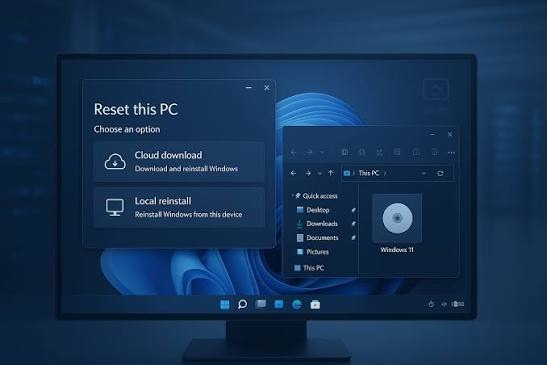
Reset this PC has offered a cloud download option for a while, but it only works when Windows is still bootable, and it sources drivers from the local machine. Cloud Rebuild assumes the worst: your install is toast, and everything needs to come down fresh. It arrives alongside other new recovery tools Microsoft is building into Windows 11, as detailed by BleepingComputer.
The automatic driver fetching is arguably the highlight. Windows 11’s relationship with drivers has been shaky recently, with the OS caught quietly downgrading GPU drivers, so a recovery path that pulls the correct drivers from Windows Update and leaves you with a working machine on first boot is a meaningful improvement over the current guesswork.
Cloud Rebuild vs Reset this PC
| Cloud Rebuild | Reset this PC | |
|---|---|---|
| Works when Windows won’t boot | Yes, runs from WinRE | Cloud download option needs a bootable OS |
| Driver source | Downloaded from Windows Update | Taken from the local device |
| Keep apps and files | No, clean slate only | Optional |
| USB media needed | No | No, but often the fallback when it fails |
The trade-off is clear from that table: Cloud Rebuild is strictly a fresh start. There is no option to preserve installed apps or local files, so if your documents aren’t backed up to OneDrive or elsewhere, this tool won’t save them. It also requires a working internet connection during recovery, since both the OS image and drivers come from Microsoft’s servers. If your connection is down or painfully slow, the trusty USB stick remains your friend.
When you’ll get it
Cloud Rebuild is currently limited to Windows Insiders on the latest Windows 11 preview builds, with a general rollout expected in the coming months. Businesses get a longer runway: Microsoft plans to integrate its new recovery stack, Cloud Rebuild included, with Intune for managed devices in the first half of 2026.
It slots into a broader push to make Windows 11 less annoying to live with, alongside the 2026 update’s fixes for the OS’s biggest complaints. For most home users in the UAE, the practical upshot is that a catastrophically broken PC becomes a one-step, mostly automated fix rather than a weekend project, provided your files live in the cloud and your internet connection is up to the job. Just don’t bin the recovery USB quite yet.
FAQ
What is Cloud Rebuild in Windows 11?
Cloud Rebuild is a new recovery method that reinstalls Windows 11 and your device drivers by downloading them from Windows Update. It runs from the Windows Recovery Environment, so it works even when the existing Windows install is unbootable, and it requires no USB installation media.
Does Cloud Rebuild keep my apps and files?
No. Cloud Rebuild performs a clean reinstall only, with no option to preserve installed apps or local files. If you want to keep your data across a reset, Reset this PC still offers that option, and cloud backups such as OneDrive remain essential either way.
How is Cloud Rebuild different from Reset this PC?
Reset this PC’s cloud download option requires a bootable Windows install and sources drivers from the local device. Cloud Rebuild works from the recovery environment on broken systems and downloads both the Windows image and drivers from Windows Update, restoring the PC to a fully functional state.
When will Cloud Rebuild be available to everyone?
Cloud Rebuild is currently rolling out in preview to Windows Insiders on the latest Windows 11 preview builds. Microsoft expects it to reach all users in the coming months, with Intune integration for managed enterprise devices planned for the first half of 2026.