Brave email aliases hide your real address from websites
Brave has added email aliases to its desktop browser, letting you sign up for websites with a generated address that forwards to your real inbox. The feature ships in version 1.94, and everyone gets five free aliases to start.
Your email address is a durable, universal identifier. Ad platforms including Google, Meta and LinkedIn encourage businesses to upload customer email addresses and match them against their own profiles. Brave’s in-browser blocking cannot stop that server-side matching, because the traffic never passes through the browser at all.

An alias breaks that link: the site gets a random address, mail forwards to your primary inbox, and the real address never leaves your device. Deactivate an alias and the spam stops at the source. Brave already partitions cookies and caches per site; this extends the same partition past the edge of the browser.
How to set up a Brave email alias
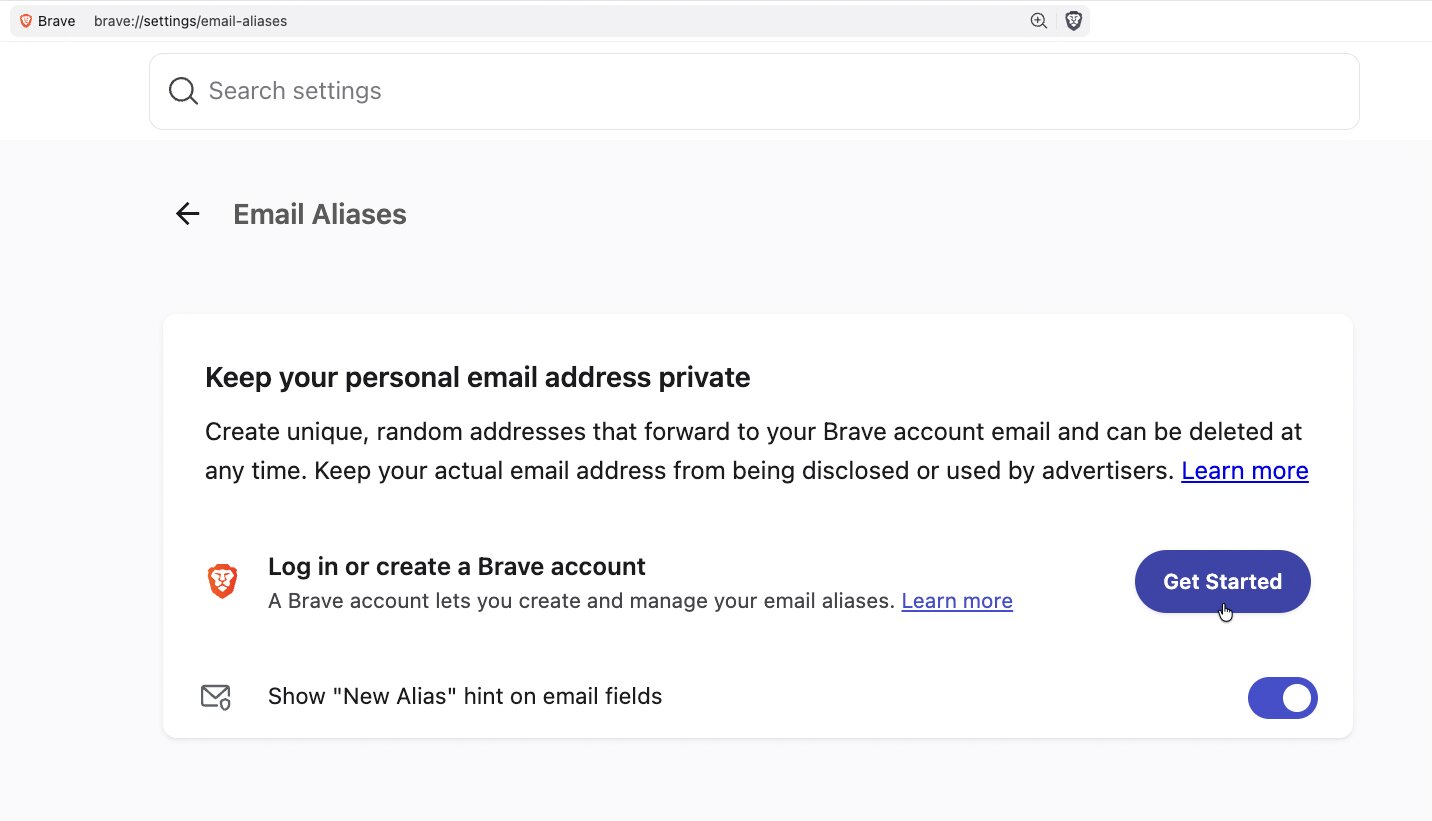
You need a Brave account first, which is separate from the Brave Premium account used for VPN subscriptions. Log in at brave://settings/email-aliases, then click into any email field on a website — a “New Email Alias” hint appears, or right-click the field to create one manually.

Per Brave’s announcement, Brave Accounts uses OPAQUE, a recently standardised cryptographic protocol, so your password is never sent to Brave’s servers. Emails are only processed for spam and virus filtering, then deleted from Brave’s servers within seconds. Alias notes are stored locally, and encrypted end-to-end if you have Sync on.
Five free aliases, mobile coming later
The first release gives everyone five free aliases while Brave gathers feedback; a Premium version is planned, and mobile support is in development. Early on, some forwarded mail may land in your spam folder while Brave builds its reputation as a mail provider — marking it “not spam” fixes routing.
Brave’s desktop browser is a free download, so the feature is available in the UAE from version 1.94. Firefox’s recent privacy-focused update and DuckDuckGo’s free ad blocking show the same arms race playing out across browsers.
What is a Brave email alias?
A unique email address generated by the Brave browser that forwards messages to your primary inbox, so websites never see your real address.
Is Brave Email Aliases free?
Yes. The initial release gives every user five free email aliases. Brave plans a paid Premium version of the feature later.
Can I delete a Brave email alias?
Yes. Aliases can be deactivated at any time, which stops forwarding and prevents further spam from reaching your inbox.