A firmware modification called OmniDrive has been released for Hitachi-LG Data Storage Blu-ray drives using the MediaTek MT1959 chipset, enabling users to legally rip discs from the GameCube, Wii, Xbox, and Xbox 360 — no console modding required. As reported by XDA, the tool gives retro collectors a clean, legal path to back up their physical libraries. GameCube and Wii discs rip without encryption barriers; newer console discs can be read but not easily played without additional decryption tools.
Key Takeaways
- OmniDrive is a free firmware mod for MediaTek MT1959-based Blu-ray drives that enables legal disc ripping from GameCube, Wii, Xbox, and Xbox 360.
- PS3, PS4, PS5, Xbox Series X/S, and Wii U discs can be read but remain encrypted and aren’t easily playable.
- Compatible drives cost roughly AED 370–740 and are available in the UAE via Amazon.ae and Microless.
- MakeMKV identifies whether your existing drive is compatible before you attempt installation.
- Installing the wrong firmware version will permanently brick your drive — verify your model number first.
What is OmniDrive and how does it work?
OmniDrive is a custom firmware for a specific class of PC optical drives — those built on the MediaTek MT1959 chipset and manufactured by Hitachi-LG Data Storage. These drives are found in many LG and Asus Blu-ray models. The firmware patches the drive at a low level, allowing it to read disc formats that standard PC drives cannot.
According to XDA News Editor Patrick O’Rourke, the mod means “anyone looking to back up their collection of GameCube, Wii, and Xbox 360 titles can do so without resorting to downloading ROMs or modding their old-school console.” That matters for video game preservation — physical discs degrade over time, and this provides a straightforward backup path.
The firmware also supports reading discs from the PS3, PS4, PS5, Xbox Series X/S, and Wii U. Those discs are encrypted, however, meaning the raw rip alone won’t get you a playable file without further tools. Dreamcast’s GD-ROM format is partially supported via its low-density layer.
Which consoles does OmniDrive support?
OmniDrive covers a broad range of disc formats, but the practical use case differs depending on the console. GameCube, Wii, Xbox, and Xbox 360 discs rip cleanly — the data is unencrypted and directly usable with emulators. The Xbox 360’s library in particular benefits here, given the platform’s growing emulation scene.
Console | Ripping Status | Encryption |
|---|---|---|
GameCube / Wii / Xbox / Xbox 360 | Supported | Unencrypted — directly usable |
PS3 / PS4 / PS5 | Supported | Encrypted — not easily playable |
Xbox Series X/S | Supported | Encrypted — not easily playable |
Wii U | Supported | Encrypted — not easily playable |
Dreamcast | Partial (low-density layer only) | N/A |
This is worth keeping in mind if your primary goal is backing up a PS4 or PS5 library. The drive can read the disc, but PlayStation’s encryption means those rips aren’t immediately usable.
How do you check if your drive is compatible?
Compatibility is the biggest catch here. OmniDrive only works with Blu-ray drives using the MediaTek MT1959 chipset — not all drives qualify, even from LG or Asus. The Disc Preservation Project Wiki maintains a list of confirmed compatible model numbers, covering a wide range of internal and external drives.
The quickest way to check your existing drive is MakeMKV, a popular Blu-ray backup app. Its start screen displays your drive’s model number and chipset — if you see MT1959, you’re compatible. If you’re buying a new drive specifically for this purpose, cross-reference the Disc Preservation Project list before purchasing.
One firm warning: installing the wrong firmware version will brick your drive permanently. There’s no recovery from a bad flash. Double-check your model number before touching anything. YouTuber Archades Games has a detailed installation walkthrough on their channel if you want a step-by-step guide before starting.
What this means for retro game collectors
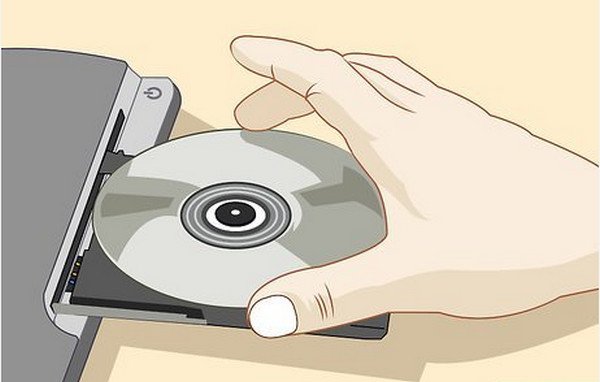
Before OmniDrive, backing up a Wii or GameCube disc collection meant either modding the original console — a hardware-level process that risks the console itself — or sourcing specialist kit like a Rhea or GCLoader. OmniDrive lowers that barrier significantly. A compatible Blu-ray drive and a PC are all you need.
The timing is relevant. Physical media deteriorates. Optical discs from the GameCube era are now over 20 years old, and disc rot is a documented, irreversible problem for collectors. Having a legal, accessible backup method means collections that took years to build don’t disappear when a disc becomes unreadable.
This also signals a maturing preservation ecosystem. Tools like OmniDrive, combined with emulators like Dolphin, give collectors a complete, self-contained workflow entirely on PC — no original hardware required at any point in the chain.
UAE availability
OmniDrive itself is free and available globally via the Disc Preservation Project Wiki. The hardware requirement — a compatible Hitachi-LG Data Storage drive with the MediaTek MT1959 chipset — can be sourced in the UAE through Amazon.ae, Microless, or similar PC hardware retailers.
Compatible drives typically cost between $100 and $200 globally, which converts to roughly AED 370–740. Prices vary by model and whether you’re buying an internal or external unit. Check the Disc Preservation Project compatibility list for specific model numbers before ordering, as not every LG or Asus Blu-ray drive qualifies.
No UAE-specific pricing has been confirmed for individual compatible models at time of publication.
Frequently Asked Questions
What hardware do I need to use OmniDrive?
You need a PC Blu-ray drive built on the MediaTek MT1959 chipset, typically manufactured by Hitachi-LG Data Storage. Most compatible drives come from LG or Asus. Use MakeMKV to check your current drive’s chipset, or cross-reference the Disc Preservation Project Wiki’s compatibility list before buying.
Can OmniDrive rip PlayStation 5 or Xbox Series X games?
OmniDrive can read and rip data from PS5 and Xbox Series X discs, but those files are encrypted. They can’t be played without additional decryption tools, which don’t currently exist in a straightforward form. GameCube, Wii, and Xbox 360 discs rip cleanly with no encryption issues.
Is using OmniDrive to back up games legal?
Backing up games you physically own is generally considered legal in many jurisdictions for personal use. OmniDrive doesn’t require downloading ROMs from third-party sites or modding your original console — it reads discs you already own. Laws vary by country, so check local regulations if you’re uncertain.
Where can I find the list of compatible drives?
The Disc Preservation Project Wiki maintains a full list of compatible model numbers. MakeMKV, a free Blu-ray backup application, also identifies your drive’s model number and chipset on its start screen, making it the quickest way to check compatibility before attempting installation.
What happens if I install the wrong OmniDrive firmware?
Installing an incorrect firmware version can permanently brick your Blu-ray drive with no recovery option. Always verify your exact drive model number against the Disc Preservation Project compatibility list before flashing. YouTuber Archades Games has a detailed installation guide worth watching first.