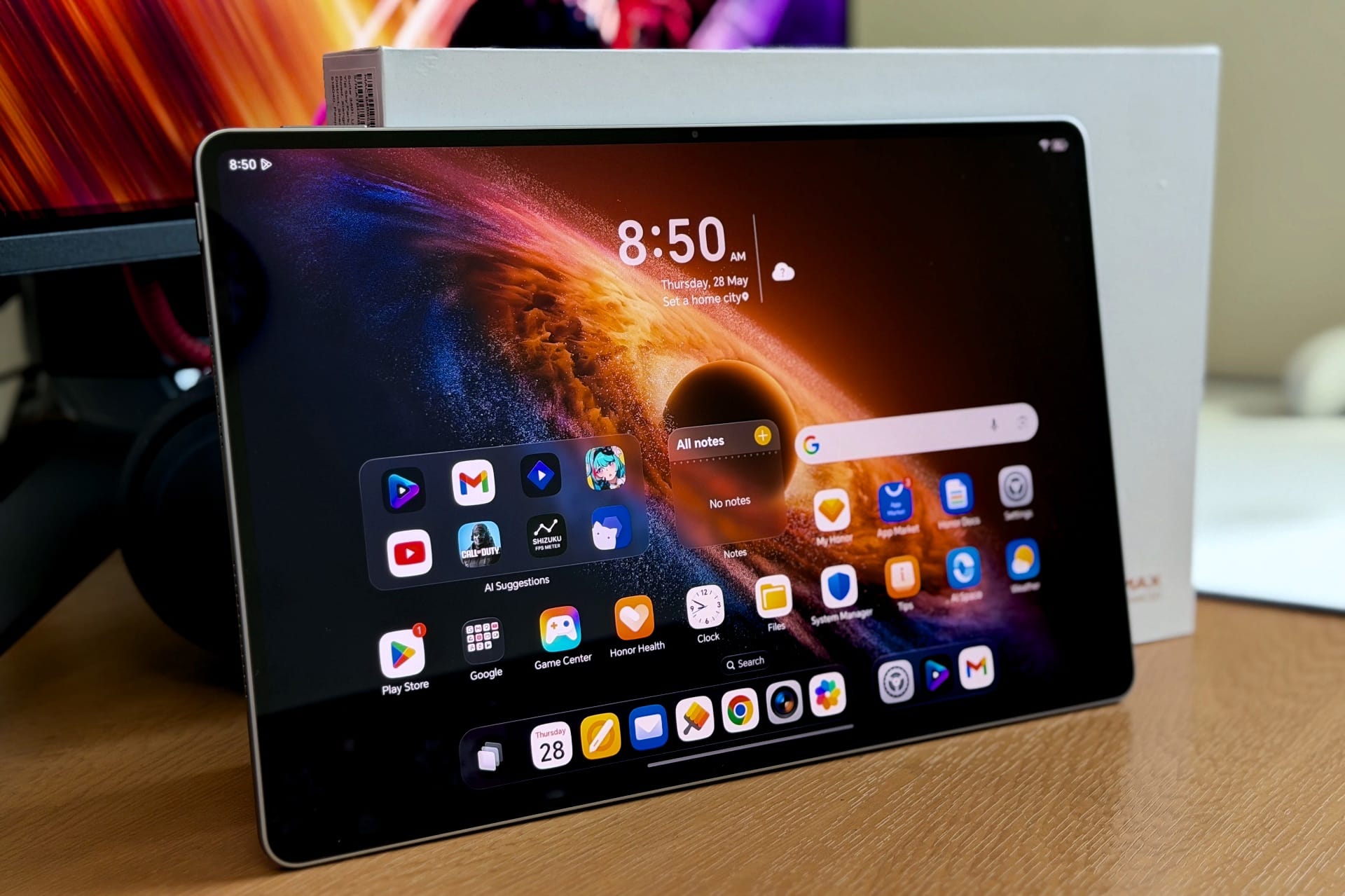
The Honor MagicPad 4 (AED 3,399) is one of the best Android tablets you can buy right now — a gorgeous 12.3in OLED, eight loud speakers, a thin 4.8mm metal body and two-to-three-day battery, with the keyboard, stylus and charger included in the box. The Snapdragon 8 Gen 5 isn’t the fastest tablet chip and there’s no fingerprint scanner, but for media, browsing and light work, it’s an easy recommendation.
The Honor MagicPad 4 is the company’s latest premium Android tablet, and at AED 3,399, it lands in a fairly interesting spot. It is not cheap, but it is also not priced in the same absurd territory as a fully kitted iPad Pro or Samsung’s higher-end Galaxy Tab models. For the money, you are getting a 12.3in OLED display, Snapdragon 8 Gen 5, 12/16GB of RAM, 256/512GB of storage, a 10,100mAh battery, eight speakers, IMAX certification, and a chassis that is only 4.8mm thick. That is a strong spec sheet, especially for a tablet that also includes the keyboard, stylus and charger in the box.
Compared to the MagicPad 3, the MagicPad 4 feels like a more focused upgrade rather than a small yearly refresh. Honor has brought back OLED (thank goodness!), shaved the body down further, lowered the weight, and moved to Qualcomm’s Snapdragon 8 Gen 5 chipset. It is also a noticeable step forward from the MagicPad 2 in hand, mostly because of how slim and light it feels despite carrying a large battery and a full-sized display.
The Snapdragon 8 Gen 5 is worth putting into context here. It is a high-end chip and perfectly capable for daily use, multitasking and a decent bit of gaming, but it is not the fastest tablet processor you can buy. Apple’s M-series iPads will still have the raw performance advantage, and some Android rivals also push harder on GPU performance. But that is not really where the MagicPad 4 is trying to win.
The appeal here is the overall balance. The screen is excellent, the speakers are very good, MagicOS remains one of the most underrated Android skins for tablets, and the hardware feels more premium than the price would suggest. It is the kind of tablet that makes sense if you want something for media, browsing, light work, note-taking and casual editing without spending the big bucks for the more premium features.
Design and Features: Thin, Light and Surprisingly Solid
The MagicPad 4 is very thin. At 4.8mm, it is thinner than most tablets I have used, and compared to my MagicPad 2, the slimmer profile is easy to notice. It is not a life-changing difference or anything dramatic, but it does make the tablet feel more modern and easier to handle.

The more impressive part is that it does not feel fragile. Thin devices can sometimes feel a little hollow and flimsy, but the MagicPad 4 feels sturdy in the hands. There is no creaking, no flexing, and no obvious weak point in the chassis.
Honor has also kept the weight down to 450g, which is great for a 12.3in tablet with a 10,100mAh battery inside. This was achieved by using an all-metal unibody chassis paired with an internal frame made from what the company describes as next-generation aerospace-grade fibre materials, optimised through AI simulations to reduce overall weight while increasing structural rigidity by 55%. Marketing speak, obviously, but hey — it worked.

The grey version I tested has a clean, simple finish. It feels smooth, looks premium enough, and does not catch fingerprints on the back. The display still picks up smudges, of course, but that is expected with any glossy touchscreen.
In daily use, the weight distribution is fine. Holding it while browsing, reading, doing some light image editing or watching content is comfortable for the most part. If you are lying down in bed and holding it above your face for a long time (as we all do at times), it will eventually get tiring, but that is true for almost every large tablet. The thin edges also mean there is not much body to grip, so prolonged handheld video watching can get a bit cumbersome after a while.

The rear camera module is placed in the corner and uses the same general finish as the back panel, so it blends in better than I expected. There is a little bit of table wobble when the tablet is placed flat, but the housing itself is quite slim, so it is not a major annoyance. And really, most tablets and phones wobble these days because of camera bumps, so I am not going to pretend this is some unique problem here.

For cameras, you get a 13MP rear camera and a 9MP front camera. The rear camera is mostly there for scanning documents or the occasional quick shot, which is all I expect from a tablet camera. The front camera is more useful since it handles video calls and face unlock. Face unlock worked fine during my use, though there is no fingerprint scanner here — a bit of an oversight from Honor for a tablet at this price.

The buttons are standard and do the job. The power and volume buttons feel fine, and I did not run into any issues with their placement (top-right of the device in portrait mode). There is also a USB-C port for charging and connectivity, but no headphone jack or expandable storage. I did not miss either, personally, but it is worth mentioning if you still rely on wired headphones or microSD cards.
Honor includes the keyboard, stylus and charger in the box, which helps the value argument quite a bit. Unfortunately, I did not receive either with my review unit, so I cannot comment on the typing experience, trackpad quality, stylus latency or magnetic attachment. We will stick to the tablet itself for this review.
Display: The Best Reason to Buy It
The MagicPad 4 comes with a 12.3in OLED display with a 3000×1920 resolution, 290ppi density, 1.07 billion colours, DCI-P3 wide colour gamut, and a peak HDR brightness of 2400 nits. It also supports a refresh rate of up to 165Hz, with options for 60Hz, 90Hz, and 120Hz, along with 5280Hz PWM dimming for those who are sensitive to screen flicker.
It’s a strong spec sheet, but more importantly, it is a very good display in actual use. I watched Netflix, YouTube and a number of HDR clips on the MagicPad 4, and this is easily one of the main reasons to consider the tablet. HDR content looks particularly good, with differences in brightness, colours, and dynamic highlights immediately noticeable. The OLED panel does what OLED panels usually do well: deep blacks, strong contrast, vibrant colours and a sense of depth that LCD tablets still struggle to replicate.

This is also where the MagicPad 4 feels like a more meaningful upgrade over the MagicPad 3. Honor had moved to an LCD panel on the MagicPad 3 (an indefensible move, if you ask me), so the return to OLED here makes a lot of sense. However, compared to the MagicPad 2, the difference is much smaller. On paper, the MagicPad 4 has the higher peak brightness, but in my indoor usage, both tablets felt close enough that I wouldn’t call it a dramatic leap. The MagicPad 4 still has the better display overall, but if you are coming from the MagicPad 2, it won’t feel like a night-and-day difference.
Out of the box, the display tuning is punchy and saturated. I wouldn’t call it the most colour-accurate panel, but for the kind of content most people will watch on a tablet, the tuning works well. Movies, shows, YouTube videos and HDR clips all benefit from the extra pop, and the screen does a good job of making content look lively without becoming unpleasant. If you prefer a more toned-down look, Honor does let you switch the colour mode from Vivid to Natural for a more “true-to-life” presentation, and you can also adjust the colour temperature between Default, Warm, and Cool.

Text clarity is also perfectly fine. Reading articles, browsing websites, checking emails and going through documents all looked sharp and clean on the 12.3in panel. The bezels are thin enough to give the tablet a modern look, but not so thin that accidental touches become an issue during my use. There isn’t much space to grip from the front, but that is expected with most slim tablets now.
The 165Hz refresh rate is a little more complicated. In normal use, the MagicPad 4 feels smooth. Animations are clean, scrolling feels fluid, and MagicOS runs without any stutter. However, I am not fully convinced the display is consistently hitting the claimed upper refresh rate, or at all. On my MagicPad 2, which is supposed to support 144Hz, the UFO Refresh Rate Test always showed 120Hz even when the display was set to High. On the MagicPad 4, the Medium 120Hz mode reported 90Hz, while the High 165Hz mode reported 60Hz.
To be clear, the tablet does not feel like a 60Hz device when set to High. It feels closer to 120Hz in actual use, and the UI remains smooth enough that I wouldn’t call this a deal-breaker. Most apps won’t run at 165Hz anyway; video content certainly won’t, and very few games will push that kind of frame rate on a tablet. But it is still worth mentioning because the refresh-rate behaviour does not seem as straightforward as the spec sheet suggests, and as someone who used to stream PC games via Sunshine/Moonlight (or Artemis/Apollo), this is quite important to know.

The panel is glossy, so reflections are present. Indoors, under controlled lighting, it was not an issue. Under harsher overhead lighting or near large windows, you will notice reflections more easily. The high brightness helps, but this is not a matte display, so glare is something to keep in mind if you regularly use your tablet in bright rooms.
Speakers: Loud and Clear, Light on Bass

The speaker setup is equally important, because a tablet with a great display but weak speakers always feels incomplete. The MagicPad 4 uses an eight-speaker system and supports Honor Spatial Audio, Stereo Mode, IMAX Enhanced content and DTS:X related audio features.
For personal listening, the speakers are excellent. They get plenty loud, the dialogue is clear and upfront, and there is enough fullness to make movies, shows, and YouTube videos enjoyable without immediately reaching for earbuds. I wouldn’t say they replace a proper Bluetooth speaker or fill a large room for shared listening, but for sitting on a couch or watching something in bed, they are more than enough and then some.
The limitation is bass. There isn’t much low-end depth here, which is not surprising given the tablet is only 4.8mm thick. Voices have enough body, and the music does not sound thin, but bass-heavy tracks and action scenes lack the weight you would get from larger speakers. That is more of a physics problem than anything else.
What the speakers do well is separation. In well-mastered tracks and videos, there is a good sense of stereo placement, and you can sometimes pick out the separation between instruments or effects. It’s not going to mimic a proper surround system, obviously, but for built-in tablet speakers, and especially on something this thin, the effect is quite good.
The audio modes are worth playing around with. Stereo is the better option for music because it keeps the sound cleaner and more focused. Honor Spatial Audio expands the soundstage and works better for movies, where the extra width and surround-like effect can make scenes feel a bit more open. With music, though, it can sometimes make things sound hollow or slightly muddy. Neither mode seems to reduce volume or clarity, but Spatial Audio is more situational than something I would leave on all the time.
There was no distortion at higher volumes during my testing, and I did not have major issues with speaker placement either. You can block the grilles by gripping the tablet tightly from the sides, but that applies to most tablets with edge-mounted speakers.
MagicOS and PC Mode: Light Work, Handled Well
The MagicPad 4 runs MagicOS 10 based on Android 16, and as far as Android skins go, Honor has done a good job here. It is clear, smooth and easy enough to get around, with enough iPadOS-like familiarity that anyone coming from an iPad should feel comfortable pretty quickly. Honor is also promising six years of major Android updates, which is good to see on a tablet at this price, especially when Android tablets have not always been great with long-term software support.

There are also plenty of Android-specific conveniences layered on top. You can resize folders, place widgets across the home screen, use Magic Portal, run apps in split-screen, and bring up a taskbar by swiping from the bottom. The taskbar shows your pinned apps and frequently used apps, and you can drag icons from it directly into split-screen. It all works as expected, and the apps stay in memory long enough that I am not constantly waiting for them to reload.
Floating windows are also available and work well for the most part. You can resize and move them around, although I did not find myself using them as much outside of PC Mode. Magic Portal is more useful, especially when you want to quickly move content between supported apps, and it remains one of the better Honor software features that I wish more Android skins would just straight up copy.
Honor also includes a number of AI features across the system, including writing tools, productivity features, note-related tools, summaries and other assistance features. They fit into the broader direction MagicOS 10 is taking, where the tablet is not just meant for watching content but also for handling lighter work, note-taking and document-heavy tasks without needing to jump between multiple apps as often.

What is less pleasant is the number of pre-installed apps and games. Honor still loads the tablet with a bunch of third-party apps by default, and it also creates recommendation folders for apps and games that you cannot remove. It is not enough to ruin the experience, but it does make the initial setup feel messier than it should on a premium tablet.
The more interesting software feature is PC mode.
You can switch into it directly from the global taskbar with a single tap. Once enabled, the interface behaves more like a desktop environment, with apps opening in separate windows that can be moved, resized, or expanded to full screen. There is also a proper taskbar that shows open and pinned apps, though it is obviously not as feature-rich as what you get on Windows or macOS.

I tried Chrome, Gmail, Docs, Sheets, YouTube, Files, and Notes in PC mode, and most apps behaved well. Some looked like windowed Android apps, while others used layouts closer to what you would see on foldables, but I did not run into any major compatibility issues. You can have multiple windows open, jump between them from the taskbar, and generally work the way you would on a regular computer.
It is a PC-lite experience, but I mean that in a good way. You can write and edit documents, watch videos, chat, download files and move between apps without feeling boxed into a basic tablet interface. It will not replace a Windows laptop or MacBook for heavier workflows, but if you need to get some work done in a pinch, it is more than capable.

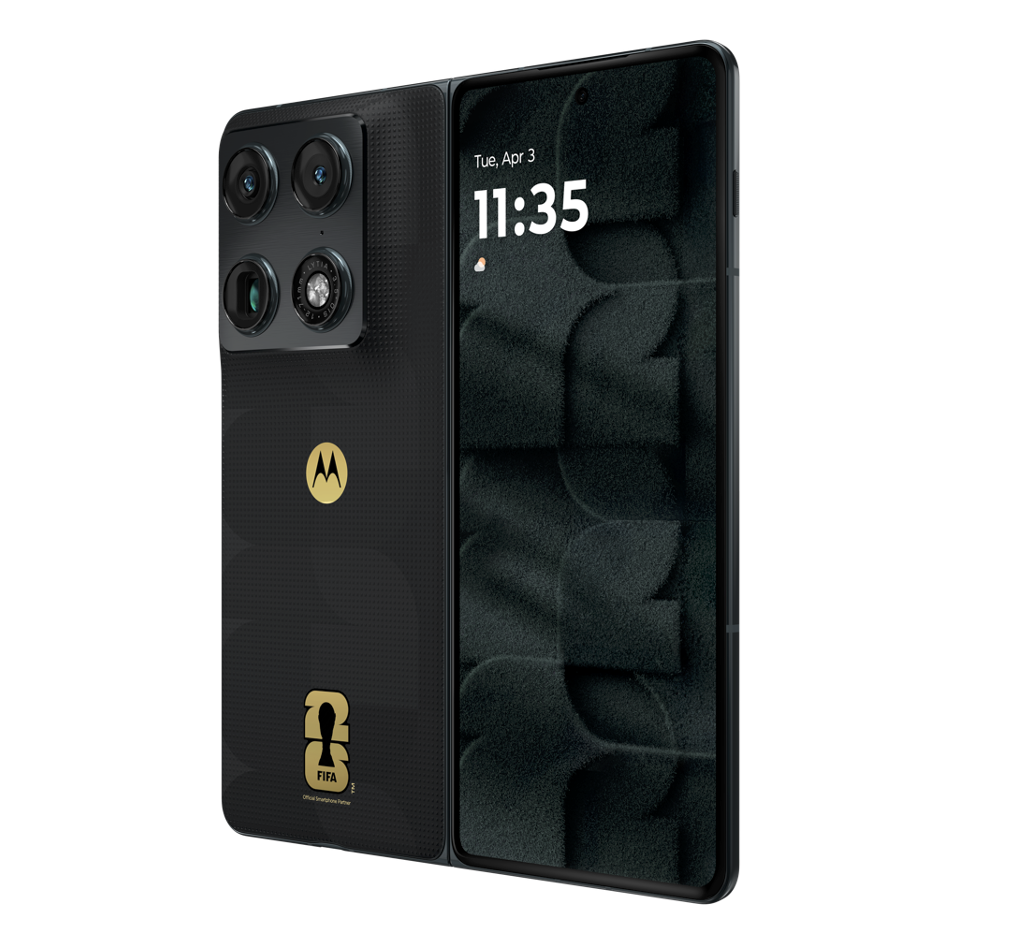
External display support is also present over USB-C. When connected to a monitor, the MagicPad 4 offers Mirror Mode, Extended Mode, and External Mode. The last one turns off the tablet’s own screen and shows the interface only on the external display. That is great to have, though my monitor’s USB hub did not pass through the connected mouse and keyboard (it did work on the Motorola Razr Fold, so it’s not an Android-system limitation), so you will likely need a Bluetooth mouse and keyboard connected directly to the tablet.
Performance: Fast Enough, Just Not the Fastest
Performance in daily use was solid. The Snapdragon 8 Gen 5, paired with 12GB of RAM, handled web browsing, YouTube, downloads, apps, app switching, and multitasking without any slowdown during my use. Apps opened quickly, animations were smooth, and I did not notice any app reloads that interfered with normal use. The tablet also stayed cool during regular non-gaming tasks.

Unfortunately, I could not run benchmarks on my unit. Geekbench and 3DMark would download from the Play Store, but fail during installation. We contacted the local team, and Honor pushed an update specifically to the review unit, but that did not solve the issue. Since every other app installed normally, this seems more like a pre-release unit glitch or a benchmark block that was not lifted properly, rather than a wider problem with the tablet.
For gaming, I tested Call of Duty Mobile and Neverness to Everness.
Call of Duty: Mobile ran well at the highest available settings. I could not get an FPS counter to work on Android, but it felt smooth and stable, likely around 60 fps. I played multiplayer, and the touch response felt good throughout. Honor’s Game Center also lets you enable extra touch responsiveness, and with that turned on, inputs felt natural and responsive.
The tablet did get warm quickly, though. Not dangerously hot or anything like that, but warm enough that I noticed it almost immediately, and after a bit of play, my palms were sweaty. That thin body is great for portability, but you do feel the heat when the chipset is being pushed.

Neverness to Everness is a heavier test. The game ran at the Extreme preset with settings pushed to the highest available options. It looked good and was playable, but it was not a locked 60fps experience. In normal exploration, performance felt somewhere around the 45-60fps range, with occasional stutters. During busier combat sequences, the frame rate would dip into the lower 40s.
That is still decent performance for a tablet this thin, but it also shows where the Snapdragon 8 Gen 5 sits. The MagicPad 4 is more than fine for gaming, but I would not buy it expecting ultra-high frame rates in every demanding title at max settings. Lowering a few settings should smooth things out, but at max settings, the MagicPad 4 is more capable than flawless.
Battery Life: Two to Three Days, Comfortably
The MagicPad 4 has a 10,100mAh battery and supports 66W wired charging and 5W reverse wired charging. That is slightly smaller than the battery inside the MagicPad 3, but in actual use, battery life was still good. With medium use, I was able to get around 2-3 days from the tablet, while lighter use can stretch it to several days. My usage mostly consisted of web browsing, watching videos, reviewing documents, and some note-taking. I also kept the refresh rate on High throughout testing, with brightness usually around 40-50%, only pushing it higher for movies and shows.
Standby drain is present but not excessive, and I did not notice PC mode draining the battery much faster than regular tablet use. The tablet does get a little warm while charging, but nothing out of the ordinary. Honor includes the charger in the box, with the tablet supporting 66W SuperCharge. MagicOS also includes battery care features to help manage charging behaviour and long-term battery health, which is always good to have on a device you are likely to keep for a few years.
The Verdict
The Honor MagicPad 4 is one of the easiest Android tablets to recommend at AED 3,399. It’s got the hardware chops: an excellent OLED display, loud and clear speakers, a thin, light body, good battery life, and enough performance for daily use, multitasking, and a decent bit of gaming.
It also helps that Honor has built a pretty strong software experience around it. MagicOS 10 feels clean and polished, PC mode is genuinely useful for light productivity, and the promise of six years of major Android updates gives the tablet a stronger long-term value proposition than many Android tablets before it. It won’t replace a proper laptop for heavier workflows, but for browsing, writing, documents, video calls, media, notes and casual editing, it does the job well.
There are a few caveats. The Snapdragon 8 Gen 5 is fast, but not the fastest chip you can get in a tablet right now. There is no fingerprint scanner, and Honor still needs to calm down with the pre-installed apps and recommendation folders. But none of these feels like a major deal breaker for what the MagicPad 4 offers.
If you are already tied into the Apple or Samsung ecosystem, there are obvious reasons to stick with an iPad or Galaxy Tab. But for general Android users, or anyone who wants a premium tablet without paying top-tier Apple or Samsung money, the MagicPad 4 is an excellent option.
Buy it if:
- You want one of the best OLED tablet screens at this price, with eight loud speakers to match.
- You value a thin, light, premium-feeling body that still lasts two to three days on a charge.
- You’d use the bundled keyboard, stylus, and charger, and want light productivity via PC mode, plus six years of updates.
Don’t buy it if:
- You need the absolute fastest tablet chip for sustained, max-settings gaming.
- A fingerprint scanner, a headphone jack, or expandable storage is a dealbreaker for you.
- You’re already invested in the Apple or Samsung ecosystem and rely on those apps and accessories.