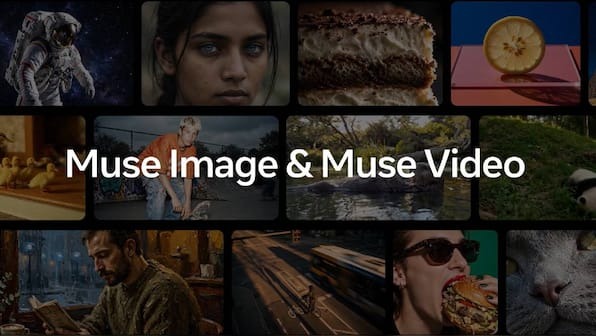
Meta's new Muse Image model lets people @mention Instagram accounts in the Meta AI app and use that account's public photos as references for AI-generated images. You can block this from Instagram's Sharing and Reuse settings, but the change only protects media you post from that point onwards.
- Opt out via Instagram: Menu > Settings and activity > Sharing and Reuse, then disable both reuse options for AI features at Meta.
- Private accounts are already protected — Meta AI won't let others use a private account's uploads to generate or edit images.
- Muse Image is rolling out in the US first through the Meta AI app, Instagram Stories, and WhatsApp, with more markets and surfaces (including Facebook and Messenger) to follow.
- The model is free for everyday use, with heavier usage sitting behind Meta's subscription plans.
Meta’s new image model, Muse Image, arrives with a genuinely impressive feature list and one detail that deserves your immediate attention: other people can now tag your Instagram account in an AI prompt and use your public photos as reference material. If that idea makes you uncomfortable, there is a setting to switch off — though it comes with a catch worth understanding before you assume you’re covered.
Muse Image was built by Meta Superintelligence Labs and sits alongside Muse Spark, Meta’s first frontier AI model. According to Meta’s chief AI officer, Alexandr Wang, the image model pairs with Muse Spark to reason through your prompt, search the web, and plan before generating anything.
The tagging feature, and why it matters
The headline capability here is @mentioning. Inside the Meta AI app, users can tag an Instagram account and ask the model to use that account’s public images as a reference — adding a person to a scene, for instance, based on photos they’ve posted publicly. Meta says this follows Instagram’s existing content reuse policy, and if your account is private, Meta AI won’t let others use your uploads to generate or edit images at all.
Beyond tagging, Muse Image handles conversational prompts, photo uploads with editing commands, and an Ideas button for suggestions. Markup tools let you draw over part of an image and prompt against it — scribble over someone’s eyes and ask for sunglasses, mark their head and add a hat. The model can also remove a person from a background or build a functional QR code.
How to opt out of AI reuse
If your account is public and you’d rather your photos stayed out of other people’s prompts, the setting lives in Instagram:
Now the catch: Meta’s support page states that changes made here “only apply to future media”. Anything you posted publicly before flipping the switch may already have been fair game for reuse. If that bothers you, switching your account to private remains the more comprehensive shield, since private accounts are excluded from the tagging feature entirely.
Availability and what UAE users can expect
Muse Image is currently rolling out in the US through the Meta AI app, Instagram Stories, and the Meta AI chat window on WhatsApp, with WhatsApp access limited to select countries for now. Meta says the model is coming soon to Facebook, Messenger, and additional Instagram and WhatsApp surfaces, with more markets to follow — so UAE users shouldn’t expect the full experience just yet.
That said, the opt-out setting is worth sorting today rather than when the feature lands here. The Sharing and Reuse controls are already live in Instagram, and because the opt-out only protects future posts, the earlier you disable reuse, the less of your content sits in the reusable pool once Muse Image reaches the region.
On cost: the model is free for everyday creation, with a usage cap. Extended use requires one of Meta’s subscription plans — something to keep in mind once the service expands beyond its initial markets.
FAQ
Can other people use my Instagram photos in Meta AI images?
Yes, if your account is public. Meta's Muse Image model lets users @mention Instagram accounts in the Meta AI app and use that account's public images as references for AI-generated or edited images. Private accounts are excluded.
How do I stop Meta AI from using my Instagram content?
Go to your Instagram profile, tap the Menu bar, open Settings and activity, select Sharing and Reuse, and disable both options under Allow people to reuse your content on Instagram and with AI features at Meta. Note that this only applies to media you post after making the change.
Is Meta's Muse Image available in the UAE?
Not yet. Muse Image is currently rolling out in the US via the Meta AI app, Instagram Stories, and WhatsApp in select countries. Meta says more markets, plus Facebook and Messenger, will follow.
Is Muse Image free to use?
Muse Image is free for everyday creation but comes with a usage cap. Extended use requires one of Meta's subscription plans.