If you play anything demanding on a phone with the charger plugged in, you have felt the result: the back of the phone gets uncomfortably warm, frame rates drop, and a year later, the battery doesn’t last a day.
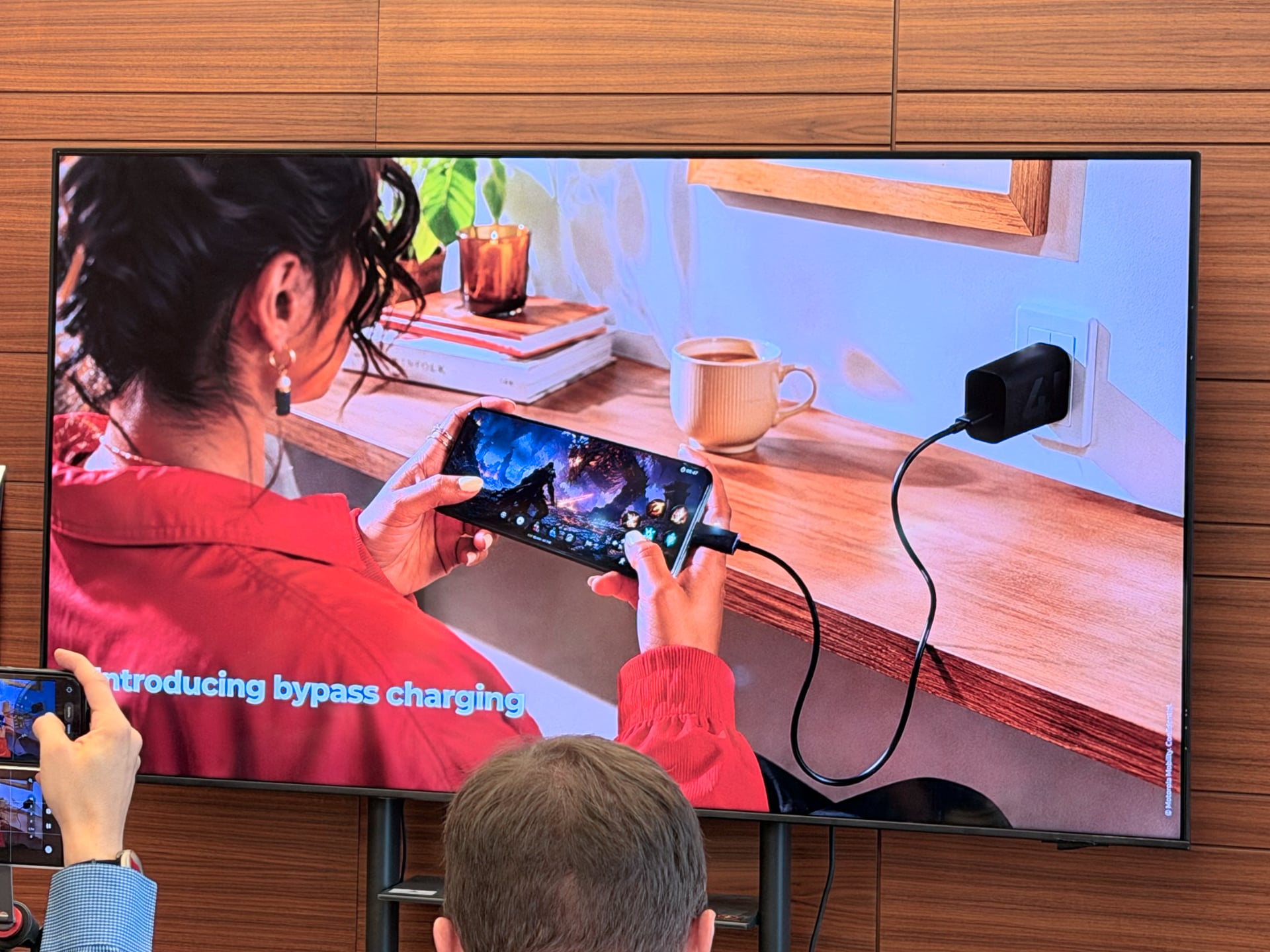
Motorola’s edge 70 plus includes a setting aimed squarely at that problem, called bypass charging. It is not new technology, and Motorola is not even early to it — but plenty of people already own a phone that can do this and have never found the switch.
What is happening without it
A phone plugged in during a heavy game is doing two jobs at once. The charger is pushing current into the battery, and the battery is pushing current out to feed the chipset, the modem and a bright display running at a high refresh rate. Both directions generate heat, and in a sealed slab a few millimetres thick, there’s nowhere for the heat to go.
Two things follow. In the short term, the phone throttles — the processor is pulled back to protect the hardware, and your frame rate goes with it. In the long term, the battery loses capacity because lithium-ion cells degrade fastest when they are hot and under load. Charge cycles matter, but sustained heat matters more.
What bypass charging changes
Bypass charging is a switch. Turn it on, and the phone stops routing incoming power through the battery. Power from the charger goes directly to the components that need it, leaving the battery idle in the middle—neither charging nor discharging.
The effects are straightforward:
- The battery is not cycled during your session, so those hours do not count against its life
- Less heat is produced inside the phone, so the chip throttles later, and performance holds up
- Your battery percentage stays roughly where it started rather than climbing
The last point confuses people at first. Plug in, play for two hours with bypass charging on, and you finish at the same charge level you began with. That is the feature working, not failing.
How Motorola has implemented it
The details matter here because Motorola has not simply added a toggle in the battery menu. On the edge 70 plus, bypass charging is:
- Off by default — you have to go and enable it
- Available only inside Gametime mode, Motorola’s gaming overlay, so it will not help a long navigation session or a video shoot
- Gated behind a charge threshold you choose — 20, 40, 60 or 80%. The phone charges normally until it reaches your threshold, and only then starts drawing power straight from the charger
- Self-cancelling — if the battery drops back below the threshold, charging conditions are not met, or you leave Gametime mode, it reverts to charging normally
That threshold design is the sensible part: set it to 80%, and you get a nearly full battery for later plus a cool phone while you play, instead of having to choose. Motorola also notes that availability can vary by region and is subject to regulatory approval, so it is worth checking whether the setting exists on a UAE unit rather than assuming.
Who has it already
Bypass charging is not new. Sony shipped it on the Xperia 1 II back in 2020, buried under the name Heat Suppression Power Control. Asus put it on the ROG Phone line, Nubia’s RedMagic phones market it as charge separation, and Xiaomi’s Black Shark models offered it inside a gaming mode. Since then, it has quietly gone mainstream: Samsung has included it in Game Booster since the Galaxy S22 generation, OnePlus has rolled it out system-wide rather than gaming-only in OxygenOS, and it has appeared on recent Pixel and Realme devices.
So Motorola is not first, and its gaming-mode-only implementation is narrower than OnePlus’s. What it is doing is putting the feature on a mainstream premium phone whose other headline is a 200MP camera rather than a gamer aesthetic. The useful question is no longer whether your phone can do this — increasingly it can — but whether you have found the toggle.
When to actually use it
Bypass charging is worth switching on when you are plugged in and gaming for a long stretch — the sort of session where the phone would otherwise get hot enough to throttle. Set the threshold high if you want to charge in the bank afterwards, low if you care only about temperature.
It is the wrong setting when you need to charge quickly. If you are plugged in for 20 minutes before heading out, leave it plugged in and let the battery charge. Treat it as a mode for sessions, not a permanent state.
There is also a limit worth being honest about: bypass charging reduces heat; it does not eliminate it. A phone rendering a demanding game at high brightness will still get warm, because the chip and screen are the heat sources. What you avoid is the extra charging load on top of that.
Does it matter in the UAE more than elsewhere?
Ambient temperature sets the floor for every thermal problem a phone has, and for several months of the year that floor is high here — a phone that is already at 40°C before you open a game has far less headroom than the same phone in a European autumn. Anything that removes an internal heat source is worth more in this climate than the spec sheet suggests.

The rest of the edge 70 plus
Bypass charging arrives alongside a 200MP main camera with optical stabilisation, a 6.78in quad-curved Extreme AMOLED display at Super HD resolution rated for 144Hz and 5,200 nits peak, a Snapdragon 7s Gen 3, a 6,500mAh battery with 45W TurboPower charging and four Pantone finishes. Motorola has confirmed a Middle East rollout in the coming weeks, but no price. See our full round-up of everything Motorola announced at IFA 2026.
What is bypass charging on a phone?
It is a setting that feeds power from the charger directly to the phone’s components while it is plugged in, leaving the battery idle rather than charging and discharging it simultaneously.
Does bypass charging damage the battery?
No, the opposite. It reduces battery wear because the pack is not being cycled or heated while you play.
How do you turn on bypass charging on the motorola edge 70 plus?
It sits inside Gametime mode rather than the main battery settings, is disabled by default, and asks you to pick a charge threshold of 20, 40, 60 or 80%. Above that threshold, the phone runs off the charger; below it, or outside Gametime mode, it charges normally.
Why does my battery percentage not increase when bypass charging is on?
Because the battery is deliberately being left out of the circuit. The charger is powering the phone directly, so the charge level remains unchanged.
Which phones support bypass charging?
Sony’s Xperia 1 II had it first in 2020, and it now appears on the Asus ROG Phone and RedMagic lines, on Samsung Galaxy phones through Game Booster since the S22 generation, system-wide on OnePlus devices in OxygenOS, and on recent Pixel and Realme models. Motorola’s edge 70 plus adds it to the Edge family.