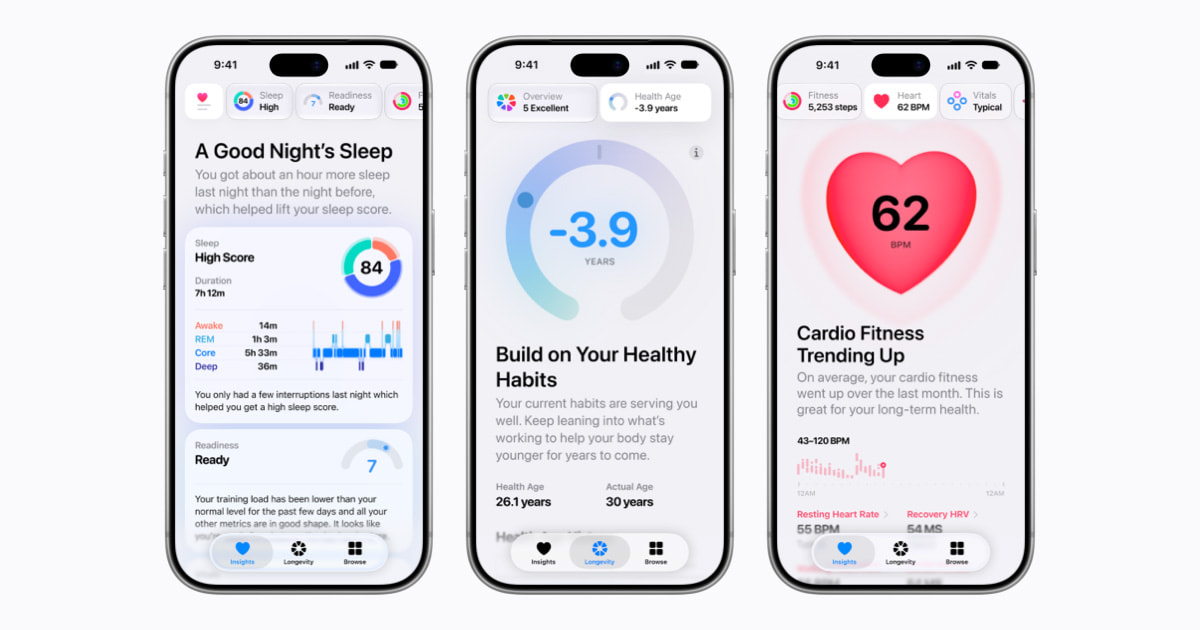
Apple’s first iOS 27.3 beta brings back the redesigned Health app, with a new Health Age score built from Apple Watch data. Apple released iOS 27.3, watchOS 27.3 and macOS 27.3 Golden Gate beta 1 to developers on 3 November.
Apple first let developers test the app in the iOS 27.2 beta, and it’s now back for 27.3. According to 9to5Mac, it will ship to all users next month with iOS 27.3. The beta also lets Siri AI do more inside Apple’s apps, adds vertical tabs to Safari, and opens the Apple Watch listening features from September to testing.
A new Health app with a Health Age score
The redesign adds an Insights tab, which Apple describes like this:
surfaces timely, holistic summaries spanning heart, sleep, readiness, fitness, vitals, and cycle tracking data throughout the day.
Apple, Newsroom announcement
A For You section turns those summaries into suggestions, such as adjusting your wind-down routine after several nights of broken sleep. There are also educational videos and articles featuring the Health app’s clinical experts.
The new Longevity tab looks at heart health, sleep, mental wellbeing, movement, metabolic health, hearing, and nutrition. Its centrepiece is Health Age. It turns your watch’s VO2 max, resting heart rate, sleep, and heart rate variability into a measure of how your body tracks against your actual age. You can also add clinical lab results such as A1c and LDL cholesterol.
At-home movement evaluations use your iPhone’s camera and Apple Watch to measure flexibility, strength, balance, movement mechanics, and VO2 max, with real-time audio and visual feedback. Apple says on-device AI models do the work and that no video is ever recorded, stored, or shared.
The app also adds languages: global English, Simplified and Traditional Chinese, French, Japanese, Korean, Norwegian, Portuguese, Spanish, Turkish, and Vietnamese. Arabic isn’t on Apple’s list. Apple Fitness+ also gets Gym Strength workouts.
Siri AI works across 15 apps
MacRumors reports that Siri AI can now complete tasks in Calendar, Files, Finder, Journal, Mail, Maps, Messages, Music, Notes, Photos, Preview, Reminders, Safari, Shortcuts, and Weather. You can ask Siri what it can do in each one. In Mail, it’ll unsubscribe you from mailing lists or undo a message you just sent. In Safari, it can close duplicate tabs or clear a site’s history for a set period, like the last 10 days.
Siri AI also expands to Traditional Chinese, Vietnamese, Turkish, and Norwegian. Arabic isn’t among them. Tbreak covered the iOS 27 launch and its UAE catch in September.
Vertical tabs and a dark mode for every site
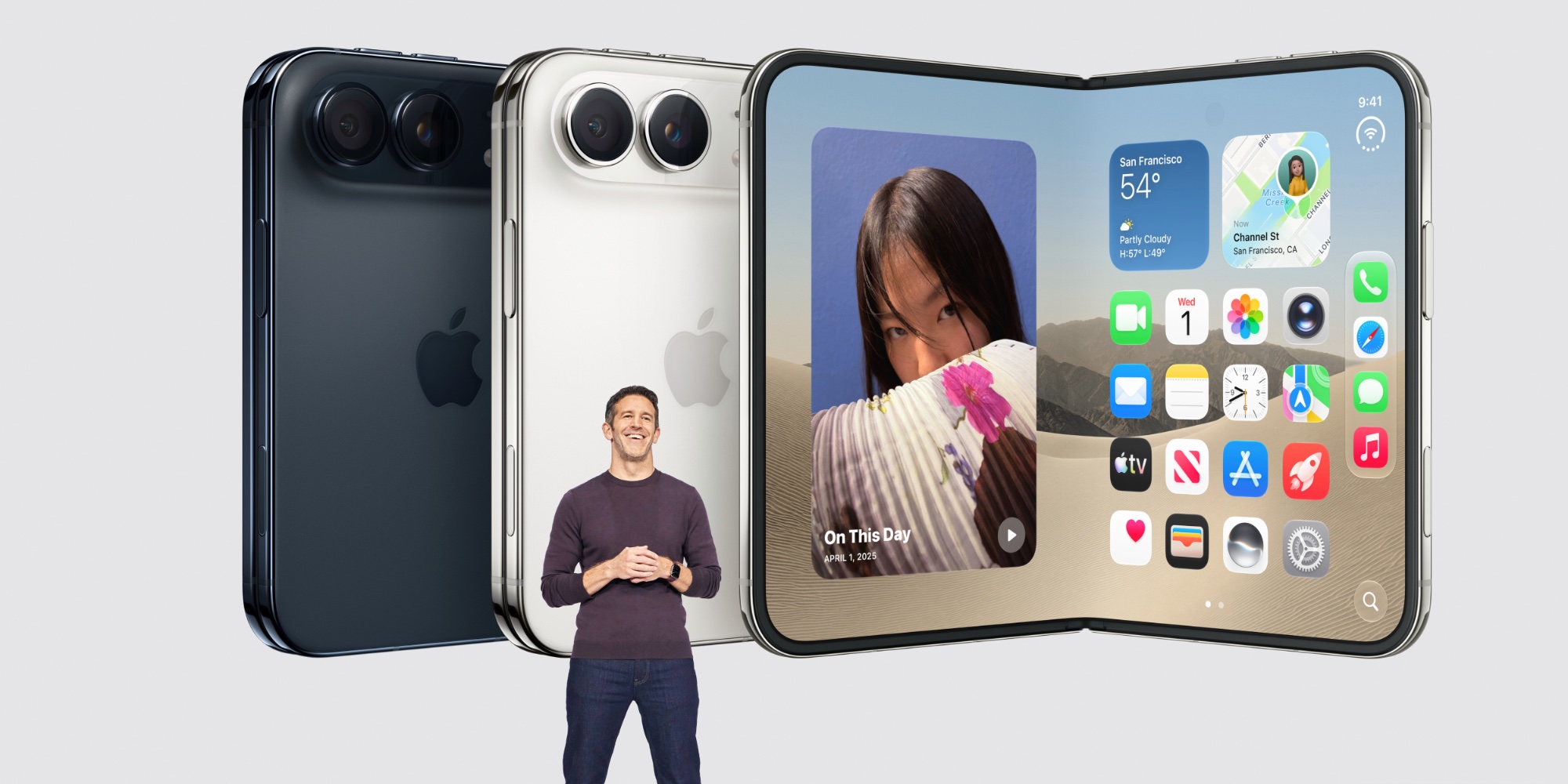
Safari on iPhone, iPad, and Mac gets Vertical Tabs, an alternative to the horizontal tab bar. It sits on the left, shows icons by default, and widens to show page titles. It works with Tab Groups and with Topics, and you can still pin tabs by dragging. MacRumors points out it pairs well with the iPhone Duo’s larger display.
Adaptive Dark Mode handles sites without a dark design of their own. In Dark Mode, Safari offers a “Try” option that darkens the background, adjusts text contrast, inverts logos, and recolours vector art. You can turn it on for every site or one at a time. It won’t kick in on sites with a native dark mode, and developers can add a tag to opt out.
Siri Recap and Live Rewind on Apple Watch
The Audio Intelligence features Apple announced in September are now testable on the Apple Watch Series 12 and Ultra 4, paired with an iPhone on the iOS 27.3 beta. Siri Recap uses Apple Intelligence to summarise your conversations into a title and key points, which you read in the Siri app on your iPhone. Summaries delete themselves after seven days unless you save them, and they leave out sensitive details like financial information or government IDs.
Live Rewind is the quicker trick. Double-press the Digital Crown and you’ll see the text of the last 15 seconds of conversation, which you can save or ask Siri about. The watch chimes audibly when you use it, even on silent. Neither feature identifies speakers, and Apple says they don’t create or store audio recordings; processing happens in the S11 chip’s Secure Exclave, and Apple says it end-to-end encrypts the text.
The iPhone Duo also gets Reachability, which shifts content from the left or right across its wide screen for one-handed use. It follows the Apple Pencil support in iOS 27.2. On standard iPhones, StandBy now works more like the Duo’s, with more customisable clock faces, colours, and complications, plus several layouts to swipe between. On iPad, the Camera app gets a Siri Mode, and Visual Intelligence now supports Apple Pencil.
Developers can install the beta from Settings > General > Software Update, under Beta Updates. 9to5Mac expects a public beta in the coming days, and Apple’s Health app will reach everyone next month.