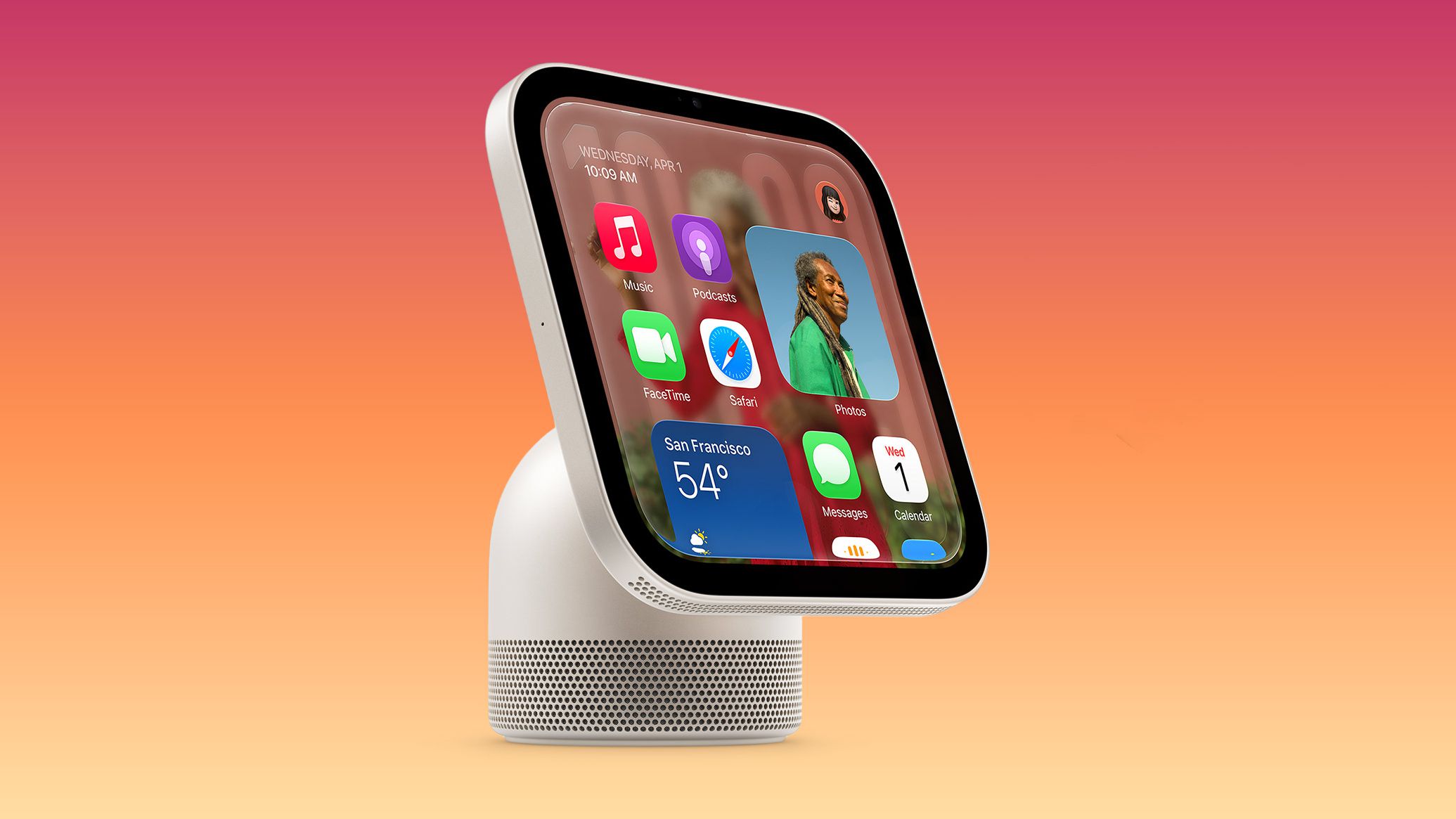
Apple’s HomeView can recognise up to six people in your home. Apple has now explained how it does that without sending footage to the rest of the system.
For anyone putting a camera-equipped hub in the living room, the answer is reassuring on paper. The rest of the system gets a name tag, a position, and a confidence score, never the picture. Apple set out the design in a detailed post on its Security Research blog on 12 November. MacRumors, which reported the post first, says HomeView launches the next day, on 13 November. It’s Apple’s own account, and the post doesn’t independently verify the design.
The system behind it is Secure Exclaves. In plain terms, they’re walled-off software environments that handle camera and microphone data away from everything else on the device. Apple calls them “protected and compartmentalized runtimes”, and says data processed inside them “cannot be accessed by the main operating system, apps, or Apple.”
They aren’t a separate chip. Apple says the exclave software runs on the same application processor cores as the main operating system, but in a different execution context, with its memory and connections sealed off.
Why Apple didn’t just use a light
HomeView relies on ambient sensing, using its camera and microphone to understand the room and recognise an enrolled user’s face and voice. Apple says that kind of sensing “must never record audio or video, nor expose it to the rest of the operating system.” Instead, it has to boil the sensor stream down to simple signals, such as whether a known face was recognised, and then discard the raw data.
A hardwired indicator LED can’t solve that alone. According to Apple, such lights “would glow continuously” for always-on sensing, so you couldn’t tell background listening, like waiting for “Hey Siri”, from active recording.
Apple’s answer is two modes. In ambient mode, a sensor can react to nearby triggers but shares only specific metadata with the rest of the system. In active mode, full sensor data can reach the main operating system, and a secure indicator tells you it’s happening.
A component called the Exclave Indicator Controller enforces that rule. Apple describes it as “the overall system gatekeeper for sensor data”: it lets data flow only once the indicator is on and has been visible long enough. HomeView, with its LED camera indicator, needs just that controller. On iPhone, a display exclave also checks the pixels of the on-screen indicator dot.
What HomeView’s camera actually shares
Apple’s worked example walks through person recognition. The camera exclave detects faces, draws a bounding box and queues the frames, then tells the main operating system that someone may be present. Apple says “no image data leaves the Secure Exclaves”. Audio runs through separate audio exclaves for anomaly detection and echo cancellation.
What the operating system receives is a person identifier, position, and confidence level. Those signals feed Calendar, Messages, Apple Music, and compatible third-party apps, personalising what HomeView shows each person.
How “Hey Siri” works on iPhone 18 Pro
On the iPhone 18 Pro, the Always-On Processor makes a rough first pass at spotting the wake phrase. The audio exclave and a Siri exclave then run a second check. Apple says, “No audio is shared with the daemon at this point: just the flag that it should wake up.” Once a session starts, the indicator stays on screen until Siri ends it, for at least three seconds.
The same system drives the on-screen camera and microphone indicators on the iPhone 18 Pro Max and iPhone Duo. It also covers the camera indicators on MacBook Neo and HomeView. Siri Recap and Live Rewind use it as well.
Apple lists three requirements: isolation, a controlled interface, and secure indication. Apple says isolating memory for the exclusive use of Secure Exclaves “presented a serious engineering challenge”, since the main operating system usually manages the page tables. Memory isolation comes from the Secure Page Table Monitor, a standalone component that runs at a higher privilege level than the main kernel. The exclaves run on an Apple-customised L4 microkernel, the same family Apple built for the Secure Enclave Processor. They talk through a messaging layer written in Swift for memory safety, and by default they can’t communicate with or even refer to one another.
Apple also applied formal proofs to parts of the microkernel, though it says “we do not claim complete coverage of all aspects of the kernel”.
We believe Secure Exclaves set a new standard for operating system security in the industry.
Apple, Security Research blog
Apple also ran a privacy campaign in Saudi Arabia. Apple also doesn’t call the work finished. Apple’s post adds, “No security architecture is ever finished, and Secure Exclaves are no exception.” It says it will keep hardening the system with AI-accelerated vulnerability research and wider formal verification.