Audacity 4 is a substantial rewrite of the free audio editor, with a new editing model aimed at making routine timeline work less fiddly. The Verge reported on the release, while Audacity’s official feature page documents what has changed.
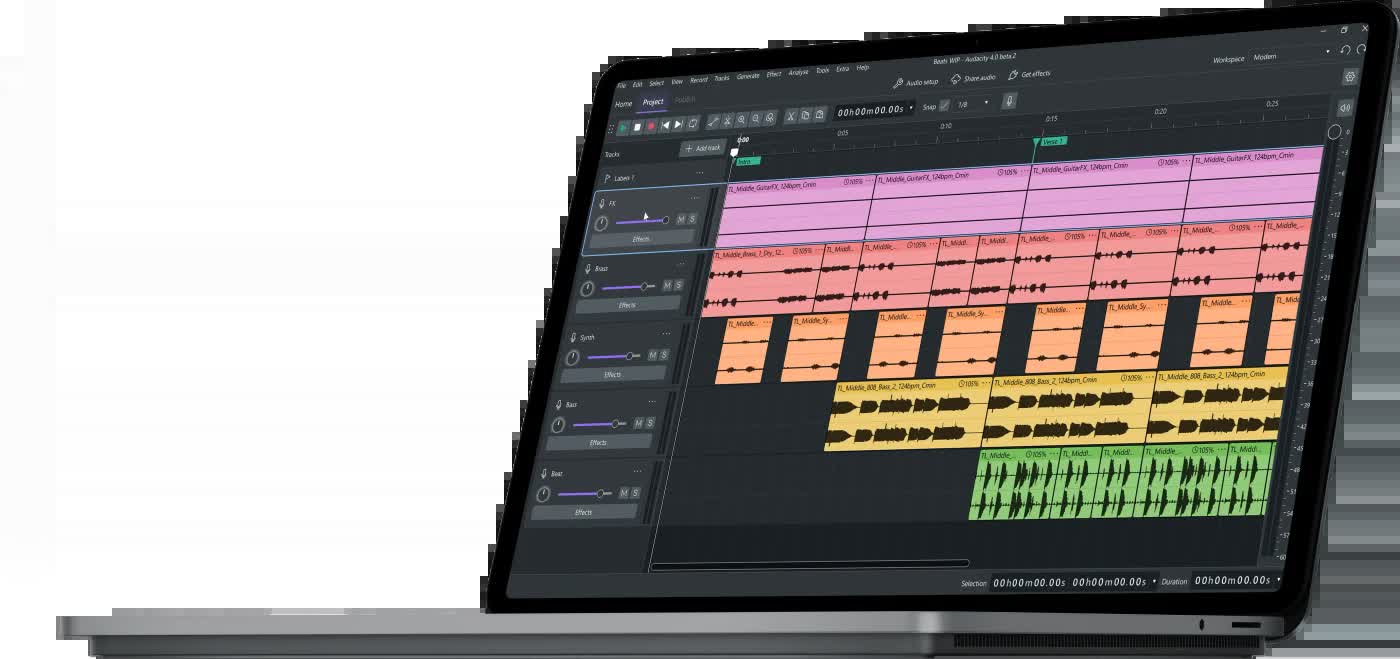
The largest change is non-destructive editing. Trim a clip, change your mind, and drag its edge back out to restore the hidden audio. Clips can overlap, so moving or pasting material no longer stops when another clip is in the way. Splitting clips, moving sections and making a rough arrangement should require fewer trips through cut-and-paste gymnastics.

Audacity 4 brings a new workflow
The official Audacity 4 page also lists trim and stretch handles, direct sample editing, markers and regions, per-track metering, loop controls and colour-coded clips. Those additions matter more in combination than individually: the editor is trying to behave like a current digital audio workstation rather than a familiar window that has accumulated controls for 25 years.
Projects can be organised through Workspaces, and the interface supports custom themes, including light and dark variants. Audacity says the new codebase is built on Qt and runs natively on macOS, Windows and Linux. Existing .aup3 projects from Audacity 3 open directly in Audacity 4, according to the developer.
The release remains free and open source under the GPL v3 licence. Audacity’s site says version 4.0.0 is available for macOS, Windows and Linux, with downloads offered through MuseHub and direct installers.
Who is Audacity 4 for?
For podcasters, musicians and anyone cleaning up spoken audio, the practical benefit is a less brittle editing process. You can move clips around, recover trimmed material and keep a project’s parts organised without committing every small decision immediately. That is a useful change for a tool whose main appeal has always been that it costs nothing.

Audacity 4 is available now for macOS, Windows and Linux. The official download page is the sensible place to get it, particularly if you want to avoid third-party installers.
Is Audacity 4 free?
Yes. Audacity 4 remains free and open source under the GPL v3 licence.
Which operating systems support Audacity 4?
Audacity 4 is available for macOS, Windows and Linux.
Can Audacity 3 projects open in Audacity 4?
The official Audacity 4 feature page says existing .aup3 projects from Audacity 3 open directly in Audacity 4.