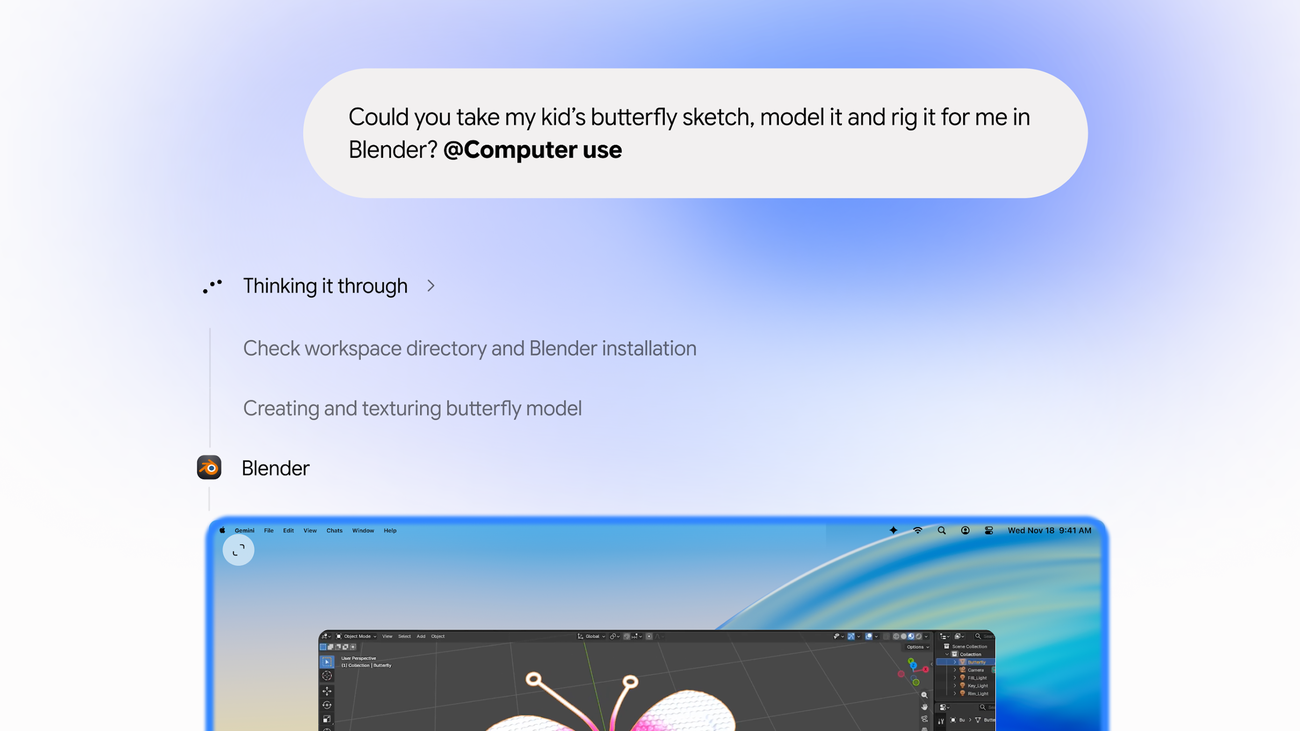
Google is rolling out computer use in the Gemini app for Mac, letting it carry out multi-step tasks across local files, desktop apps, and websites.
Describe a task in chat, and Gemini clicks, types, navigates menus, and fills in forms in a separate background window. You can follow a live preview in the chat without giving up your main screen or cursor.
In a Google blog post, the company gives the example of filling out shipping quotes for multiple boxes. Gemini can pull weights, dimensions, and addresses from PDFs on the Mac and enter them into the forms.
Other examples include batch colour-grading photos, setting up 3D scenes, and pulling metrics and screenshots from live dashboards into a Google Slides deck. Gemini can also analyse clothing photos in a local folder and prepare resale listings.
What Gemini can access, change, and share
You choose which apps Gemini can access, can pause it at any time, and can approve key actions before they happen. For local files, Gemini can only see what you add to the Connected folders toolbar.
Gemini can view and edit most folders you grant access to, including Downloads, Desktop, Documents, and Photos, as Google’s guide to assigning tasks confirms and Unite.AI reports. Gemini creates temporary backups when it works with files on your Mac, but it deletes them when you start a new query or task, or after 24 hours.
Gemini can permanently delete files on your Mac or in Google Workspace, and it can send or share files with third parties. It’s designed to ask your permission first, but Google warns it can make mistakes and advises keeping sign-in and payment details out of the task thread.
Connecting a public cloud drive lets Gemini access, edit, share, and delete that drive’s files. Anyone with access to that drive can see data shared there.
Who can use it?
Computer use requires a Mac with Apple Silicon running macOS Sequoia 15.0 or later. You’ll need a personal Google account, be at least 18, and subscribe to Google AI Plus, Pro, or Ultra.
The rollout is in English, but its regional scope is unclear. Google’s blog footnote says it’s rolling out in the US, while a search excerpt of the same page and Unite.AI say it’s global, excluding the EEA, UK, Switzerland, and Nigeria. Google’s rollout post is the place to check.
Google’s native Mac app launched in April 2026 as a free download with an Option + Space shortcut. Google had also said it would bring Gemini Spark to the desktop to work with local files, a capability computer use now brings to the Mac app.
The rollout is for Mac, separate from Google’s Gemini desktop app for Windows. It follows Proton’s Lumo Desktop automation, which gives users per-action controls. For a first Gemini task, the folder controls let you share just the files it needs without granting access to your entire Downloads folder.