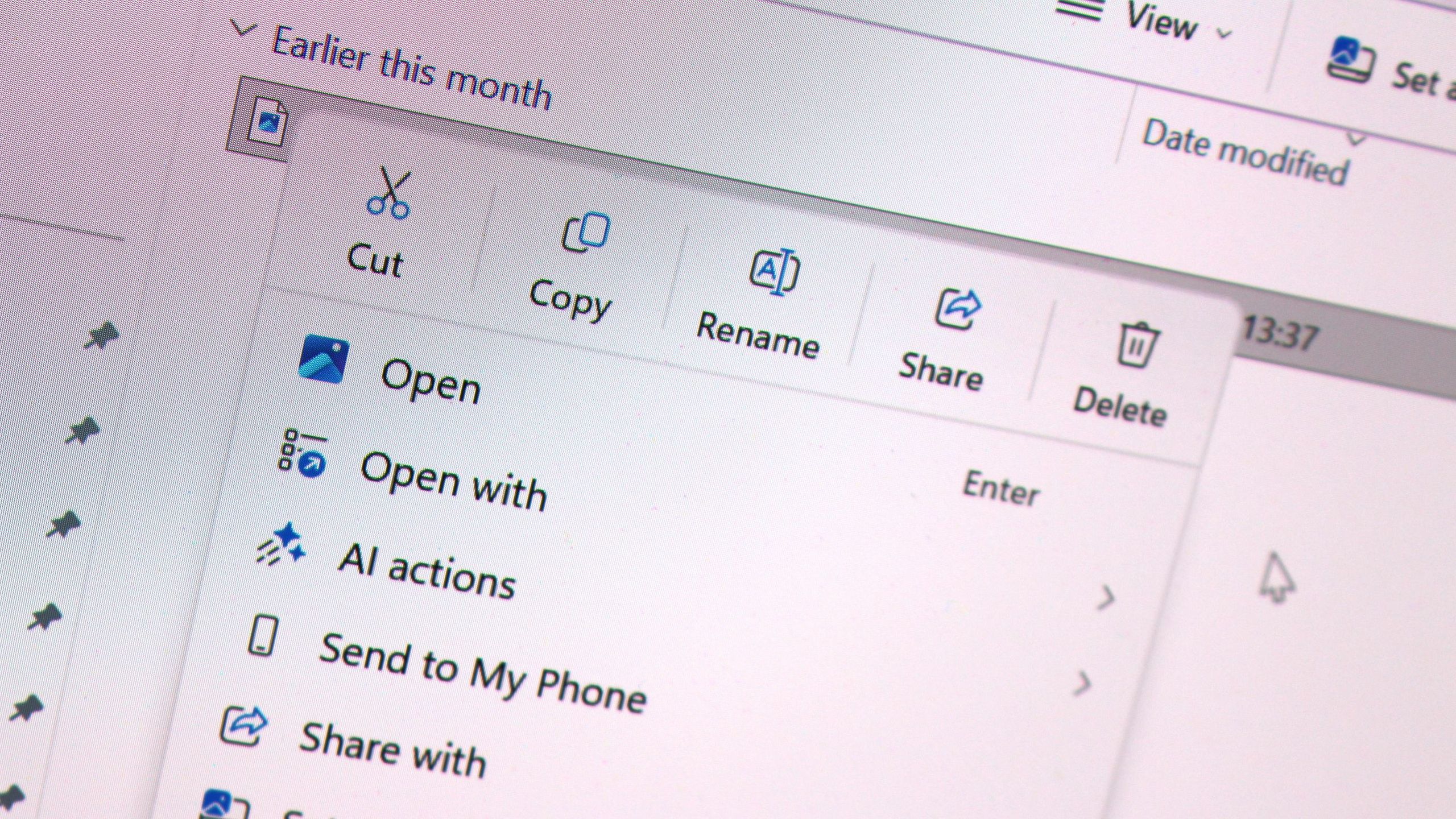
Microsoft has started rolling out a redesigned right-click menu for Windows 11, and it’s the first time you can decide what lives on it without a third-party tool. As reported by Windows Central, the change headlines KB5127936, this month’s optional non-security update, which became available on 28 October.
The release notes on Microsoft Support describe an updated context menu that opens more quickly, reduces clutter and gives you more say over the commands and app extensions that appear. The update covers Windows 11 versions 26H2 and 25H2, at builds 26300.9818 and 26200.9818 respectively. Windows Central ties the work to Microsoft’s “Windows K2” effort, which targets core OS complaints such as slow, cluttered menus.
What you can change in the right-click menu
The control centre is a new Customize menu entry at the bottom of the context menu. According to Microsoft’s notes, it opens a Settings page. Windows Latest, which installed the update, says the page sits under Settings > Personalization and lists toggles for items such as Send to, Print, Create shortcut, Copy as path and Rotate image.
Based on Microsoft’s changelog as relayed by Windows Central, you can:
- Turn built-in commands, such as Send to and Create shortcut, on or off.
- Add commands such as Print.
- Choose whether app extensions show in the main menu or a submenu, or hide the extensions submenu.
- Show Cut, Copy, Paste, Rename, Delete and Share as text items instead of a row of icons.
- Move Properties to the bottom of the menu.
The text-item option matters most for anyone who never warmed to the icon row Windows 11 introduced. It brings back the vertical list layout that older Windows versions used, and hiding app extensions tackles the clutter that installed software tends to add over time.
What else is in KB5127936
The menu is the headline, but the update is a sizeable quality-of-life release. Windows Central says the new Xbox task view interface is also rolling out, along with File Explorer and Settings changes. Windows Latest lists a more consistent File Explorer search results layout, dark mode for the Folder Options dialog, and a “~” shortcut. Typing it in the File Explorer address bar or Run opens your user profile folder, so “~\AppData” jumps straight to AppData.
Windows Report adds a new Cloud rebuild recovery option and accessibility improvements to the list. It also reports fixes for Remote Desktop, audio and VPN problems. The build first reached Windows Insiders in the Release Preview channel, with Admin365 dating that to 16 October.
How to get it
Don’t expect the new menu the moment you install. Microsoft says the features arrive gradually, so some PCs will wait. Windows Central says you should switch on the “Get the latest updates as soon as they’re available” toggle in Windows Update to improve your chances, though even then you may not see changes straight away.
The same toggle decides whether the update appears at all. Windows Latest says KB5127936 is optional, and it won’t download automatically on PCs where that toggle is off. On 26H2, it appears in Windows Update as “2026-10 Preview Update (KB5127936) (26300.9818)”. PCs still on version 24H2 won’t get it, because Windows Latest says that version reached end of support on 13 October. You can check your version under Settings > System > About.
Waiting is a sensible option too. Windows Latest reports that everything in this build is due to reach all PCs with the November Patch Tuesday update on 10 November. The update is cumulative, so it also includes earlier changes, which helps if you’ve paused updates. Through Windows Update it’s mostly under 2GB, says Windows Latest. The offline installers on the Microsoft Update Catalog run to roughly 5GB because of bundled AI models, so use Windows Update unless it’s failing.
The release continues a run of Windows 11 updates focused on speed and polish. We covered earlier examples in KB5089573, which targeted responsiveness, and in an August update that sped up app launches. If you want to check your current patch level first, our guide to KB5077241 covers an earlier preview with network and sleep fixes.
Is KB5127936 safe to install?
Microsoft ships it as an optional “preview” update for Windows 11 25H2 and 26H2. Windows Latest notes that optional updates are production quality despite the label, and that the same changes reach everyone on Patch Tuesday, 10 November, so you can also wait.
Why don’t I see the new right-click menu after updating?
Microsoft rolls these features out in stages, so installing the update doesn’t guarantee the new menu straight away. Turn on “Get the latest updates as soon as they’re available” in Windows Update and check again after a restart.
How do I customise the context menu?
Once the feature reaches your PC, right-click a file or folder and select Customize menu at the bottom. That opens a Settings page where you can toggle commands, manage app extensions and show Cut, Copy and Paste as text items.