The Mac Studio has always been an easy-to-understand computer. Take the performance of Apple’s fastest chips, give them more room to breathe, add a useful collection of ports and put the whole thing in a compact aluminium box that can sit under a display without taking over the desk.
The new M5 Max version complicates that description, because the most interesting thing I did with it had very little to do with traditional Mac workloads. I started this review by running the same tests I had been using for the new M6 Mac mini. But by the end, I was running a 65GB, 120-billion-parameter language model locally, pushing it through an agent with a 64K context window, and asking it to analyse a document while the Mac was physically disconnected from the internet.
That is the part of this Mac Studio that changed my view of it. Although it remains an extremely fast creative workstation, with 128GB of unified memory, the M5 Max Studio also becomes a surprisingly capable local AI machine.
If you’re deciding whether you actually need this much Mac, I’ve also reviewed the M6 Mac mini and compared both machines directly in our Mac mini vs Mac Studio buying guide.
Mac Studio (M5 Max, 2026)
The remarkably quiet and efficient M5 Max Mac Studio is a superb compact workstation, but the 128GB configuration makes its local AI capabilities the real story. It is dramatically faster than the M6 Mac mini in GPU-heavy and local LLM workloads, runs a 65GB GPT-OSS 120B model comfortably, and handles a fully offline agentic workflow.
- Excellent local AI performance with 128GB unified memory
- Massive GPU performance jump over the M6 Mac mini
- Exceptionally fast 8TB internal SSD in our review configuration
- Effectively inaudible from a normal desk position even under sustained loads
- 128GB configurations get expensive quickly
- Local AI tooling still needs considerable setup and troubleshooting
- The front USB-C ports are not Thunderbolt 5 on M5 Max
- Not every workload benefits proportionally from the much larger GPU
Where to buy · Prices checked September 25, 2026
Apple UAEAED 10,499View iSTYLEAED 10,499View Sharaf DGAED 10,499View Virgin MegastoreAED 10,499ViewTbreak Media UAE may earn a commission on purchases made through these links — it never affects our scores.
More interestingly for UAE buyers, a 128GB/1TB Mac Studio costs AED 23,549, which puts it remarkably close to the 128GB/1TB Nvidia DGX Spark based ASUS Ascent GX10 at around AED 22,025. More on that later in the article.
What Mac Studio configuration did I test?
Apple supplied me with a high-end M5 Max configuration: an 18-core CPU with six Super cores and 12 Performance cores, a 40-core GPU, 128GB of unified memory and an 8TB SSD. It runs macOS Golden Gate 27.0, and Apple specifies up to 614GB/s of unified memory bandwidth for this 40-core GPU configuration.
| Chip | Apple M5 Max |
| CPU | 18 cores: 6 Super + 12 Performance |
| GPU | 40 cores |
| Neural Engine | 16 cores |
| Unified memory | 128GB |
| Memory bandwidth | Up to 614GB/s |
| Storage | 8TB SSD |
| Review configuration | AED 39,299 |
| 128GB/1TB configuration | AED 23,549 |
The AED 39,299 price needs context. A huge portion of that comes from the 8TB SSD. For the AI story, the more relevant configuration is the 128GB/1TB version at almost half the price: AED 23,549.

The same Studio design still makes sense
The Studio is obviously much larger than the Mac mini, but it still sits comfortably beneath a Studio Display and, for a machine with this level of hardware, puts most traditional desktop PCs to shame in terms of footprint. I’ve previously owned an M2 Max Mac Studio, which our team now uses for editing.
The front connections remain a practical advantage: USB-C for quickly connecting drives and charging accessories or phones, while the SDXC slot is genuinely useful when transferring photos and video from DSLRs. Around the back are four Thunderbolt 5 ports, 10Gb Ethernet, HDMI 2.1, a headphone jack and two USB-A ports. Those older USB ports remain handy for legacy accessories and wireless receivers.
One detail worth noting is that the two front USB-C ports on the M5 Max are USB 3 at 10 Gb/s, not Thunderbolt 5. The four rear ports are Thunderbolt 5, up to 120 Gb/s. The front ports are Thunderbolt 5 only on the M5 Ultra.
Setup was uneventful, which is a compliment
I configured the Studio as a new Mac rather than migrating from another machine. Before I could finish account setup, it needed a 3.46GB macOS 27 update, which I downloaded over wired Ethernet. This was essentially the same process I went through with the M6 Mac mini.
During setup and ordinary desktop work, the Studio was completely inaudible from my seating position and felt cold to the touch. While the M6 mini barely warmed up under similar use, the Studio actually felt cooler. That observation became more interesting as the testing became more rigorous.

How does the M5 Max Studio compare to the M6 Mac mini?
The most useful comparison is with the new M6 Mac mini, since I ran both machines with the same versions and settings. I also retained results from my existing M4 Pro mini. The interesting part is that spending considerably more on a Studio does not make every number larger.
Benchmarks compared
Geekbench & BlackMagic
| Benchmark | Mac Studio (M5 Max, 2026) | Mac mini (M6, 2026) | Mac mini (M4 Pro, 2024) |
|---|---|---|---|
| Geekbench | |||
| Geekbench 7 CPU – Single Core | 3651 | 4001 | 3261 |
| Geekbench 7 CPU – Multi Core | 34227 | 22278 | 22501 |
| Geekbench 7 GPU | 245926 | 90287 | 102881 |
| Blackmagic | |||
| Blackmagic SSD Read | 13375.9 MB/s | 5946.4 MB/s | 5182.3 MB/s |
| Blackmagic SSD Write | 16042.8 MB/s | 6481.7 MB/s | 3994.4 MB/s |
The M6 mini is about 10% faster in Geekbench 7 single-core, which is a useful reminder that the Studio isn’t automatically the snappier machine for lightly threaded work. Once more cores or the GPU become involved, the picture changes quickly. The M5 Max was roughly 54% faster in multicore and delivered 2.7 times the M6 mini’s Metal score.
The SSD result was almost comical. Blackmagic Disk Speed Test 3.4.3, using our locked 5GB/five-cycle methodology, produced 16,042.8 MB/s writes and 13,375.9 MB/s reads. This is the 8TB review configuration, and higher-capacity SSDs can benefit from additional NAND parallelism, so I would not assume every Mac Studio will produce these exact figures. But for moving large video projects or loading huge local models, this drive is exceptionally fast.
Real creative workloads show why software matters
The Studio’s enormous Metal advantage did not translate linearly into every creative application. That’s exactly why I prefer using real projects alongside synthetic benchmarks.
Benchmarks compared
Gaming & Photo/Video
| Benchmark | Mac Studio (M5 Max, 2026) | Mac mini (M6, 2026) | Mac mini (M4 Pro, 2024) |
|---|---|---|---|
| Gaming Benchmarks | |||
| Cyberpunk 2077 Medium Average FPS | 193.67 fps | 82.2 fps | 83.5 fps |
| Video | |||
| DaVinci Resolve 4K60 H.264 export | 335 Seconds | 524 Seconds | 674 Seconds |
| Pixelmator Pro Super Resolution | 6.38 Seconds | 7.92 Seconds | 14.25 Seconds |
Our controlled Resolve project is a 3840×2160/60 timeline exported through QuickTime H.264 with hardware acceleration, Render Cache disabled and output to the internal SSD. The Studio completed two runs in 5:37 and 5:33, averaging 5:35. That is around 36% faster than the M6 mini and almost exactly twice as fast as the M4 Pro mini.
Pixelmator Pro’s Super Resolution was less dramatic. After discarding the obvious first-run warm-up, the Studio averaged 6.38 seconds, compared with 7.92 on the M6. Cyberpunk went the other way. At our locked 1080p settings, with High textures, MetalFX Quality, frame generation, and ray tracing off, the Studio averaged 193.67 fps with a 152 fps minimum. The M6 averaged 82.20fps. When software can properly utilise those 40 GPU cores, the difference stops being subtle.
I also ran Cinebench 2026.1.3, where the Studio scored 746 in single-core and 9,794 in multicore. More interesting was what happened to the machine: essentially nothing that I could hear or feel. Even after the multicore test and Cyberpunk, the Studio remained cool to the touch and inaudible from my normal seating position.

Geekbench AI doesn’t tell the local AI story
Geekbench AI produced one of the most useful contradictions in this review. Running Geekbench AI Pro 1.7.0 through Core ML on the Neural Engine, the M6 mini beat the M5 Max Studio across all three precision modes.
Benchmarks compared
Geekbench AI
| Benchmark | Mac Studio (M5 Max, 2026) | Mac mini (M6, 2026) | Mac mini (M4 Pro, 2024) |
|---|---|---|---|
| Geekbench AI Single Precision | 6206 | 6801 | 6137 |
| Geekbench AI Half Precision | 49577 | 63006 | 41214 |
| Geekbench AI Quantized | 67954 | 85175 | 57528 |
That does not mean the M6 mini is the faster local LLM machine. Geekbench AI specifically exercises Apple’s Neural Engine. Our MLX tests use a different path, and that is where the Studio’s much larger GPU and memory subsystem become far more important.
128GB changes what local AI looks like
I recreated the MLX environment used on the minis: Python 3.12.14, MLX 0.32.2 and MLX-LM 0.31.3. With Qwen3 4B, the Studio processed prompts at 6,385 tokens per second and generated at 171 tokens per second. The M6 managed 2,078 and 53, respectively. With Qwen3 30B, the Studio reached 5,402 prompt tokens per second and 131 generation tokens per second, versus 1,752 and 62 on the M6.
Benchmarks compared
MLX AI
| Benchmark | Mac Studio (M5 Max, 2026) | Mac mini (M6, 2026) | Mac mini (M4 Pro, 2024) |
|---|---|---|---|
| MLX Qwen3 4B Prompt Processing | 6385.243 tok/s | 2077.95 tok/s | 678.441 tok/s |
| MLX Qwen3 4B Generation | 171.166 tok/s | 53.346 tok/s | 678.441 tok/s |
| MLX Qwen3 30B-A3B Prompt Processing | 5402.434 tok/s | 1752.288 tok/s | 739.103 tok/s |
| MLX Qwen3 30B-A3B Generation | 130.628 tok/s | 62.013 tok/s | 73.471 tok/s |
The more important test was capacity. I loaded a 4-bit Llama 3.3 70B model that peaked at 41.2GB of memory and generated at 13.1 tokens per second. That workload alone exceeds the M6 mini’s 32GB physical unified-memory ceiling. I am not saying the model is impossible to run on the mini because macOS can compress and swap memory. But this is where the Studio moves from doing the same work faster to comfortably accommodating workloads that no longer fit within the smaller machine’s physical memory.
How does the Mac Studio compare to the Nvidia DGX Spark?
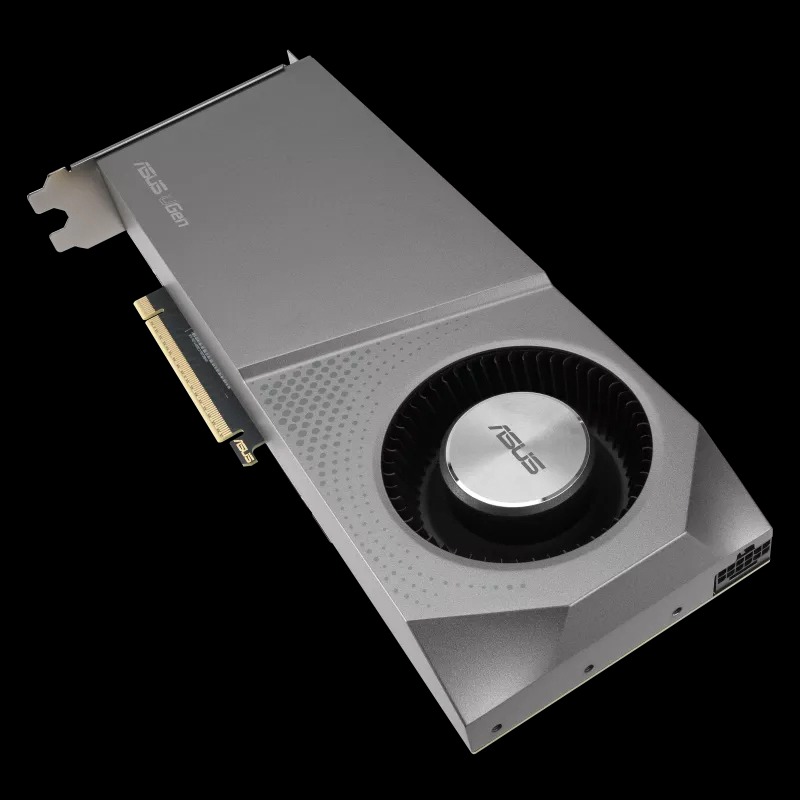
This was the comparison I was most interested in. I had tested the ASUS Ascent GX10 for PCMag Middle East earlier this year. Like this Studio, it has 128GB of unified memory and is designed around running large models locally. More importantly, the current prices are very close in the UAE: I found the 128GB/1TB GX10 currently selling at AED 22,025, while the equivalent 128GB/1TB Mac Studio is AED 23,549.
There is an important caveat. My GX10 article was benchmarked on the June 2026 DGX OS build. ASUS collected the review unit roughly a week later, before I could retest a subsequent firmware and driver update.
| Ollama model | Mac Studio M5 Max | ASUS GX10* | RTX 5090* |
|---|---|---|---|
| Qwen3 30B A3B | 113.74 tok/s | 90.54 tok/s | 296.62 tok/s |
| GPT-OSS 20B | 107.51 tok/s | 61.01 tok/s | 239.18 tok/s |
| Qwen3 32B dense | 24.88 tok/s | 10.06 tok/s | 66.46 tok/s |
| GPT-OSS 120B | 75.65 tok/s | 44.06 tok/s | Could not load |
The Studio beat the historical GX10 result on all four models. GPT-OSS 120B is the standout: the 65GB model generated at 75.65 tokens per second on the Studio versus 44.06 on the GX10 I tested. A 32GB RTX 5090 could not load that model at all, although it was substantially faster on the smaller models that fit in its VRAM.
The GX10 remains a specialised NVIDIA/DGX machine with an ecosystem designed specifically for AI development. The Studio’s advantage is that it can perform this work while also being the same Mac I can use for Resolve, Pixelmator, development and everything else. At almost the same UAE price as the 128GB/1 TB, the Mac Studio is the clear winner here.
I ran a 120B AI agent completely offline
Tokens per second only tell part of the story, so I wanted a practical test. I installed OpenClaw 2026.9.5, connected it to the local Ollama server and selected GPT-OSS 120B. Then I gave the agent an actual 16-page PDF guide and asked it to analyse the document.
The first attempt failed in an instructive way. OpenClaw’s default local context was 32K, which was not enough once the agent’s own context, tools and extracted document were combined. I increased GPT-OSS 120B to a 64K context. That solved the capacity problem, but the agent’s poor PDF extraction then produced confident nonsense, including incorrect specifications. Installing Poppler and using pdftotext to create a clean local source fixed that part of the pipeline.
For the final test, I physically disconnected the Ethernet cable and turned off Wi-Fi. OpenClaw, Ollama and GPT-OSS 120B continued working locally. In 49 seconds, the agent correctly extracted the specs.
That is a much more meaningful capability of local AI for someone like me who needs to analyse embargoed material without sending the source document to a cloud model. But the failed attempts matter too. Having enough RAM and compute does not magically make local AI reliable. Source preparation, context configuration and the agent software still matter, and I wouldn’t trust the output without checking it against the source.

Power, thermals and noise
The Studio’s thermal behaviour is very impressive. With just a couple of apps open, my smart plug showed around 7–9W. A short GPT-OSS 120B inference run hovered around 101–103W. Twenty consecutive 120B runs, lasting roughly six minutes, settled around 106W and peaked at 115W.
That sustained run was the first time the rear of the enclosure became noticeably warm. The front remained around room temperature which makes sense given the Studio’s rear exhaust. More importantly, performance did not degrade: GPT-OSS 120B generated at 75.65 tok/s before the stress run and 75.60 tok/s immediately afterwards.
The heavier OpenClaw document workflow pushed power higher, eventually peaking at 174W. Even then, I couldn’t hear the fan from my normal desk position. When I deliberately moved my ear close to the Mac, I could finally hear it faintly. It was the first workload in all my testing that made the fan audibly reveal itself.
For some perspective, my earlier GX10 testing measured 27W idle and 109–114W sustained while running GPT-OSS 120B, with a 122W peak. Again, those GX10 numbers come from the older June software environment, but the comparison shows why Apple’s performance-per-watt story is very relevant to local AI. You can connect four of these on a single power strip and get incredible performance-per-watt numbers.
Should you buy the Mac Studio?
If your workload is ordinary office work, browsing, development that does not need huge memory, or even casual creative work, the M6 Mac mini remains the more sensible machine. It is smaller, dramatically cheaper and even faster in some lightly threaded and Neural Engine workloads. The Studio starts earning its price when you can actually feed its additional CPU cores, 40-core GPU and memory subsystem.
For video editors, 3D artists and other GPU-heavy creators, that has always been the argument for Mac Studio. The M5 Max adds another reason that I find more interesting: local AI. At 128GB, this stops being a Mac that merely runs small models quickly and becomes a machine that can comfortably load models that smaller systems cannot. And unlike a specialist AI appliance, it remains an excellent general-purpose workstation when you close Terminal and get back to normal work.
If I were buying specifically for this use, I would skip the extravagant 8TB configuration Apple sent and look closely at the 128GB/1TB model for AED 23,549. That is where the Mac Studio’s combination of memory capacity, GPU performance, efficiency and general-purpose usefulness becomes difficult to ignore.
- You want to run large AI models locally.
- Your creative work actually uses the GPU.
- You value quiet sustained performance.
- You want one machine for AI and normal workstation duties.
- Your workloads fit comfortably on a Mac mini.
- You only need smaller local models.
- You expect local AI to be completely plug-and-play.
- You are considering the 8TB model purely for performance.
For more on how Apple’s workstation approach compares with a high-end PC in traditional creator work, see our earlier Mac Studio M3 Ultra versus Ryzen 9 9950X3D/RTX 5090 SFF test.
Should you buy the Mac Studio M5 Max or the M6 Mac mini?
For ordinary office work, browsing or casual creative work, the M6 Mac mini is the more sensible, cheaper choice. The Studio earns its price once you can actually feed its extra CPU cores, GPU and memory.
How much memory do you need for local AI on the Mac Studio?
128GB is where it stops being a Mac that just runs small models quickly and starts comfortably loading models that smaller machines can’t fit in memory at all.
Is the Mac Studio faster than the Nvidia DGX Spark (ASUS GX10) for local AI?
Yes, in testing it beat the ASUS Ascent GX10 on all four Ollama models tried, including a 65GB GPT-OSS 120B model, while costing about the same in the UAE.
Can you run a 120B parameter AI model completely offline on a Mac Studio?
Yes. With 128GB of memory, GPT-OSS 120B ran locally through Ollama and OpenClaw with the Mac fully disconnected from the internet.
How loud does the Mac Studio get under heavy AI workloads?
Very quiet. The fan only became faintly audible up close during the heaviest sustained OpenClaw workload; it stayed silent from normal desk distance in every other test.