
Best Monitor for Mac in UAE 2026: Apple Studio Display, Studio Display XDR, and the Alternatives
From Dhs 6,499 Apple Studio Displays to third-party 4K and 5K options under Dhs 3,000 — here's every monitor worth pairing with your Mac in the UAE right now.

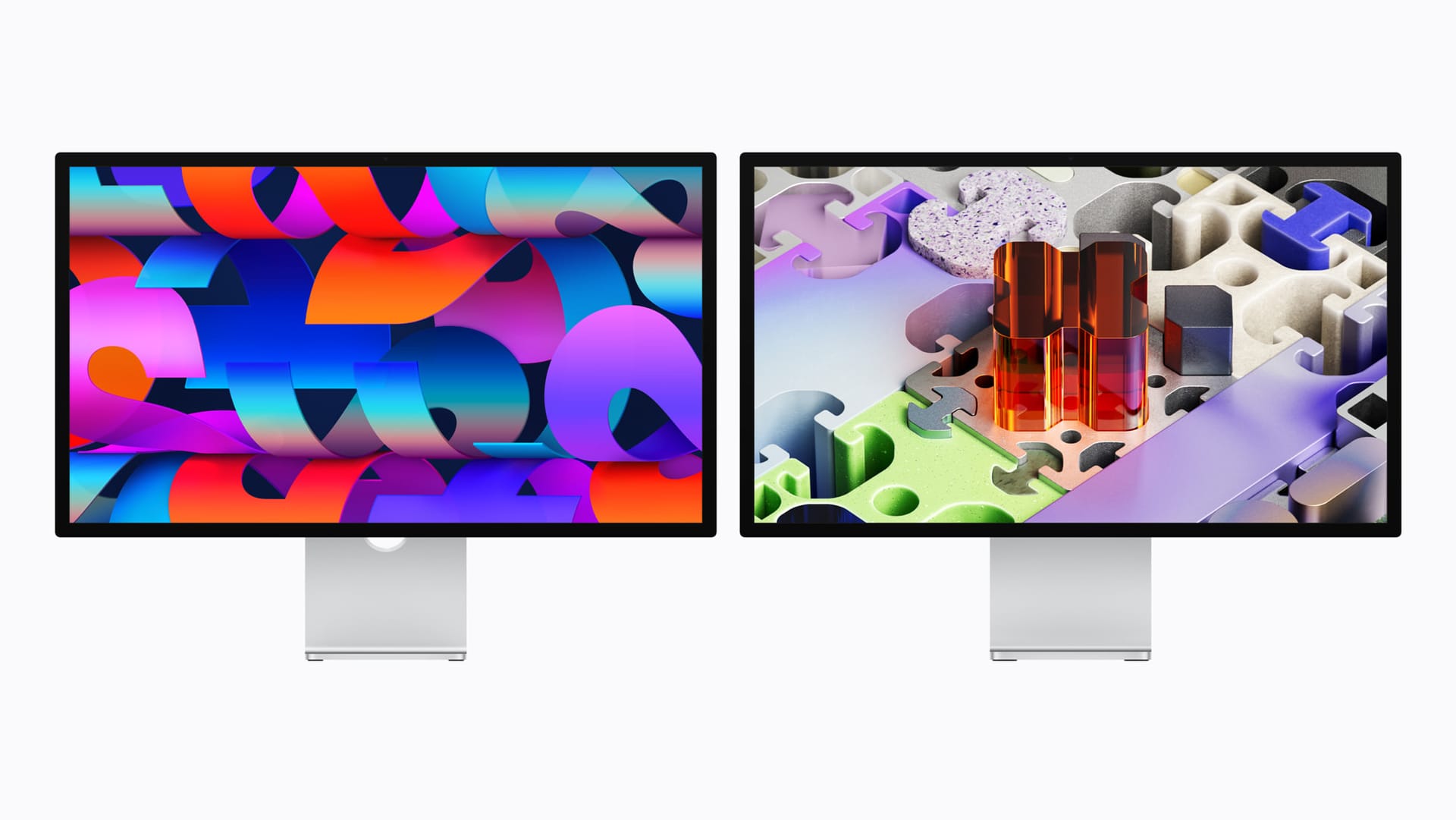
Apple's March 2026 display refresh gives Mac users two official options: the Studio Display at Dhs 6,499 and the Studio Display XDR at Dhs 13,499. Both are excellent. Neither is cheap. And for many Mac users in the UAE, there are third-party alternatives that deliver 90% of the experience at a fraction of the cost.
Pre-orders for all March 2026 Apple products open March 4 — see every product, price, and release date in our full UAE launch guide. Availability starts March 11 at Apple Store, iSTYLE, and authorised resellers across the UAE.
Here's how to pick the right monitor for your Mac — whether you're running a MacBook Air for everyday work or a Mac Studio for professional video editing.
Quick pick guide
| Budget | Best option | Why |
|---|---|---|
| Under Dhs 2,000 | Dell S2722QC or LG 27UK850 | 4K USB-C, good colour accuracy for the price |
| Dhs 2,000–4,000 | Samsung ViewFinity S9 or ASUS ProArt PA279CRV | 5K or factory-calibrated 4K with USB-C hub |
| Dhs 4,000–7,000 | Apple Studio Display | 5K, perfect macOS integration, built-in camera and speakers |
| Dhs 7,000–15,000 | Apple Studio Display XDR | Mini-LED HDR, 120Hz, Adobe RGB — for colour-critical and HDR workflows |
| Dhs 15,000+ | Apple Studio Display XDR (nano-texture) | Same as above with matte finish for bright workspaces |
Apple Studio Display (2026) — Dhs 6,499
The safest choice for any Mac user who wants a single-cable setup with no compromises on integration.
Best for: General creative work, photography, coding, productivity, and video calls.
The 27-inch 5K panel is sharp and colour-accurate with P3 wide colour support. The 12MP Center Stage camera with Desk View is the best built-in webcam on any monitor. Six speakers with Spatial Audio eliminate the need for desk speakers for most people. Two Thunderbolt 5 ports support daisy-chaining and 96W charging.
The catch: 60Hz refresh rate in 2026 feels outdated, especially when every iPhone now runs at 120Hz. No HDR support. The Dhs 6,499 price buys you two very good third-party 4K monitors. And the tilt-only stand is the default — the height-adjustable stand bumps the price to Dhs 8,099.
Who should look elsewhere: Anyone who needs HDR monitoring, 120Hz for smoother motion, or simply can't justify Dhs 6,499 for a monitor.
Apple Studio Display XDR (2026) — Dhs 13,499
The new king of Apple's display lineup and the only Apple monitor that competes with professional reference displays.
Best for: HDR video editing, colour grading, 3D rendering, motion graphics, print design, medical imaging.
Mini-LED backlighting with 2,304 local dimming zones delivers 2000 nits peak HDR brightness and a 1,000,000:1 contrast ratio. 120Hz Adaptive Sync makes timeline scrubbing and viewport navigation noticeably smoother. Adobe RGB and 80%+ Rec. 2020 coverage means you can grade HDR content and design for print without switching displays.
The catch: At Dhs 13,499, it's a serious investment. It's "only" 27 inches — professionals coming from the 32-inch Pro Display XDR will feel the downgrade in screen real estate. And 5K resolution, while sharp, gives you less working space than a 6K or even a large 4K panel in terms of content you can fit on screen.
Who should look elsewhere: Anyone who doesn't work with HDR content or need broadcast-grade colour accuracy. The standard Studio Display covers the basics well enough.
Samsung ViewFinity S9 5K — approx. Dhs 3,000
The most direct competitor to the Apple Studio Display, and often available for Dhs 1,000–2,000 less.
Best for: Mac users who want 5K resolution without the Apple premium.
The 27-inch 5K IPS panel matches the Studio Display's resolution and offers factory calibration with DCI-P3 99% coverage. It includes a detachable 4K SlimFit camera, a matte coating option, and Thunderbolt 4 connectivity with 90W charging. Samsung's Tizen-based smart features are irrelevant to Mac users, but they don't get in the way.
The catch: No built-in speakers (or mediocre ones depending on the variant). The camera is functional but not as good as Apple's Center Stage. Software integration with macOS isn't as seamless — you'll need Samsung's app for some settings. And Thunderbolt 4 versus the Studio Display's Thunderbolt 5 means less bandwidth for daisy-chaining.
ASUS ProArt PA279CRV — approx. Dhs 2,000
The best value colour-accurate monitor for Mac users who don't need 5K.
Best for: Photographers, designers, and video editors on a budget who need reliable colour accuracy.
This 27-inch 4K IPS display is factory-calibrated to Delta E < 2, covers 99% DCI-P3 and 99% Adobe RGB, and supports HDR10. USB-C connectivity with 96W power delivery handles single-cable MacBook setups. The ProArt Calibration software works with external colorimeters for ongoing accuracy.
The catch: 4K at 27 inches (163 ppi) is noticeably less sharp than 5K (218 ppi) for text-heavy work. The HDR capabilities are basic — this is not a mini-LED display, so don't expect the contrast performance of the Studio Display XDR. The stand is utilitarian, not beautiful.
Dell UltraSharp U2723QE — approx. Dhs 2,000–2,500
A solid 4K workhorse with excellent USB-C hub functionality.
Best for: Productivity, coding, general office work with a Mac.
27-inch 4K IPS panel with 98% DCI-P3, USB-C with 90W charging, built-in KVM switch, and Dell's reliable build quality. The USB-C hub with ethernet, USB-A, and USB-C downstream ports makes it a practical dock replacement.
The catch: Not colour-accurate enough for professional creative work without calibration. No HDR. The styling is corporate, not studio.
LG UltraFine 5K (if still available) — approx. Dhs 5,000–6,000
Apple's unofficial partner display for years, now discontinued but might be available through some UAE retailers.
Best for: Mac users who want 5K without paying for the Studio Display's cameras and speakers.
The 27-inch 5K panel is essentially the same type used in the original Studio Display, with Thunderbolt 3 connectivity and P3 wide colour. It was co-designed with Apple and integrates cleanly with macOS.
The catch: Discontinued, so availability is spotty and warranty support is uncertain. No built-in camera or speakers. Thunderbolt 3, not 5. If you can find one at a discount, it's still a capable display — but buying discontinued hardware at full price doesn't make sense when the Studio Display exists.
How to decide
Start with your workflow, not the specs.
If you edit HDR video or grade colour professionally: Studio Display XDR. Nothing else on this list comes close for HDR monitoring.
If you do photography, design, or general creative work: Studio Display or Samsung ViewFinity S9, depending on whether you value Apple's integration and built-in peripherals enough to pay the premium.
If you code, write, or do productivity work: ASUS ProArt or Dell UltraSharp. You don't need 5K or P3 colour for text-based work, and the money saved is better spent elsewhere.
If you want the absolute best single-cable Mac experience and money isn't the primary concern: Studio Display. The integration with macOS, the camera, the speakers, and the build quality justify the price if you value those things.
💡
This is part of Apple's biggest early-year launch ever. See everything Apple announced for the UAE in March 2026, including iPhone 17e, iPad Air M4, and MacBook pricing.
FAQ
Can I use a non-Apple monitor with my Mac? Yes. Any monitor with USB-C, Thunderbolt, or HDMI input works with Mac. USB-C/Thunderbolt monitors offer single-cable connectivity with charging. HDMI monitors may need an adapter depending on your Mac model.
Is 4K or 5K better for Mac? At 27 inches, 5K (218 ppi) renders text and UI elements at true Retina sharpness on macOS. 4K at 27 inches (163 ppi) requires scaling, which can look slightly soft. If text sharpness matters to you, 5K is noticeably better.
Does the Studio Display work with non-Apple devices? It connects via Thunderbolt/USB-C and displays video from any compatible source, including Windows PCs. However, Center Stage, Spatial Audio, and some features require macOS.
Written by

Subscribe to our newsletter
Subscribe to our newsletter to get the latest updates and news





Member discussion