
Studio Display XDR vs Pro Display XDR: Is Apple's Cheaper Monitor Actually Better?
Apple's Dhs 13,499 Studio Display XDR replaces the Dhs 22,999 Pro Display XDR — and it's better in almost every way. Here's the full spec-by-spec breakdown and who should upgrade.

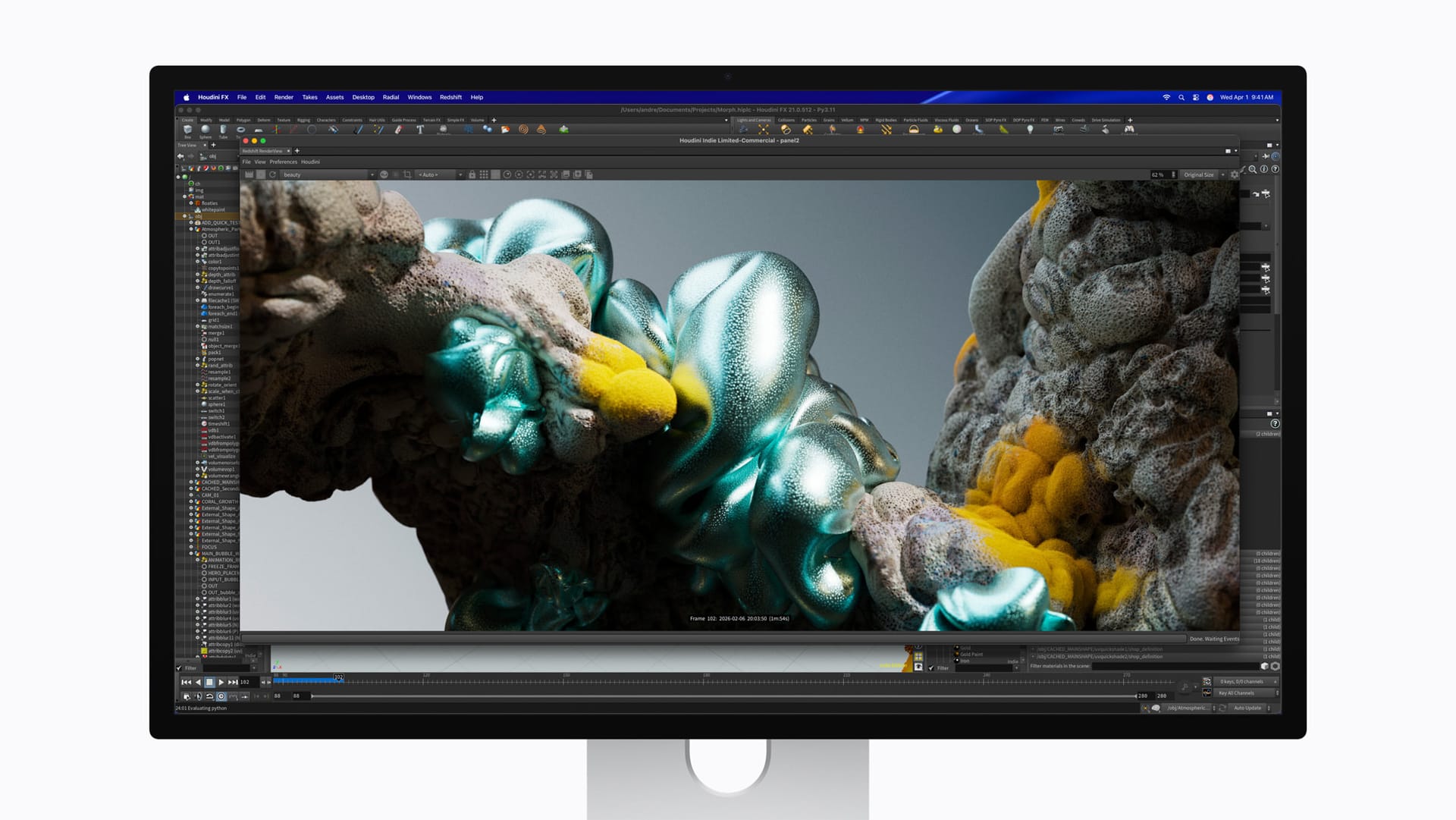
The Pro Display XDR is dead, and its replacement costs Dhs 9,500 less.
Apple's new Studio Display XDR (Dhs 13,499) officially replaces the Pro Display XDR (Dhs 22,999) as the company's flagship professional monitor. On paper, the newer display wins on almost every metric — except two. Here's the full comparison to help you decide whether to upgrade or whether those two exceptions matter for your workflow.
Pre-orders for all March 2026 Apple products open March 4 — see every product, price, and release date in our full UAE launch guide. Availability starts March 11 at Apple Store, iSTYLE, and authorised resellers across the UAE.
Spec-by-spec comparison
| Feature | Studio Display XDR (2026) | Pro Display XDR (2019) |
|---|---|---|
| UAE price | From Dhs 13,499 | Dhs 22,999 |
| Screen size | 27 inches | 32 inches |
| Resolution | 5K (5120x2880) — 14.7M pixels | 6K (6016x3384) — 20.4M pixels |
| Pixel density | 218 ppi | 218 ppi |
| Backlight | Mini-LED (2,304 zones) | Full-array LED (576 zones) |
| SDR brightness | 1000 nits | 1000 nits |
| Peak HDR brightness | 2000 nits | 1600 nits |
| Contrast ratio | 1,000,000:1 | 1,000,000:1 |
| Refresh rate | 120Hz Adaptive Sync | 60Hz |
| Colour gamut | P3 + Adobe RGB + 80% Rec. 2020 | P3 |
| Camera | 12MP Center Stage + Desk View | None |
| Speakers | 6-speaker, Spatial Audio | None |
| Microphones | 3-mic array | None |
| Connectivity | 2x Thunderbolt 5, 2x USB-C | 1x Thunderbolt 3, 3x USB-C |
| Charging | 140W | 96W |
| Stand | Included (tilt + height) | Sold separately (Dhs 3,699) |
| Portrait mode | Not supported | Supported (with Pro Stand) |
Where the Studio Display XDR wins
Brightness. 2000 nits versus 1600 nits peak HDR. A 25% improvement that matters in HDR grading — particularly when previewing highlights and specular detail.
Refresh rate. 120Hz with Adaptive Sync versus a locked 60Hz. This changes the experience of scrubbing timelines, navigating 3D viewports, and even general macOS interactions. Once you've used a 120Hz display for editing, going back to 60Hz feels sluggish.
Colour gamut. The Studio Display XDR adds Adobe RGB and covers over 80% of Rec. 2020. The Pro Display XDR only supports P3. For print professionals working in Adobe RGB and video editors who need Rec. 2020 coverage for HDR content, this is a significant functional upgrade.
Local dimming. 2,304 zones versus 576 zones. Four times the dimming resolution means tighter control over light bleed and haloing. Apple claims blooming is "virtually eliminated," and with that zone density on a 27-inch panel, the math supports it.
Built-in camera, speakers, and microphones. The Pro Display XDR has none of these. If you take video calls from your desk, the Studio Display XDR eliminates the need for a separate webcam and external microphone.
Thunderbolt 5. Dual TB5 ports versus a single TB3 port. You can connect downstream accessories or chain another display, and fast-charge a 16-inch MacBook Pro at 140W through a single cable.
The stand is included. The Pro Display XDR's Pro Stand was a separate Dhs 3,699 purchase that became one of the most mocked product decisions in Apple history. The Studio Display XDR's tilt- and height-adjustable stand is included at the base price.
Where the Pro Display XDR still wins
Screen size. 32 inches versus 27 inches. Five inches matters when working with complex timelines, multiple scopes in DaVinci Resolve, or detailed compositing in Nuke or After Effects.
Resolution. 6K (20.4 million pixels) versus 5K (14.7 million pixels). Nearly 40% more pixels. For print designers working at actual size and photographers inspecting fine detail, the 6K panel offers meaningfully more working space.
Portrait mode. The Pro Display XDR with Pro Stand can rotate to portrait orientation. The Studio Display XDR does not support rotation. Developers who code in portrait mode will miss this.
Should Pro Display XDR owners upgrade?
If you primarily use the Pro Display XDR for HDR grading or colour-critical work and can live with 27 inches at 5K, upgrading makes sense. You get brighter HDR, 120Hz, better colour gamut coverage, and modern connectivity — while pocketing significant savings if you sell the Pro Display XDR.
If you rely on 32 inches for complex editing layouts, multi-scope colour grading, or portrait mode, keep the Pro Display XDR until Apple releases a larger option.
If you don't own either and you're deciding fresh, get the Studio Display XDR. It's better in every way that matters to most professionals, costs significantly less, and is a current-generation product with years of software support ahead.
💡
This is part of Apple's biggest early-year launch ever. See everything Apple announced for the UAE in March 2026, including iPhone 17e, iPad Air M4, and MacBook pricing.
The bottom line
Apple made the Pro Display XDR obsolete with a display that costs 41% less. The only compromises — size and resolution — matter for a specific subset of professionals. For everyone else in the UAE's growing creative and media industry, the Studio Display XDR is the clear winner.
Written by

Subscribe to our newsletter
Subscribe to our newsletter to get the latest updates and news





Member discussion