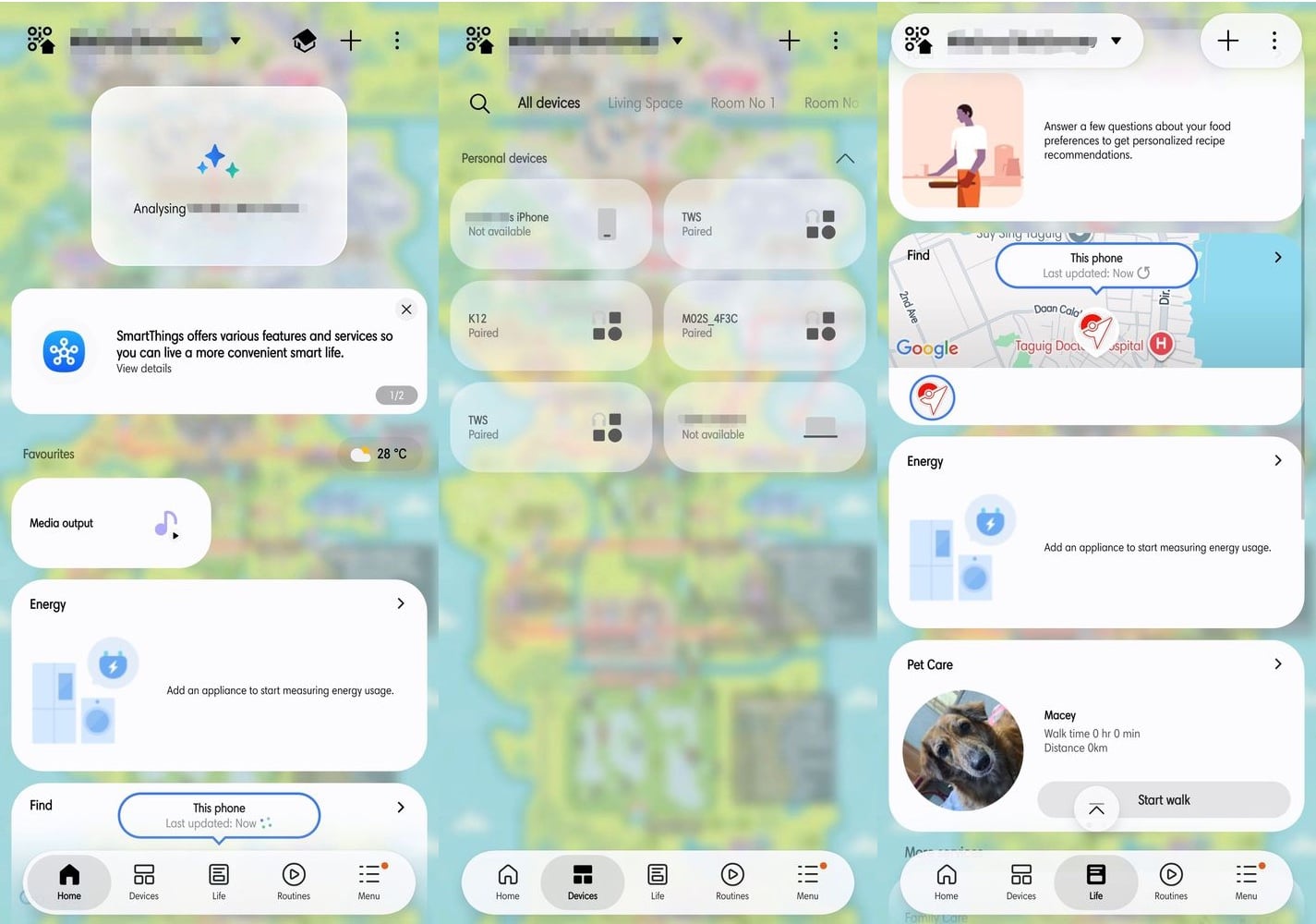
Samsung’s SmartThings app redesign is rolling out to Android, with compact device cards, a floating navigation bar and more control over the home screen. The update is version 1.8.51.30 and has begun reaching select Galaxy phones and tablets, SamMobile reports. Android Authority also reports that the redesigned app is now arriving on Android after its iOS launch.
What the SmartThings app redesign changes
The SmartThings app redesign puts Home, Devices, Life, Routines and Menu in a floating bottom bar. On Home, smaller cards make more devices and routines visible at once; users can resize and rearrange them. Tapping a card’s icon can switch a device on or off, or run a routine, without opening its full controls.
The Devices tab groups connected products by room, while the home layout can be edited. The built-in TV remote also gains a light mode and options to change its size or position. The new interface changes how existing SmartThings controls are arranged; it does not itself make an unsupported device compatible.

SamMobile credits these interface screenshots to EngrGlitch / Samsung Members.
For anyone building a connected home, the app is only one part of the setup. Tbreak’s guide to smart-home devices and IoT protocols explains how standards such as Matter, Thread and Zigbee affect compatibility; its report on Matter camera support covers one recent change to that ecosystem.
When can Android users get the update?
Samsung has not published a UAE-specific rollout date in the reports. Users can check the official SmartThings listing on Google Play; because the rollout is staged, the update may not appear for every device at once. The reports do not specify a separate UAE schedule.
What should I do if the new SmartThings design is not showing up?
Check the official SmartThings listing in Google Play for an available update. The rollout is staged, so the new version may not be offered to every Android device at the same time.
Does the redesign make more smart-home devices compatible?
No. The update changes the app’s layout and controls, not device compatibility. A product still needs to be supported by SmartThings and correctly connected to your home setup.