
Samsung S26 Series Hands-On First Look
Thinner, faster and better cameras sure, but the privacy display feature might just be a game changer.

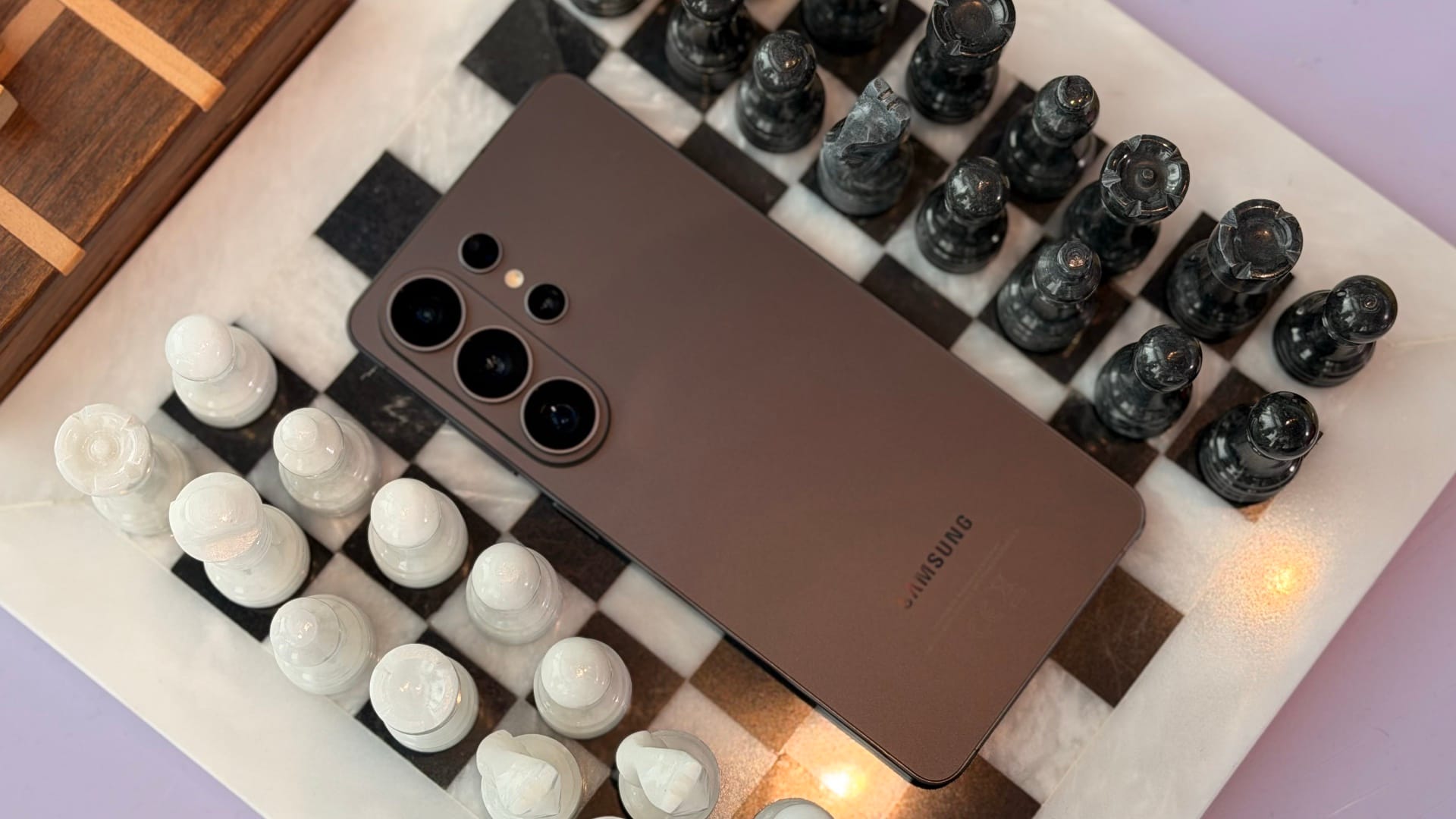
Every year around this time, Samsung gets on stage and tells you why this year’s Galaxy S series is the one worth paying attention to. Sometimes the gap from one generation to the next is wide, and sometimes it is narrow. The S26 series sits somewhere in the middle - there are real, tangible changes here, not just spec bumps.
The lineup comes in three models as usual: the base S26, the S26 Plus, and the S26 Ultra. All three share the same camera island design for the first time, which gives the series a more coherent look across the board, and base storage across all models starts at 256GB. But the Ultra is still the one that gets the headline features, and after spending time with it, it is clear that a few of those features are genuinely worth talking about.
Galaxy S26 Series UAE Pricing
| Model | Starting Price (AED) | Availability on provided URL |
|---|---|---|
| Galaxy S26 Ultra | 5,099 | https://www.samsung.com/ae/smartphones/galaxy-s26-ultra/buy/ |
| Galaxy S26 Plus | 4,299 | https://www.samsung.com/ae/smartphones/galaxy-s26/buy/?modelCode=SM-S942BZVPMEA |
| Galaxy S26 | 3,599 | https://www.samsung.com/ae/smartphones/galaxy-s26/buy/?modelCode=SM-S942BZVPMEA |
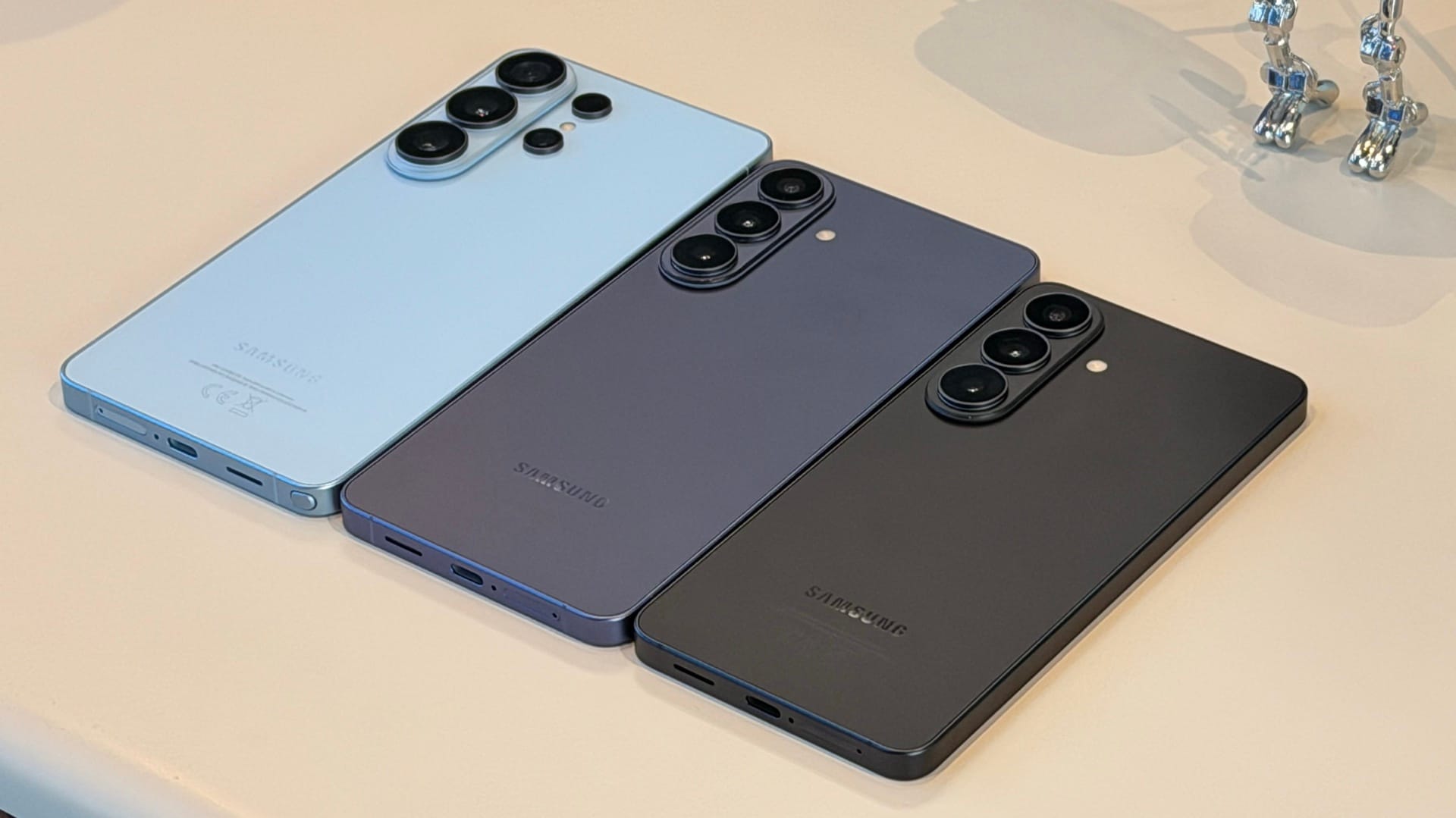
Slimmer, Thinner But Now in Aluminum
The S26 Ultra is thinner than its predecessor - 7.9mm compared to the S25 Ultra’s 8.2mm. That 0.3mm difference is easy to dismiss on paper, but Samsung has managed it without reducing battery capacity (5000mAh) or making any meaningful cuts to the internal hardware.
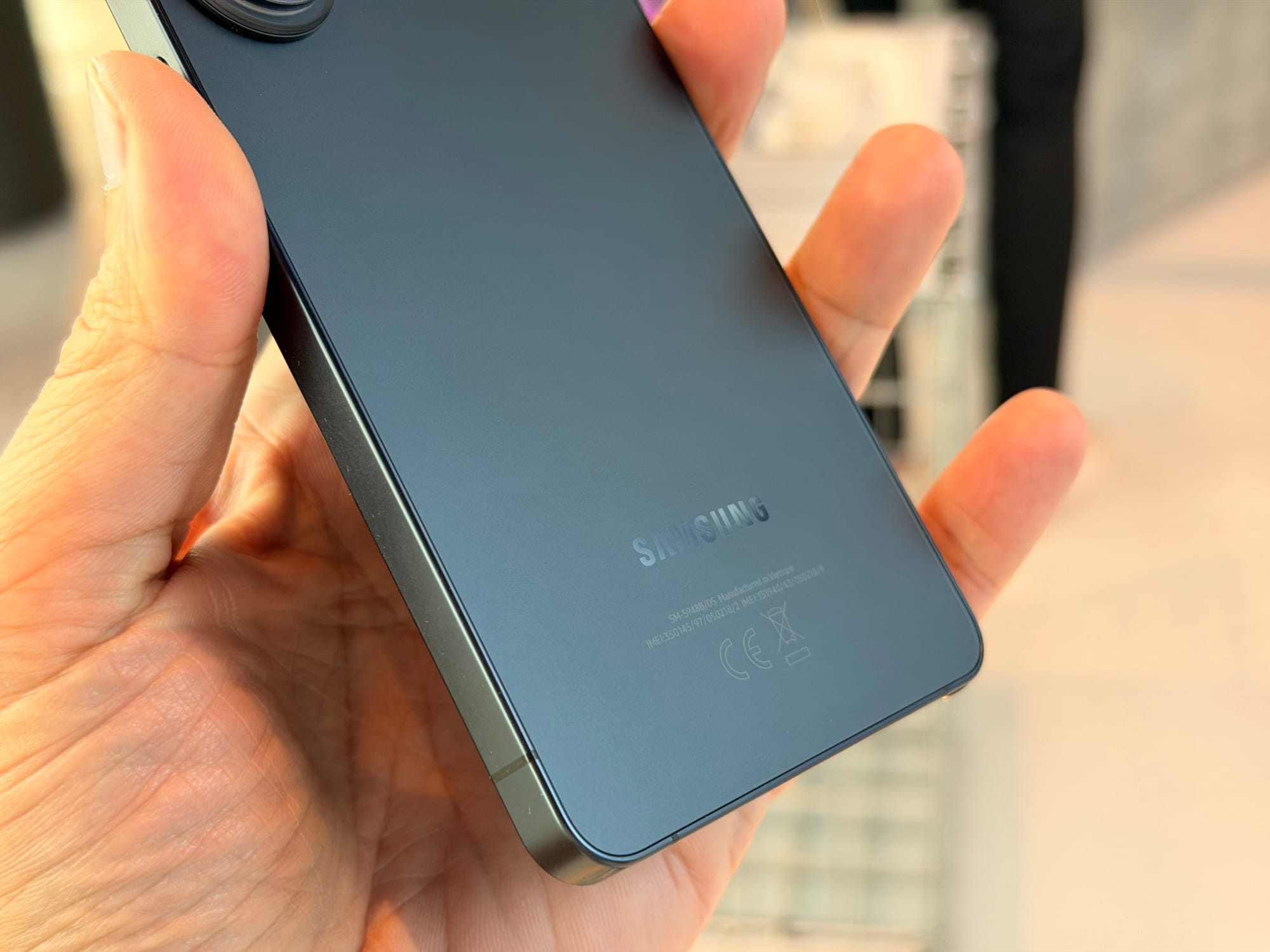
More notable is the material change on the frame. As was rumoured, the Ultra has moved from titanium to what they are calling ‘Amor Aluminium’, and Samsung is clear that this is not a downgrade. Aluminium handles heat better than titanium, which is relevant on a phone that can run demanding tasks for extended periods of time, and works in tandem with the new vapour chamber that promises 20% better efficiency in heat dissipation. The specific alloy used here is also more resistant to edge deformation - the kind of flattening that happens when a phone lands on its corner after a drop.
Corning Gorilla Glass 2 covers the front, and the phone uses recycled materials in several internal components including parts of the aluminum frame, the cobalt in the batteries, and some of the gold in the camera modules.
Oh, and yes, sadly there are no magnets on the back for accessories across the lineup. Just like last year, users will have to rely on covers with magnets to bring on that feature.
Snapdragon 8 Elite for Galaxy But Also Exynos
The Ultra runs on the Snapdragon 8 Elite for Galaxy (as expected), a custom chip that is different from the ones Qualcomm makes for other smartphones. Samsung uses a custom-clocked version with higher clock speeds, and the performance gains over last year’s S25 Ultra are promising: 39% improvement in neural processing, 24% in GPU performance, and 19% in CPU performance.
The Base and Plus models run the Exynos 2600, notable for being the first mobile processor built on a 2nm platform. Early benchmark results place it at a similar performance level to the Snapdragon, and in some single-core tests it edges ahead. Samsung promises standardized performance across the lineup so that the experience feels consistent regardless of which model you are using.
Keeping all of that processing power from becoming a heat problem falls to a redesigned vapor chamber that is around 20% more efficient than last year’s, alongside improved thermal interface material that draws heat away from the processor more effectively. The result is more sustained performance under load - relevant for gaming, extended video recording, or anything else that keeps the chip working hard for a stretch.
On the Ultra specifically, wired charging has moved up to 60W, a notable jump from last year’s 45W cap, and wireless charging now supports 25W, up from 15W. With a compatible 60W charger, the phone goes from flat to 75% in around half an hour.
Same Megapixels, But Brighter Lens
The main 200MP camera now has an aperture of f/1.4, down from f/1.7, which means it's pulling in 47% more light than before. That is a hardware change, not a processing workaround, and it shows up most clearly when the lighting is working against you. The 50MP periscope telephoto has also been improved to f/2.9 from f/3.4m so the zoom end of thighs benefits as well.
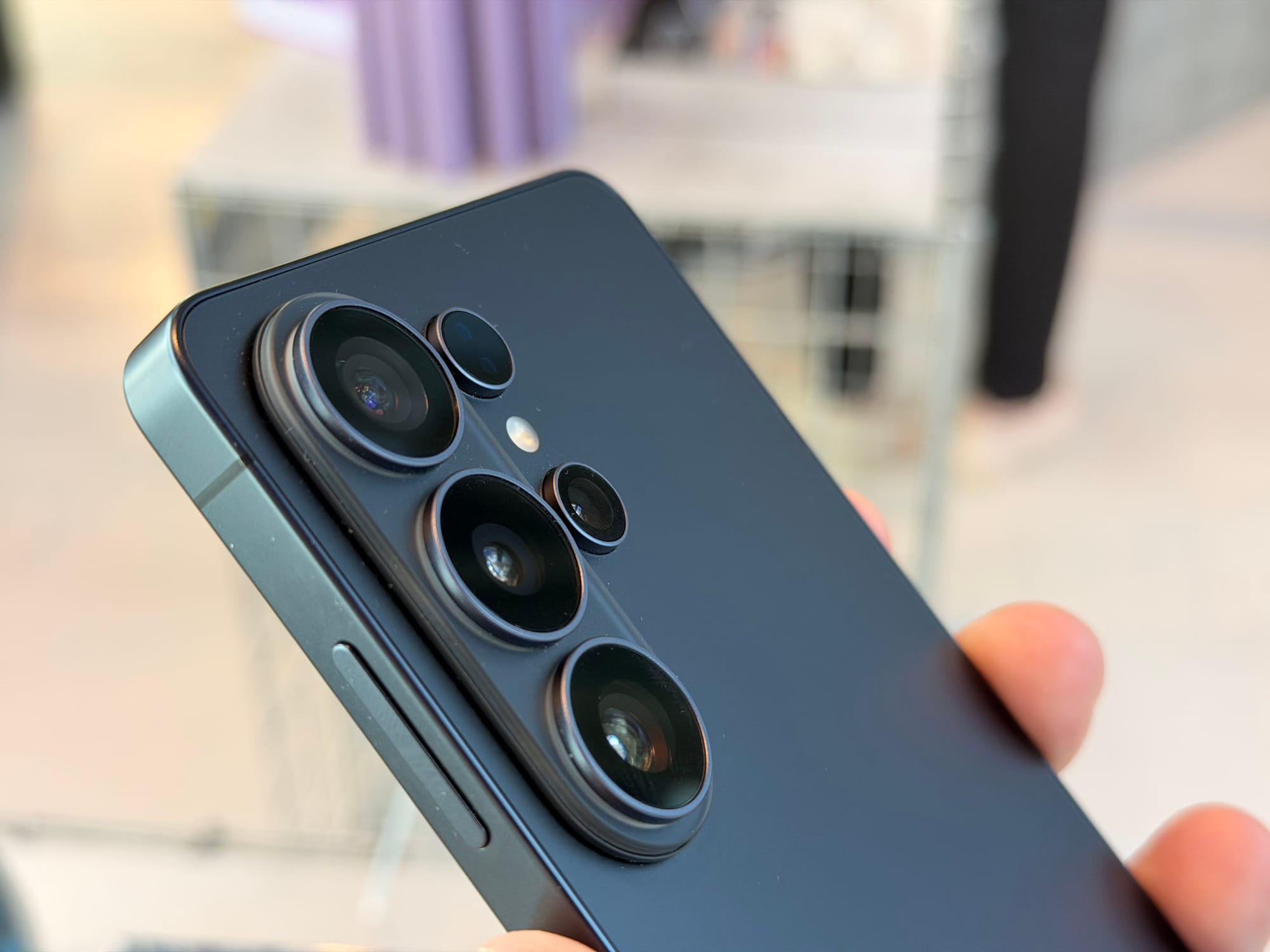
Beyond the aperture numbers, the phone’s AI processing has been upgraded to read the scene before you even press record. Open the camera in a low-light room and switch to video mode - you will see the grain on screen settle and clear in real time, because the phone is already making adjustments before you hit record. It handles both low light and uneven lighting, so if someone is standing against a bright window, the phone works to expose for their face rather than the background behind them.
Super Steady Video has also picked up a new capability: horizontal lock. Using optical image stabilization, the gyroscope, and the accelerometer together, the phone keeps video locked to the horizon regardless of how the phone is oriented. Rotate it 360 degrees while recording and the footage stays upright, stitched in real time. When you stop recording, the video is already correctly oriented.
Privacy Display: A Game Changer
This was the feature that got the most attention in the room, and one I was most looking forward to seeing in action. The S26 series has a privacy mode built directly into the display at the pixel level. When you activate it, the pixels that spread light outward are switched off, leaving only those projecting directly toward whoever is looking at the screen straight on. Anyone to the side or at an angle sees nothing. The person holding the phone sees the screen normally, albeit a a not-so-noticeable loss in brightness, but we have to test that extensively when we get our hands on the device.
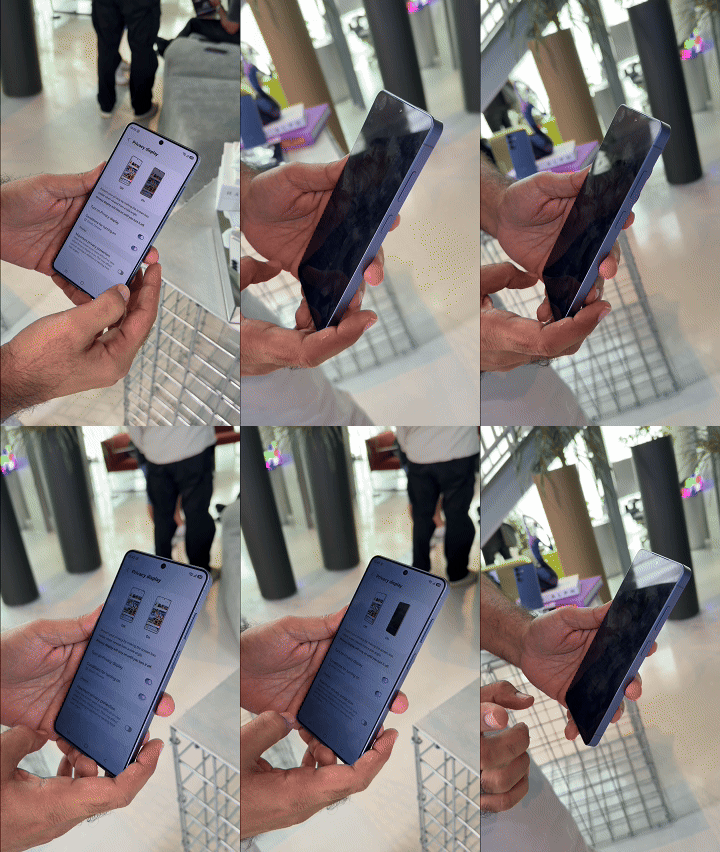
The real depth of the feature is in how configurable it is. You can set it to activate for specific apps automatically - open your banking app and it switches on without you doing anything or agreeing to a prompt. You can apply it to notification pop-ups, so the rest of the screen stays visible but incoming alerts are hidden from view. It works with routines, so a morning commute can trigger it at a set time and turn it off when you arrive.
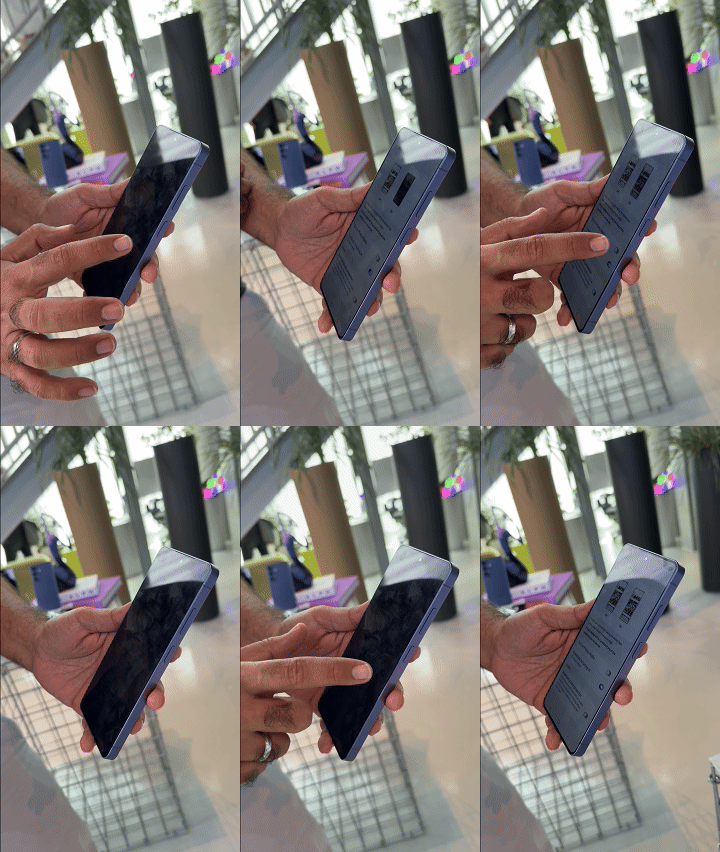
There is also a partial mode that reduces the viewing angle without blacking the screen out entirely, and a full mode that makes it essentially invisible from any angle other than directly in front.
If this feature works just as well - and from our hands-on experience, it really did - you can bid goodbye to clunky and restrictive privacy covers for screen for a much better and more customizable native experience.
Call Assist Gets An Upgrade
Call Screening is an extension of an existing feature called Call Assist, which has been on Samsung phones for a while in the form of live call translation and Bixby text call - the latter letting you type a response that the phone reads out on your behalf when you cannot talk. The new addition takes a different approach entirely: instead of you answering and then dealing with whoever is on the line, the AI picks up first.
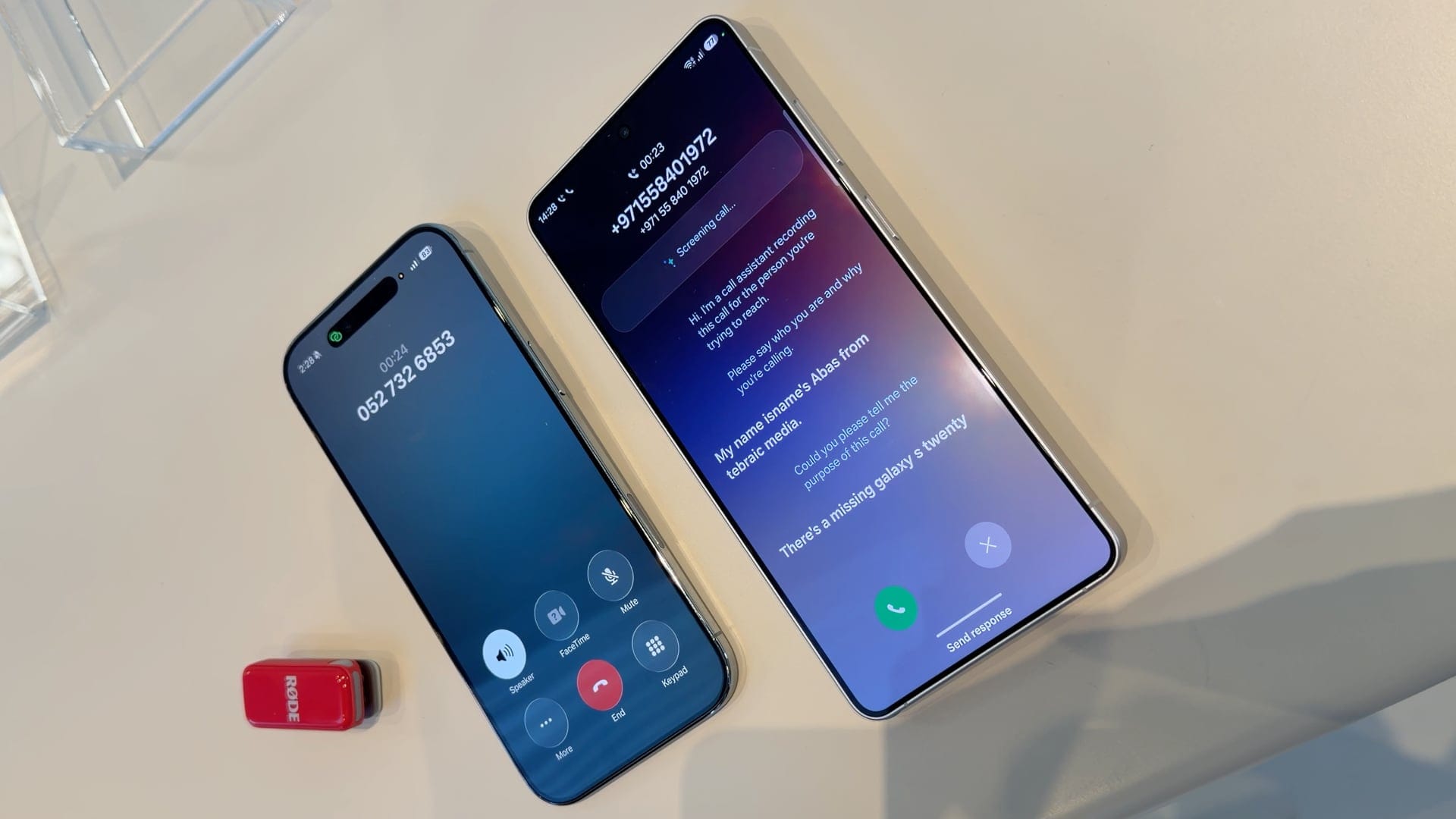
When a call comes in and you activate screening, the AI speaks to the caller and asks two things - what the purpose of the call is, and, if the number is not in your contacts, what their name is. You get a live transcript of everything the caller says (in our test, it doesn't always accurately pick up names), so you can read the exchange as it happens and decide whether you actually want to take the call. If you do, you connect. If not, you do not. None of this happens after you have already picked up; the AI is handling the entire pre-screening before you are involved at all.
It is a practical feature for anyone who receives a lot of unsolicited calls - marketing, real estate, spam - and equally useful if you are in a meeting and unknown number calls, or you just don't want to talk to someone and let AI pretend you are busy. One caveat worth nothing: the feature does not work on a roaming SIM card, so it is only available when your SIM is on a local network.
Contextual AI Photo Editing
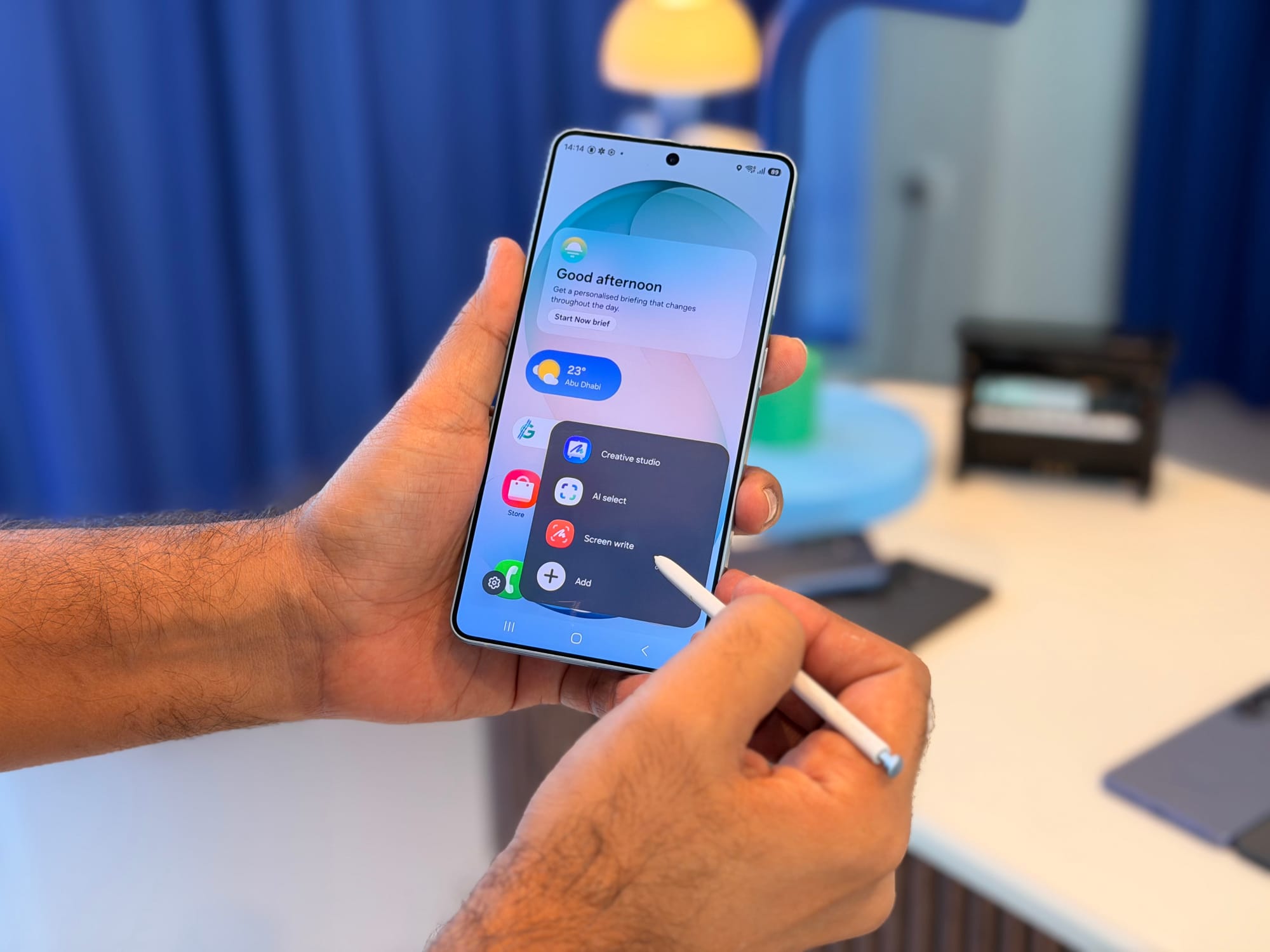
Photo editing on a phone has always involved a certain amount of guesswork - nudging sliders, second-guessing adjustments, undoing things that made the photo…worse. On the S26, Samsung has taken a leaf out of Google’s hat and has replaced all of that with a text prompt. You describe what you want done and the phone does it.
Open the gallery editor, tap the AI icon, and type or speak in plain language. During the demo, a lamp that was off in the original photo was turned on with a single instruction - the phone added the appropriate warm flow on the subject’s face and a reflection on the floor, as though the light had actually been on when the shot was taken. Other prompts changed the subject’s outfit and swapped the background for a restaurant setting, filling in details like other people seated at tables in the background. While these were controlled demos, considering how impressive Samsung Galaxy AI features have been in the past, we have high hopes that the new photo editing features will work just as well.
The feature runs on cloud processing, however, so you will need a Samsung account signed in and an active internet connection. There are no usage limits and no subscription fee. The phone will not edit photos of children, will not alter anyone’s face directly, and will not add branded logos - those restrictions are fixed - but the scope of what it can do within those boundaries is considerable.
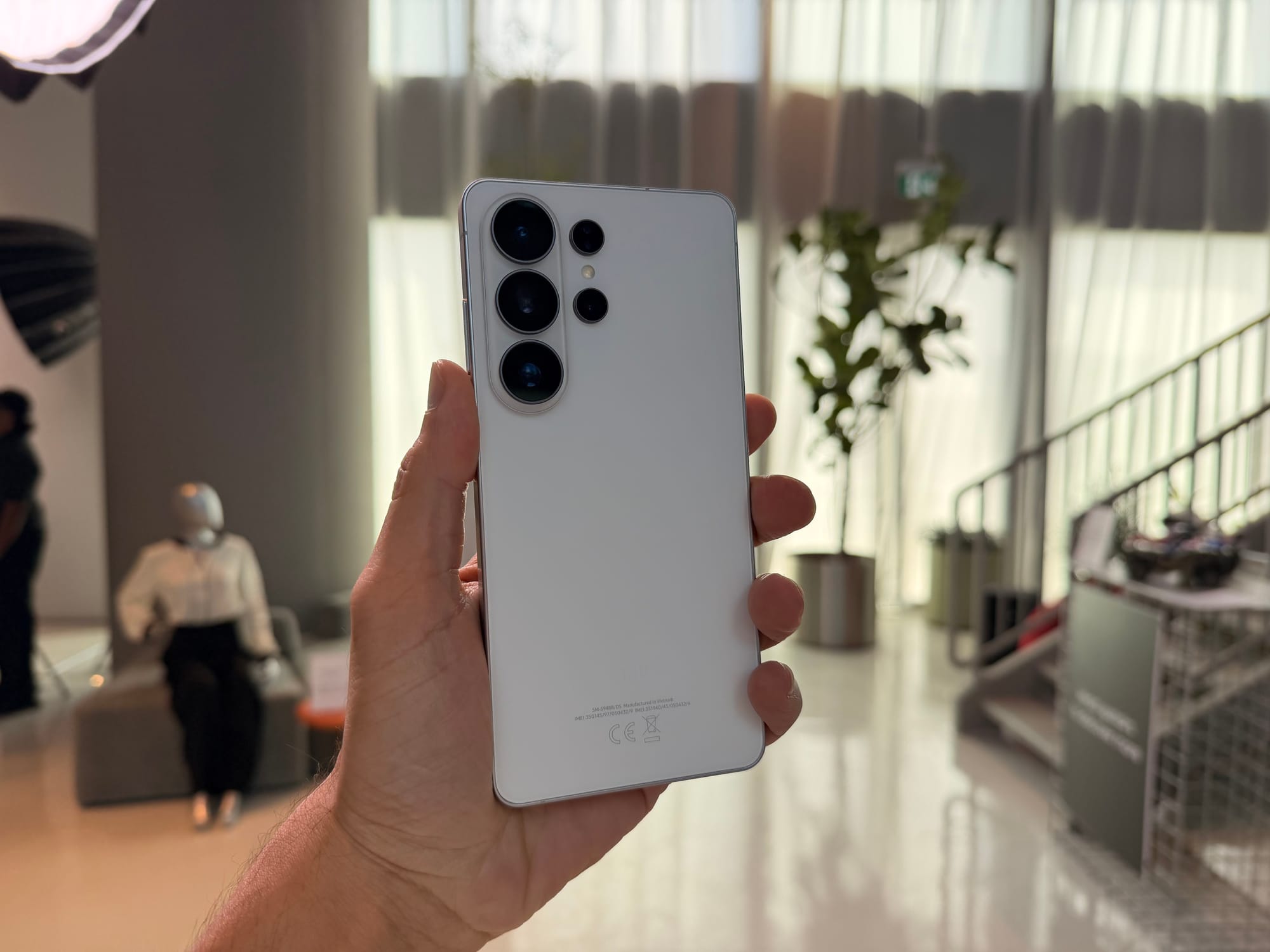
Samsung Built an Ultra-Exclusive Video Codec
APV - Advanced Professional Video - is a video codec developed by Samsung, and on thje S26 Ultra it enables you to record 8K videos at 30 frames per second, edit the footage directly on the device, and re-edit it as many times as you want without any degradation to the original quality. The footage stays lossless throughout the entire process.
If you want to take the footage into professional editing software, it currently supports DaVinci Resolve 20.2 and above. Other platforms are not yet compatible, so if your workflow is built around something else, that is worth knowing going in. Samsung has also confirmed that future compatibility with Blackmagic film cameras is planned, which gives you a sense of the professional tier this codec is aimed at.
There are a couple of requirements to be aware of. APV is only available on the S26 Ultra, and it requires Android 16 with Snapdragon 8 Elite - both of which the Ultra satisfies.
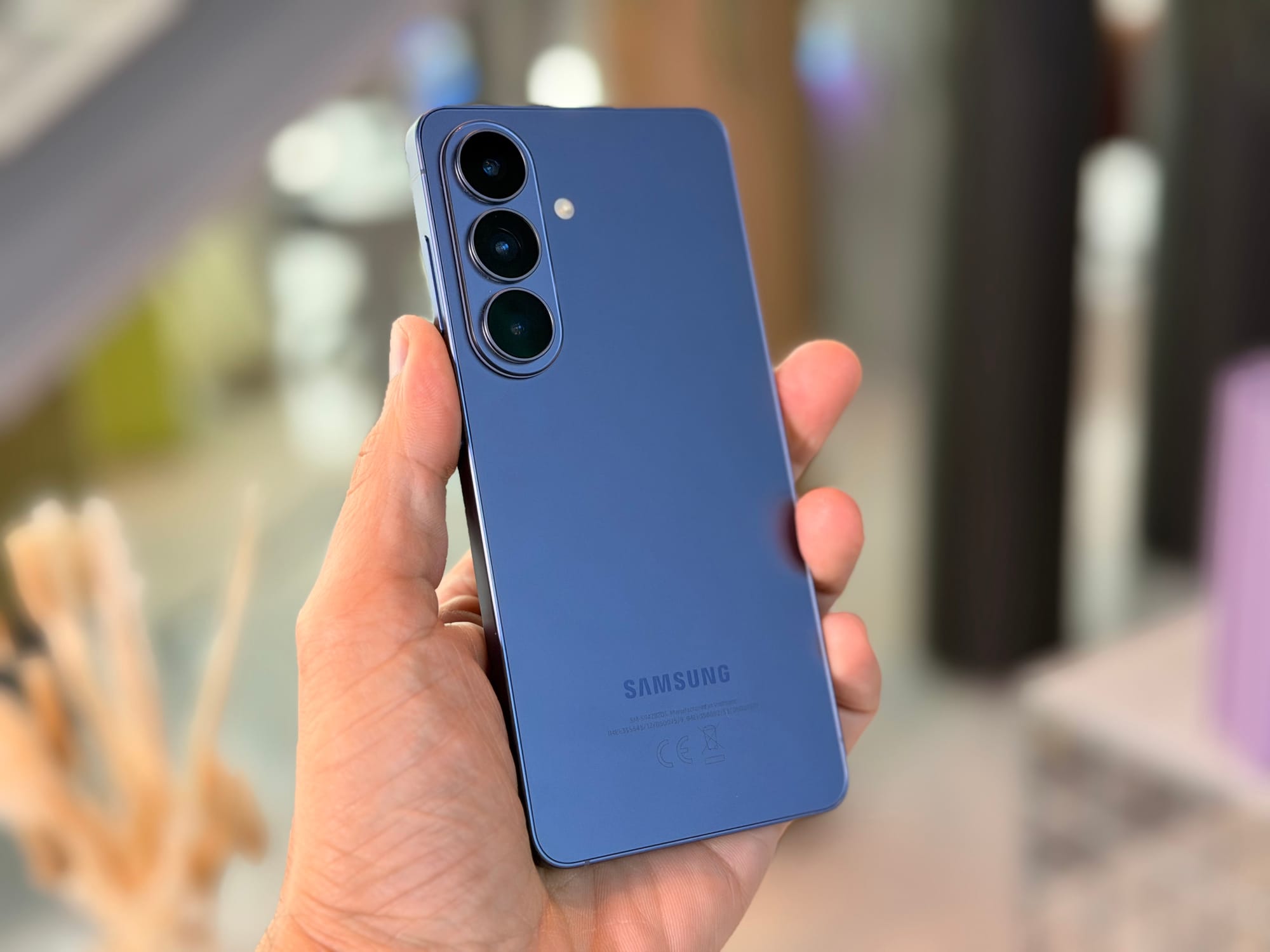
Audio Eraser Now Works on Other Selected Apps
Audio Eraser has let you remove specific types of sound from your own recorded videos for a while - six categories in total, covering voices, music, crowd noise, wind, nature sounds, and one more, with up to four removable at a time. On the S26, that same capability now extends to videos you are watching, not just ones you shot yourself.
It works with Youtube, Netflix, and Instagram for now. If you want to strip out background music while keeping the dialogue, you can. If you want to mute the commentary on a sports broadcast and just hear the crowd that works too. The six audio categories are available while the video plays, and you can toggle whichever ones you want removed. The underlying technology is the same - it just now applies to content you are consuming rather than only what you created.
Document Scanner Uses AI To Fix Your Scans
When you point the camera at a document, the phone recognises it and offers to scan it. What is new on the S26 is what happens when the conditions are not ideal - which, realistically, they often are not.
If your thumb is in the frame - nearly unavoidable when scanning a passport or anything that does not lie completely flat - the phone removes it from the final scan using AI. If a corner of the page is folded, it gets digitally straightened. You can also scan multiple pages in one session and save them as a single document, removing the need for a third-party app in most situations. The result is a clean scan without having to carefully restage the shot several times.
These were the top-level features that were noteworthy. We will have more on the Samsung S26 series in the coming days, including the full review after the phone is officially unveiled this month.
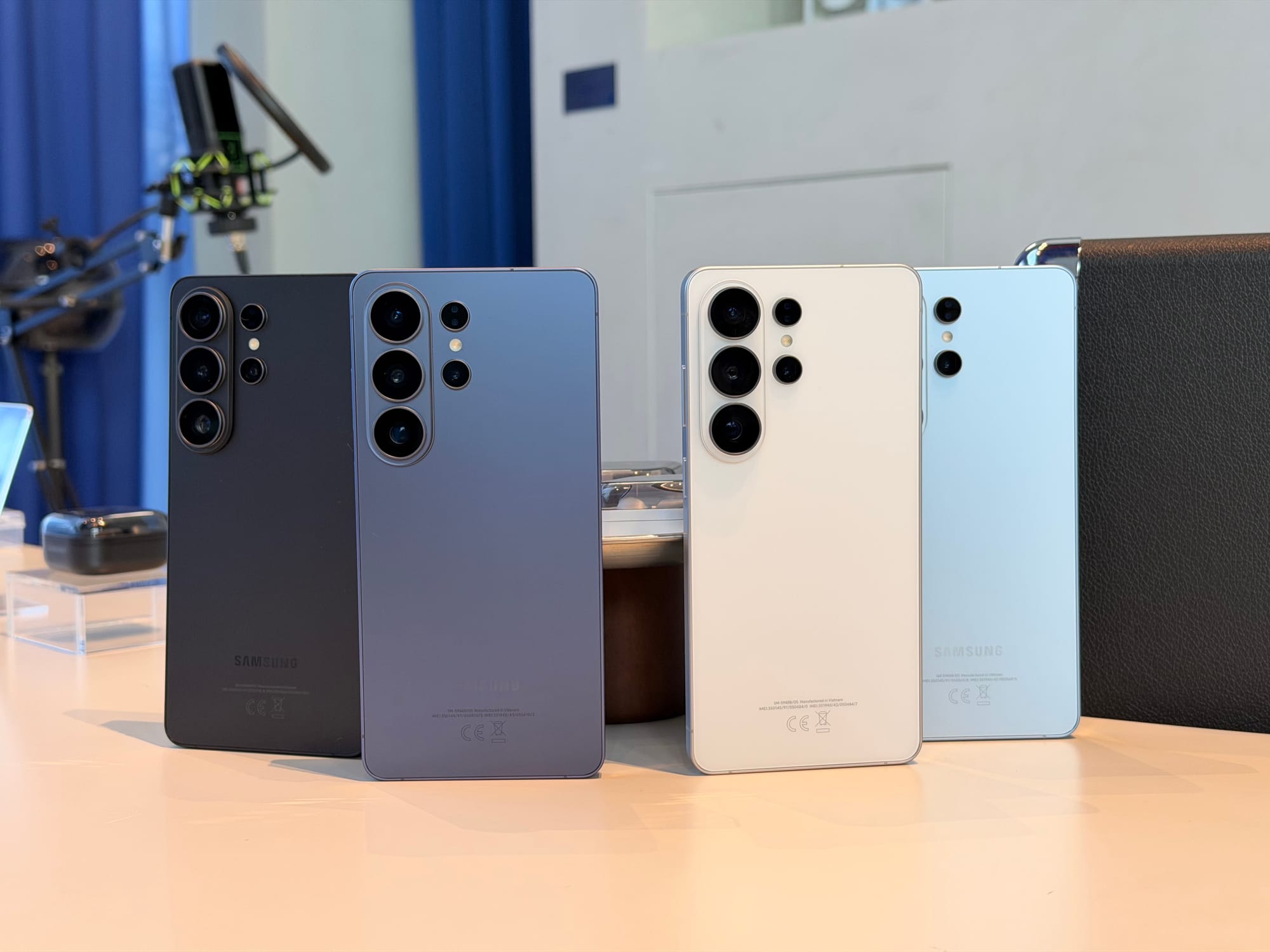
We should also note the colorways the phone will come in: Cobalt Violet, Sky Blue, White and Black, with Pink Gold as a Samsung online exclusive. Display sizes across the series are 6.9” on the Ultra, 6.7” on the Plus, and 63” on the base. Batteries are 5000mAh, 4900mAh, and 4300mAh respectively, all up from last year.
Written by

Subscribe to our newsletter
Subscribe to our newsletter to get the latest updates and news






Member discussion