
Samsung S26 Ultra Review: Less About Power, More About Purpose
Samsung's Galaxy S26 Ultra doesn't radically change the formula, but its hardware-level Privacy Display, Snapdragon 8 Elite Gen 5 for Galaxy and 60W charging make this one of 2026's most complete Android flagships in the UAE.

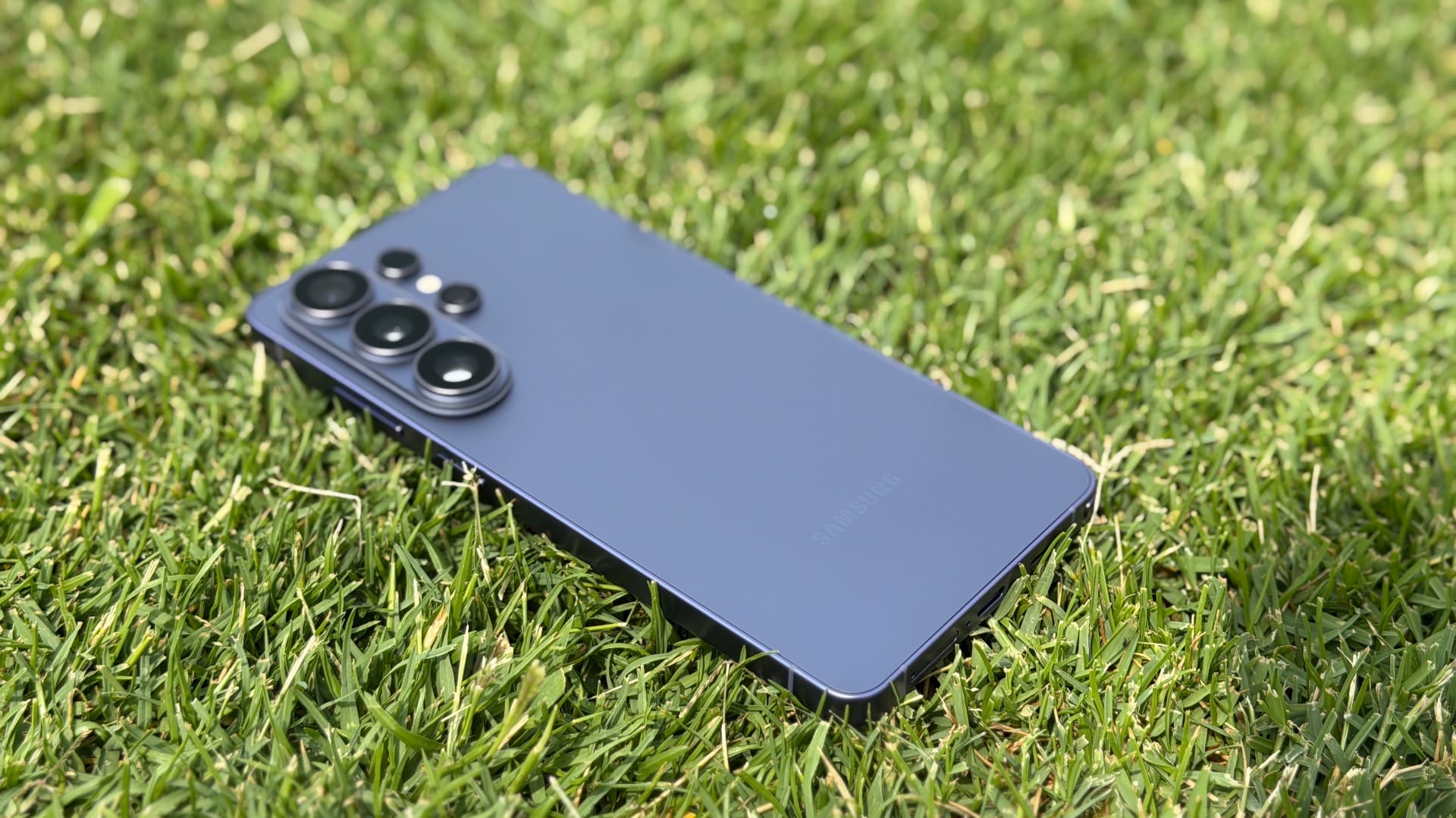
With the Galaxy S26 Ultra, Samsung isn't trying to blow up its own spec sheet so much as refine it. You still get serious flagship hardware – a Snapdragon 8 Elite Gen 5 for Galaxy chip, brighter lenses, a larger vapor chamber and 60W wired charging – but the real story is what Samsung does with the screen and software this year. The 5,000mAh battery capacity is unchanged, there's still no silicon‑carbon chemistry, and there's still no MagSafe‑style Qi2 magnetic ring, which feels like an odd omission when even some rivals have caught up.
Instead, the focus shifts to tighter hardware–software integration. The headline is the new Privacy Display, a hardware-level implementation that narrows viewing angles so people next to you can't easily peek at your screen – one of the most genuinely useful display innovations I've seen on a smartphone in years. Then there's Galaxy AI, with smarter contextual photo editing from Generative Photo Assist 2.0, a wild Horizontal Lock mode that keeps your video horizon level even as you spin the phone, and upgraded Call Assist that can screen spam calls on your behalf.
After living with the S26 Ultra for a week, it's clear Samsung's 2026 flagship is less about chasing raw numbers and more about making the Galaxy S experience feel sharper, more private and a bit more purposeful.
Specifications
| Spec | Samsung Galaxy S26 Ultra |
|---|---|
| Dimensions | 16.36 x 7.81 x 0.79 cm |
| Weight | 214 g |
| Colours | Black, Cobalt Violet |
| Cameras | Main: 200 MP (wide), 10 MP (telephoto), 50 MP (periscope telephoto), 50 MP (ultrawide) Selfie: 12 MP (wide) |
| Processor | Qualcomm Snapdragon 8 Elite Gen 5 |
| RAM | 12GB, 16GB |
| Storage | 256GB, 512GB, 1TB |
| Battery | 5000 mAh |
| Charging | 60W wired, 25W wireless, 4.5W reverse wireless |
Samsung Galaxy S26 Ultra Design and Display
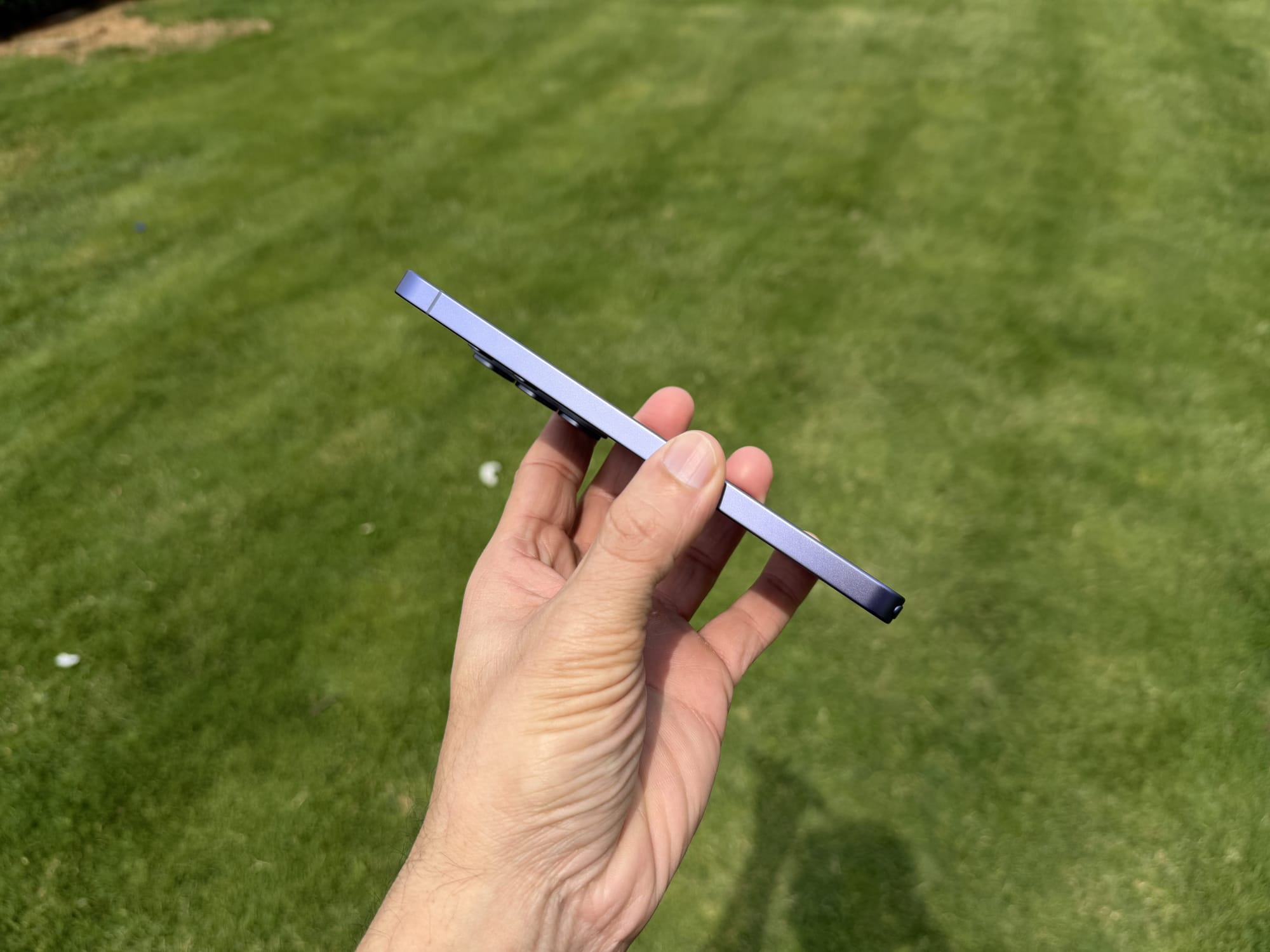
In terms of aesthetics, Samsung has pulled a bit of a reversal this year. After flirting with titanium on the S25 Ultra, the company has returned to an aluminum chassis - specially, ‘Armor Aluminum’.
While some might see this as a step back on paper, in the hand, the difference is negligible. The switch was reportedly made to improve heat dissipation and enable better colour matching between the frame and the glass. Speaking of colours, the new palette is quite attractive, featuring options like Cobalt Violet, Sky Blue, and the standard Black and White.
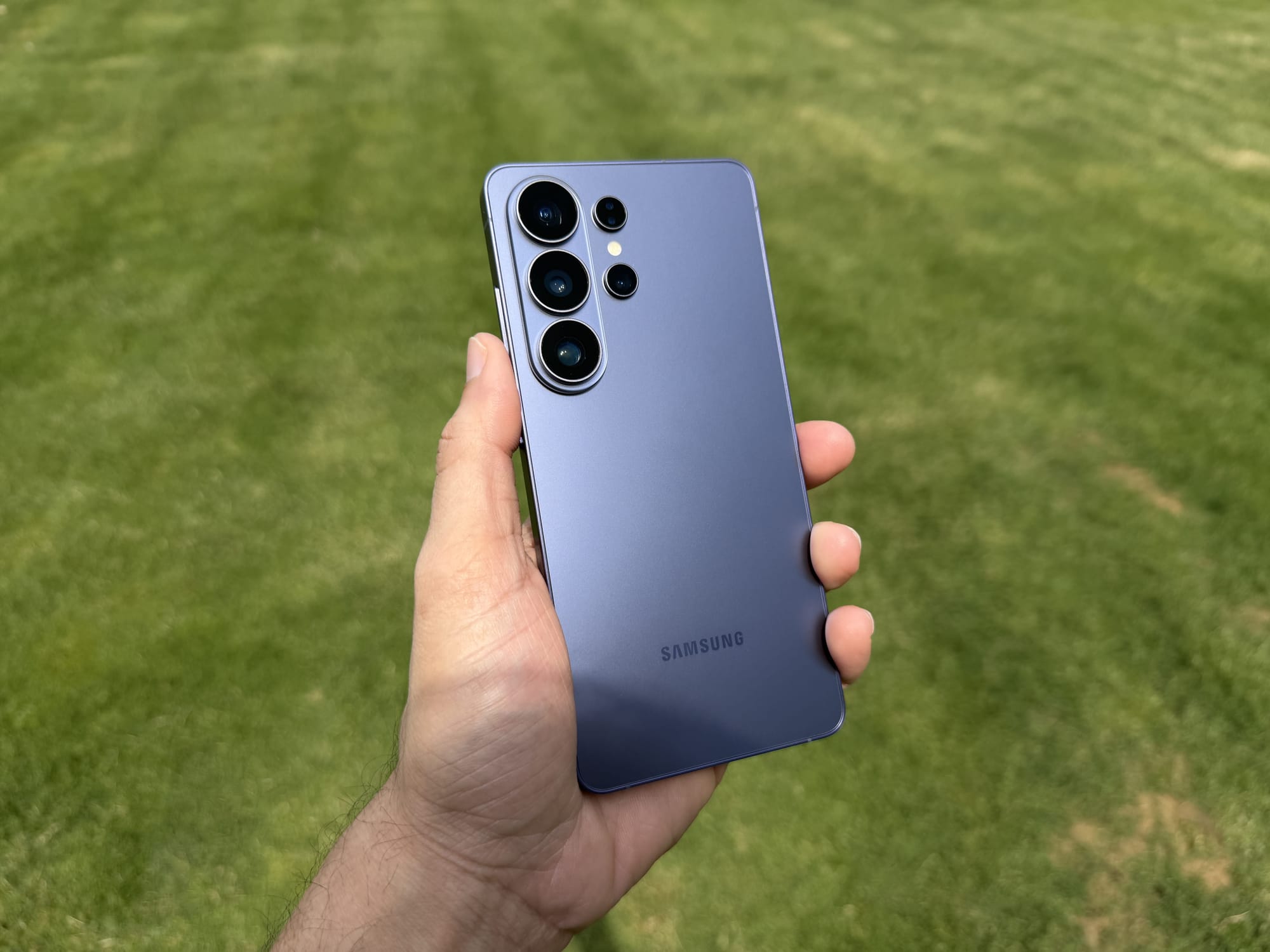
The phone is thinner and lighter than the S25 Ultra, trimming down to 7.9mm and 214g, down from 8.6mm and 232g, but unless you have callipers for fingers, you likely won't notice the difference. The build quality remains exceptional, protected by the new Corning Gorilla Armor 2 on the front and the Victus 2 on the back, and it retains the expected IP68 rating for water and dust resistance.
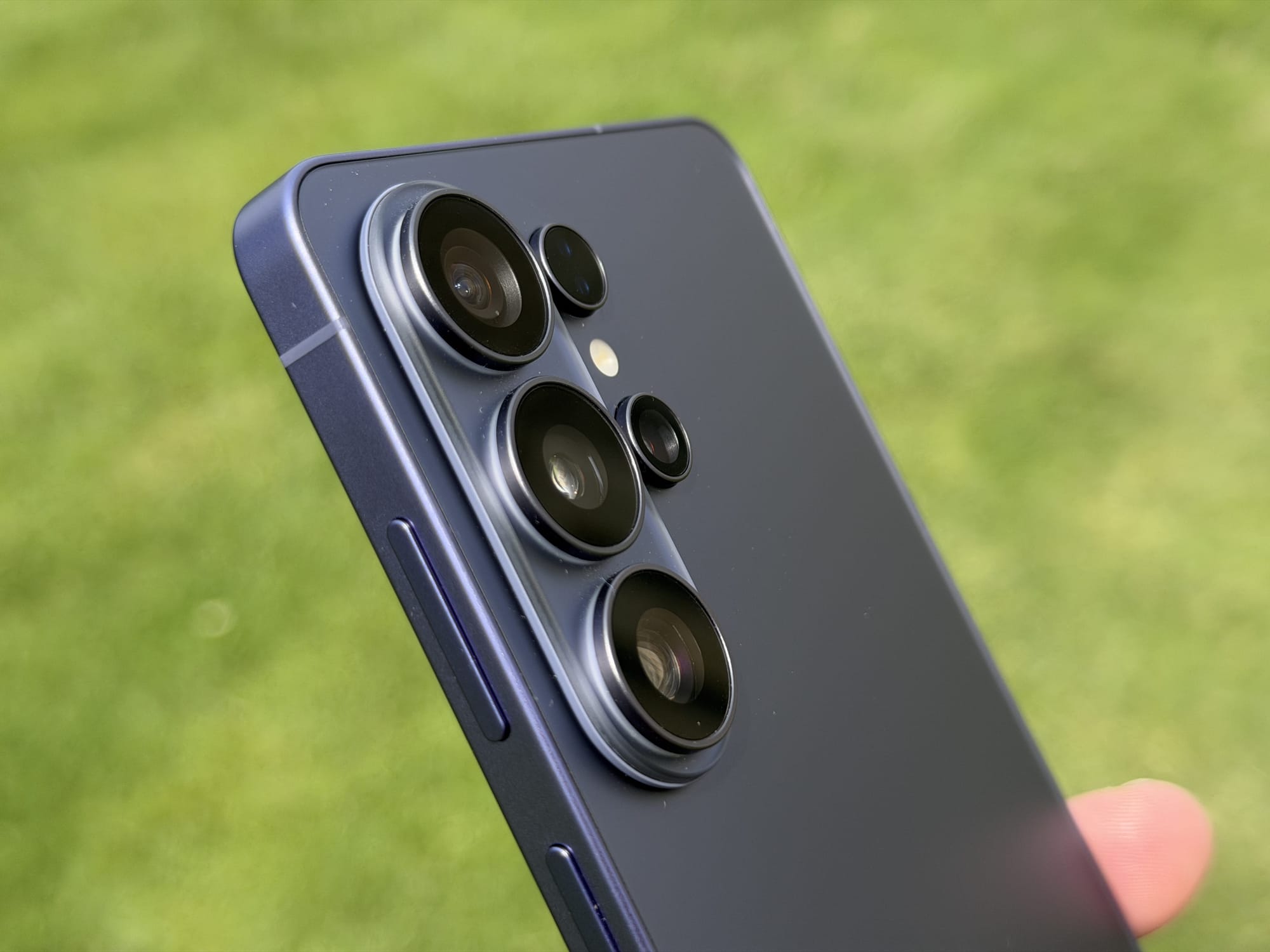
However, there is one design choice that might irk some users. The camera island has been redesigned with a ‘stepped’ look that lifts the lenses further off the back of the phone (and this is found across the entire S26 lineup). While the phone feels solid and premium to hold, this new protrusion creates one of the most insane and downright obnoxious wobbles I have ever seen when the phone is laid on a flat surface. It's not a dealbreaker by any means - most people use cases anyway - but for those who like to type with their phone on a desk, it's definitely noticeable.
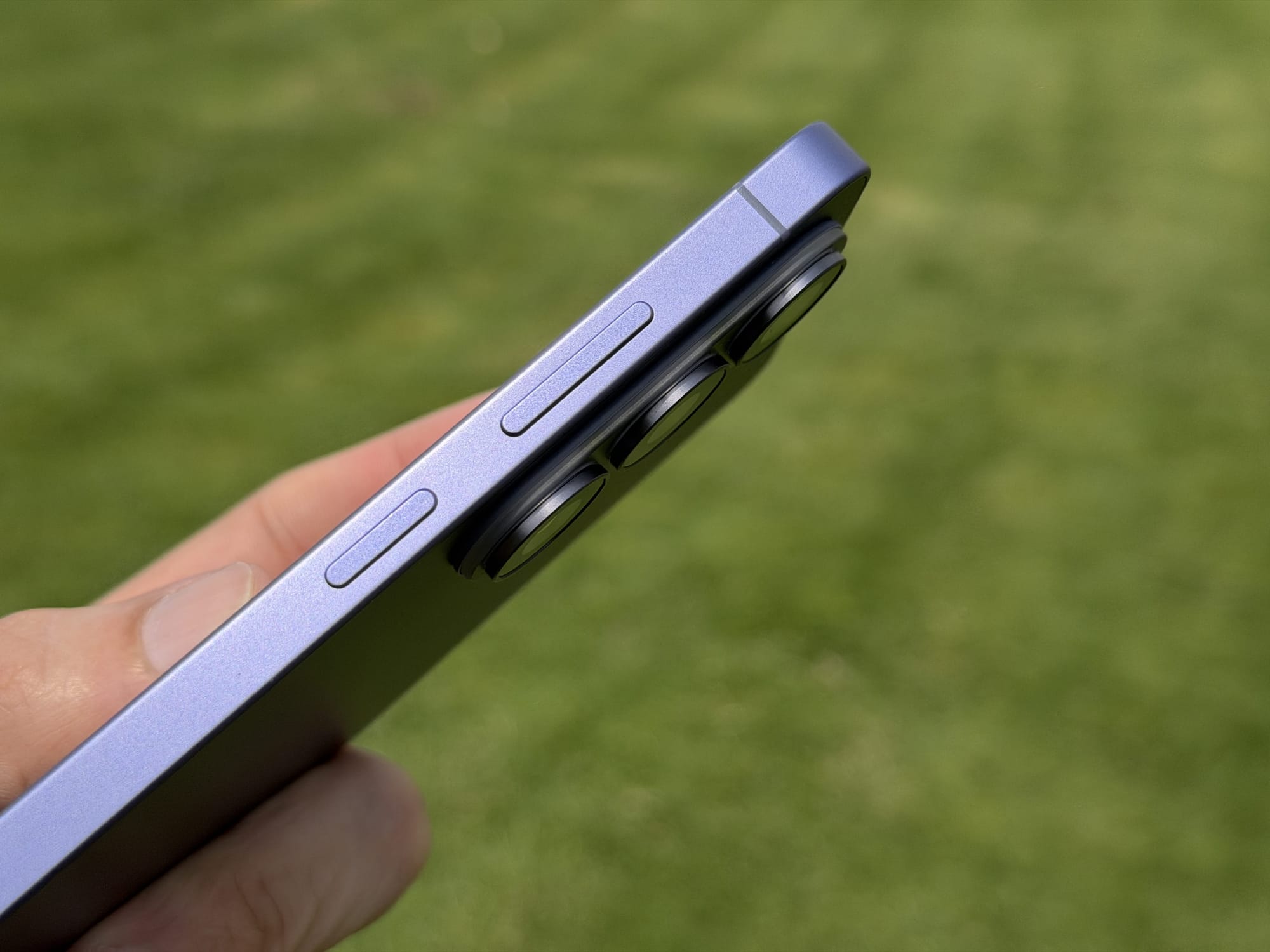
Briefly touching on the cameras, the hardware remains largely similar to last year, but with critical tweaks. You still get a massive 200MP main sensor and a 50Mp 5x telephoto, but Samsung has widened the apertures on both (to f/1.4 and f/2.9, respectively). This allows significantly more light to enter, which should help with low-light performance.
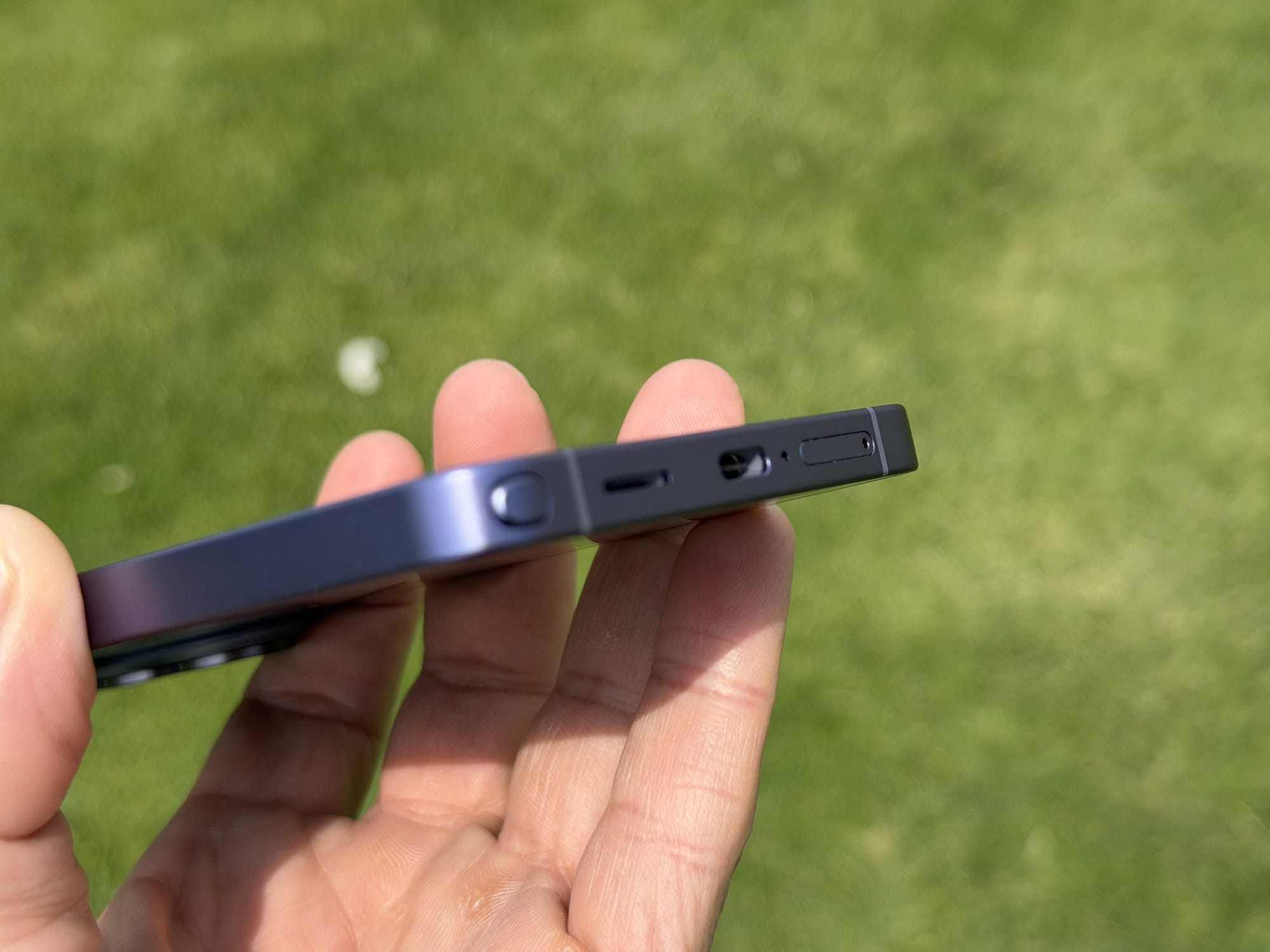
The S-Pen also returns, nestled in its silo. It's slightly thinner this year and features a curved end to match the phone's frame. A small quirk of this new design is that the pen now needs to be aligned to sit flush with the corner; if you put it in “backwards,” it disrupts the frame's curve.
The display itself is a 6.9” Dynamic AMOLED 2X panel that is, by all standard metrics, fantastic. It pushes a QHD+ resolution and hits a peak brightness of 2600 nits with a variable 1-120Hz refresh rate. One thing to note is that the display is 8-bit, not 10-bit, but I bet you one Francisco wrap if you can tell me the difference. So, on the surface, these specs look identical to the S25 Ultra, but the real story is hidden within the pixel structure itself.
Privacy Display on Galaxy S26 Ultra: How Well It Works
The headline feature of this screen is the new Privacy Display. This isn't just a software trick; it's a hardware innovation where the screen uses a mix of narrow and wide subpixels. When activated, the phone turns off the wide pixels, effectively narrowing the viewing angles so people sitting next to you can't snoop on your screen.
It is a genuine breakthrough technology. Having a built-in, customizable privacy protector is extremely clever and adds immense value for anyone who works in public spaces. It is simply a much better option than slapping on a physical privacy screen protector, which permanently diminishes your screen's quality even when you don't need the privacy.
What makes it even better is how customizable it is. You don't have to keep it on all the time; you can set it to activate automatically only when you open specific apps, like your banking software or authenticators. It can even be configured to trigger just for sensitive interactions, such as when you are entering a password or PIN, or even to obscure just your notification pop-ups so those brief flashes of text remain for your eyes only.
That said, there are no free lunches here. Because of how the technology works - literally shutting off parts of the pixel structure - there is a noticeable drop in overall brightness when the feature is active. Since the S26 Ultra's screen can get incredibly bright, this is mostly manageable, but you will notice it. I also did not notice any benefits or disadvantages to the battery from having it on, either selectively or all the time.
The more egregious downside comes when you crank the settings up. The phone offers a ‘Maximum Privacy Protection mode, and while it effectively blacks out the screen from the sides, it messes with the colour and black levels. It elevates the blacks, making them look like a bad IPS display, and significantly washes out the colours. I would not recommend using Maximum Privacy mode to view your photos or browse social media, as the image quality becomes almost unusable.
Consequently, the Maximum Privacy Protection should be reserved only for banking apps or for viewing super-sensitive text documents, where colour fidelity is irrelevant. With the Maximum setting turned off, the black levels and colours are much better, making it perfectly fine for scrolling through social media. You get slightly less protection from prying eyes at the sides, but the screen is dark enough that anyone would still struggle to see exactly what you are doing.
In future updates, I would like Samsung to include an option to launch certain apps with Maximum protection while leaving the rest in standard mode, so you don't have to manually turn it on every time you need that extra privacy.
Galaxy S26 Ultra Camera Performance
The camera hardware on the S26 Ultra is, on paper, nearly identical to that on the S25 Ultra last year. You still get four rear cameras: a 200MP primary, a 50MP 5x telephoto, a 10MP 3x optical, and a 50MP ultrawide. Samsung didn't swap the sensors themselves, but it made two changes that could make a difference - the main camera's aperture widens from f/1.7 to f/1.4 and the 5x telephoto goes from f/3.4 to f/2.9. On top of that, the 3x telephoto gets an updated sensor this generation.



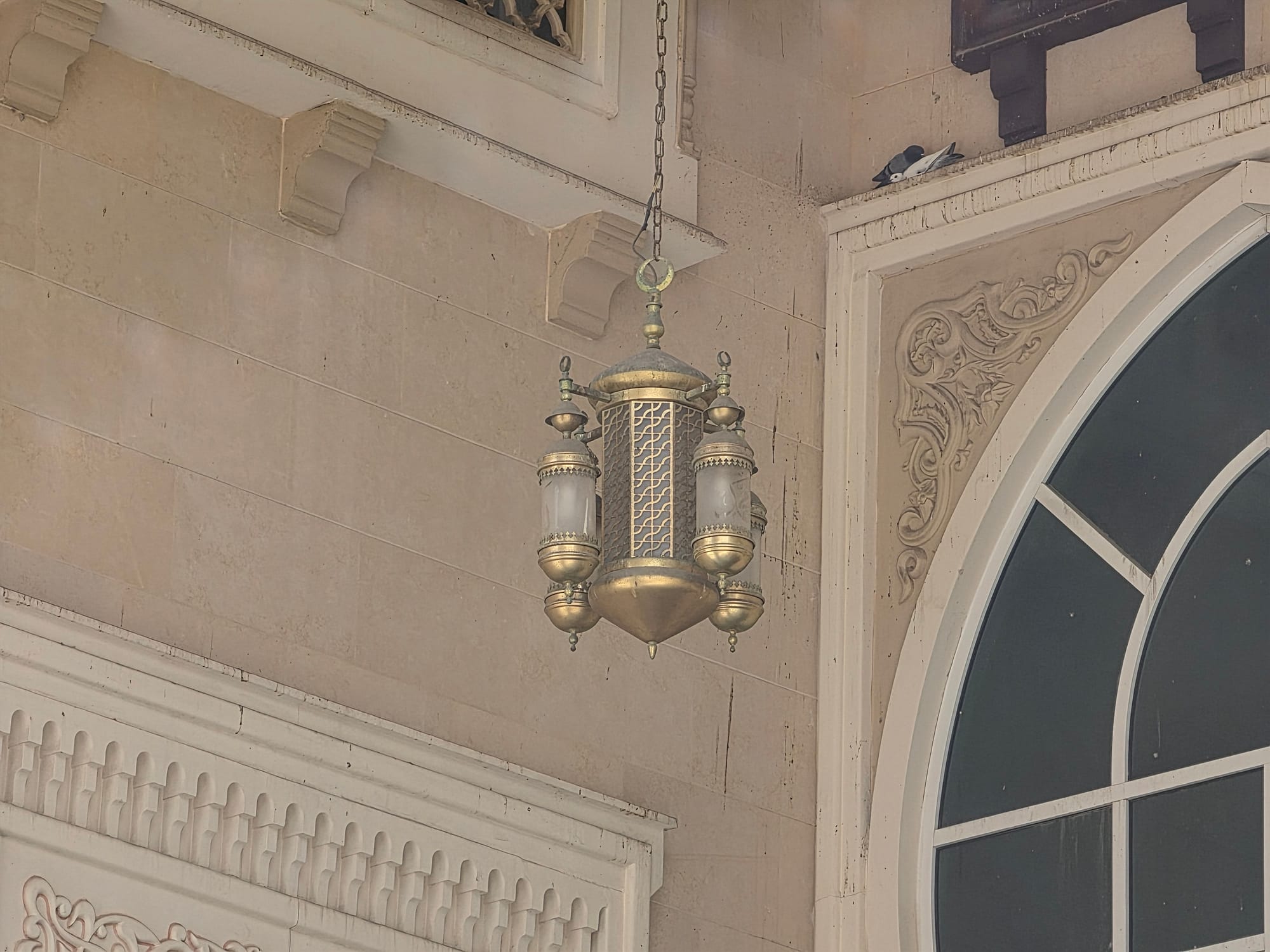
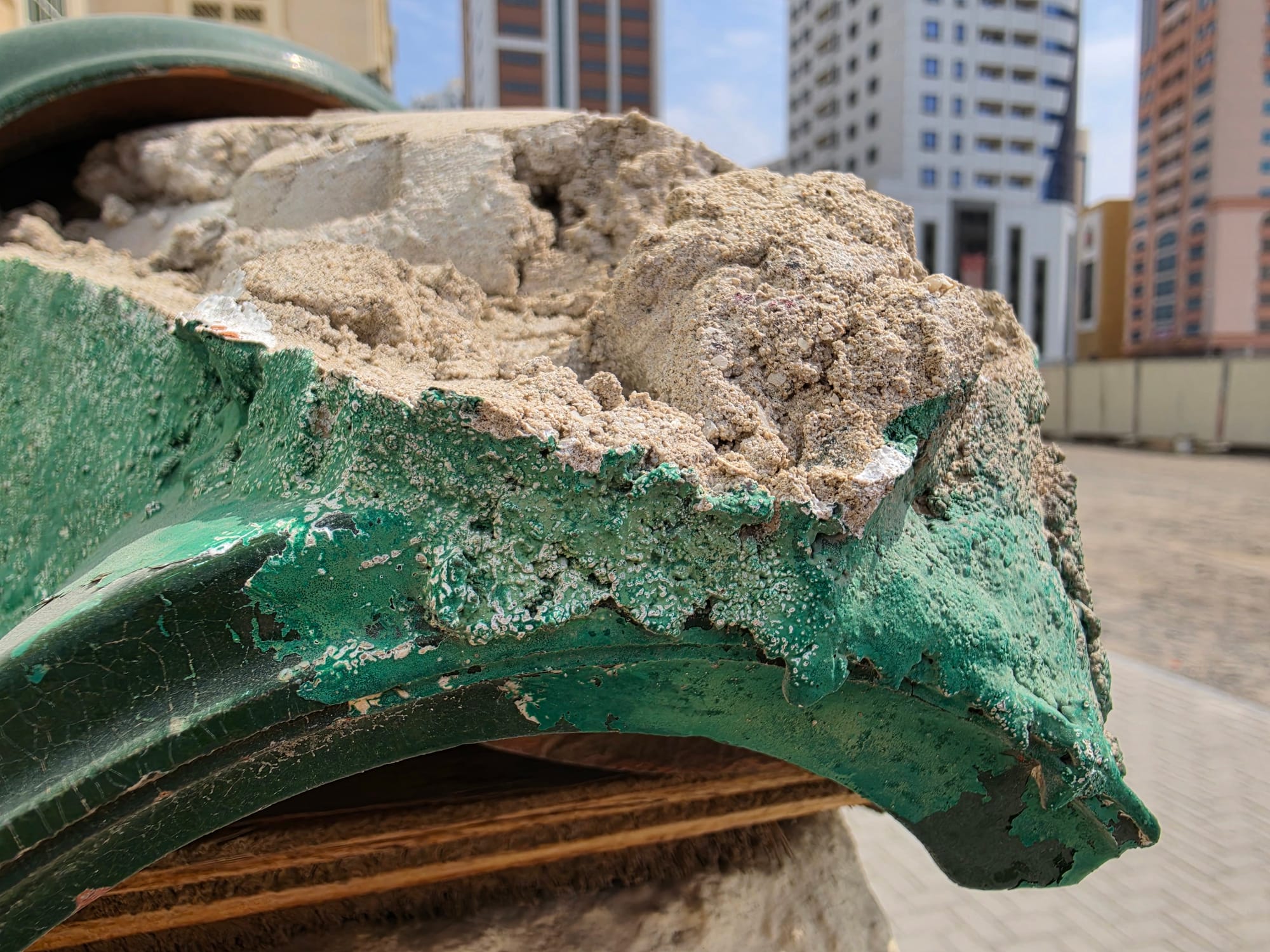
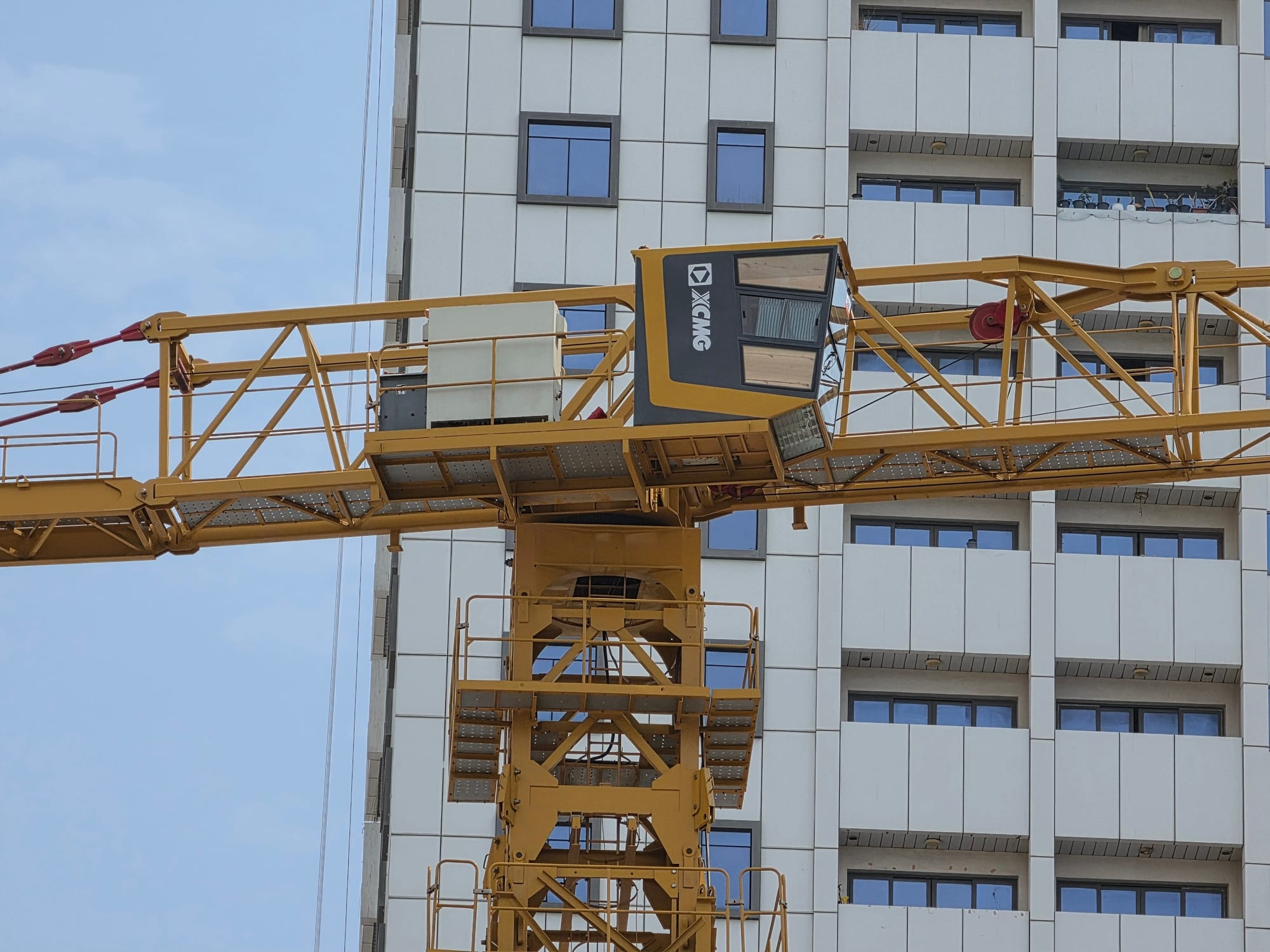
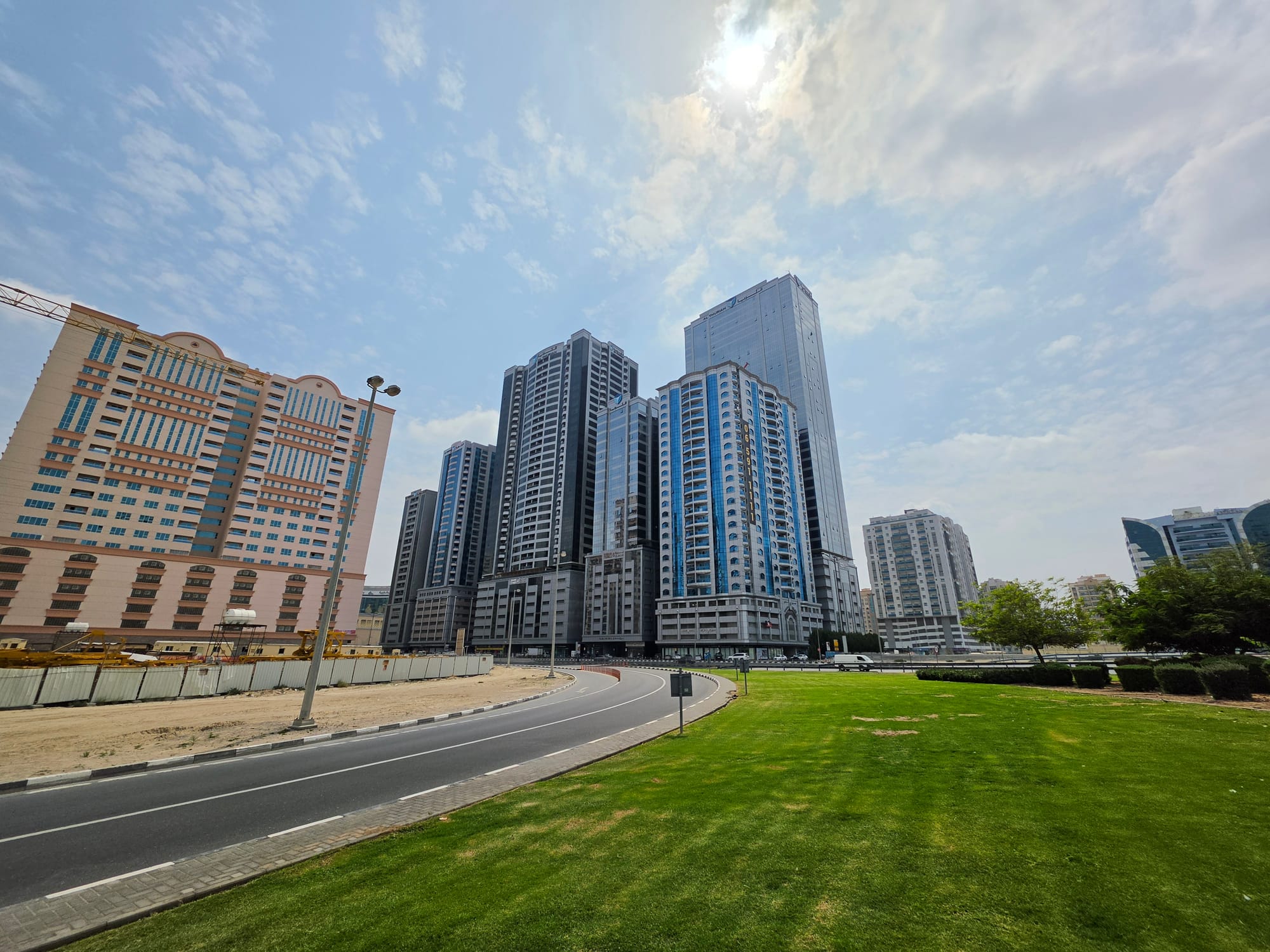
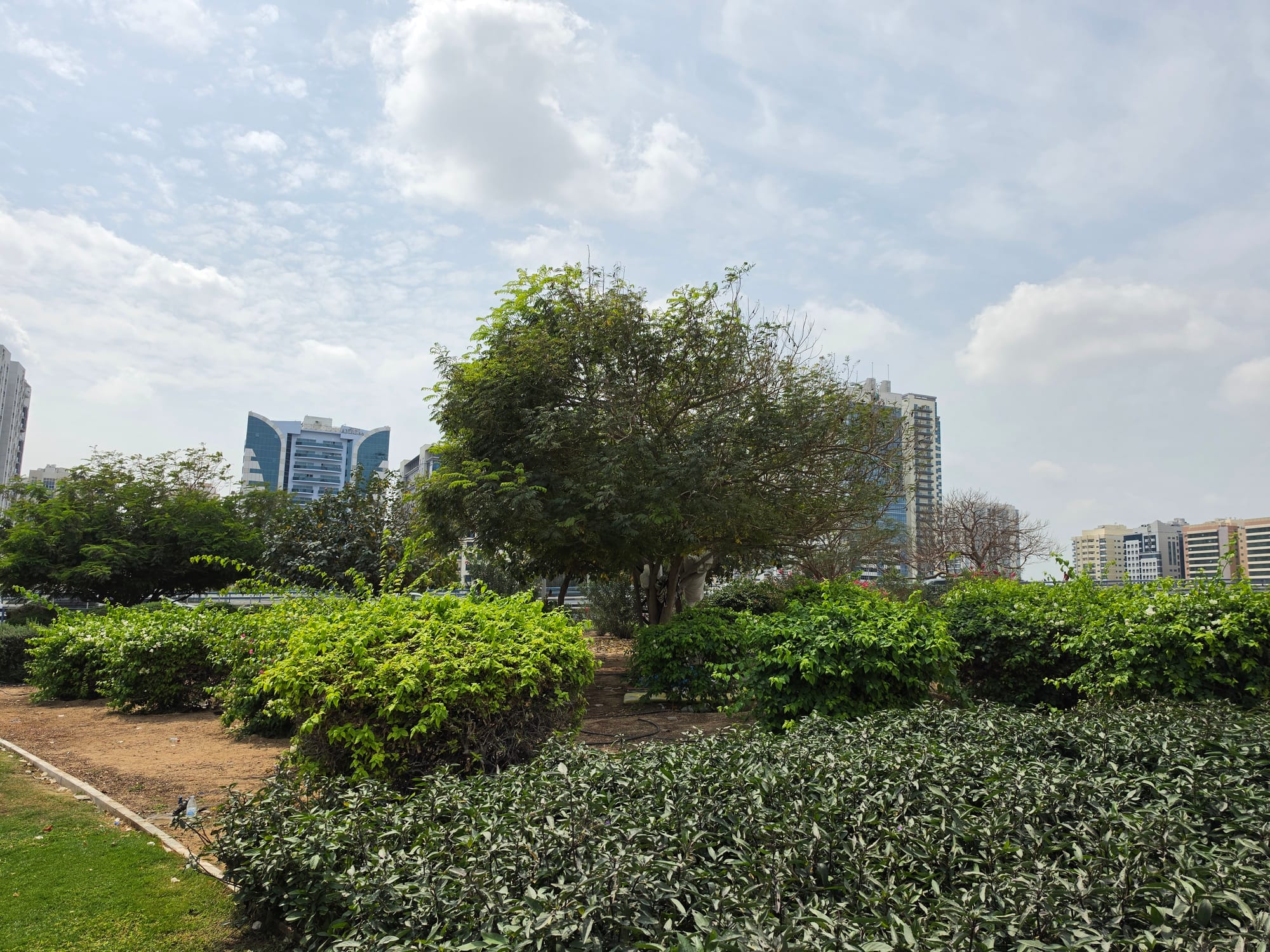
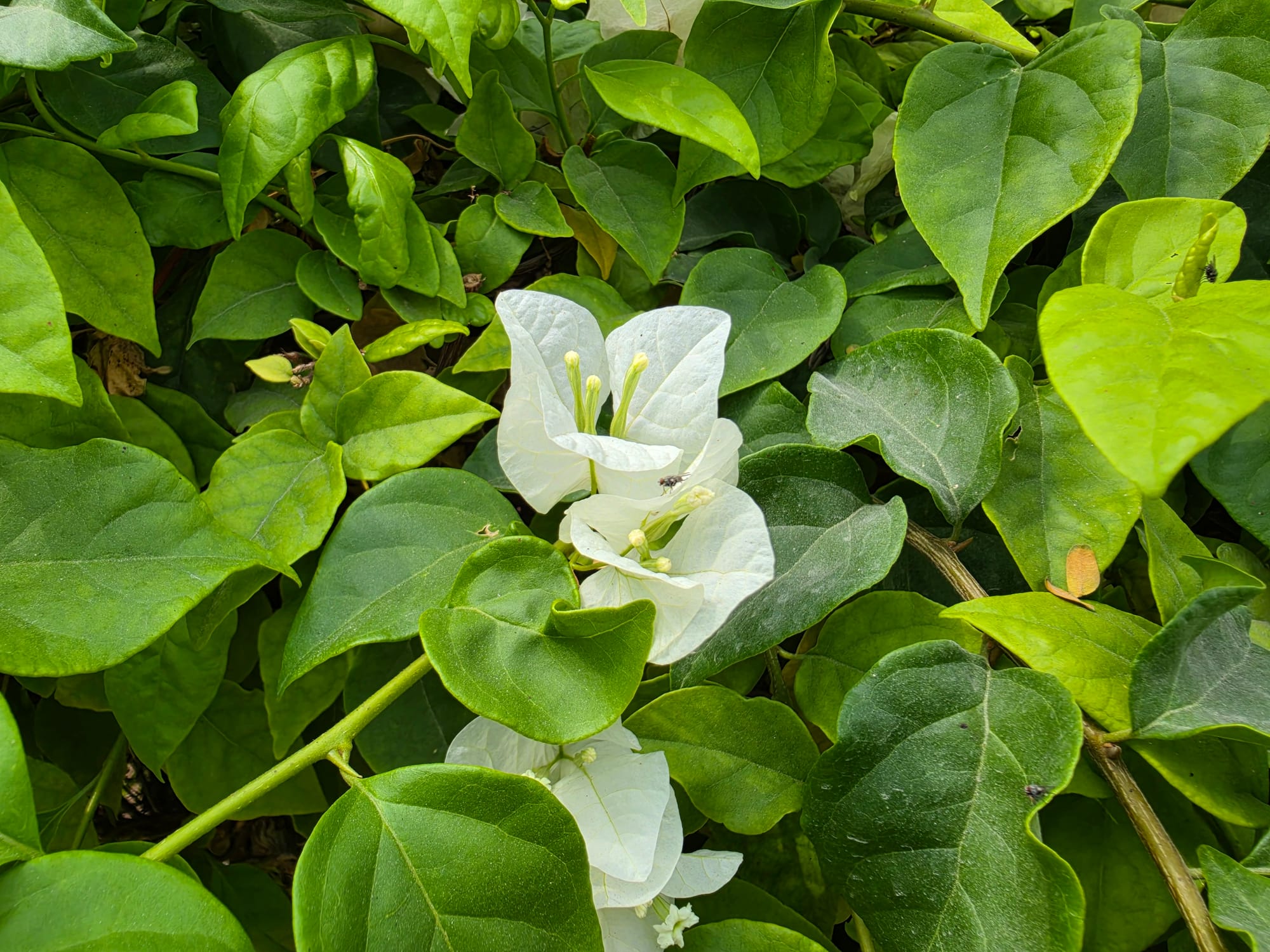
In daylight, the difference versus the S25 Ultra should be minimal at best. The S25 was already excellent outdoors, and there are no essential hardware upgrades to improve quality, so the S26 Ultra simply carries that forward.


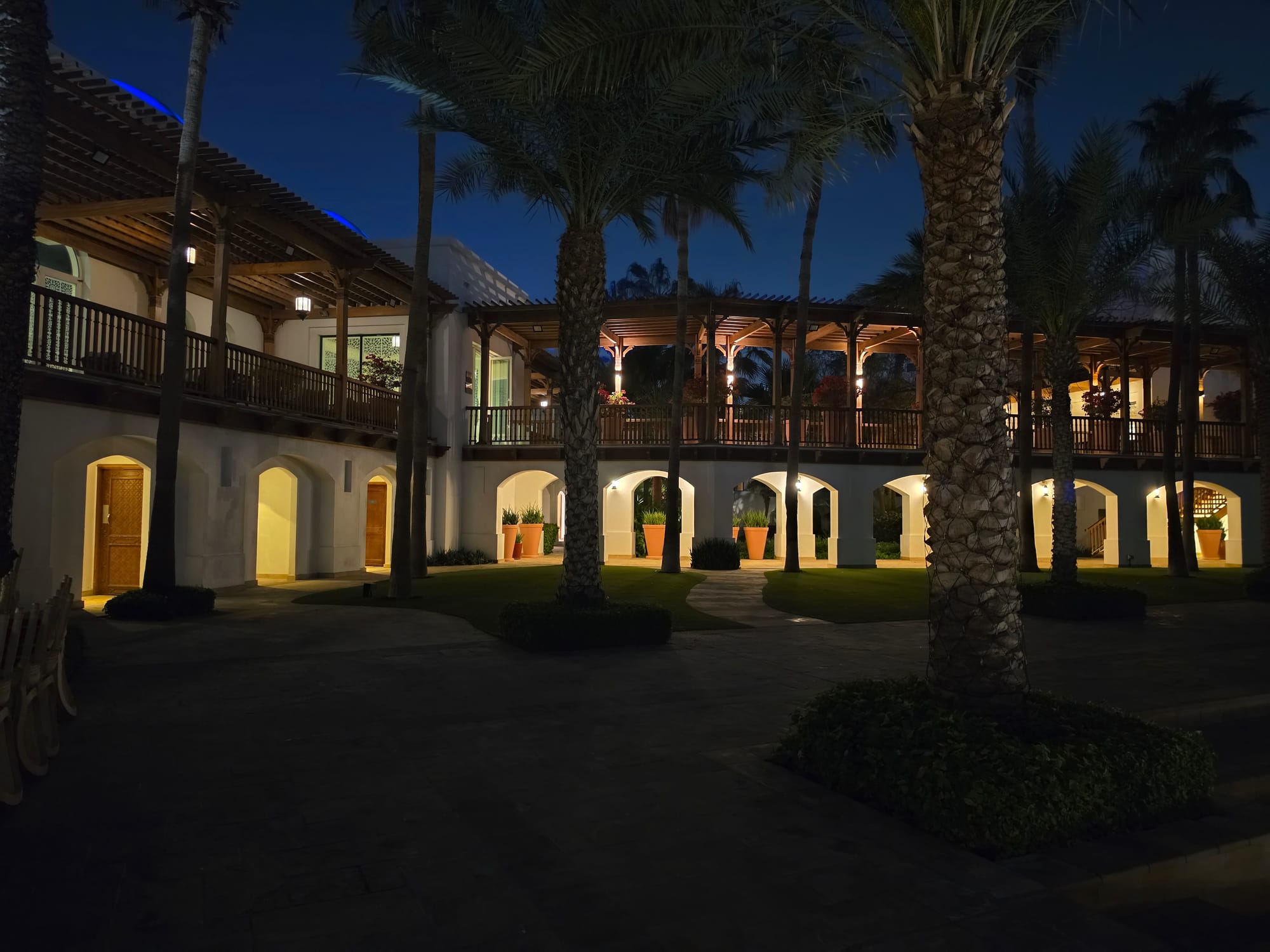
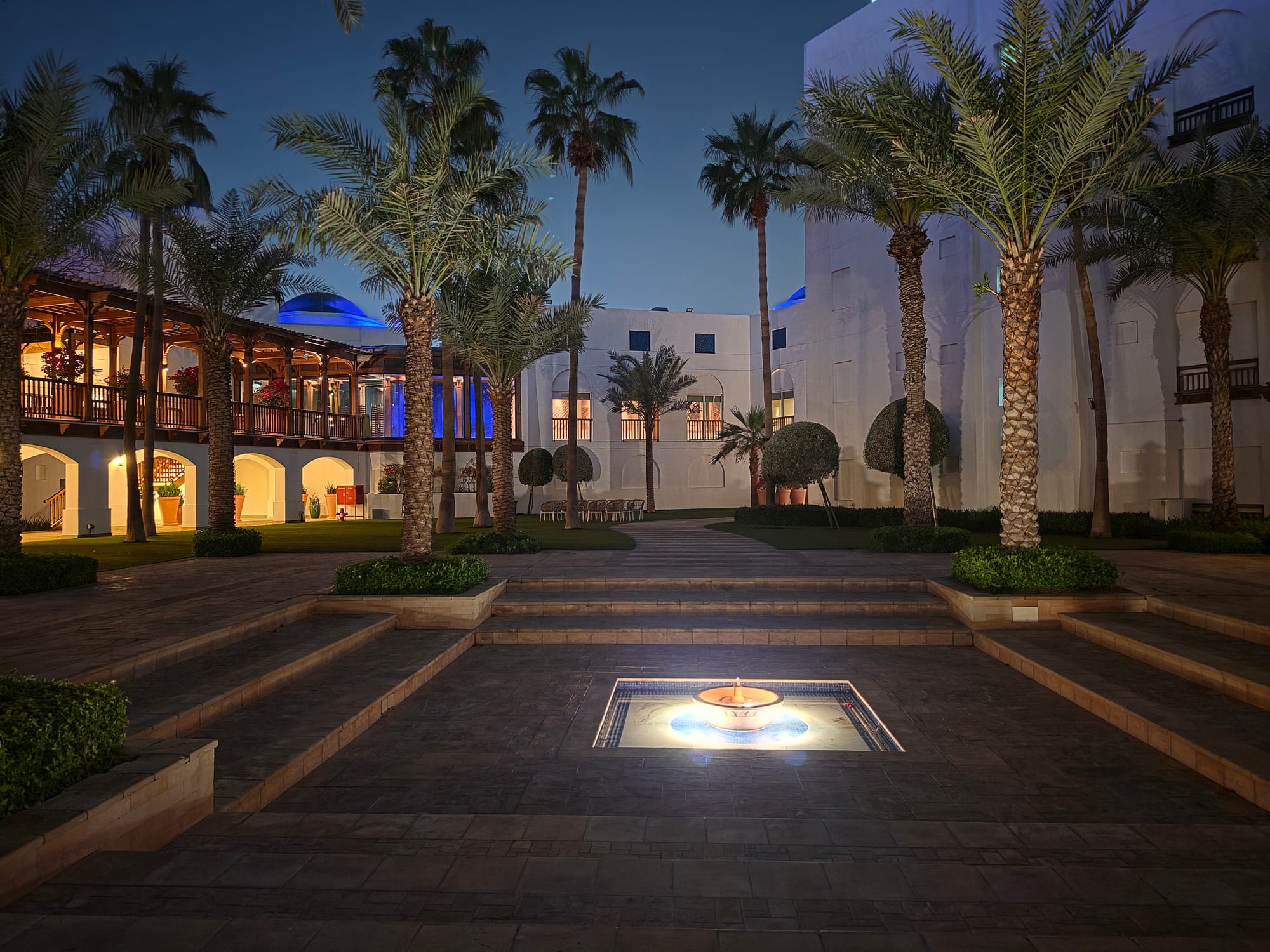
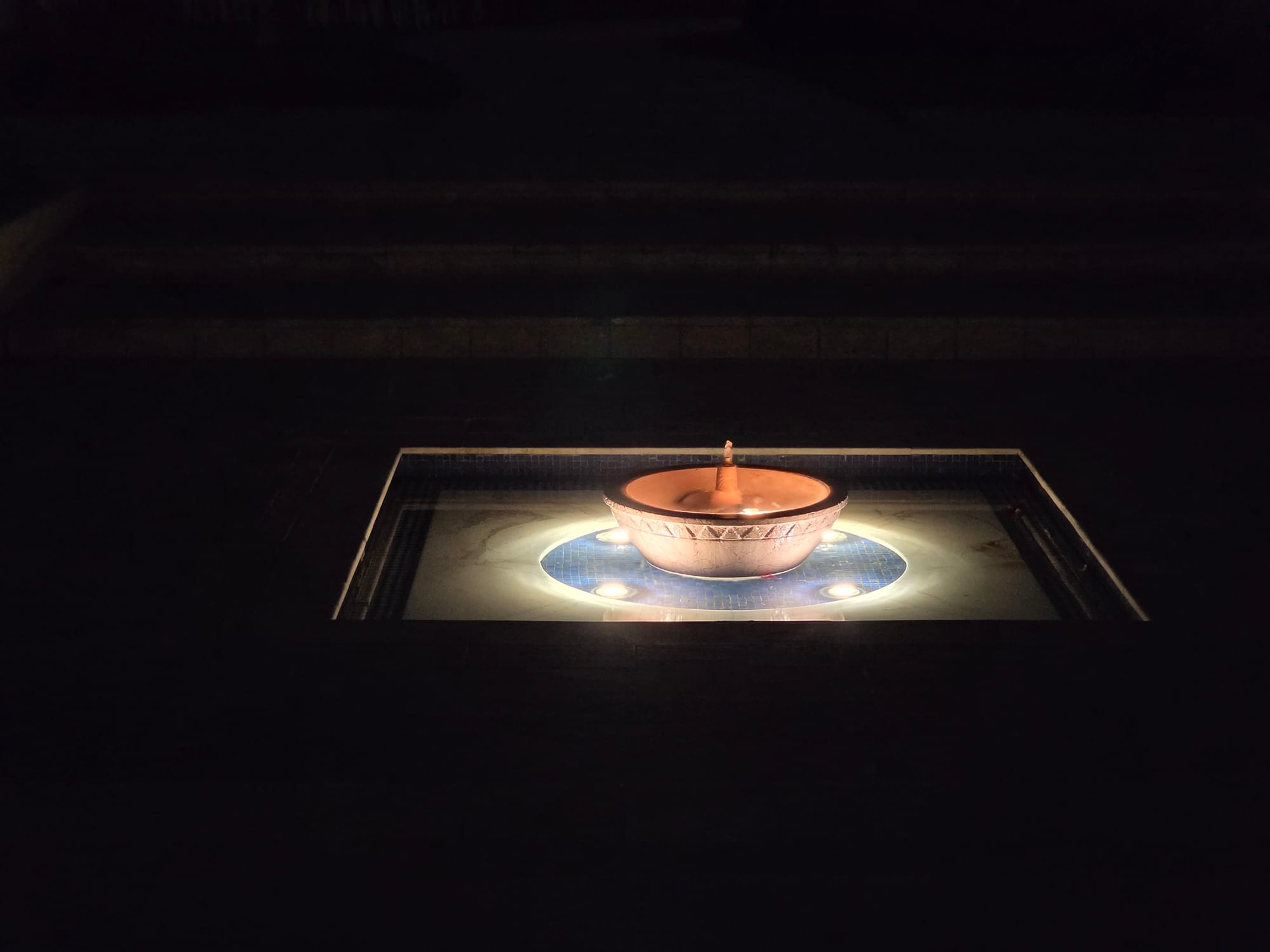
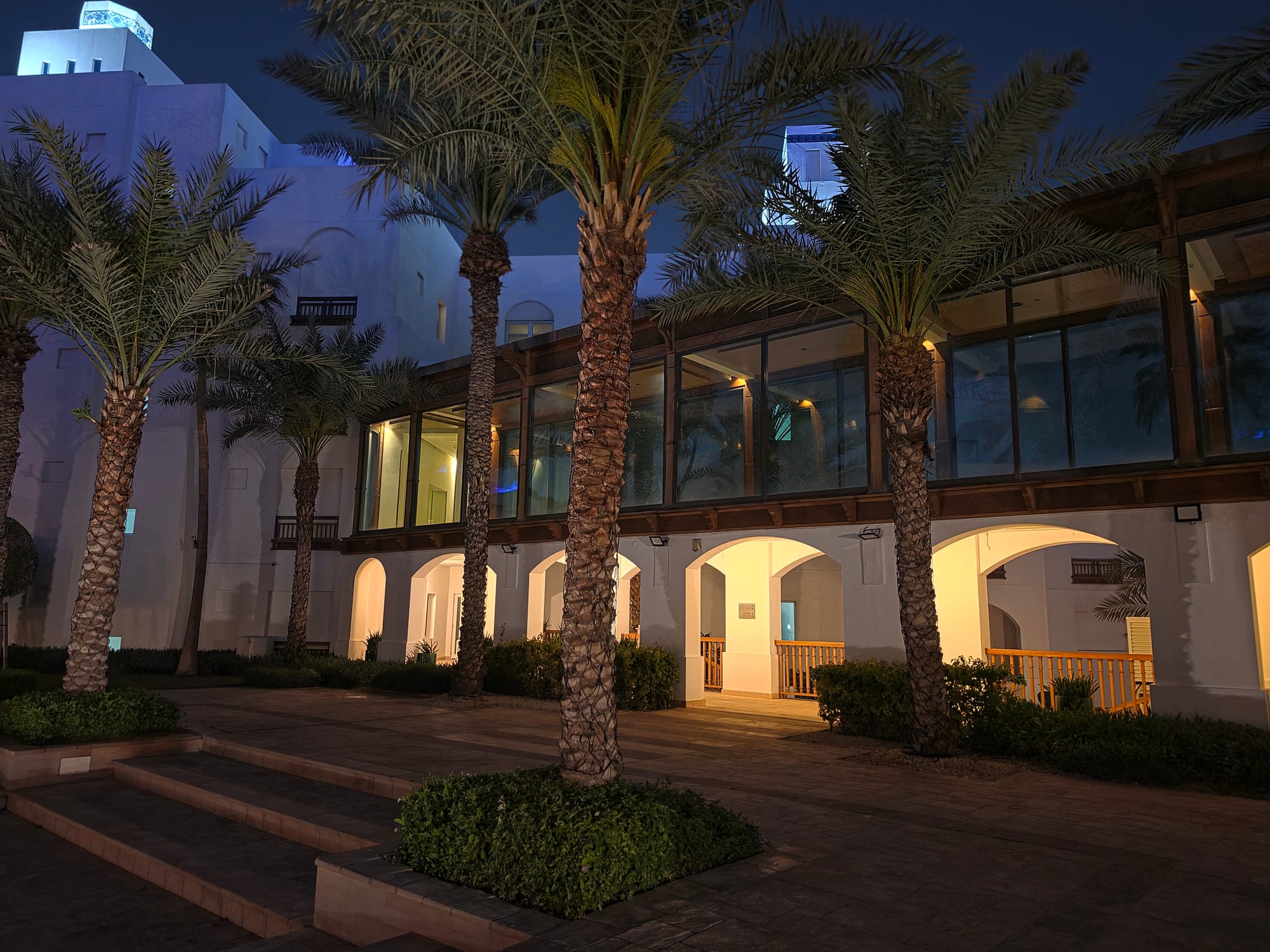
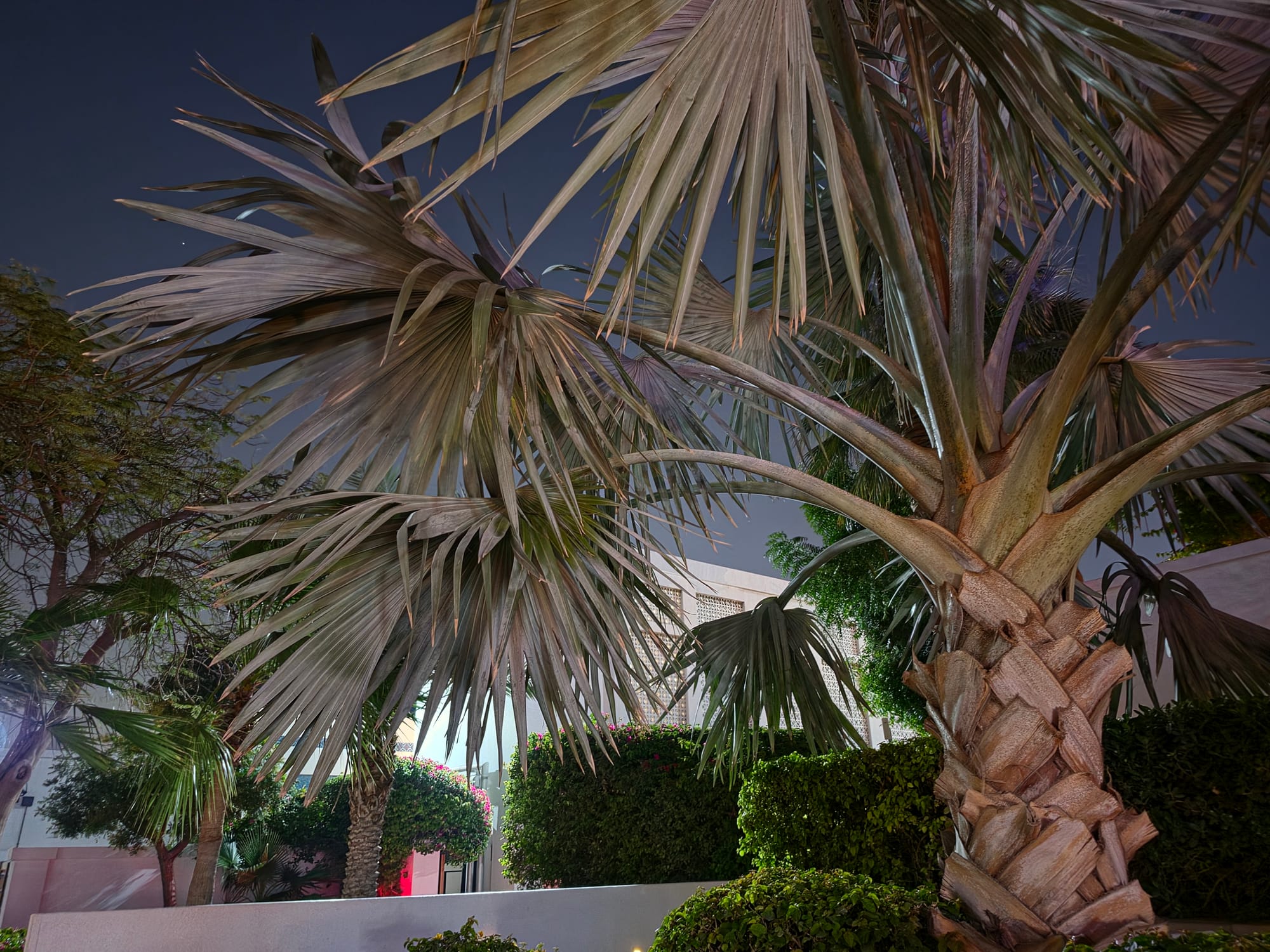
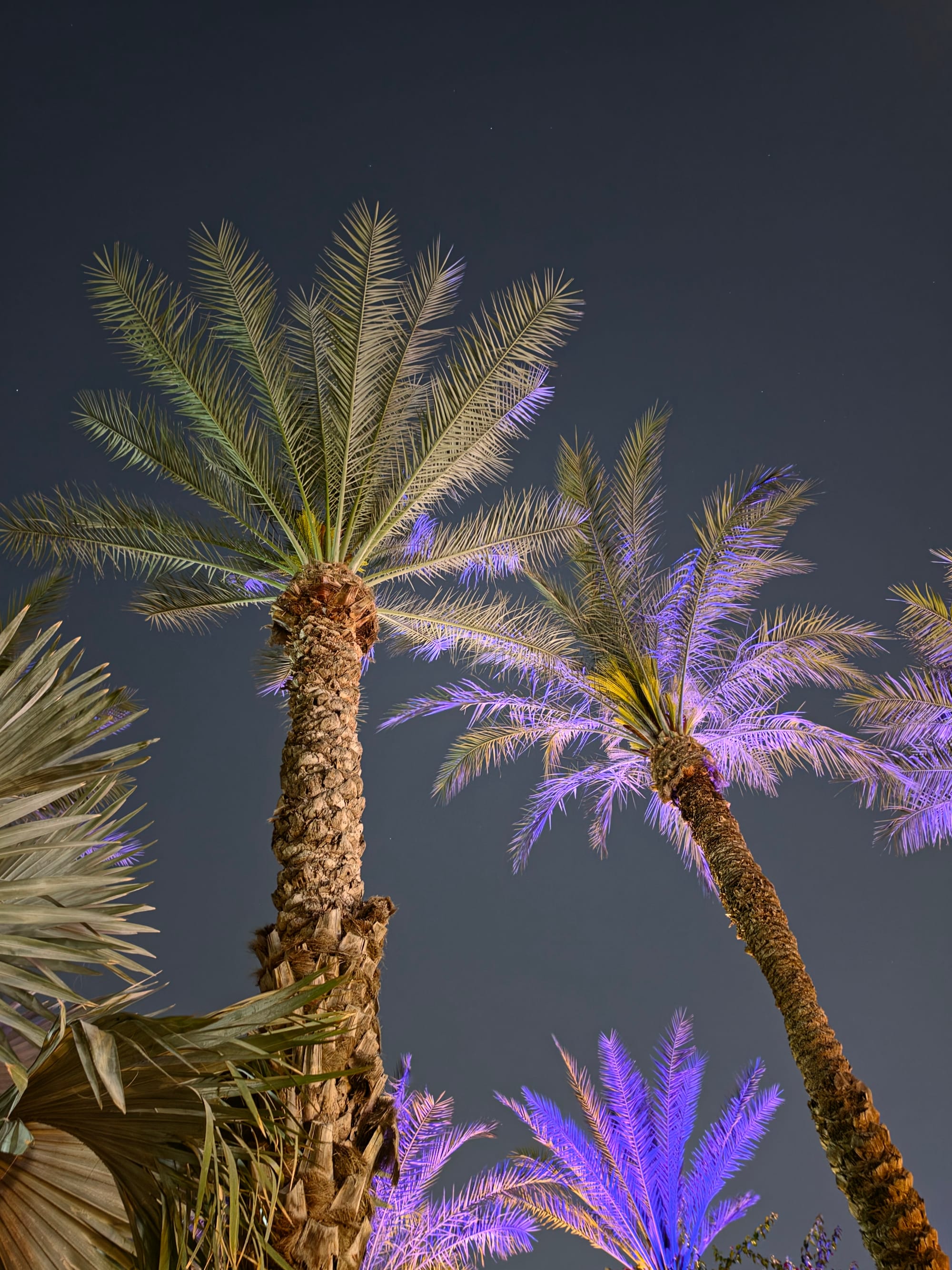
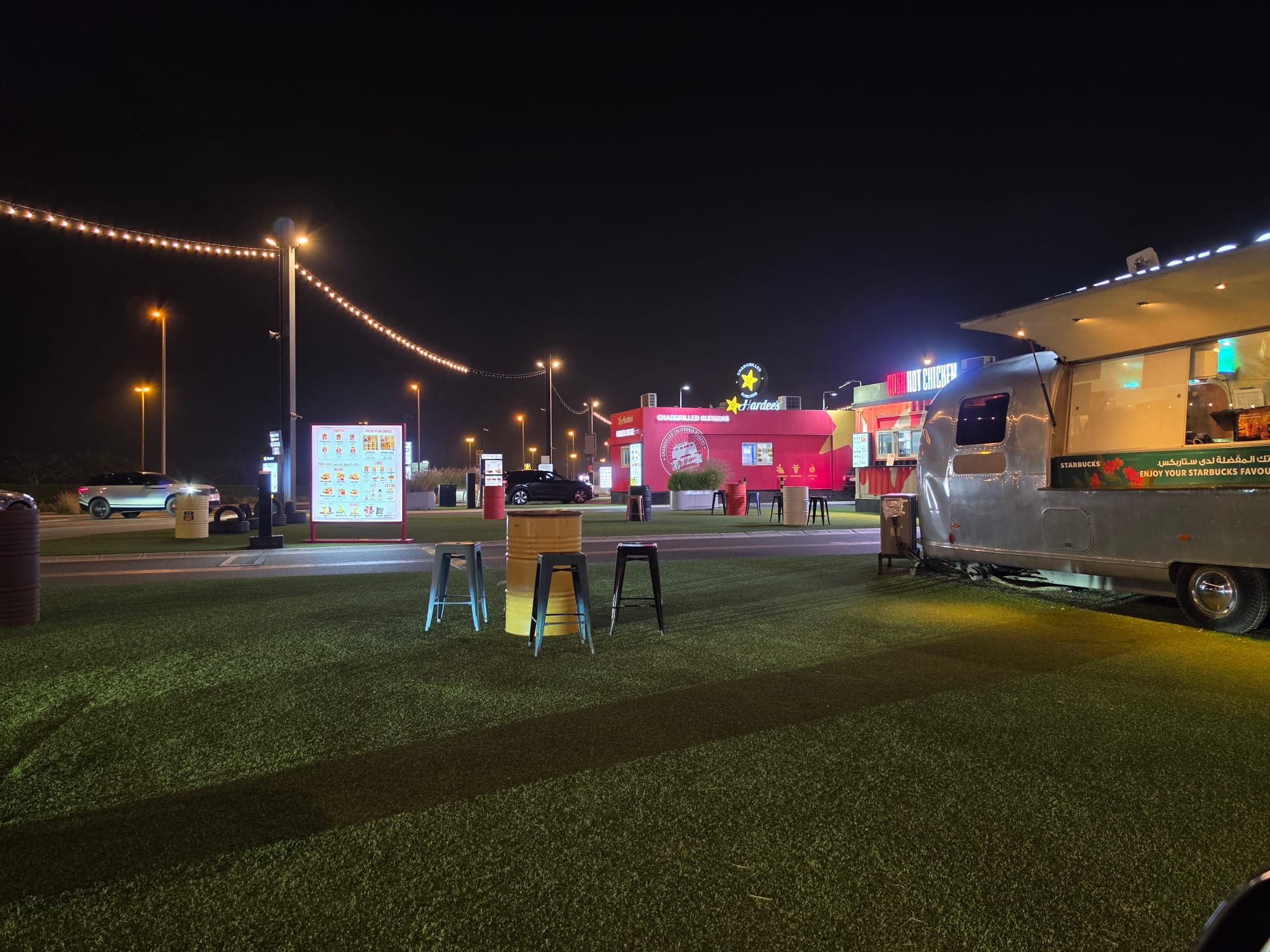
Nighttime is when you will potentially see a massive jump. A wider aperture lets more light hit the sensor, which becomes apparent when you are shooting in low light. The shots are better exposed and detailed, and Samsung has updated its image processing, which now accounts for the native noise signature of each individual lens - meaning the phone knows how each camera tends to behave in difficult conditions and corrects for it proactively. As such, low-light photography has less grain and better preserves highlights.
If I had to nitpick, there is more sharpening in almost all of the shots above than I would have liked. It feels slightly processed than natural, even if the shots are clear and bright.
Galaxy S26 Ultra Software and AI
The Galaxy S26 Ultra launches with One UI 8.5 running on top of Android 16. As has become the standard for Samsung's flagships, you get a promise of seven years of OS and security updates. This year, the focus is less on visual flair and more on “contextual intelligence,” though some of them don't land as intended.
For example, the new Now Nudge feature set that is designed to use AI to surface relevant shortcuts - like pulling up a specific photo when you are typing in a chat, but never once did it prompt me for anything, or maybe the AI just deemed I am an empty shell that has nothing worthwhile going on, which is also a possibility. Similarly, the Now Brief section has been beefed up, but I still fail to see its true purpose, and unfortunately, the enlightenment of what Samsung wants this to be has abandoned me.
One of the most practical additions is the system-wide Audio Eraser. Unlike previous versions that only worked on your own recordings, this now functions within third-party apps like YouTube and Instagram. It allows you to filter out background noise and wind from vlogs and reels in real time. It works really well in doing that, too, but like many AI audio tools, it runs the risk of making voices sound a bit processed if the background noise is particularly aggressive.
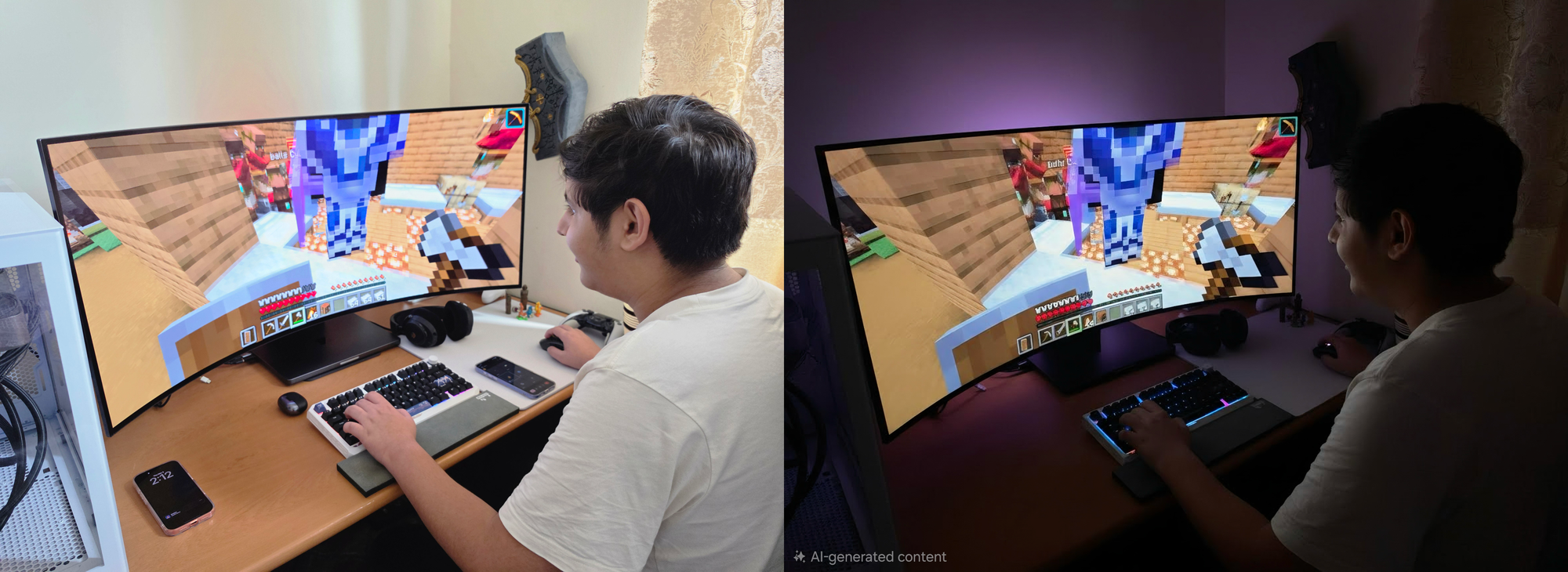
On the creative side, Generative Photo Assists 2.0 now accepts natural language prompts, allowing you to type the changes you want rather than just being limited to drawing. It works quite well in many cases, for example, in the photo below, I asked the AI to convert it into a nighttime streamer setup, and it worked reasonably well, although I did wish it had taken the “streamer” bit more seriously and added cameras and lights, but maybe I am asking for too much. It also runs the potential of producing uncanny results, so it's not always going to be perfect, but surprisingly effective when it works.
Then there is the new Creative Studio, a dedicated playground for generating AI wallpapers and custom stickers, which also works well. I have little interest in either of those, but I am sure more crafty among us can make good use of it.
The Call Assist feature has also been upgraded to include Call Screening. The AI here picks up calls from unknown numbers and asks the caller for their name and the purpose of the call, then notifies you of the call and provides a complete text transcription of what has transpired. You can then decide to ignore it or pick up the call. The text-to-speech can be dodgy at times, especially with accents, but it captures the general context of the call reasonably well.
For video shooters, the new Horizontal Lock (part of the Super Steady suite) is black magic. You can tilt the phone a full 360 degrees, and the video horizon stays perfectly locked and level, which is invaluable for videographers in action shots.
Galaxy S26 Ultra Performance and Gaming
Under the hood, the S26 Ultra is powered by the Snapdragon 8 Elite 5 for Galaxy, a custom-tuned version with slightly higher clock speeds. Paired with 12GB or 16GB RAM and storage options up to 1TB, the phone is expectedly a beast.
To handle the heat generated by this silicon, Samsung has redesigned the cooling system with a significantly larger vapor chamber. This is a crucial upgrade because, as the benchmark shows, this chip is pushing serious power.
| Benchmark | Samsung Galaxy S26 Ultra | Honor Magic8 Pro |
|---|---|---|
| Geekbench 6 CPU - Single Core | 3,652 | 3,244 |
| Geekbench 6 CPU - Multi Core | 11,044 | 9,520 |
| Geekbench 6 GPU | 23,761 | 23,647 |
| Geekbench AI | 6,123 | 3,950 |
| 3DMark Steel Nomad Light | 2,025 | 2,932 |
| 3DMark Solar Bay Extreme | 896 | 1,182 |
| 3DMark Wildlife Extreme | 6,742 | 7,551 |
In our benchmarks, the S26 Ultra put up some impressive numbers. In Geekbench 6, it achieved a single-core score of 3652 and a multi-core score of 11044. To put it in perspective, we compared it to the Honor Magic 8 Pro, which utilises the standard version of the same SoC architecture. It scored 3244 in single-core and 9520 in multi-core test, a roughly 14% performance in favor of the S26. It's a notable difference although it probably won't be felt in real-life use.
However, the GPU story is much closer. In the Geekbench GPU test, the S26 Ultra scored 23761, while the Honor was right on its heels with 23647. This indicates that while Samsung has unlocked massive gains in processing power, the graphical throughput is largely determined by the base Adreno architecture, which is excellent on both devices.
Moving to 3DMark, the S26 Ultra posted a Solar Bay Extreme score of 896 and a Wild Life Extreme of 6742, but the Magic8 Pro actually edges it out in some areas, posting 1182 in Solar Bay Extreme and 7551 in Wild Life Extreme.
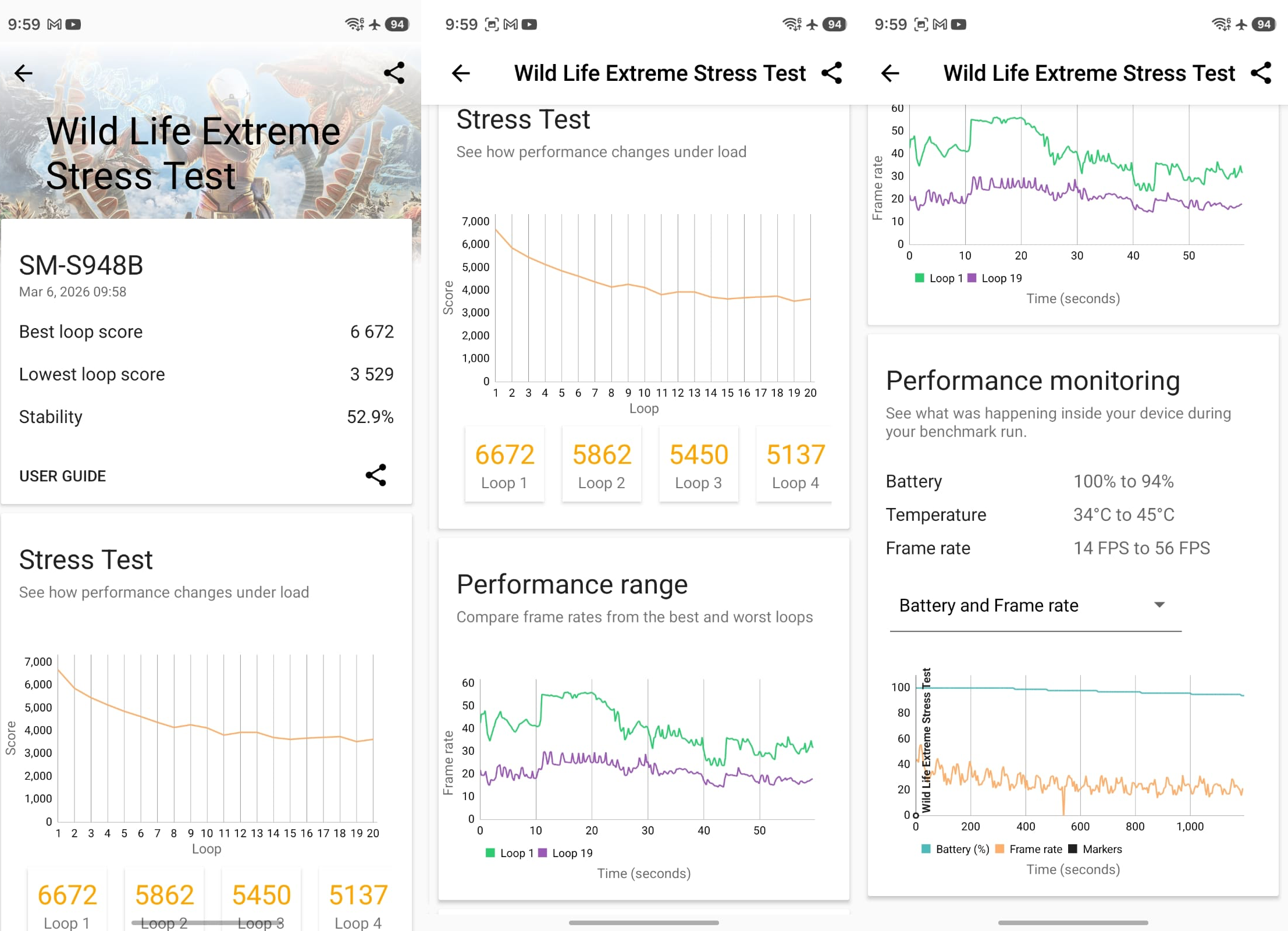
We also ran a dedicated stress test to see if that new cooling solution actually works. High peak performance is great, but it usually comes at the cost of stability. The S26 Ultra handles this trade-off reasonably well. While it does eventually throttle under sustained heavy load to protect the components, the descent is gradual rather than a sudden cliff.
The phone gets warm, particularly near the camera island, but the new vapor chamber manages to dissipate the heat effectively all around the device. While gaming, you will definitely feel the heat and your hands getting clammy from sweat, and I also noticed that the phone heats up quickly, taking around 10-15 photos.
Galaxy S26 Ultra Battery Life and Charging
The Galaxy S26 Ultra retains the same 5000mAh battery capacity as the S25 Ultra, with no major changes to the battery type (no silicon-carbon, yet). Despite identical specifications, Samsung has promised better efficiency thanks to improved power management in the Snapdragon 8 Elite Gen 5 chip, though I would wager you won't notice the difference.
In real-world use, this phone is easily a 1.5-2-day device. During a day of heavy use - including browsing webpages, scrolling through Instagram reels, chatting, taking pictures and browsing Reddit - I was able to hit 5 hours of SoT and still had 49% battery remaining.
Charging has finally received a long-awaited boost. While Samsung has been conservative here for years, the S26 Ultra now supports 60W wired fast charging. This is a notable step up from the 45W limit of previous models, allowing for much quicker top-ups. It also features Super Fast Wireless charging, though it unfortunately still lacks a MagSafe-style magnetic ring for Qi2 accessories.
Samsung Galaxy S26 Ultra Price in UAE: Should You Buy It?
The Samsung Galaxy S26 Ultra is one of the most complete flagship phones you can buy in 2026, but it's very much an evolution rather than a reinvention – which, to be fair, is where most premium phones are now.
The hardware-level Privacy Display alone will be a huge selling point if you often handle sensitive emails, banking apps, or work documents in public, giving you a level of built‑in screen privacy that no other phone currently matches.
Add the Snapdragon 8 Elite Gen 5 for Galaxy, excellent low‑light camera performance, a larger vapor chamber for sustained speed and much‑needed 60W wired charging on top of the familiar 5,000mAh battery, and you’re looking at a phone that absolutely feels like a true next step from older Galaxy Ultras.
It's also not flawless. Some of Samsung's new AI tricks, like Generative Photo Assist 2.0, Audio Eraser and Call Screening, are genuinely useful, but others, such as Now Nudge and Now Brief, still feel half‑baked – and they won't stay S26‑exclusive for long as they roll out to other Galaxy devices.
The lack of a MagSafe‑style Qi2 ring is a shame in 2026; the new stepped camera island causes noticeable “desk wobble”; and Privacy Display's Maximum setting reduces colour and black levels enough that you'll only want it for very specific tasks.
If you're coming from a Galaxy S23 Ultra or older, the jump in display tech, performance and charging speed is big enough to justify the upgrade, especially at a starting price of around AED 4,699 in the UAE (AED 5,099 for 512GB and up to AED 6,299 for the 1TB model). But if you're on an S25 Ultra or a recent rival flagship, this is the ultimate “safe” upgrade – one that smartly polishes the core experience and extends Samsung's lead, without trying to completely change what a Galaxy Ultra is.
Written by

Subscribe to our newsletter
Subscribe to our newsletter to get the latest updates and news






Member discussion