
MSI Prestige 14 Flip AI+ Review
We review the MSI Prestige 14 Flip AI+, one of the first laptops to feature Intel’s new Core Ultra Series 3 “Panther Lake” processor. Does the massive leap in battery life and graphics performance make up for the 60Hz display?

One of the most prominent shifts in the laptop world this year is the arrival of Intel’s Core Ultra Series 3 chips, codenamed “Panther Lake”. The MSI Prestige 14 Flip AI+ is among the very first machines to bring this silicon to the table, giving us a first real look at what Intel’s new 18A process technology can actually do.
Compared to the previous generation of processors, Intel is claiming a massive 60 percent bump in multitasking performance and efficiency gains that could finally help Windows laptops truly rival - and maybe beat? - the battery stamina we have seen from Apple’s silicon.
It’s a bold entrance, and the Prestige 14 Flip AI+ pairs this new horsepower with some solid hardware, including an Intel Core Ultra X 358H processor, 32GB of RAM, and a spacious 1TB SSD. While I found the display leaves a bit to be desired for a laptop in this price range, nearly everything else about this machine is pretty spiffy, offering excellent battery life and impressive speed for both productivity and light gaming.
Design and Features
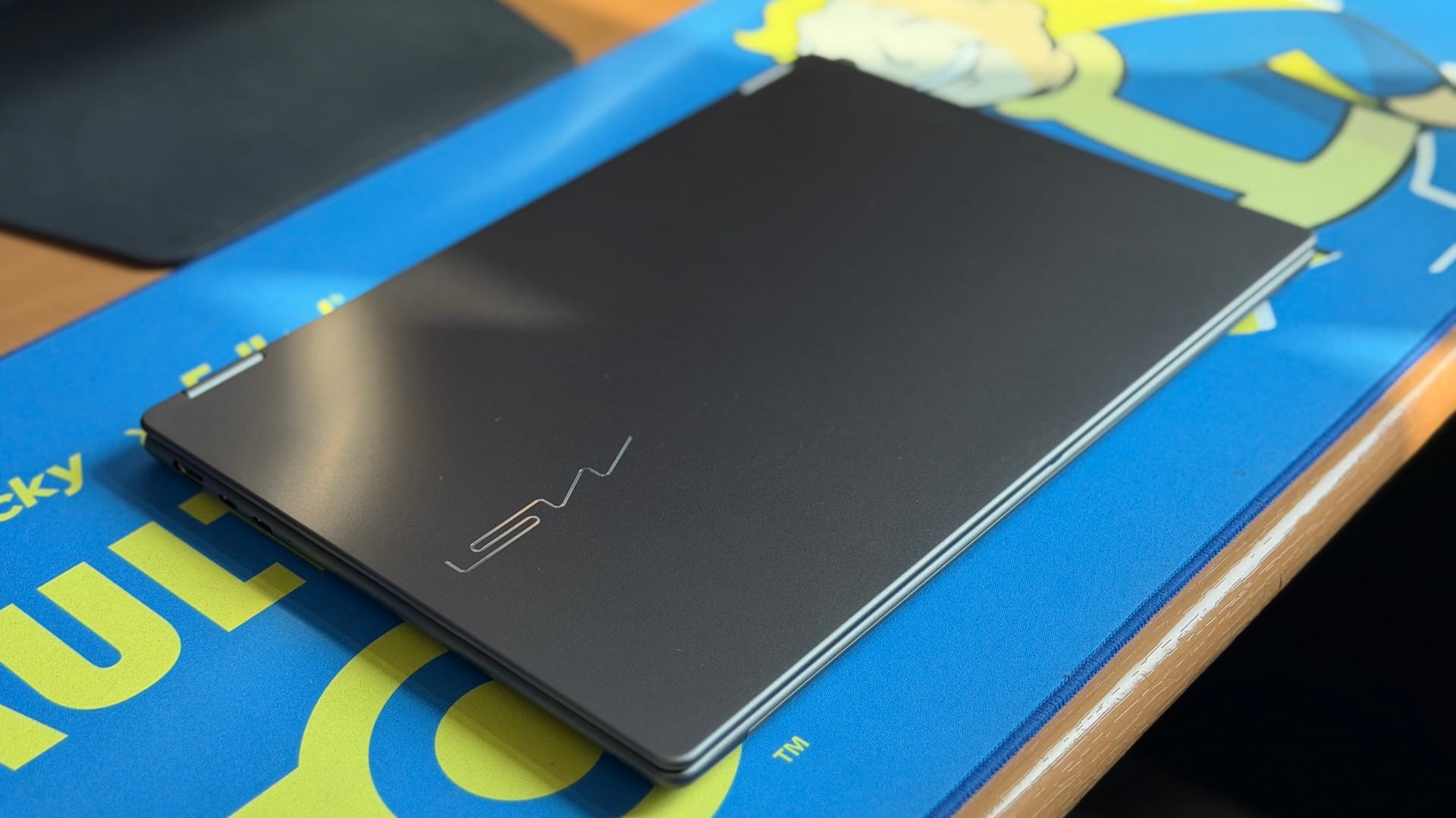
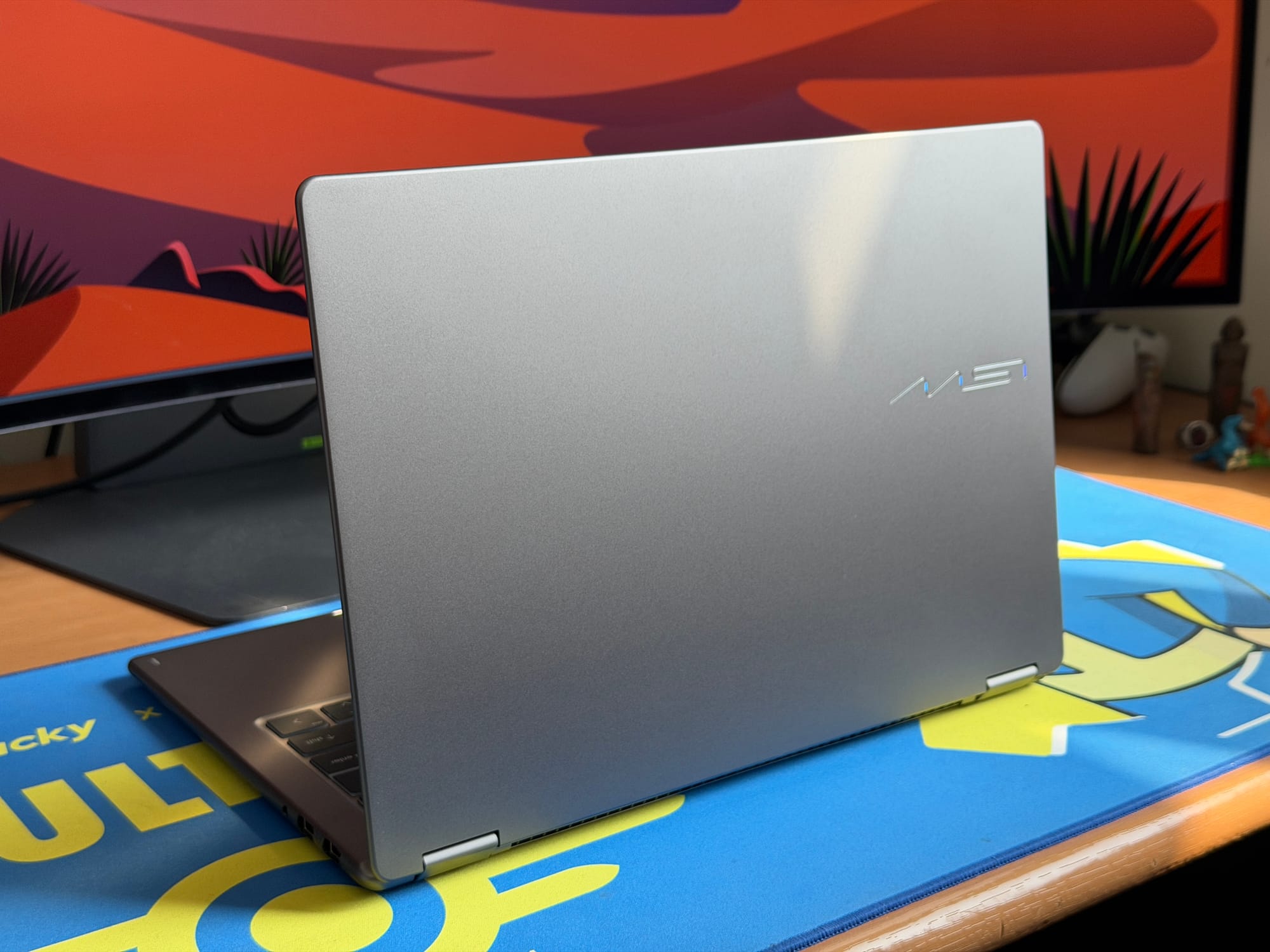
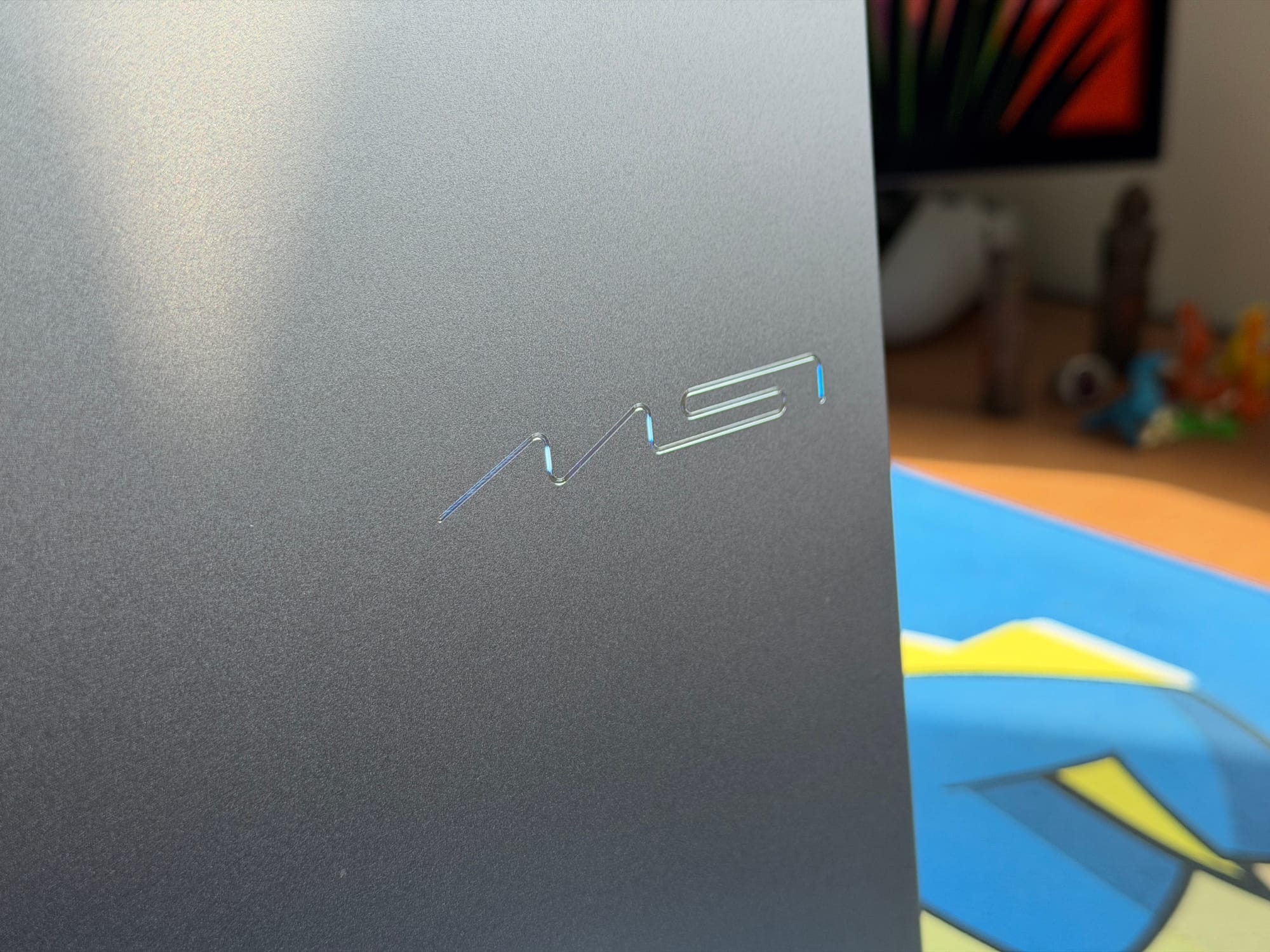
The Prestige 14 Flip AI+ has been redesigned with a thinner, lighter chassis that moves away from the boxy aesthetic of previous models. It weighs in at 1.3 kg and measures between 0.47” and 0.55” thick, making it portable enough to slip into a bag without much thought. The casing is all-aluminium with a "Platinum Grey” finish that resists fingerprints reasonably well, while the lid features a new, iridescent logo that adds a subtle touch of flair without being loud.
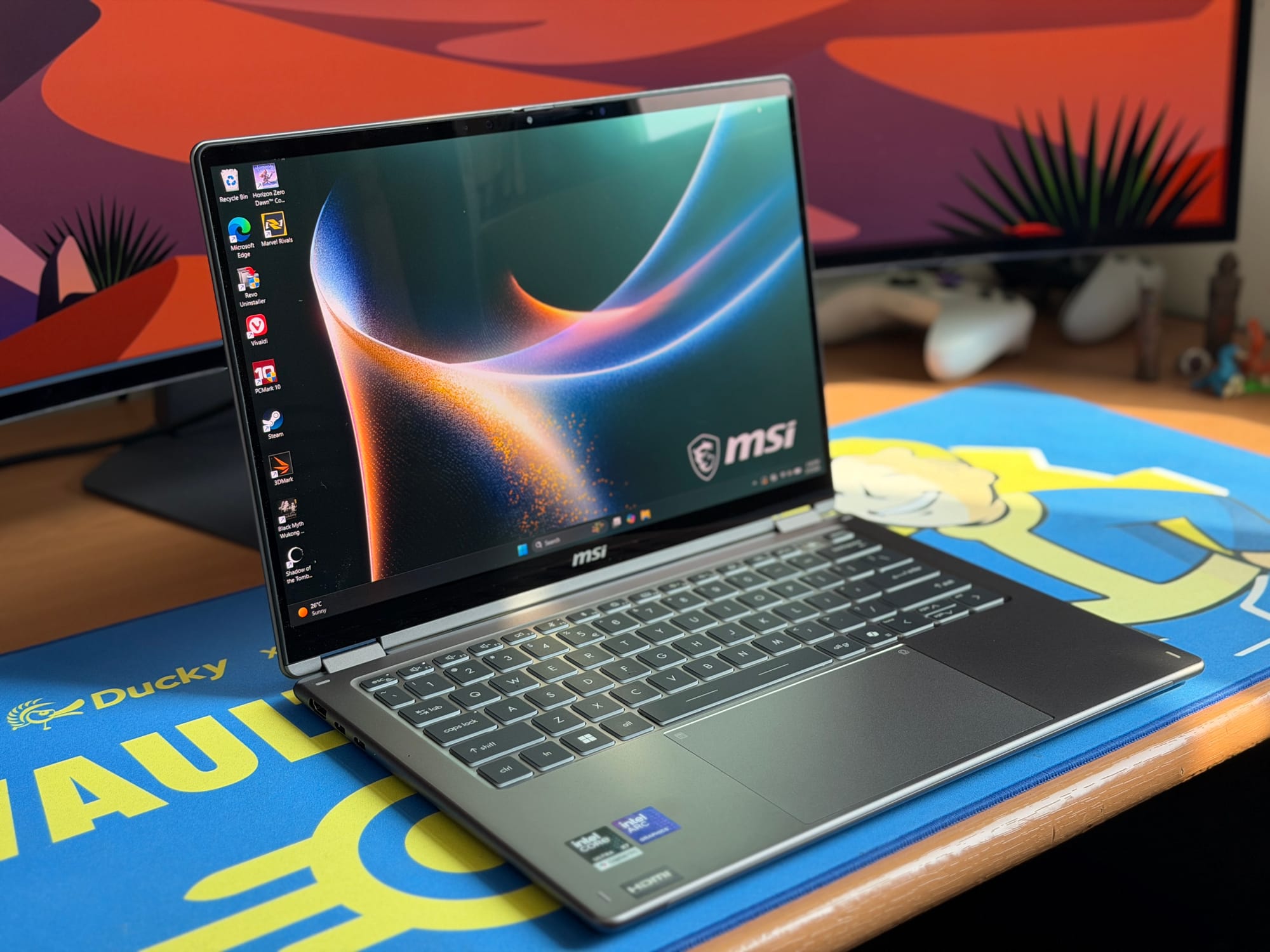
In terms of handling, the design is extremely minimalistic - perhaps borderline boring to some - but the sleek polish and smooth rounded corners give it a comfortable hand-feel (and you can hand-feel it all day long because the finish doesn’t catch fingerprints all that much!). It doesn’t feel sharp or industrial; it feels nice to hold. The base has a wedge shape with a tapered front, which helps it look thinner than it actually is. It fits well in an office setting where you might want something that looks professional rather than something with aggressive styling or lighting.
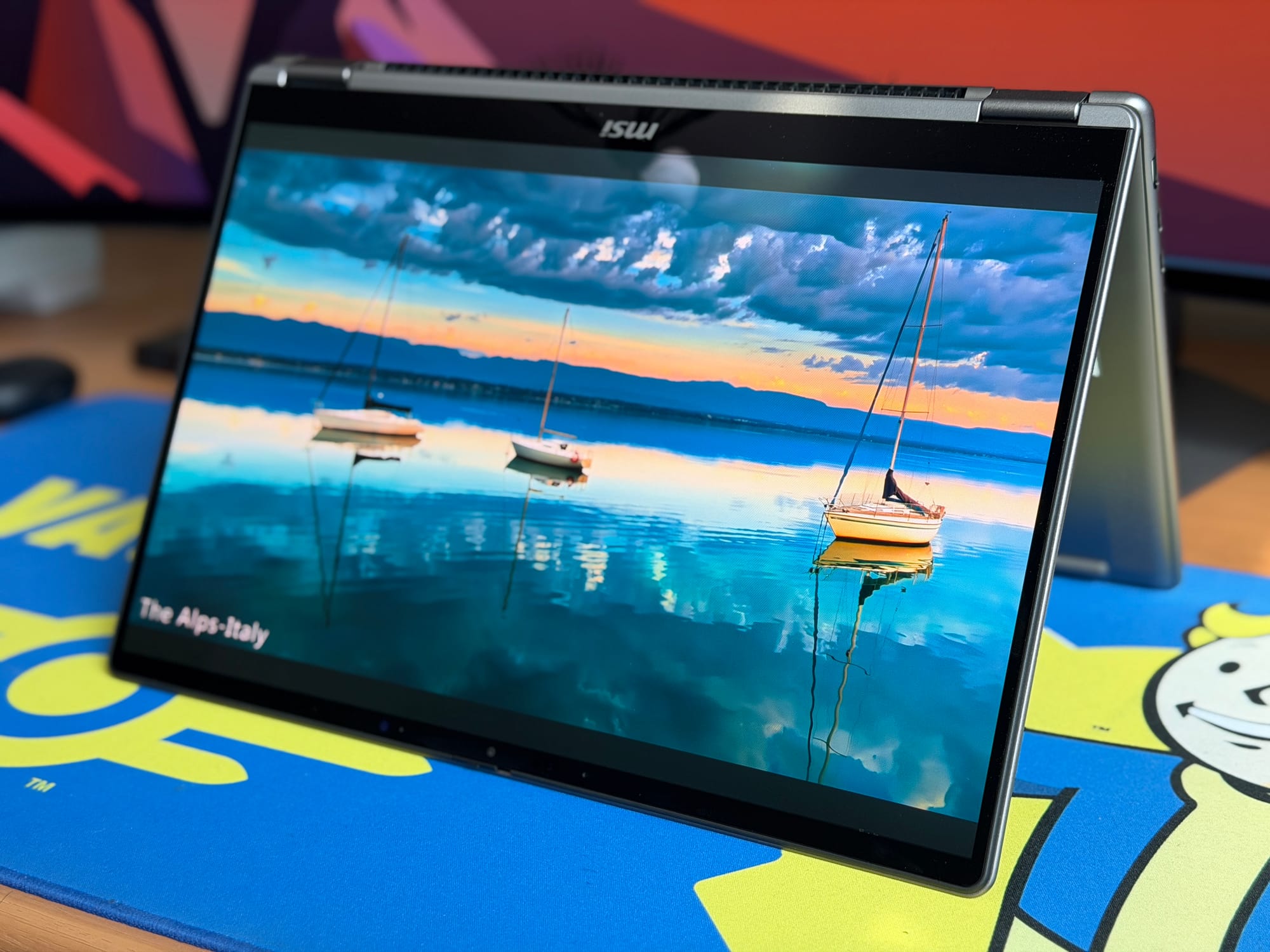
As the name suggests, this is a convertible. The 360-degree hinge lets you flip the screen all the way around to use it as a tablet, or prop it up in tent mode for watching media or presenting. I found the hinge super smooth, allowing one-finger opening, but it has a quirk: it’s a bit flip-floppy. Simply moving the laptop around briskly can cause the screen to lose its position, so watch out if you are working on a commute.
Hidden inside the chassis is the MSI Nano Pen, which charges while stored in its dedicated slot. It’s a useful inclusion that features a button to launch Copilot directly, though whether you use that or the standard drawing features will depend on your workflow.
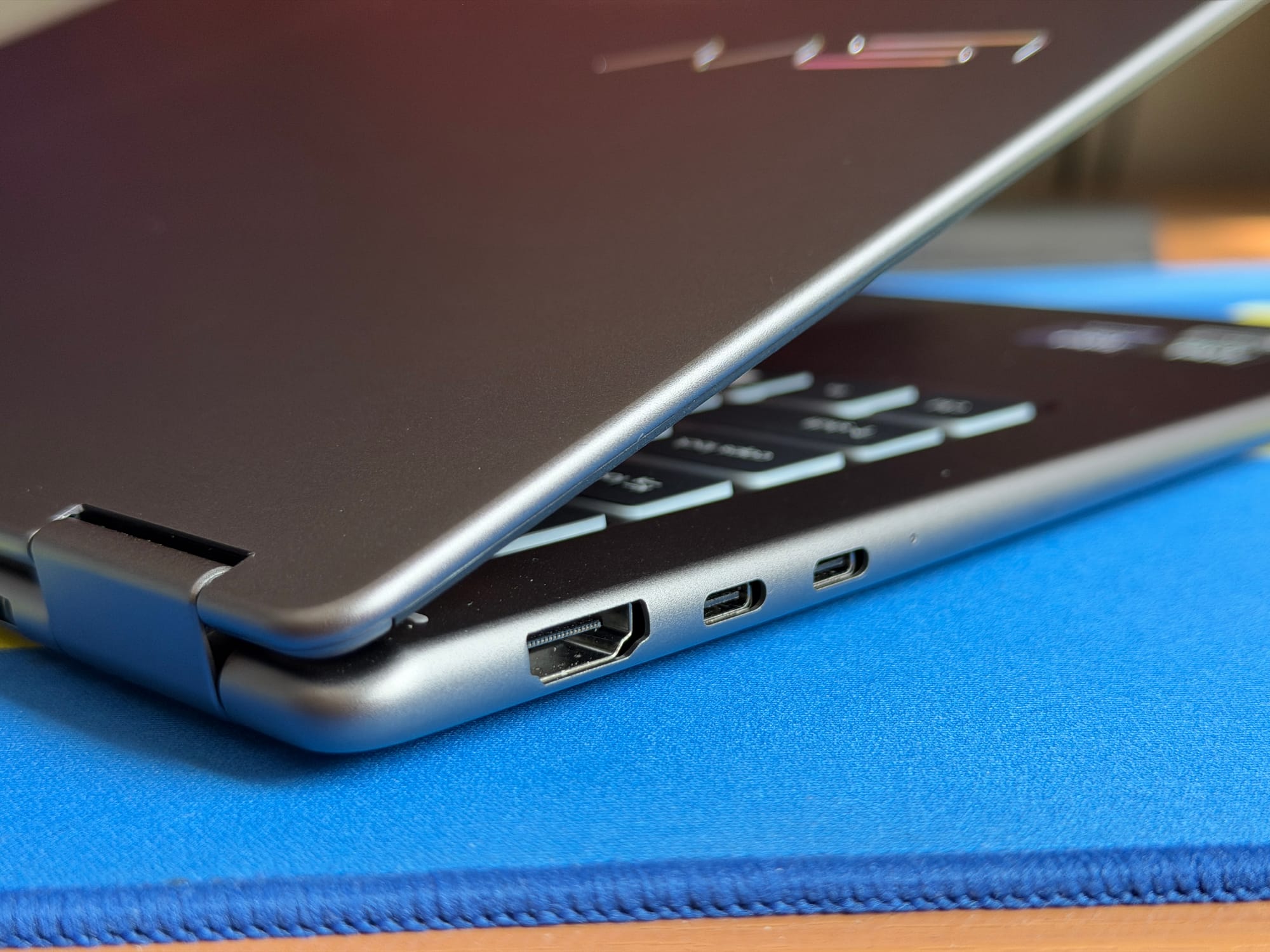
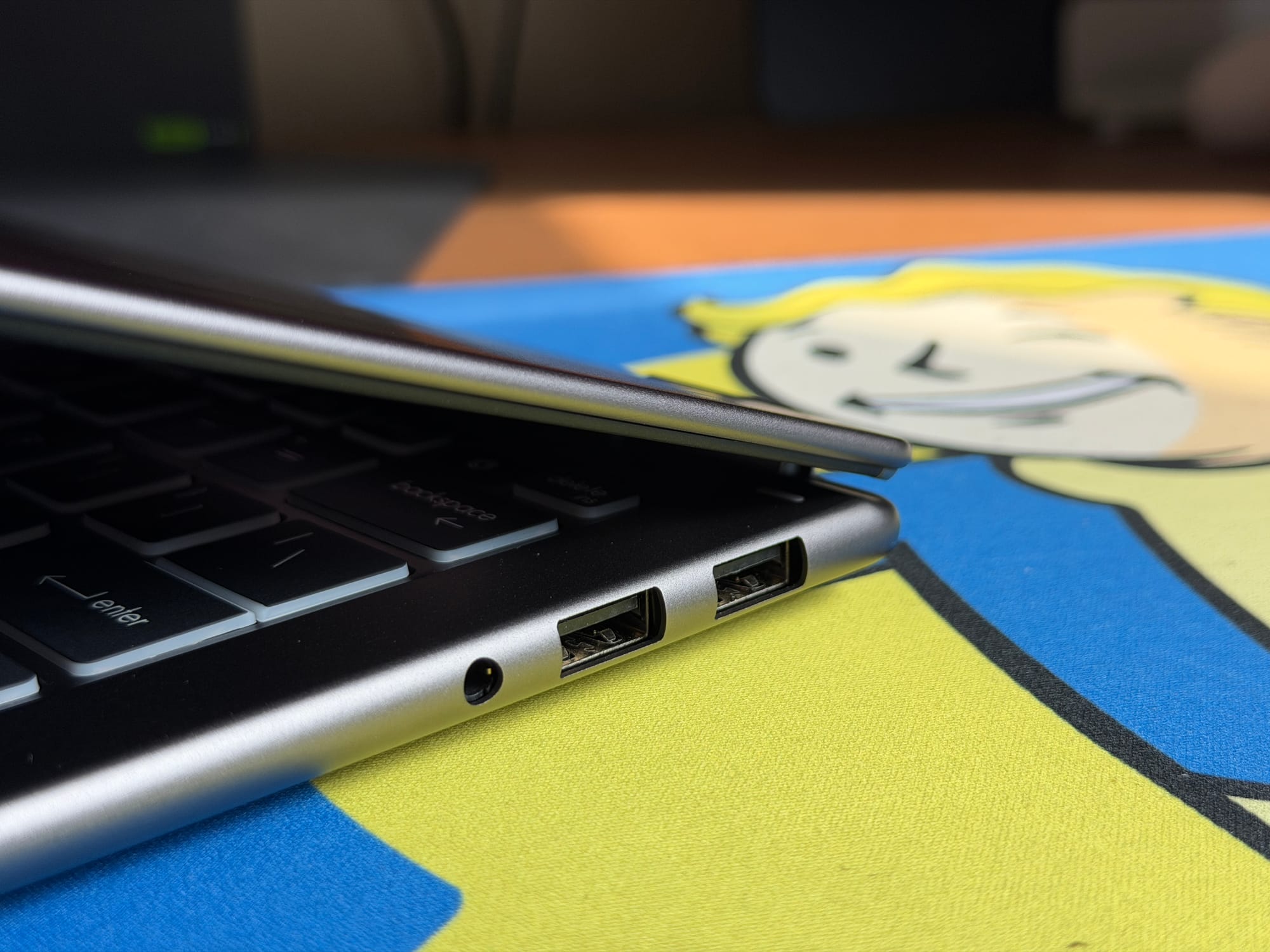
For connectivity, MSI hasn’t skimped. You get a solid array of ports, including two Thunderbolt 4 ports, two USB-A ports, a full HDMI port, and a headphone jack. It’s a good setup for a 14” thin-and-light convertible although a memory card reader hurt nobody. It’s not a must-have for this category of laptop, but with the new found power and battery life, I see photographers and video enthusiasts showing interest in something as light and compact.
Display, Keyboard and Audio
The display is a bit of a mixed bag. The laptop sports a 14” OLED touchscreen with a resolution of 1920x1200. I am generally okay with 1200p on a 14” screen, though, purely from a value perspective, I would have loved a higher-resolution panel at this price point.
What is harder to overlook is the 60Hz refresh rate. In an era where even basic laptops are often equipped with at least 120hz panels to ensure fluid motion, this feels like an inexcusable oversight from MSI.
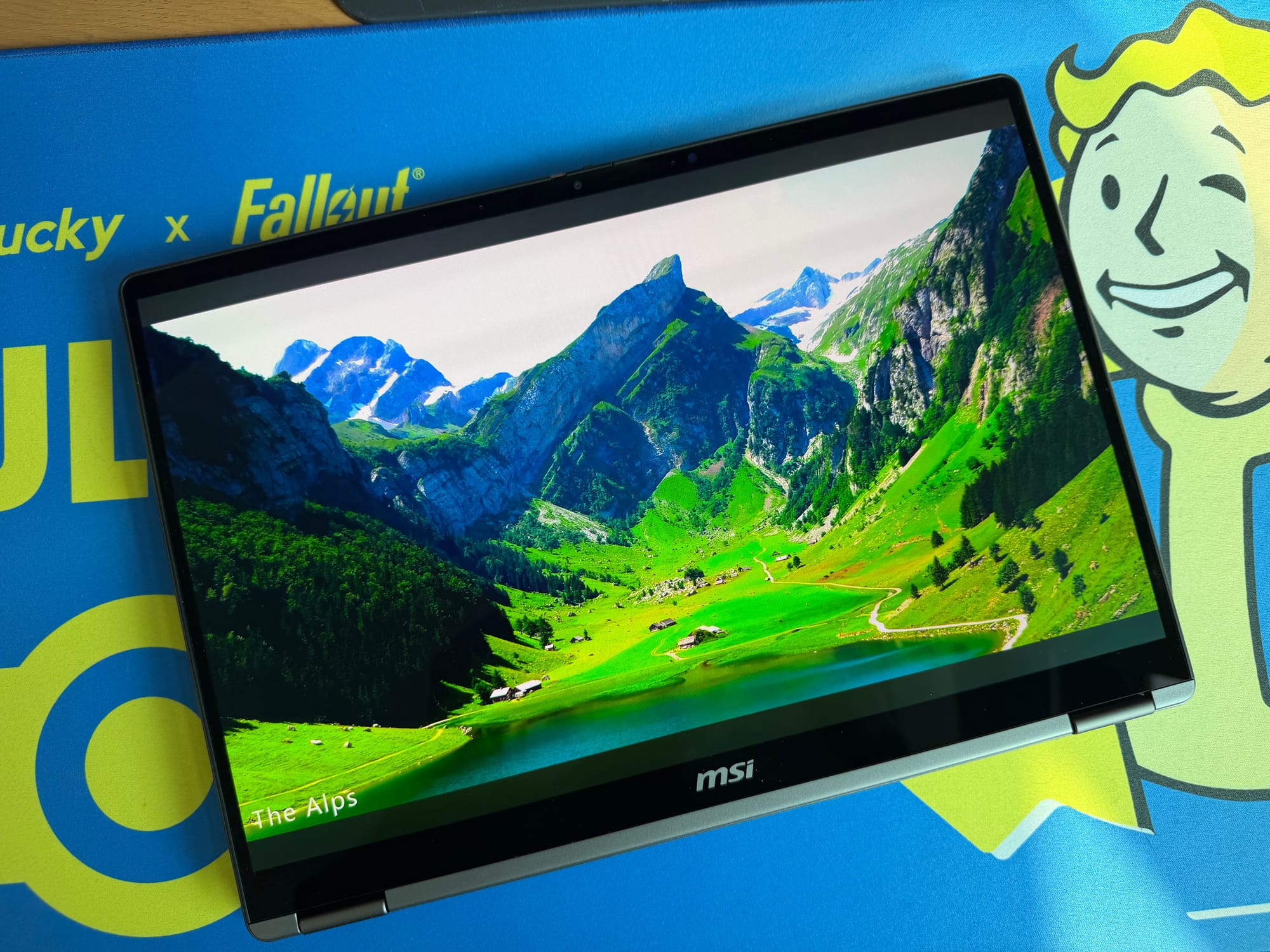
The panel quality itself has its highs and lows. The OLED technology delivers deep blacks and rich contrast, making it a compact little screen for enjoying YouTube videos or movies during downtime. However, the display can be a bit dim. In normal indoor lighting, the max brightness provides ample clarity, but if you find yourself under direct sunlight or harsh office lighting, the glossy coating and limited brightness capacity might leave you unimpressed.
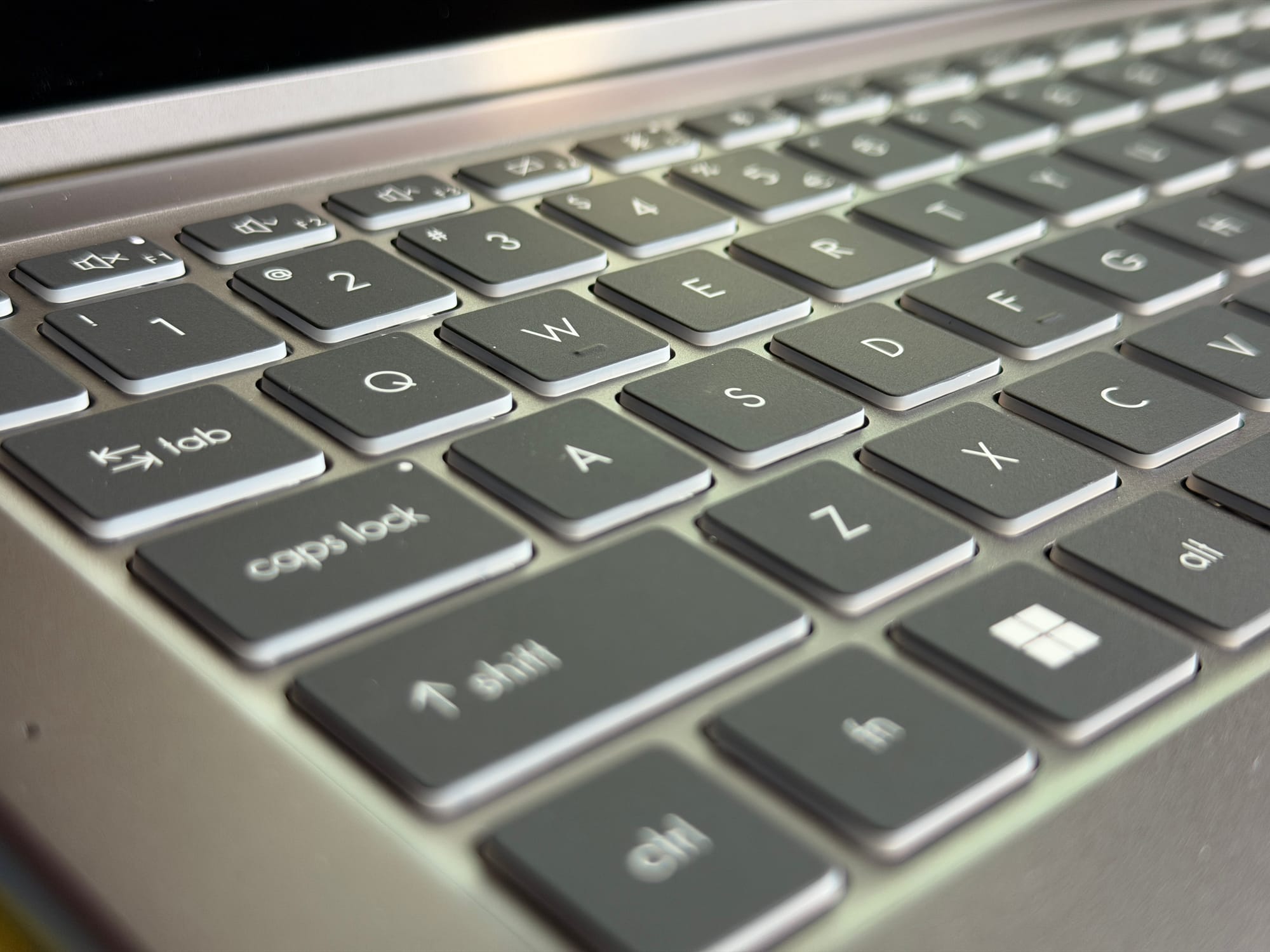
Beneath the screen, the typing experience is a highlight. I really like the keyboard; the switches are snappy with a good amount of travel distance and a tactile feel that makes typing satisfying. The keys are spaced out comfortably, so if you have used a similar-sized laptop before, your muscle memory won’t need to do any heavy lifting to adjust.
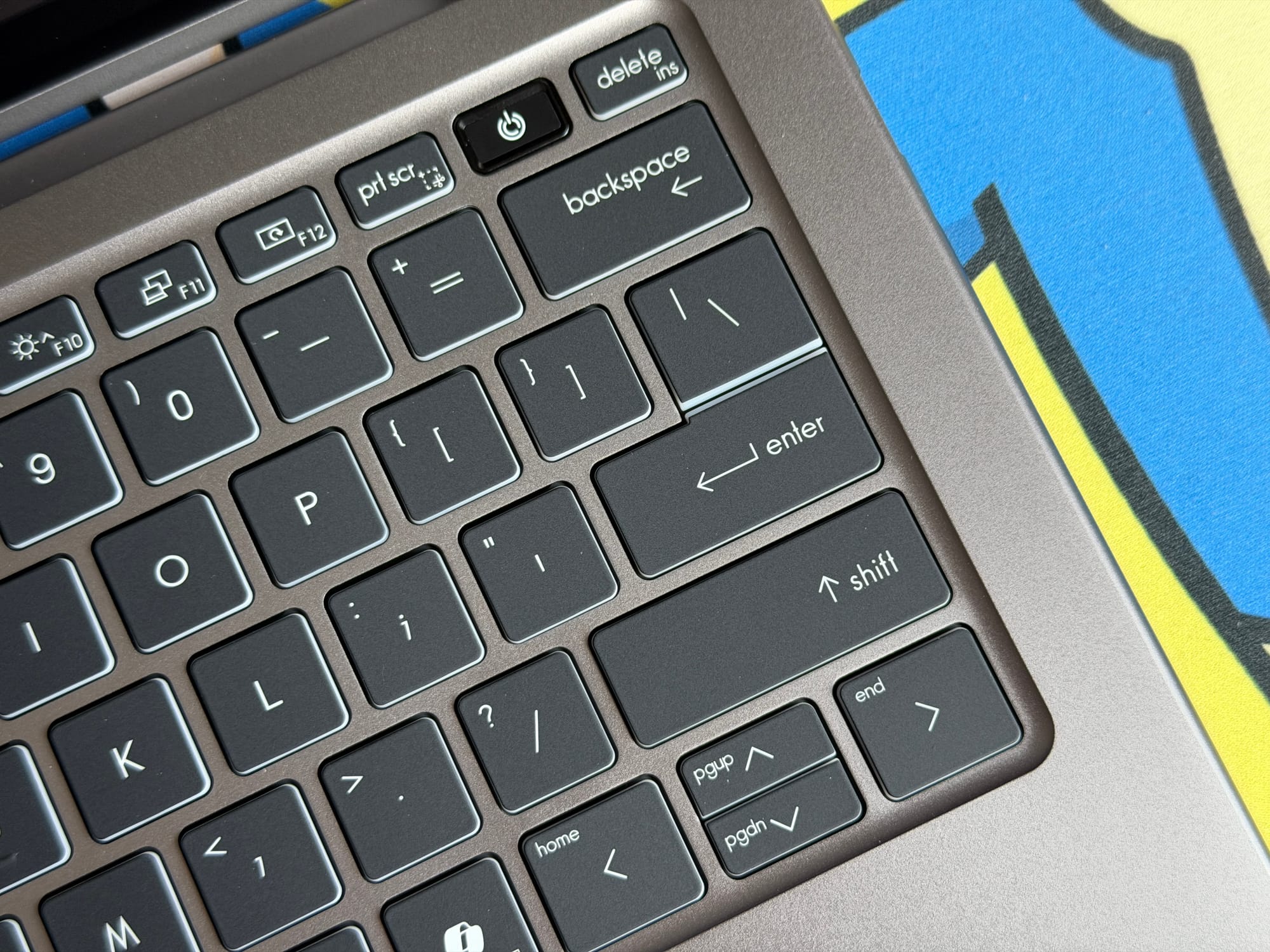
My only real gripe here is the placement of the arrow keys. The up and down arrows are squashed together, making it difficult to distinguish between them without looking down.
The trackpad is largely a success. Unlike many budget Windows trackpads, this one feels smooth, glides well under the fingers, and offers comfortable accuracy. It’s not quite at the MacBook level, but it doesn’t make me miss it too much. That said, I did wish the haptic press was a little less tight at the top of the trackpad; clicking and dragging would be much easier if I didn’t have to reach down to the bottom to execute those gestures comfortably.
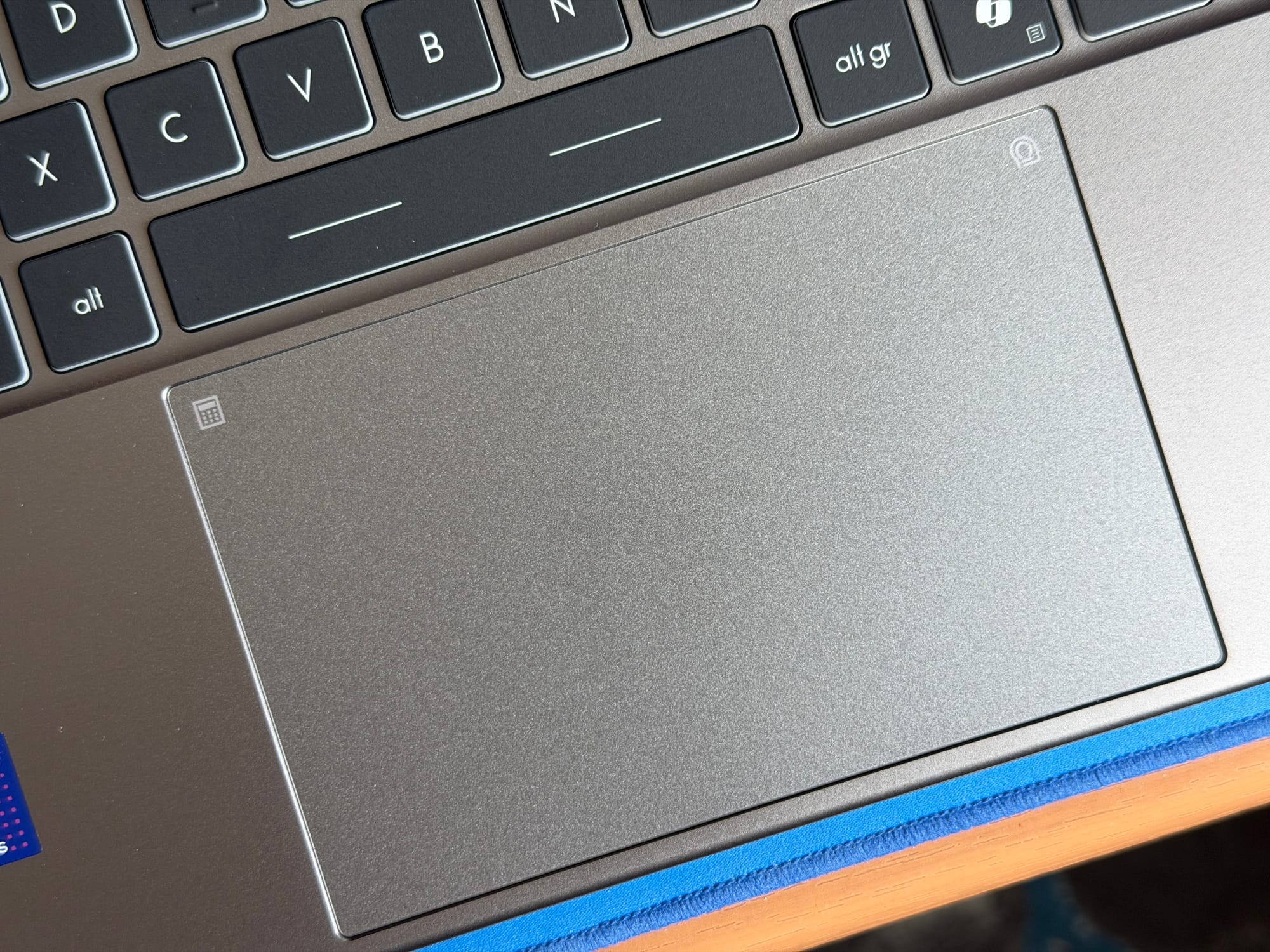
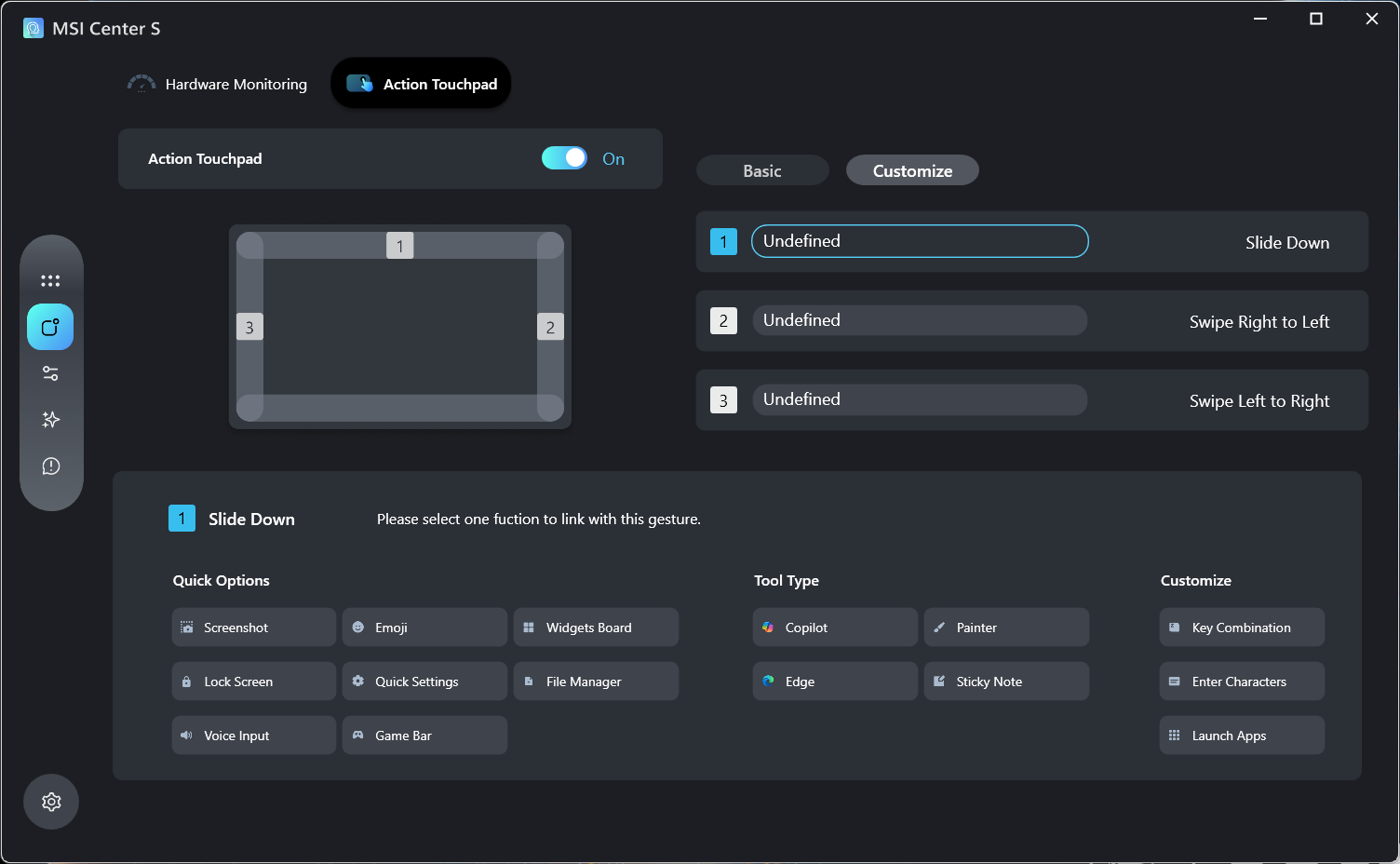
MSI has also introduced an “Action Touchpad” feature here, allowing you to configure the four sides of the trackpad to trigger different Windows actions. By default, sliding your fingers along the left edge controls volume, the right controls brightness, the top allows you to slide across a video’s timeline, and the bottom navigates back and forward in a browser. There are even dedicated corners you can double-tap to launch the calculator or the MSI Center S app.
You can customise the Actions, letting you swap the left, right and top (but not the bottom, for some reason?) for different key combinations or commands like voice input, screenshots, Filer Manager, Quick Settings, Emoji, Lock Screen, and even tools like Copilot if the dedicated button on the keyboard wasn’t enough Microsoft AI for you.
MSI Center S
The Windows installation on the Prestige 14 Flip AI+ comes surprisingly free of bloatware (besides the usual abundance of Microsoft software).
It only comes with two pre-installed software: Norton Antivirus, which you can use Revo Uninstaller to wipe it off easily (and you should), and the MSI Center S, which you might want to keep around.
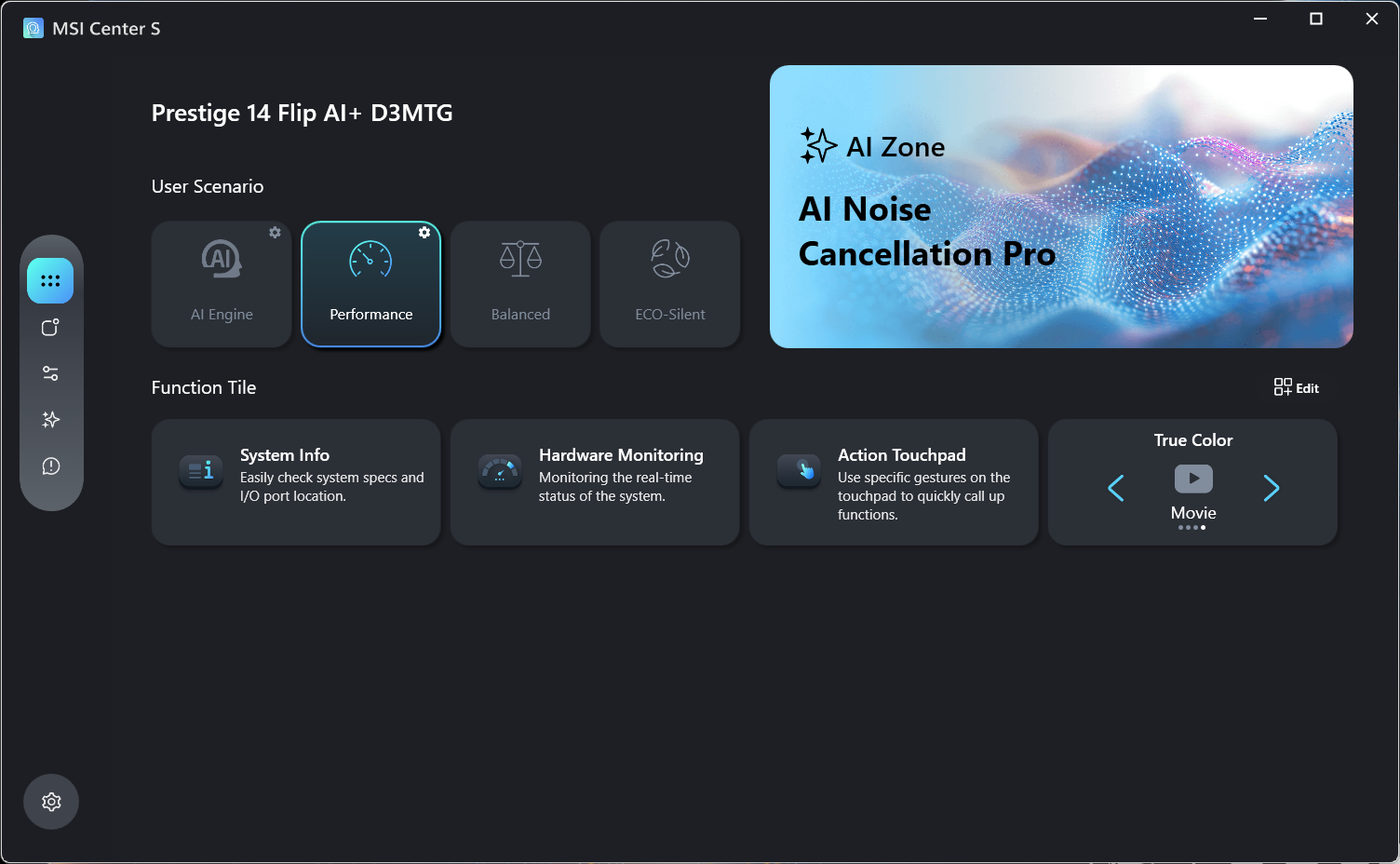
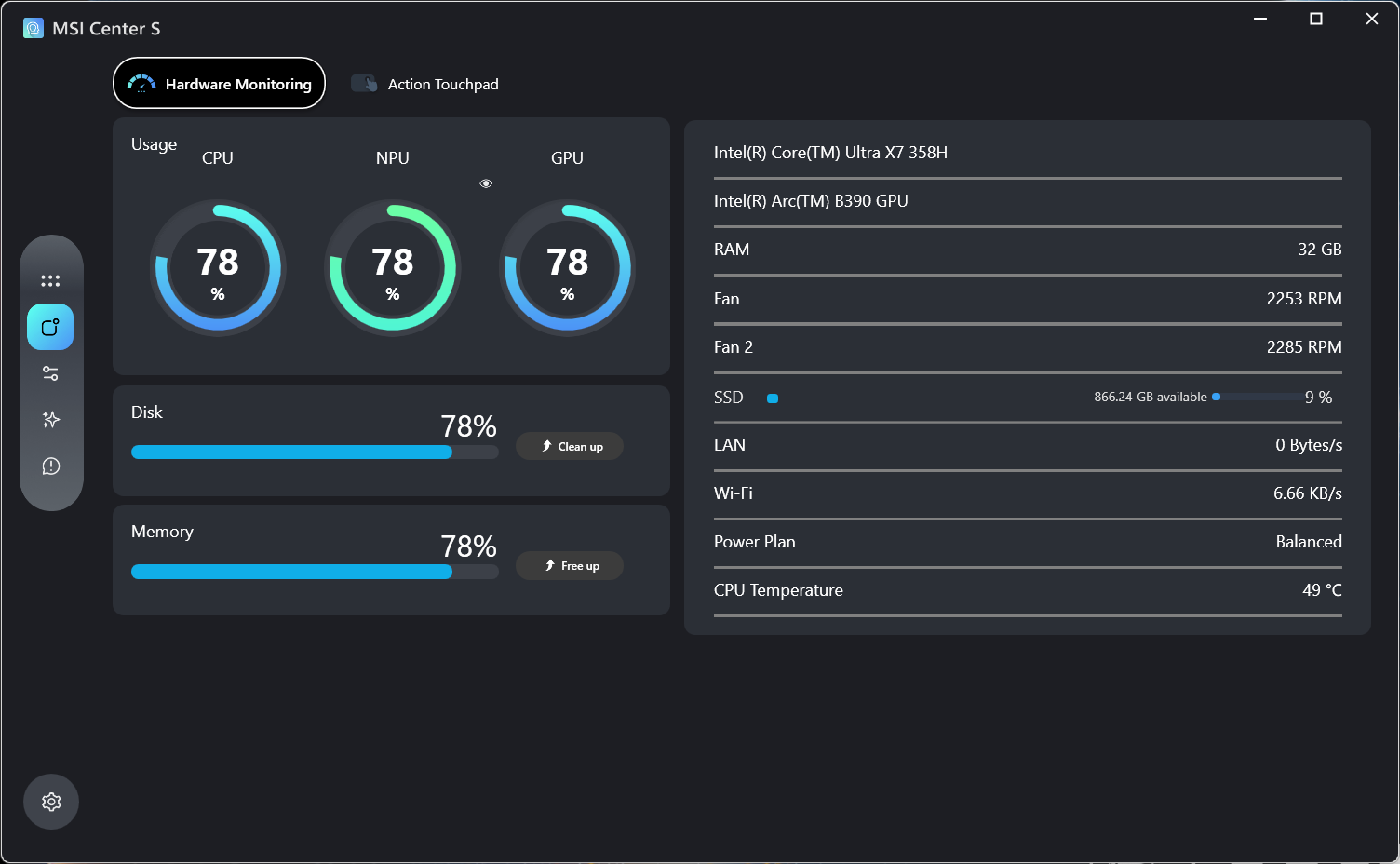
Besides hardware monitoring and changing display colours (from sRGB, Anti-Blue, Office and Movie), it also presents a few useful features. One of which is controlling the User Scenario, which clamps the processor speeds to either provide stable performance or preserve battery life.
You can choose between Performance, Balanced and Eco-Silent mode, or let the AI Engine hold the wheel. The laptop remains whisper-quiet even in the Balanced profile, while only getting slightly warm at the top of the chassis. If you aren’t strapped for battery life, I suggest leaving it in this mode for the most balanced performance.
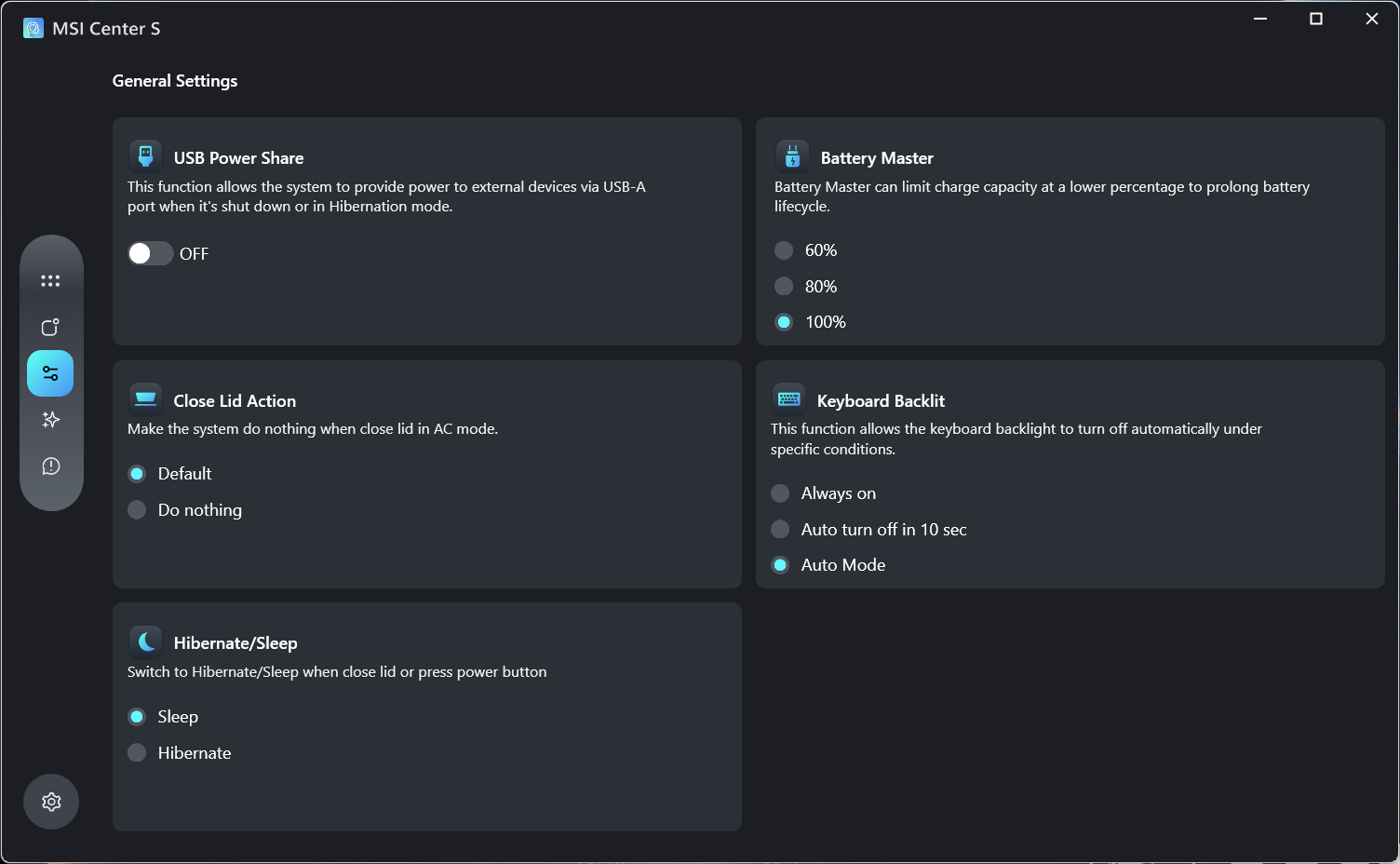
Elsewhere, you can configure the Action Touchpad I spoke of earlier, as well as Windows settings such as battery limit, Close Lid Action, keyboard backlit mode, and USB Power Share.
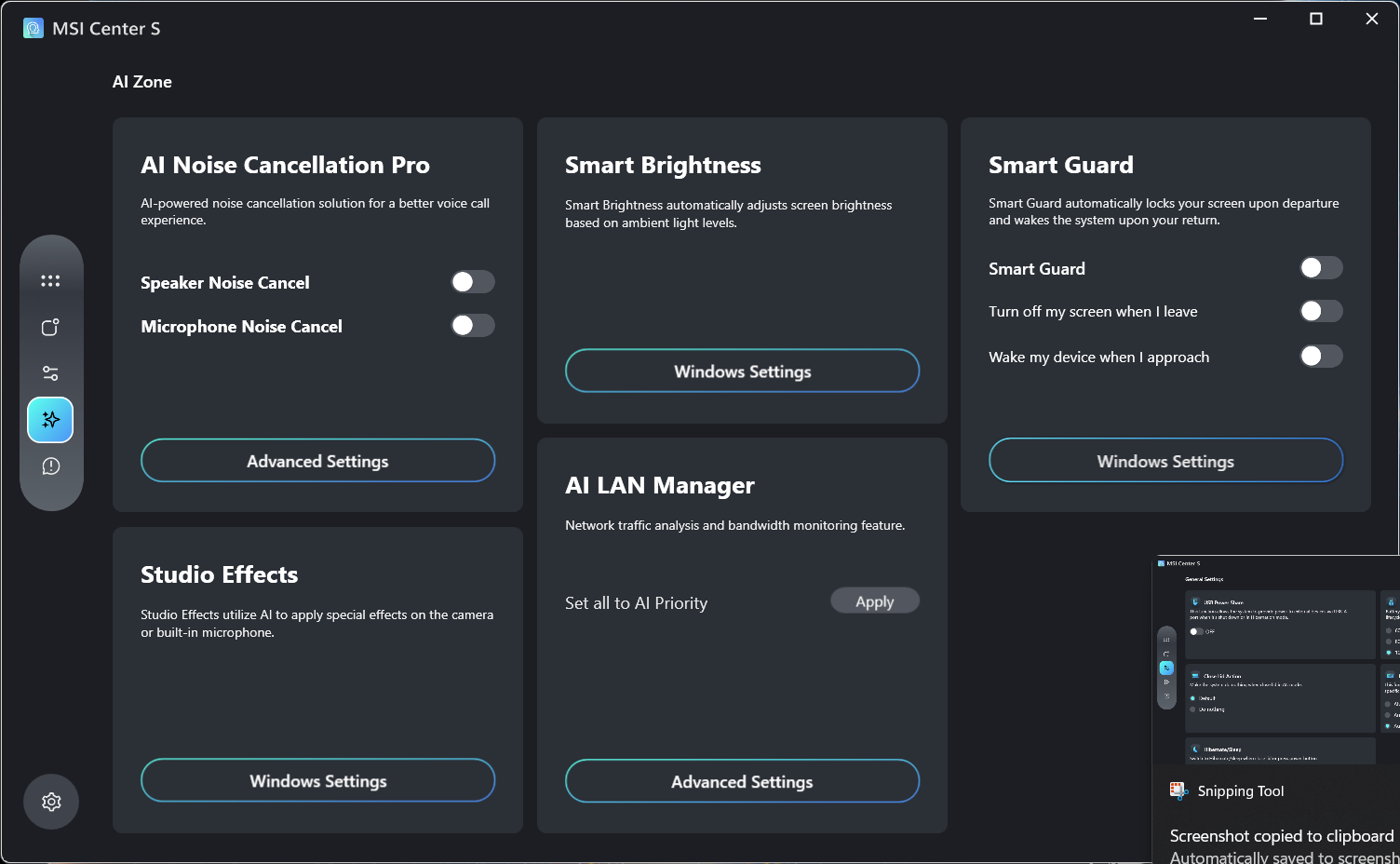
There are also a bunch of AI features in the “AI Zone” section. It lets you enable AI speaker and microphone noise cancellation, Smart Guard option, which turns off the screen when it doesn’t detect your presence near the screen, an “AI LAN Manager” to prioritise network distribution among apps, and Smart Brightness and Studio Effects that are baked into Windows.
Performance
The MSI Prestige 14 Flip AI+ is priced at AED 4,999 and comes with the following specs:
- Intel Core Ultra X7 358H processor
- Intel Arc B390 GPU
- 14” FHD+ 16:10 OLED screen
- 32GB RAM
- 1TB SSD
- WiFi 7 and Bluetooth 6
- 2x Thunderbolt 4 ports, 2x USB-A ports, 1x HDMI port, and a headphone jack
The heartbeat of this machine is the new Intel Core Ultra X7 358H, a chip that represents a significant architectural shift for Intel. Built on the new Intel 18A process node, it uses a hybrid 16-core layout: four ‘Cougar Cover’ Performance cores for heavy lifting, eight ‘Darkmont’ Efficiency cores for background tasks, and four Low-Power E-cores to handle the idle work.
It clocks in at a respectable 4.8 GHz. The GPU has received an upgrade, too. The new Intel Arc B390 GPU, which packs 12 Xe3 cores and dedicated hardware for ray tracing, aims to bridge the gap between integrated and discrete graphics, which it sort of achieves.
To see where the new silicon stands, we pitted it against the latest Apple M5:
| Benchmark | MSI Prestige 14 Flip AI+ | Apple M5 MacBook Pro 14-inch Laptop |
|---|---|---|
| Geekbench 6 CPU - Multi Core | 16,699 | 17,476 |
| Geekbench 6 CPU - Single Core | 2,910 | 4,248 |
| Geekbench 6 GPU | 56,193 | 48,638 |
| Geekbench AI | 7,848 | 6,924 |
In terms of raw CPU snap, the Apple M5 still holds the lead, particularly in single-core performance, where it maintains a significant lead. However, the gap in multi-core performance has narrowed to a thin margin. Where the X7 really shines is in the GPU and AI departments. The Arc B390 pulls much ahead of the M5 and the NPU delivers a stronger showing in AI tasks.
For general day-to-day use, this translates to a system that remains expectedly speedy. Multitasking, launching apps, and even juggling image editing with some light video rendering on the side was largely fluent.
However, I have to circle back to the screen's 60Hz refresh rate, because it definitely makes a difference in how the PC “feels” during these tasks. At 60Hz, the system can feel a little slow, jittery, or laggy, despite benchmarks showing the silicon is blazing fast.
I am reviewing another laptop with this exact same processor but a 120Hz panel, and the difference in perceived smoothness is night and day. It is a bit of a shame that the display bottlenecks the “premium feel” that the X7 processor is trying to deliver.
| Benchmark | MSI Prestige 14 Flip AI+ |
|---|---|
| 3DMark Fire Strike | 12,610 |
| 3DMark Night Raid | 40,194 |
| 3DMark Port Royal | 3,821 |
| 3DMark Speed Way | 706 |
| 3DMark Time Spy | 6,392 |
| Black Myth Wukong | 35 |
| Horizon Zero Dawn | 57 |
| Marvel Rivals | 29 |
| Shadow of the Tomb Raider | 52 |
In terms of gaming, the new Intel Arc B390 GPU is quite performant over its predecessor. It effectively competes with the laptop versions of the RTX 3050 or the RTX 4050, meaning gaming on this thin convertible is definitely possible, more so than it was before. The benchmarks above were performed at the maximum resolution and at medium settings without using any upscalers like FSR or XeSS:
While most games didn’t quite reach that golden 60fps mark at native resolution, older-gen titles and lighter games should be able to get there if you lower the visual settings a bit or lean on an upscaler like FSR or XeSS. However, newer titles with demanding engines, as seen in the Black Myth: Wukong and Marvel Rivals benchmarks, will certainly struggle. The laptop is best used for casual play or for catching up on your backlog, rather than running the latest AAA blockbusters at high settings.
Battery Life and Thermals
Intel’s big selling point for the new Core Ultra Series 3 chips is efficiency. The move to the 18A process is supposed to bring significant gains in battery life, and for once, the reality seems to align reasonably well with the hype. The Prestige 14 Flip AI+ seems to manage its power draw effectively, even when you have a few too many things open at once.
In my daily use, the stamina was solid. I started my day at 100% and threw a fairly busy mixed workload at it - browsing the web, watching YouTube videos and TV shows, downloading large files, and doing some image editing and file sharing.
By the time I wrapped up for the day, I still had around 30% left in the tank. It cleared a full day of work comfortably, with enough juice left to start the next morning without immediately scrambling for a plug. When you do need to charge, the laptop comes with a reasonably speedy 65W charger that tops off the battery in under 2 hours.
The thermal situation is a bit of a balancing act, given the compact form factor. Under load, the fans do kick up, but they remain reasonably quiet - certainly not loud enough to be bothersome in a typical office environment. However, the moment you attempt something heavier like rendering videos or gaming, you can expect those fans to spin up immediately.
In terms of heat, the thin chassis simply doesn’t have much room to move the air around, despite the exhaust vents located at the back. As a result, the entire keyboard area tends to warm up quite a bit during sustained use, with the panel near the screen becoming the hottest touchpoint where the exhaust heat escapes.
Should You Buy the MSI Prestige 14 Flip AI+
The MSI Prestige 14 Flip AI+ is a successful debut for Intel’s Panther Lake architecture, proving that Windows laptops can finally offer the kind of all-day battery life we have envied in MacBooks for years.
It is a great machine for office professionals, mobile workers, and students who need something light, long-lasting, and powerful enough to handle serious multitasking without much fuss. At around AED 4,999, the pricing is reasonably competitive, given you get 32GB of RAM, 1TB of storage, and the latest silicon right out of the box. It also competes directly with the Apple MacBook with the M5 chipset in terms of value and features.
However, it’s not perfect. My biggest beef with the laptop is the 60Hz display that bottlenecks an otherwise stellar experience, which is a shame given how fast the internal hardware can be. The display is also much dimmer than I would have liked, and the glossy screen doesn’t do it any favours. The trackpad, while reasonably accurate, doesn't feature a haptic touchpad, which again, at this price point, should have been included.
If you can look past these niggles, the Prestige 14 Flip AI+ can prove to be a reliable, efficient daily driver.
Written by

Subscribe to our newsletter
Subscribe to our newsletter to get the latest updates and news












Member discussion