Apple has pushed iOS 26.1 and iPadOS 26.1, and the updates focus on practical controls, a couple of media and capture tweaks, and a welcome iPad multitasking return. Security fixes are included, so it’s worth updating once it hits your Settings page in the UAE.
iOS 26.1: quick wins you’ll actually notice
iOS 26.1 and iPadOS 26.1 bring small but handy changes that reduce friction across the system.
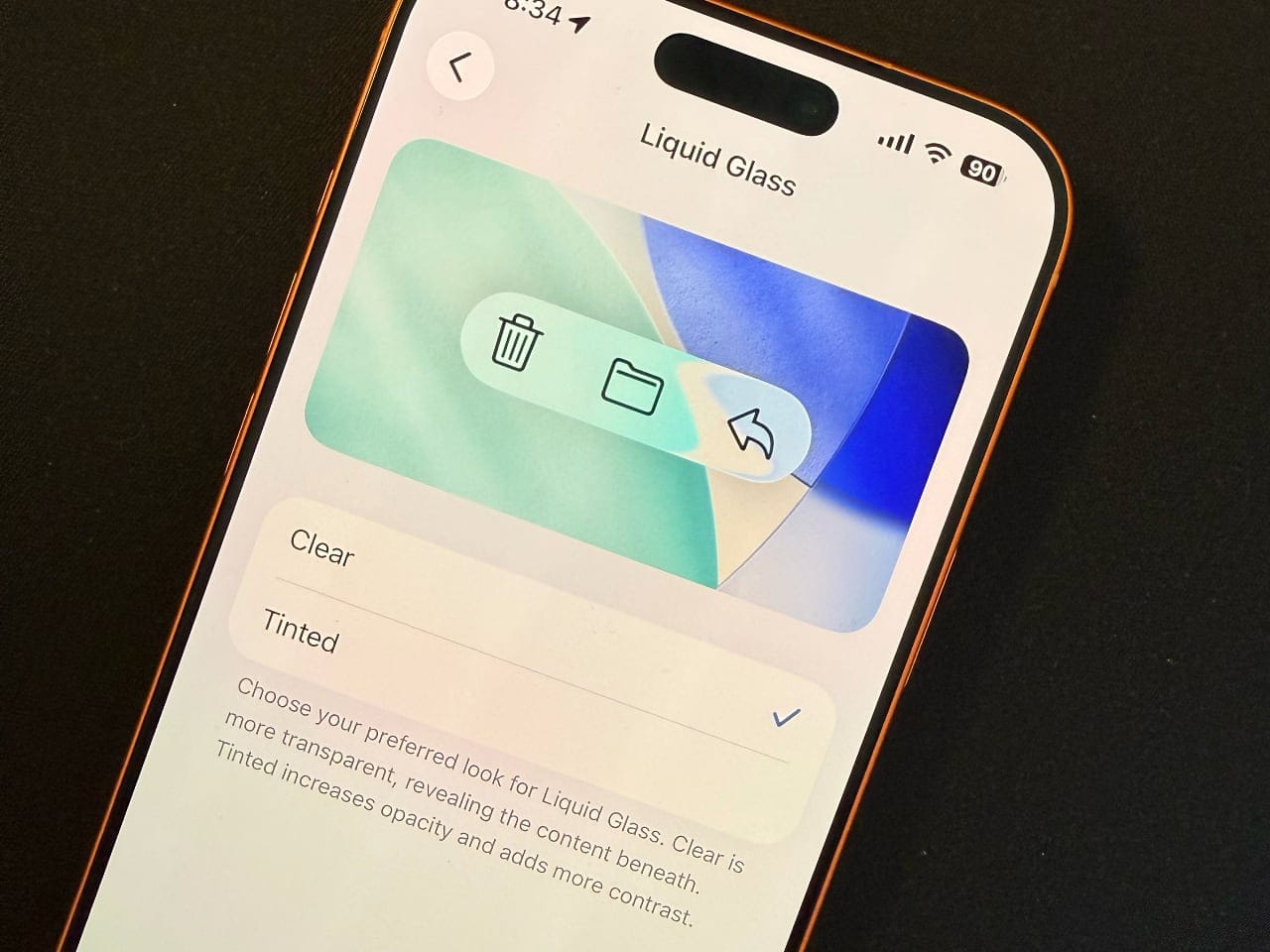
- Liquid Glass tint: choose between the default clear look or a darker tinted style
- AirPods Live Translation: adds Chinese (Simplified/Traditional), Japanese, Korean and Italian
- Music: swipe the MiniPlayer to skip back/forward; AutoMix over AirPlay
- Local capture: set USB mic gain; pick a save location for recordings
- Controls: toggle Lock Screen Camera swipe; FaceTime gets better audio on weak links
- Safety defaults: Communication Safety and web filters on for existing child accounts (13–17; varies by region)
These are small switches, but they add up. The Liquid Glass tint helps legibility, Music is easier to drive one-handed, and anyone who records interviews or podcasts on iPhone finally gets proper input gain and file control. Parents get safer defaults without having to dig through menus.
iPadOS 26.1: Slide Over returns
iPad gets a meaningful multitasking option back, now working with the new windowing system.
- Slide Over comes back and sits on top of the other windows
- Resize the Slide Over window and flick it off-screen when not needed
- Same Liquid Glass tint option as iPhone
- Local capture gains USB mic gain control and save-to location
- Extras: Lock Screen Camera toggle, Communication Safety defaults, and the Apple Vision Pro app is now on iPad
If you live in multiple apps, Slide Over is the quick-access drawer you missed. It complements tiling and Exposé, letting you keep a notes app or messenger floating without breaking your layout. The capture and UI tweaks match iOS, which helps workflows feel consistent across devices.
Security fixes and why to update now
Apple’s security note confirms iOS 26.1 and iPadOS 26.1 include multiple patches. Install promptly, especially if you skipped 26.0.1.
- Official security bulletin lists CVE-referenced fixes
- Released 3 November 2025, rolling across regions today
- Updating soon reduces risk from known issues
Security documents sometimes lag behind the update prompt, but Apple’s page is live for 26.1 now.
Compatibility and UAE rollout
Check you’re on supported hardware before you hunt for the update.
- iOS 26.1: iPhone 11 or newer and iPhone SE (2nd/3rd gen)
- iPadOS 26.1: iPad Pro (M-series and 2018 12.9-inch/11-inch or later), iPad Air (3rd gen or newer, plus M-series), iPad (8th gen or newer and A16 model), iPad mini (5th gen or newer and A17 Pro model)
To update, go to Settings → General → Software Update. If you don’t see it, try later today, as rollouts can be staggered.
For buying advice once you’re updated, our guides can help: the best iPad for everyone in the UAE and our iPad Pro M5 review for power users.
Tips on updating iOS safely
A little prep avoids headaches —not just for the latest iOS and iPad releases, but in general whenever you’re upgrading your iPhone or iPad.
- Back up to iCloud or Finder first
- Plug in or have over 50% battery
- Leave some storage headroom
- Install via Settings → General → Software Update
Apple’s notes also remind that updates can affect performance and battery life temporarily as the system re-indexes.

FAQs
Is this the final public release, not beta or RC?
Yes. Apple’s public release and security documentation for iOS 26.1 and iPadOS 26.1 are live.
What’s actually new on iPhone with iOS 26.1?
Tinted Liquid Glass, new AirPods Live Translation languages, Music MiniPlayer swipe and AutoMix, USB mic gain and capture save-to, Lock Screen Camera toggle, and safer defaults for child accounts.
What’s actually new on iPad with iPadOS 26.1?
Slide Over returns alongside windowing, Liquid Glass tint, USB mic gain and capture save-to, FaceTime audio improvements, Lock Screen Camera toggle, Communication Safety defaults, plus the Apple Vision Pro app on iPad.
Which devices are supported?
iPhone 11 and later (plus iPhone SE 2nd/3rd gen) and a wide range of iPads, including recent iPad Pro, Air, mini and iPad models. See Apple’s compatibility pages for the full lists.
When did Apple release 26.1?
3 November 2025 per Apple’s security page. If you’re in the UAE, that’s the morning of 4 November for most users.