
Your Gaming PC Is Overheating in the UAE — Here's How to Fix It
UAE summers don't forgive weak cooling. Here's every fix that actually works — from AED 33 thermal paste to full AIO liquid coolers.
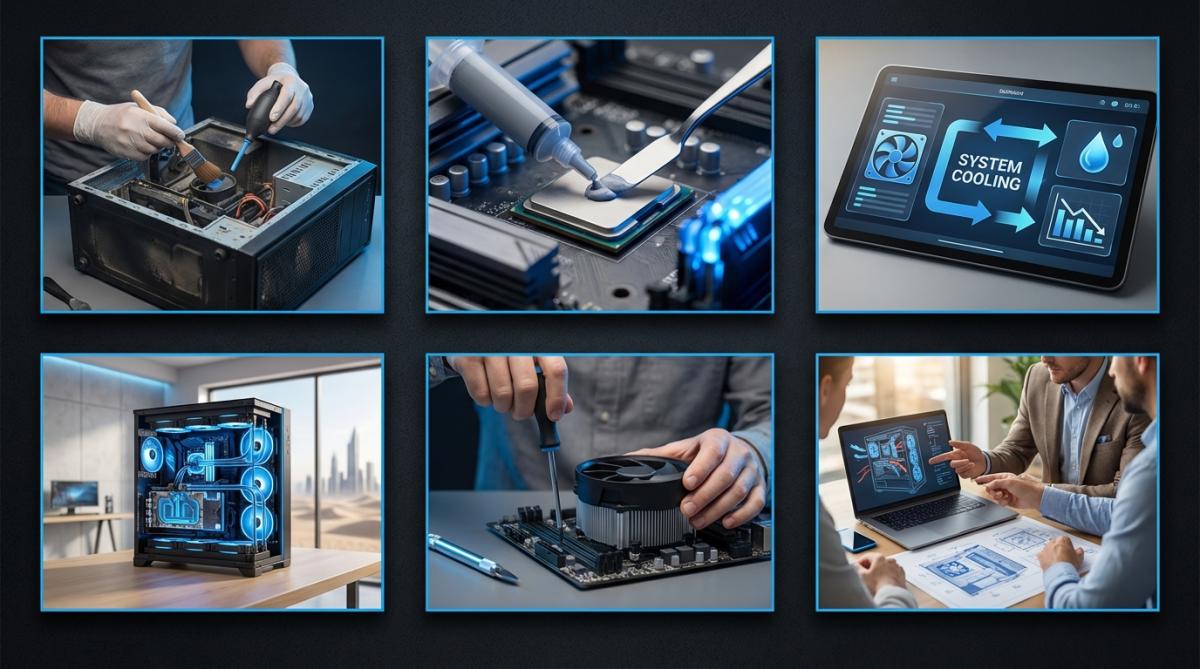
Short answer: Your UAE gaming PC is overheating because of high ambient temps, clogged heatsinks, and dried-out thermal paste. Fix it in this order: (1) clean the dust, (2) replace the thermal paste, (3) upgrade your cooler. Everything below tells you exactly how.
Here's something no one tells you when you buy a gaming PC in the UAE: that high-end rig you just paid a premium for was almost certainly designed and tested in a climate that peaks at around 30°C. You live somewhere that peaks at 48°C. That gap matters enormously to your CPU and GPU — and your framerates.
Whether you're building new, maintaining what you have, or troubleshooting a PC that's throttling mid-Warzone match, this guide covers every practical fix ranked by impact and cost.
Why Gaming PCs Overheat (The Actual Reasons)
Three things work against you here that most guides gloss over:
Ambient temperature is your real enemy. A cooler doesn't create cold — it moves heat from your CPU into the surrounding air. If the air inside your apartment is already 30°C (or higher if your room ventilation is poor), you're starting at a massive disadvantage compared to someone gaming at 19°C. Every degree of ambient temperature roughly costs you a degree of CPU temperature.
Desert dust is aggressive and relentless. UAE dust particles are fine, numerous, and electrostatically sticky. A PC that might need cleaning once a year in London needs it every three months here. A dust-choked heatsink can raise your CPU temperature by 20 °C without any other changes to your setup.
Thermal paste degrades faster in heat. The paste bridging your CPU to its heatsink slowly dries out over time. In cooler climates, it lasts 2–3 years. In UAE conditions, budget for 12–18 months before it noticeably affects temperatures. Dried paste is one of the most common causes of mystery overheating on PCs that used to run fine.
Signs Your Gaming PC Is Overheating
Don't guess — monitor. Download HWiNFO64 (free) or use MSI Afterburner's OSD to see real-time temperatures while gaming. Here's what the numbers mean:
| Component | Normal Gaming Temp | Danger Zone |
|---|---|---|
| CPU | 65–80°C | 90°C+ (throttling likely) |
| GPU | 70–83°C | 90°C+ (throttling likely) |
Symptoms to watch for beyond the numbers:
- FPS drops that appear suddenly and recover when you alt-tab (classic thermal throttling)
- PC shutting down without warning — a last-resort self-protection measure
- Fan noise ramps to full speed almost immediately under any gaming load
- Blue screen errors, particularly whea_uncorrectable_error or clock_watchdog_timeout
Fix 1: Clean the Dust (Free — Do This First)
Before spending a single dirham on hardware, clean your PC. This is the single most impactful thing that most UAE gamers rarely do.
What you need: a can of compressed air (AED 15–25 at any Ace Hardware or Carrefour), an anti-static brush, and ideally an anti-static wrist strap.
- Power down the PC completely and unplug it from the wall.
- Take the PC outside or to a balcony — you're about to create a dust cloud.
- Remove the side panels and blast compressed air through the fans (hold the blades still to avoid spinning the motor), heatsink fins, PSU vents, and case filters.
- Pay specific attention to the CPU heatsink. Even modest dust buildup there has the biggest temperature impact.
- Use the brush on stubborn deposits around fan hubs and PCIe slots.
- If you have a mesh-front case, clean the intake filters — they exist precisely to catch this stuff.
Repeat every 6–8 weeks minimum. Monthly, if you live near construction or in a particularly dusty area.
Fix 2: Replace the Thermal Paste (~AED 33–55)
If cleaning doesn't bring your temperatures down, dried thermal paste is the next most likely culprit. This is a 20-minute job that can drop CPU temps by 10–15°C on an older system.
Thermal Grizzly Kryonaut — The One to Buy
~AED 50–90 | Available at Amazon.ae, Virgin Megastore and Sharaf DG.
Kryonaut has become the default recommendation for a reason: 12.5 W/mK thermal conductivity, non-conductive (so accidental spread won't kill your board), and it holds up in heat far better than the paste Intel and AMD ship with boxed coolers. A single syringe tube does 3–4 applications.
Application method: remove the cooler, clean off old paste with isopropyl alcohol (90%+) and a lint-free cloth, apply a pea-sized dot to the centre of the IHS, and reinstall. The cooler mounting pressure spreads it.
Replace it every 12–18 months in UAE conditions. Set a reminder.
Fix 3: Upgrade Your Cooler
If you're on a stock cooler or a budget aftermarket unit, no amount of cleaning and paste swaps will save you in UAE summers once you're running a modern gaming CPU at full load. Here are the best options across price points, with the UAE context:
Best Air Cooler: Noctua NH-D15 — ~AED 404
The NH-D15 is the gold standard of air cooling and for good reason: dual 140mm NF-A15 PWM fans, six heat pipes, and a direct-contact copper base with genuinely no weak points. For a mid-range to high-end gaming CPU that you're not pushing to extreme overclocks, it competes with 280mm AIOs and doesn't carry the minor leak risk of liquid cooling.
The caveat: it's enormous. Check your case clearance before buying, and verify RAM slot compatibility (some sticks with tall heatspreaders get blocked by the lower fan). On the upside, it's basically maintenance-free and comes with a six-year warranty.
Best for: gamers who want maximum air cooling without the complexity or pump noise of an AIO.
Best Budget Air Cooler: be quiet! Dark Rock Pro 5 — ~AED 330
Seven nickel-plated heatpipes, dual Silent Wings 4 fans, and a design that's easier to clear RAM than you'd expect from a dual-tower. The Dark Rock Pro 5 handles high-TDP CPUs quietly, which matters in a country where everyone runs AC year-round and you don't want your PC competing with the ambient noise floor.
Best for: mid-range builds where silence is a priority alongside strong cooling.
Best Value AIO: Arctic Liquid Freezer III 360 — ~AED 477
The Arctic Liquid Freezer III has dethroned most of the competition at its price point. The 360mm radiator runs three P12 PWM PST fans that daisy-chain for cleaner wiring, and it includes an integrated VRM fan — a genuinely useful addition that most AIOs skip. The 38mm-thick radiator pads and dense fin stack mean it moves more heat than similarly priced competitors.
No RGB to speak of, which is either a selling point or a dealbreaker depending on your build aesthetic. For pure performance per dirham under UAE conditions, nothing else at this price comes close. Five-year warranty.
Best for: anyone who wants serious cooling without paying a premium for aesthetics.
Best Premium AIO: Corsair iCUE H150i Elite LCD XT — ~AED 1,028
If you're running a flagship CPU and want full software visibility into your temperatures (and don't mind paying for it), the H150i Elite is the benchmark. Three 120mm magnetic levitation bearing fans, a 360mm radiator, and an LCD display that can show real-time temps, system stats, or GIFs if you're that person. The iCUE software integration means full fan and pump curve control from a single dashboard.
The price is steep. The minor leak risk inherent to any AIO is real but statistically rare. But if you're at the high-end of gaming CPUs — Intel Core Ultra 9, Ryzen 9 9950X — this is what you want in UAE conditions.
Best for: high-end builds where CPU thermals are critical and you want complete monitoring control.
Best for Aesthetics: NZXT Kraken Elite 360 — ~AED 991
Very similar performance tier to the Corsair above, with a 2.36-inch IPS LCD display on the pump head that shows temps, custom animations, or even a camera feed via the embedded motion-eye module. CAM software handles the monitoring side. Six-year warranty. The Kraken Elite 360 is the cooler you buy when the inside of your case matters as much as temperatures, which, fair enough.
Best for: show builds where aesthetics and temp monitoring carry equal weight.
Fix 4: Optimise Your Case Airflow
A great cooler in a poorly ventilated case is a wasted investment. Case airflow matters more in the UAE than anywhere else because you're trying to exhaust hot air from a space that's already warm.
Lian Li Lancool III — ~AED 514
The Lancool III is the easiest recommendation for a new build or case upgrade. Mesh front panel, three 140mm PWM fans pre-installed (most cases ship with two at best), support for 360mm radiators, and cable management that's genuinely well thought out. The footprint is large, but the tradeoff is best-in-class airflow for a mid-tower at this price.
Positive pressure configuration — more intake than exhaust — helps in dusty environments by keeping slightly pressurised air pushing outward through gaps rather than pulling dust through every crack. Combine with regular filter cleaning.
Best for: new builds starting from scratch, where you want overheating prevention baked in.
Fix 5: Fine-Tune Fan Curves (~AED 220 for hardware control)
If you have multiple case fans and want precise temperature-based control, the Corsair iCUE Commander Core XT gives you software-defined fan curves tied to actual temperature probes rather than the approximations your motherboard headers use.
It controls up to six PWM fans and five RGB channels, includes two temperature probes you can position near your GPU or PSU, and lets you build custom ramp profiles so fans only spin up aggressively when temps actually demand it — keeping your PC quieter during light use. Requires the iCUE software ecosystem, so if you're already in Corsair's world, this makes sense. If not, your motherboard's fan curve controls in BIOS may be sufficient.
Best for: multi-fan setups where you want granular control over when things spin up.
Cooling Solutions at a Glance
| Product | Type | Approx. UAE Price | Best For |
|---|---|---|---|
| Thermal Grizzly Kryonaut | Thermal paste | AED 33–40 | First fix — always replace this |
| be quiet! Dark Rock Pro 5 | Air cooler | ~AED 330 | Silent mid-range air cooling |
| Noctua NH-D15 | Air cooler | ~AED 404 | Best-in-class air cooling |
| Arctic Liquid Freezer III 360 | 360mm AIO | ~AED 477 | Best value liquid cooling |
| Lian Li Lancool III | Case | ~AED 514 | New builds, airflow-first design |
| NZXT Kraken Elite 360 | 360mm AIO | ~AED 991 | Aesthetics + performance |
| Corsair iCUE H150i Elite LCD XT | 360mm AIO | ~AED 1,028 | Flagship CPU cooling + monitoring |
Prices are approximate based on availability. Check Amazon.ae, Sharaf DG, and Virgin Megastore for current UAE retail pricing.
When You're Still Overheating
Done all of the above and still see 90 °C+the under load? A few things left to check:
- GPU cooling: Most of this guide focuses on the slightly reducing voltage while maintaining clock speeds) can cut temperatures by 5–15°C with noCPU, but your GPU has its own thermal paste and heatsink. High-end GPUs benefit from the same paste replacement logic — though it voids warranties on cards less than 2–3 years old, so weigh that up.
- Room temperature: If your gaming room consistently hits 30°C+ (common in UAE summers if your split AC isn't sized for the room or the door is open), no amount of cooling hardware fully compensates. Sort the room first.
- Outdated drivers: Rarely the cause of overheating specifically, but GPU driver bugs can sometimes cause runaway power draw. Keep GPU drivers current.
- Undervolting: On both CPUs and GPUs, undervolting (slightly reducing voltage while maintaining clock speeds) can cut temperatures by 5–15°C with no performance penalty. HWiNFO64 and AMD's Precision Boost Overdrive or Intel's XTU are the tools for this. It's not for everyone, but it is effective.
Frequently Asked Questions
Why does my gaming PC overheat in the UAE?
High ambient temperatures mean your cooler is working against a much hotter baseline than it was designed for. Add fine desert dust clogging heatsinks every few weeks, and most stock or budget coolers simply can't keep up. UAE gaming PCs need better-than-average cooling from day one.
How often should I replace thermal paste in the UAE?
Every 12–18 months for most UAE users — roughly twice as frequently as the standard global recommendation. The intense heat accelerates paste degradation. Thermal Grizzly Kryonaut (AED 33–40) is the best option for longevity in hot climates.
Is an AIO liquid cooler worth it in the UAE?
Yes, especially a 360mm model. The Arctic Liquid Freezer III 360 (~AED 477) is the best value. For flagship CPUs or for software monitoring, the Corsair iCUE H150i Elite LCD XT (~AED 1,028) is the top pick.
How often should I clean my PC from dust in the UAE?
Every 6–8 weeks minimum. Monthly, if you're in a dusty area or near active construction. A mesh-front case like the Lian Li Lancool III helps significantly by filtering larger particles before they reach your components.
What temperature should my CPU run at while gaming?
Under 80°C for most modern CPUs. Above 90°C and you're likely throttling — the CPU is reducing clock speed to protect itself, which you'll feel as FPS drops. Use HWiNFO64 to monitor in real time.
Written by

Subscribe to our newsletter
Subscribe to our newsletter to get the latest updates and news








Member discussion