
Corsair MAKR Pro 75 Review: Hall Effect Keyboard Tested
Corsair's MAKR Pro 75 brings Hall Effect switches, Rapid Trigger, and 8,000 Hz polling to a premium aluminium chassis — but does it justify the USD 250/AED 961 price tag? Here's our full review.

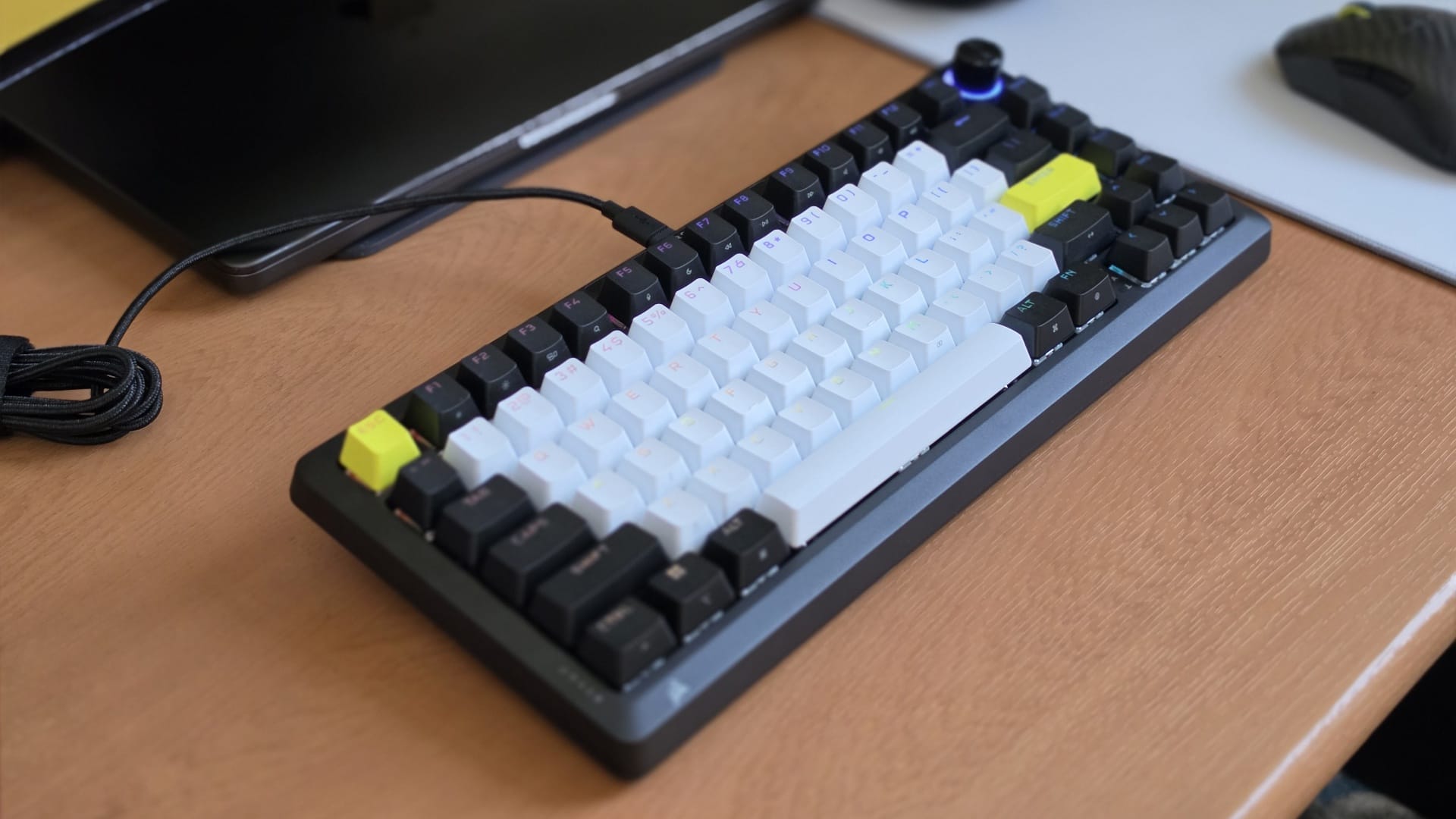
Hall Effect keyboards have been having a moment for a while now, and Corsair has finally thrown its weight behind the technology with the MAKR Pro 75. It builds on the MAKR 75, released last year — a DIY mechanical keyboard kit priced at $199 — and upgrades it with Corsair's own MGX Hyperdrive Hall-effect magnetic switches. Unlike the base model, which you had to assemble yourself, the MAKR Pro 75 ships fully built and ready to use at AED 961 ($249.99), positioning it at the premium end of what has become an intensely competitive Hall Effect keyboard market in 2025.
The switch to Hall Effect unlocks all the features competitive players have been gravitating toward — Rapid Trigger, per-key adjustable actuation down to 0.1mm, and FlashTap SOCD handling. Corsair has also included the FR4 switch plate that was a paid add-on for the original MAKR 75, and the keyboard runs at up to 8,000Hz polling rate. On paper, it is a solid package and a meaningful upgrade over the base model.
The issue is the price, and what it means for this keyboard in the context of the current market. At AED 961, you are not just buying a good Hall Effect keyboard — you are paying a significant premium over alternatives that have been raising the bar for a while now. Lemokey's L5 HE 8K offers Hall Effect with the same 8K polling rate for $199. Go further down, and brands like Yunzii are selling Hall Effect keyboards at a fraction of this price, and some of them come with stabiliser tuning and sound profiles that punch well above their weight. So the MAKR Pro 75 has a lot to prove, and while it does some things very well, it also stumbles in areas where it really shouldn't, given what it costs.
Specifications and Connectivity
| Form Factor | 75% (function row, arrow keys, navigation column) |
| Switch Type | Corsair MGX Hyperdrive — Hall Effect Magnetic Linear |
| Actuation Force | 30 g – 55 g |
| Actuation Point | Adjustable 0.1 mm – 4.0 mm (0.1 mm increments) |
| Switch Lifespan | 150 million keystrokes |
| Switch Features | Rapid Trigger, Dual Actuation, FlashTap SOCD Handling |
| Polling Rate | Up to 8,000 Hz (ships at 1,000 Hz; adjustable via Web Hub) |
| Keycaps | Double-Shot PBT (white / black / yellow colorway) |
| Switch Plate | FR4 (rigid, enhanced stability for magnetic switches) |
| Mounting Style | Gasket mount with screw-in stabilizers |
| Sound Dampening | 8-layer (PU plate foam, PET backing, IXPE switch foam, PET film, socket foam, PU pad foam, pad foam PET backing, silicon rubber pad) |
| Chassis | 100% machined aluminum |
| Connectivity | Wired USB-C (wireless via optional module: 2.4 GHz Slipstream + Bluetooth) |
| Cable | 1.8 m braided, detachable USB-C to USB-A |
| Onboard Memory | 5 profiles |
| Rollover | N-Key Rollover |
| RGB Lighting | Per-key RGB with customizable effects via Web Hub |
| Rotary Knob | Multi-function programmable metal dial with RGB ring (swappable for LCD module) |
| OS Toggle | Hardware PC / Mac switch (rear) |
| Typing Angle | Removable magnetic feet (adjustable) |
| Software | Corsair Web Hub (browser-based, no install required) |
| Dimensions | 330 mm × 142 mm × 47 mm |
| Weight | 1,282 g (2.83 lbs) fully assembled |
| Color Options | Carbon Black (Silver forthcoming) |
| In the Box | Keyboard, 1.8 m braided cable, dual keycap/switch puller, hex key, screwdriver, spare gaskets and screws |
| Optional Modules | LCD Screen Module ($49.99) · Wireless Module ($79.99) |
| Price | $249.99 USD / AED 961 |
Design and Build Quality
Aluminium Chassis and Layout
The build quality of the MAKR Pro 75 is satisfactory. The fully machined aluminium chassis is heavy and dense, weighing just over 1.1kg assembled, and the carbon black anodised finish looks and feels premium. It is a clean-looking keyboard without a lot going on visually, which I personally appreciate. The carbon black is the only colourway available right now, though Corsair is expected to release a silver version at some point.
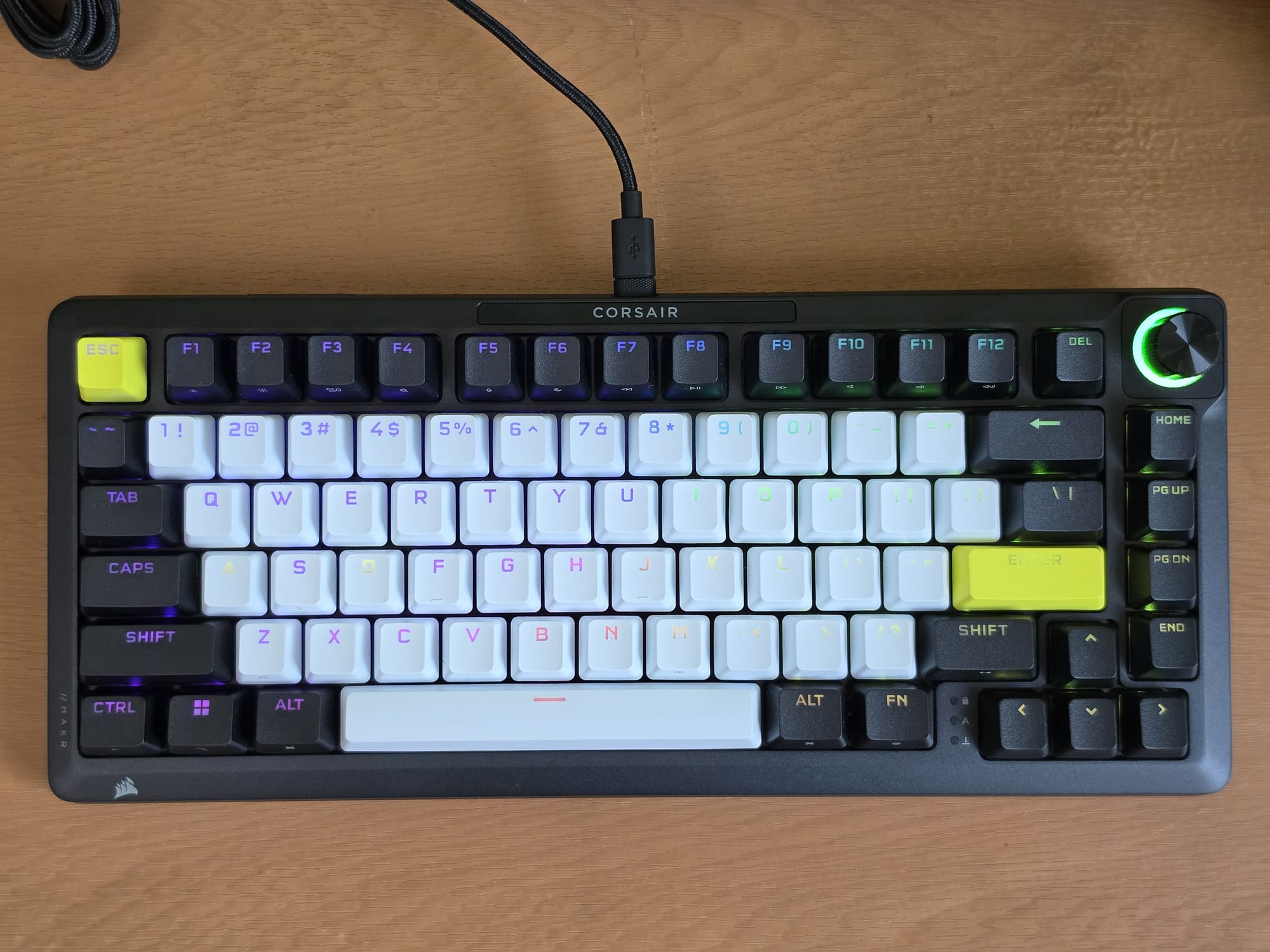
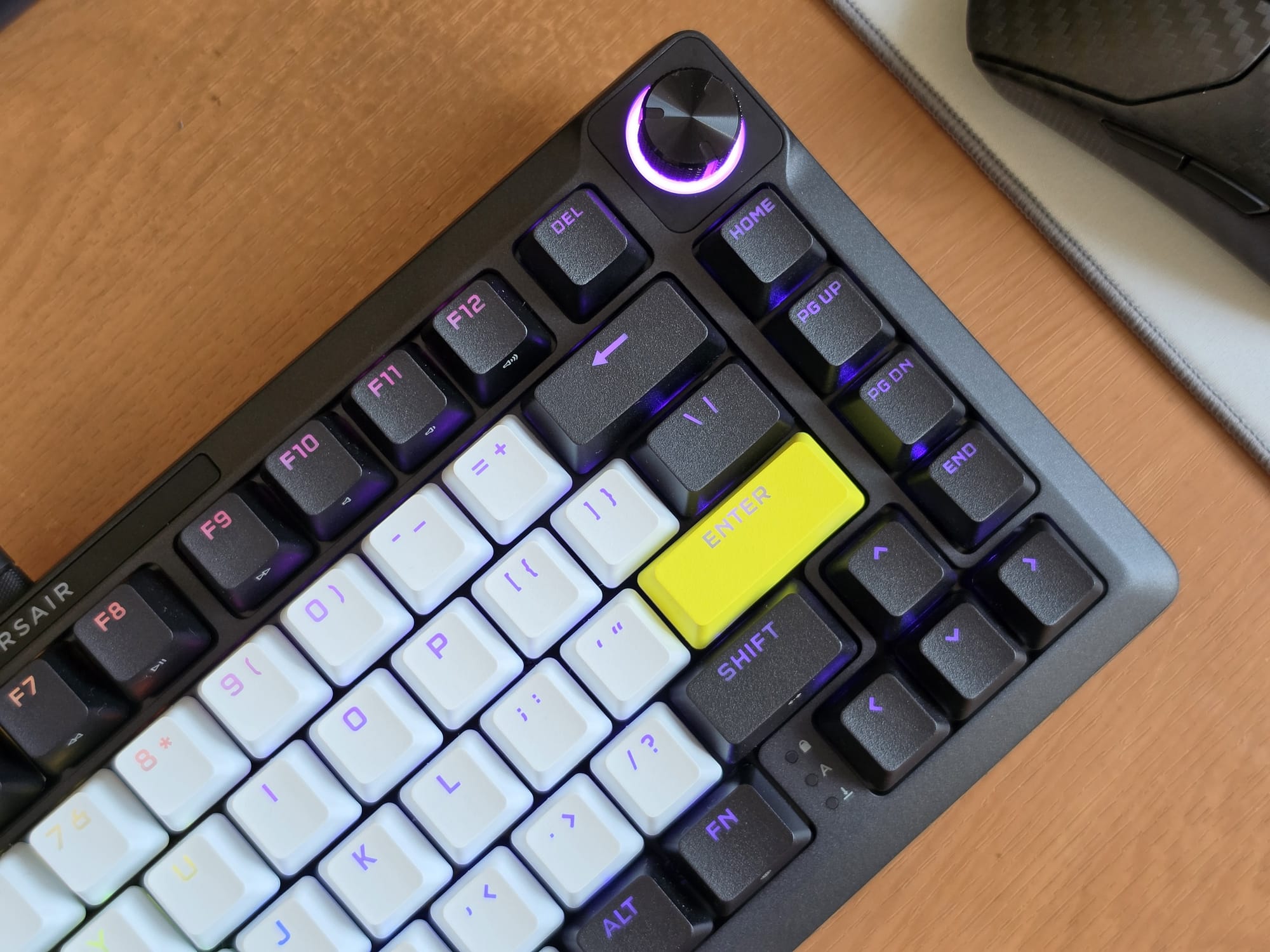
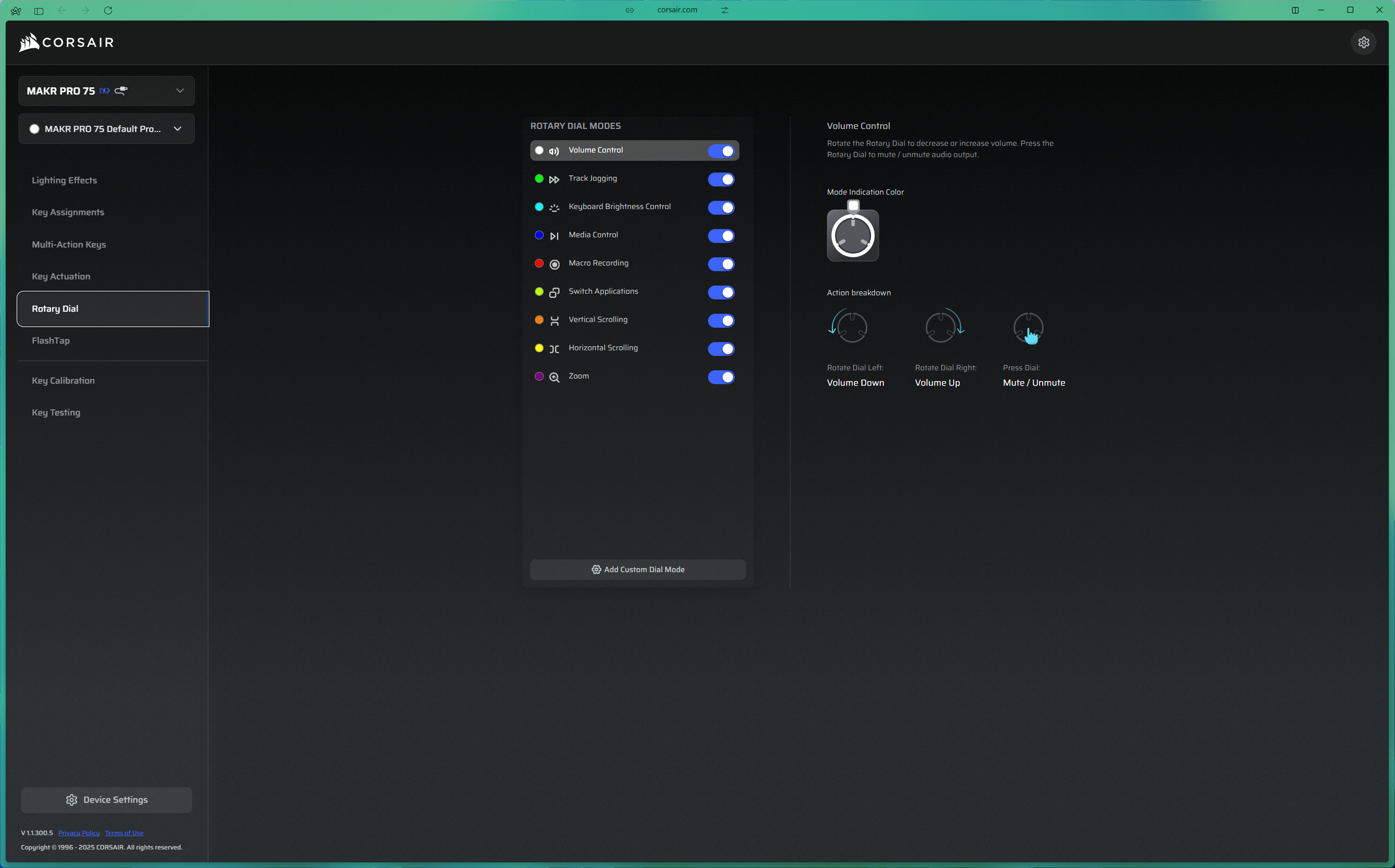
It uses a 75% layout, giving you the full alphanumeric block, a function row, arrow keys, and a column of navigation keys on the right side. There is a metal rotary knob in the top right corner with an RGB ring around it. The knob feels great to use, and I find the colour-coded ring a useful touch — it changes depending on the function you currently have assigned to it, so you always know what it is doing at a glance.
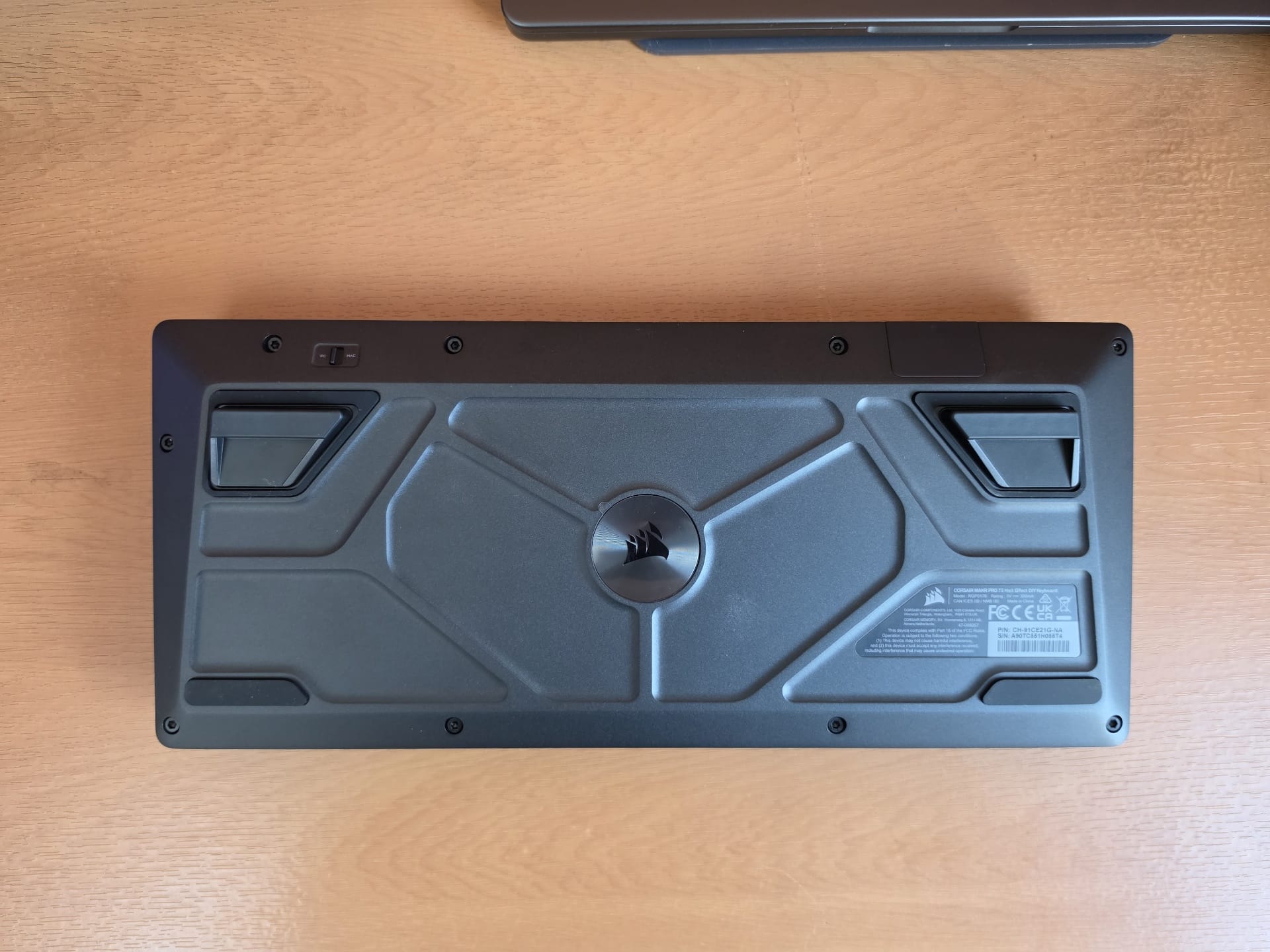
On the back of the keyboard, you will find a physical PC/Mac toggle switch, which I appreciate as a dedicated switch rather than having to memorise a key shortcut every time I switch systems. There are also two removable magnetic feet for adjusting the typing angle, which is a feature that most fully aluminium keyboards sometimes skip.
Rotary Knob, Modules, and Upgradability
Getting inside the keyboard is straightforward — eight hex screws on the underside and an included hex key is all you need. This is all consistent with the DIY identity Corsair is pushing with the MAKR line, which also extends to two optional hardware upgrade modules. The rotary knob can be replaced with an LCD screen module that displays system stats or custom images, and a wireless module can be added to bring 2.4GHz Slipstream and Bluetooth to what is otherwise a wired-only keyboard. The LCD costs $49.99 and the wireless module is $79.99, meaning the full package will set you back by a whopping $380 in total.
And this is where I take issue with Corsair's approach. If you are going to market a keyboard as a DIY platform and charge $250 for it, the wireless module should be included in the box at minimum — especially since the original MAKR 75 DIY kit already costs $199 without it. Compared to the base MAKR 75, you are paying $50 more for pre-assembled Hall Effect switches, the FR4 plate, and 8K polling. That is a reasonable uplift. But the fact that wireless connectivity costs an additional $80 pushes the value equation in the wrong direction, particularly when competitors like the Lemokey L5 HE 8K ship with wireless included for $199.
Keycaps and Stabilisers
Double-Shot PBT Keycaps: Looks vs Feel
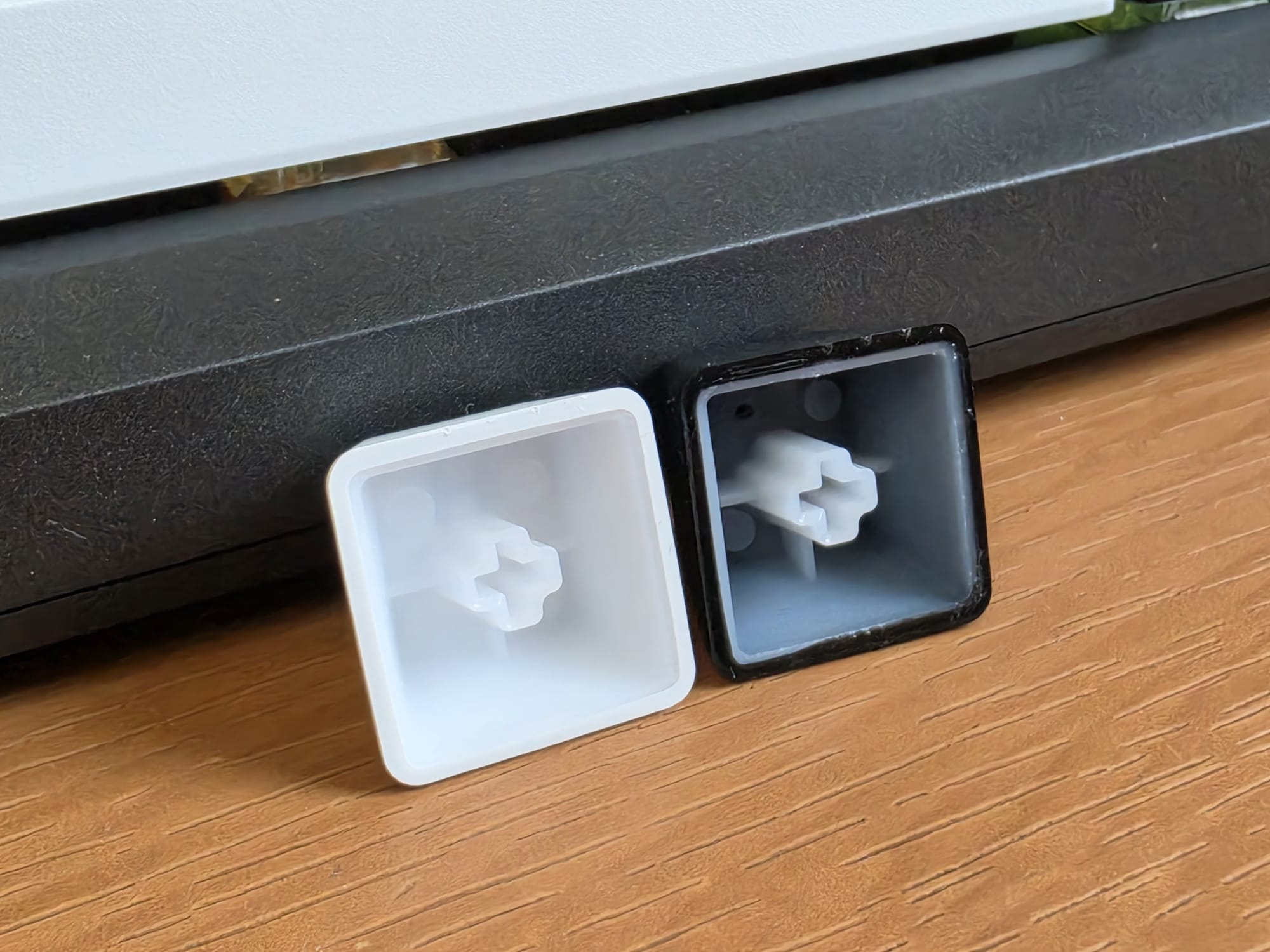
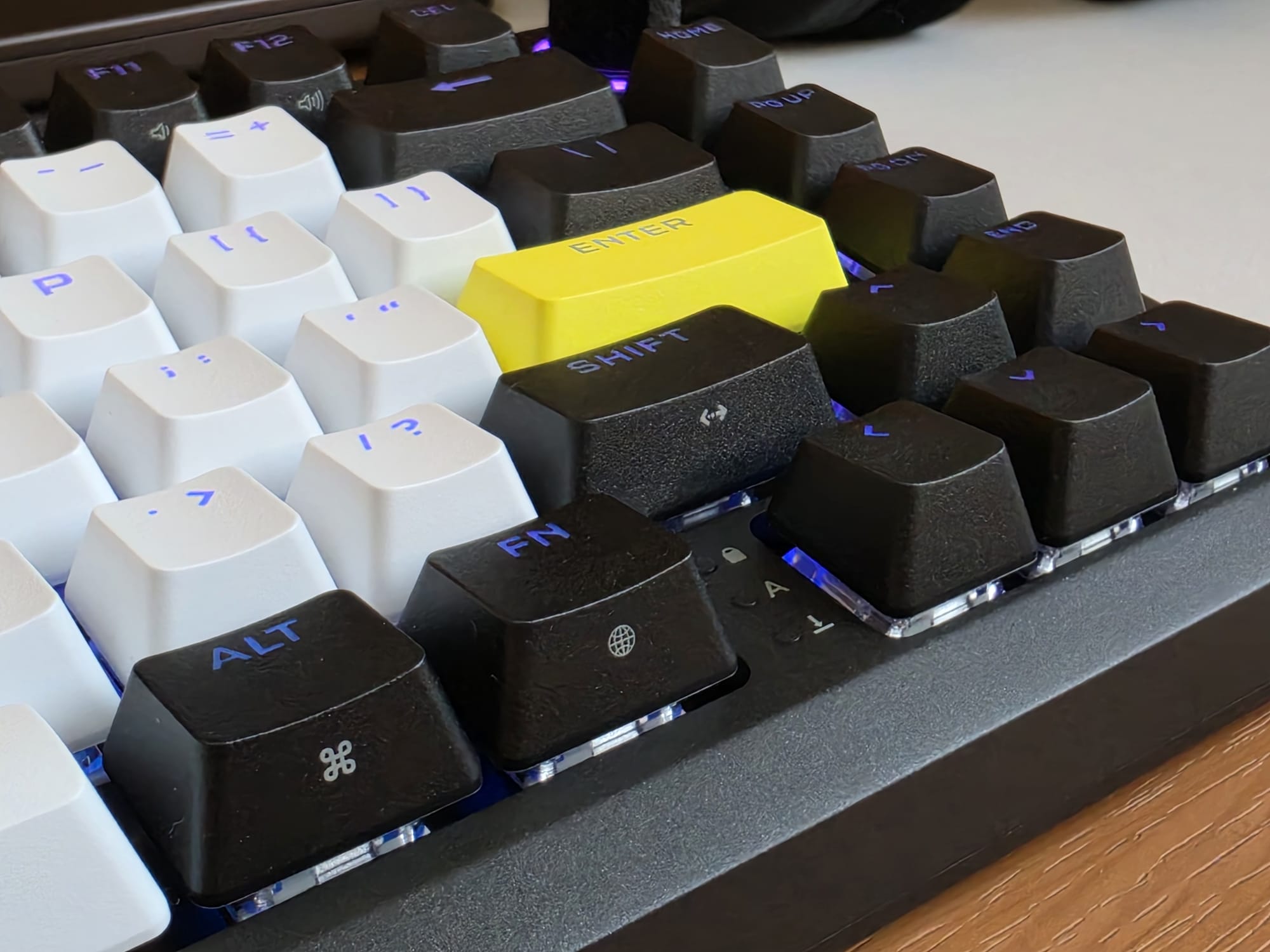
Moving on to the keycaps — they are double-shot PBT in a white, black, and yellow colourway. They look clean enough, but they feel noticeably light and a little hollow under the fingers. The texture is not particularly premium, and they feel out of place on a chassis this solid. They do provide enough grip and curvature for a stable gaming environment, though, and the legends are clear and shine through for a clean RGB setup.
Stabiliser Quality and Sound Impact
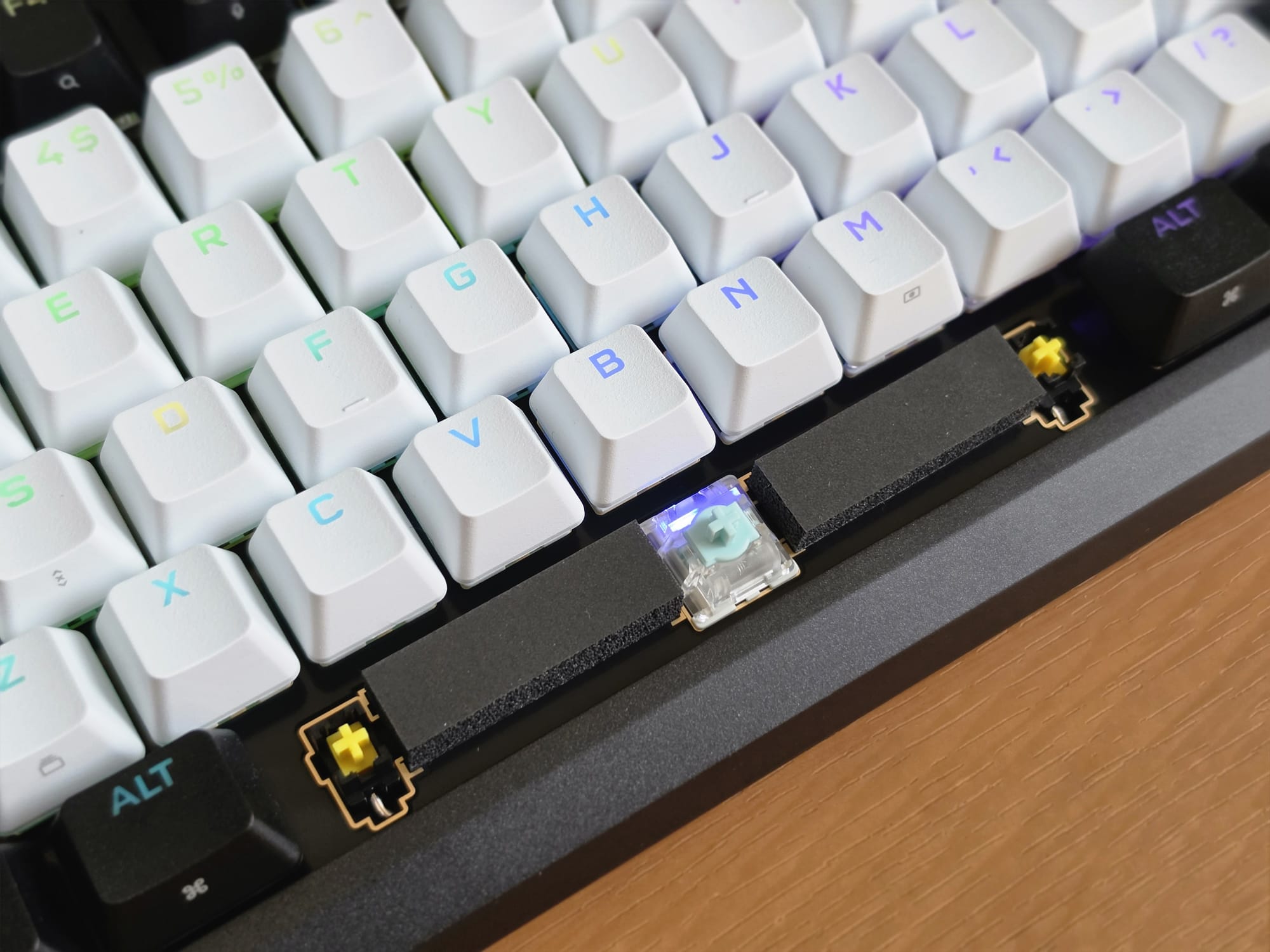
The stabilisers are the biggest disappointment on the MAKR Pro 75, and they are hard to overlook. On the spacebar, backspace, shift, and enter, the stabilisers rattle, they ping, and they feel thin and poorly tuned. This is the kind of stabiliser work I would expect from a budget keyboard, not from something that costs AED 961. As any keyboard enthusiast will tell you, stabilisers make or break the keyboard, and Corsair has missed the mark here. Thankfully, they are your standard plate-mount stabs, so you can replace and/or tune them with lube — but that also means an additional cost and effort that should not be necessary at this price.
Sound Profile and Typing Feel
Eight Layers of Dampening: Does It Work?
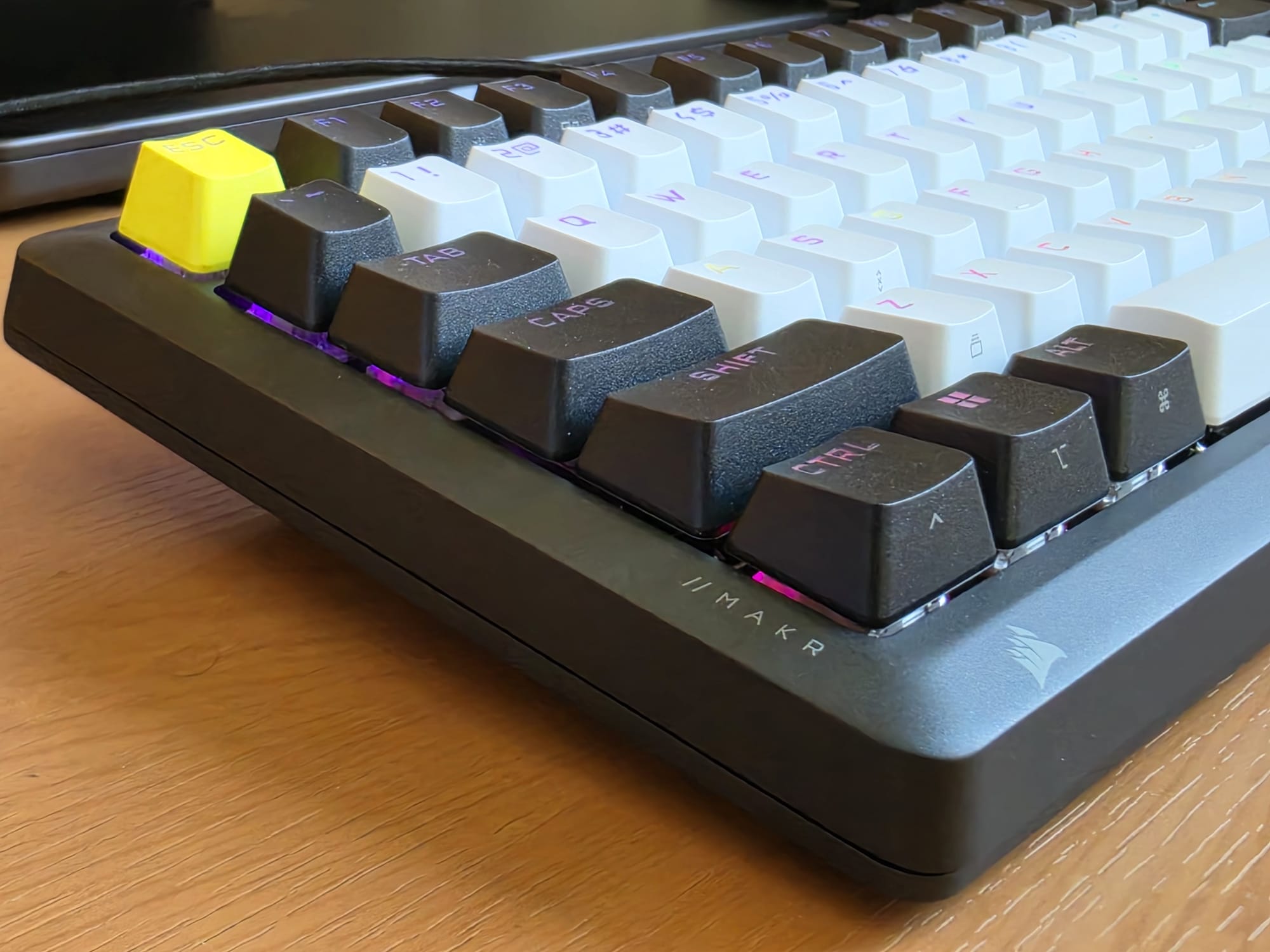
Unfortunately, the poor stabilisers have a direct knock-on effect on the sound profile of the entire keyboard. Corsair has packed eight layers of dampening material inside this keyboard — IXPE switch foam, socket foam, a silicon rubber pad, PU plate foam, and more — and despite all of that, the keyboard sounds average. It is not unpleasant, but it sounds scratchy and cheap. The dampening has done a reasonable job of reducing hollow resonance, but it cannot compensate for poorly tuned stabilisers, and that is what you hear every time you hit the spacebar or the backspace.
Gasket Mount: Why It Doesn't Feel Like One
The gasket mount is also worth discussing because it does not behave quite the way you might expect. Gasket mounting is generally associated with a softer and slightly springy typing feel, since the PCB is not rigidly attached to the case. Here, the combination of the stiff FR4 switch plate and the densely packed internal dampening works against any of that natural flex. The result is a typing feel that is closer to a rigid top-mounted keyboard than what you would expect from a gasket mount build. This actually works fine for gaming since the stability is useful there, but if you are buying into this keyboard partly for the soft typing experience that gasket mounts are known for, you will likely be disappointed.
Software: Corsair Web Hub
Per-Key Actuation, Profiles, and Configuration
The software side of the MAKR Pro 75 is one of the areas where Corsair has done well. The Web Hub is a browser-based configuration tool that requires no installation — you just open it in a browser, connect the keyboard, and you are ready to go. It covers RGB lighting on a per-key basis, full key remapping, macro recording and assignment, and polling rate adjustment from 125Hz all the way up to 8,000Hz. All of this can be saved across five onboard profiles so the keyboard retains your settings even when disconnected. The interface is clean and well laid-out, and I found it approachable even for the more technical Hall Effect settings. However, the Web Hub only works on Windows. If you are on macOS, you are out of luck — a limitation the MAKR Pro 75 shares with Corsair's other recent peripherals, including the Sabre V2 Pro CF gaming mouse.
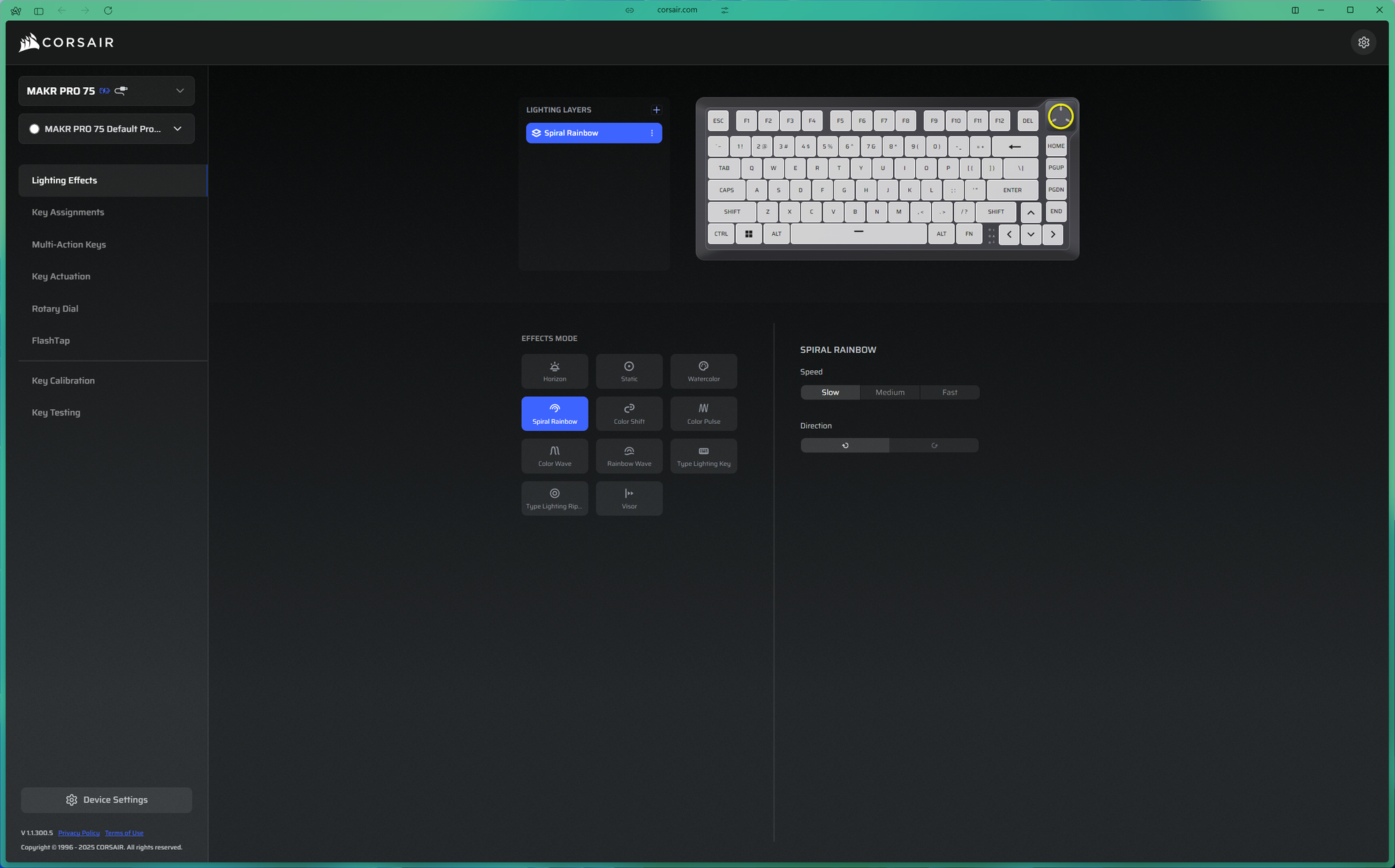
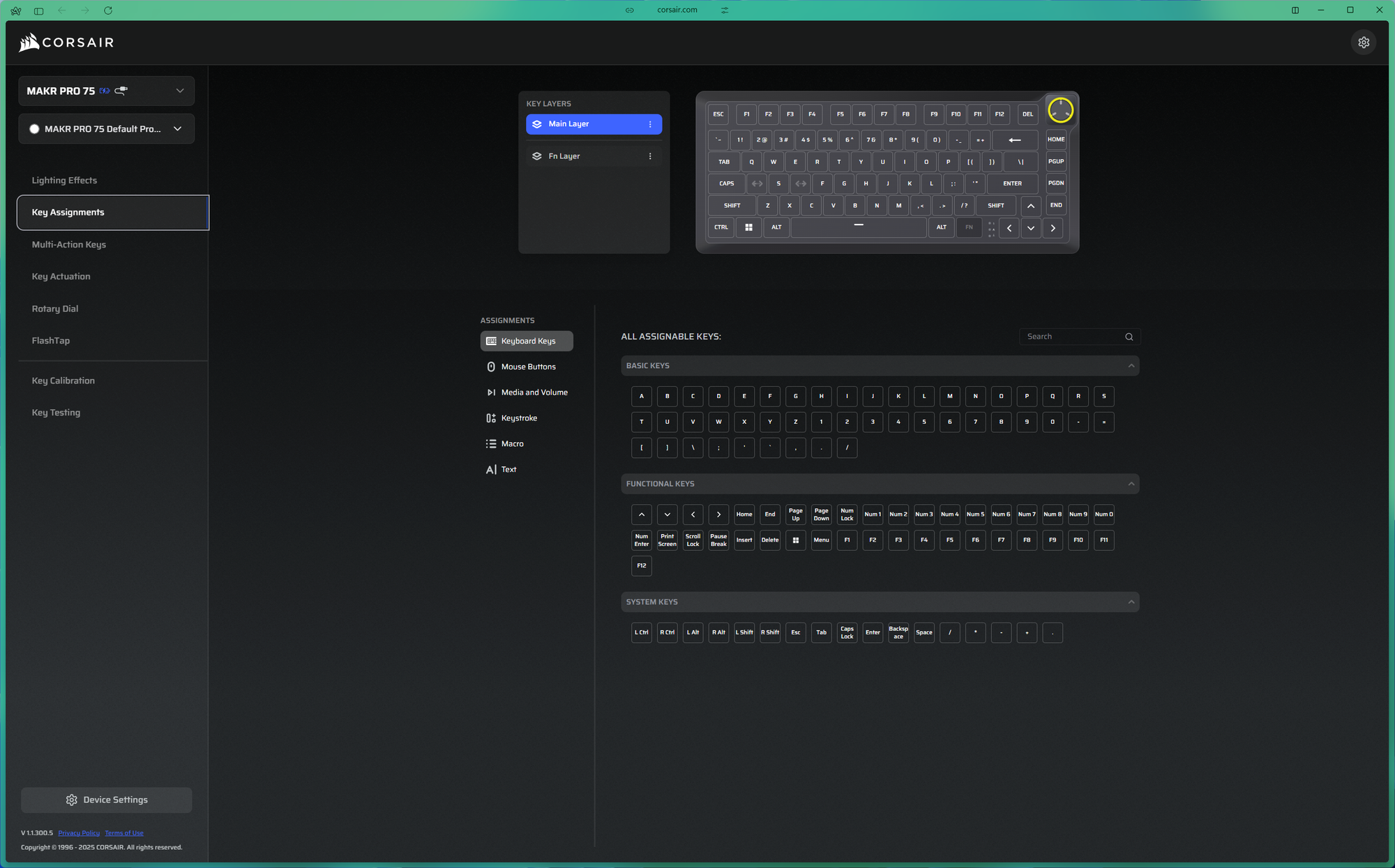
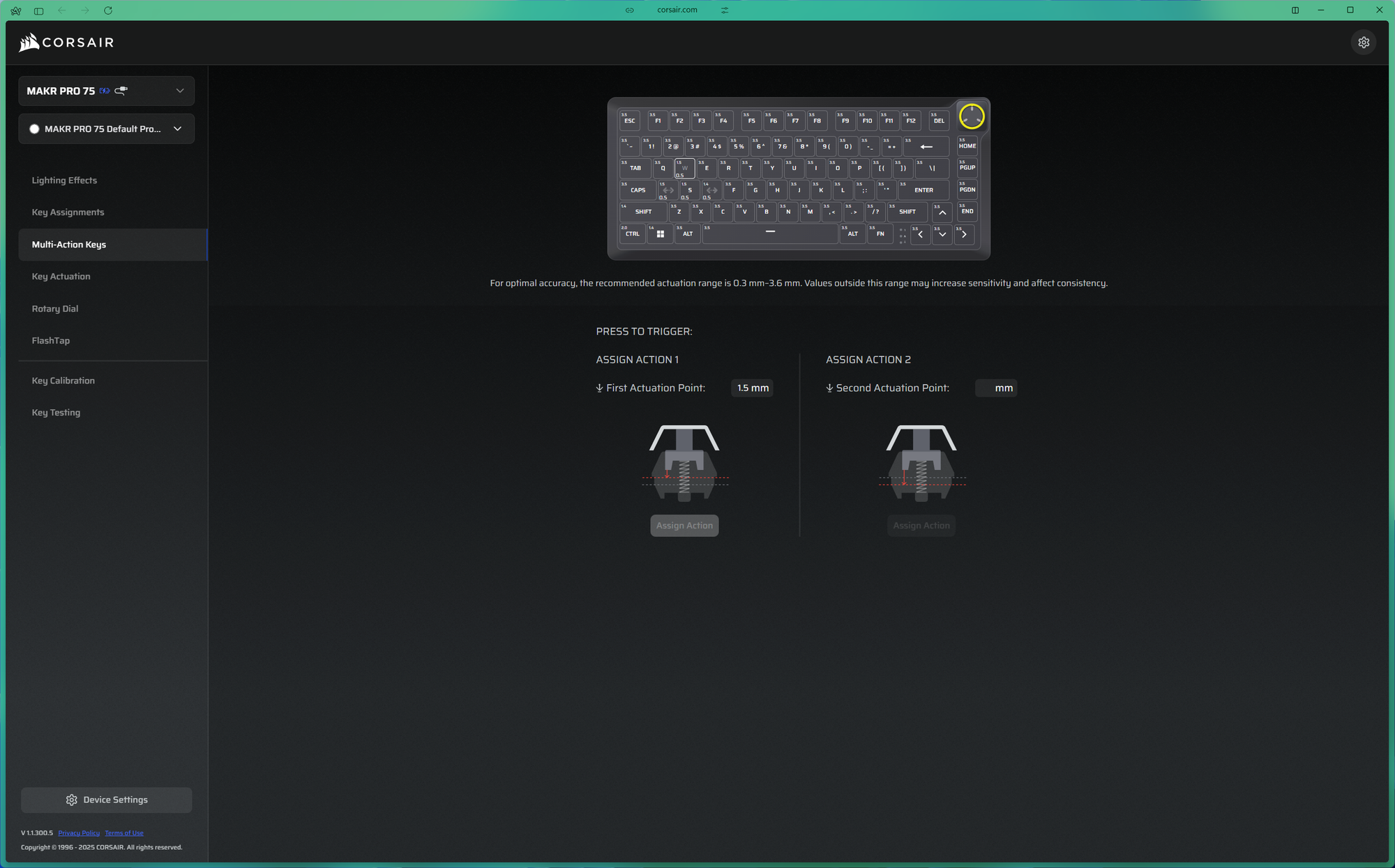
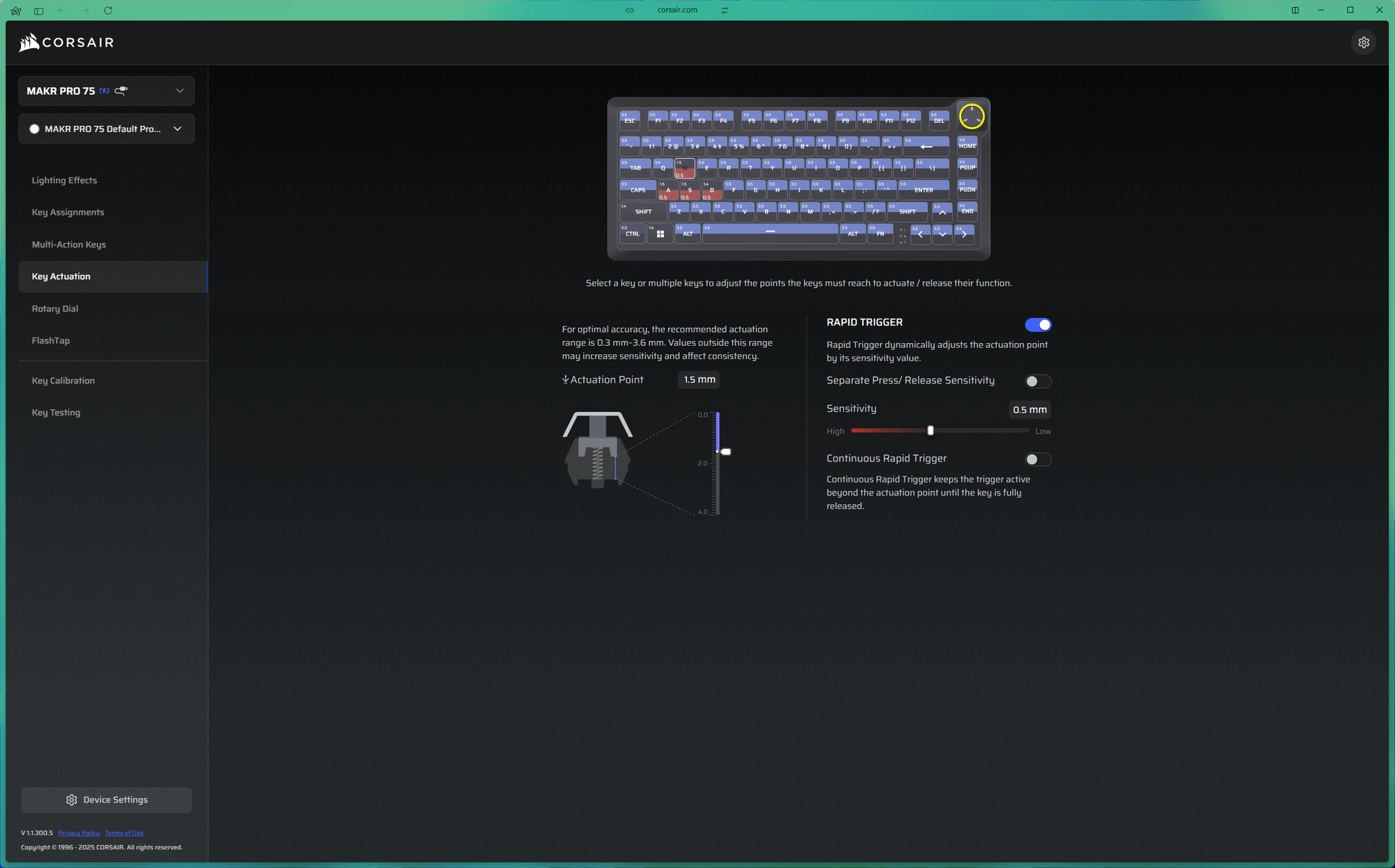
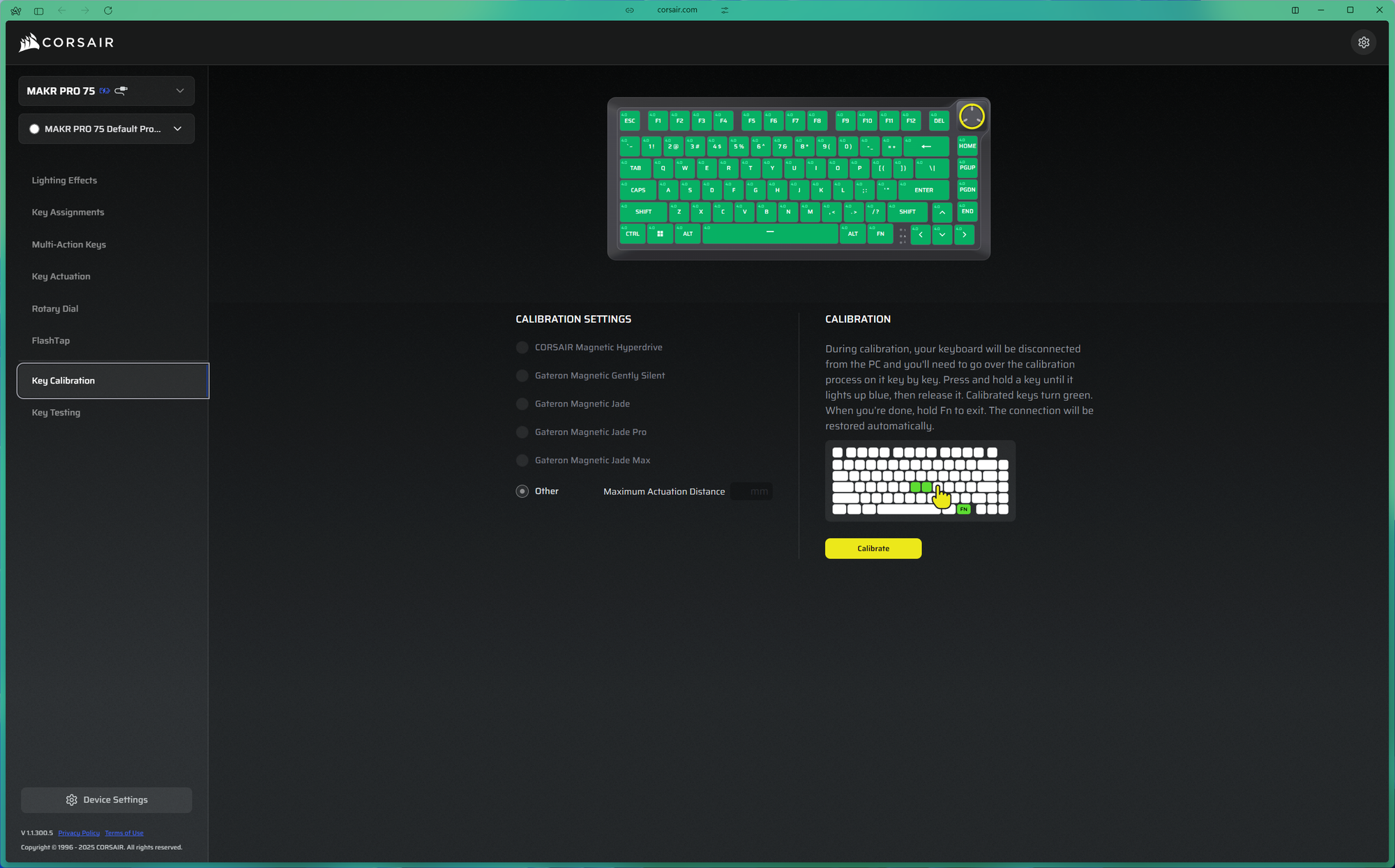
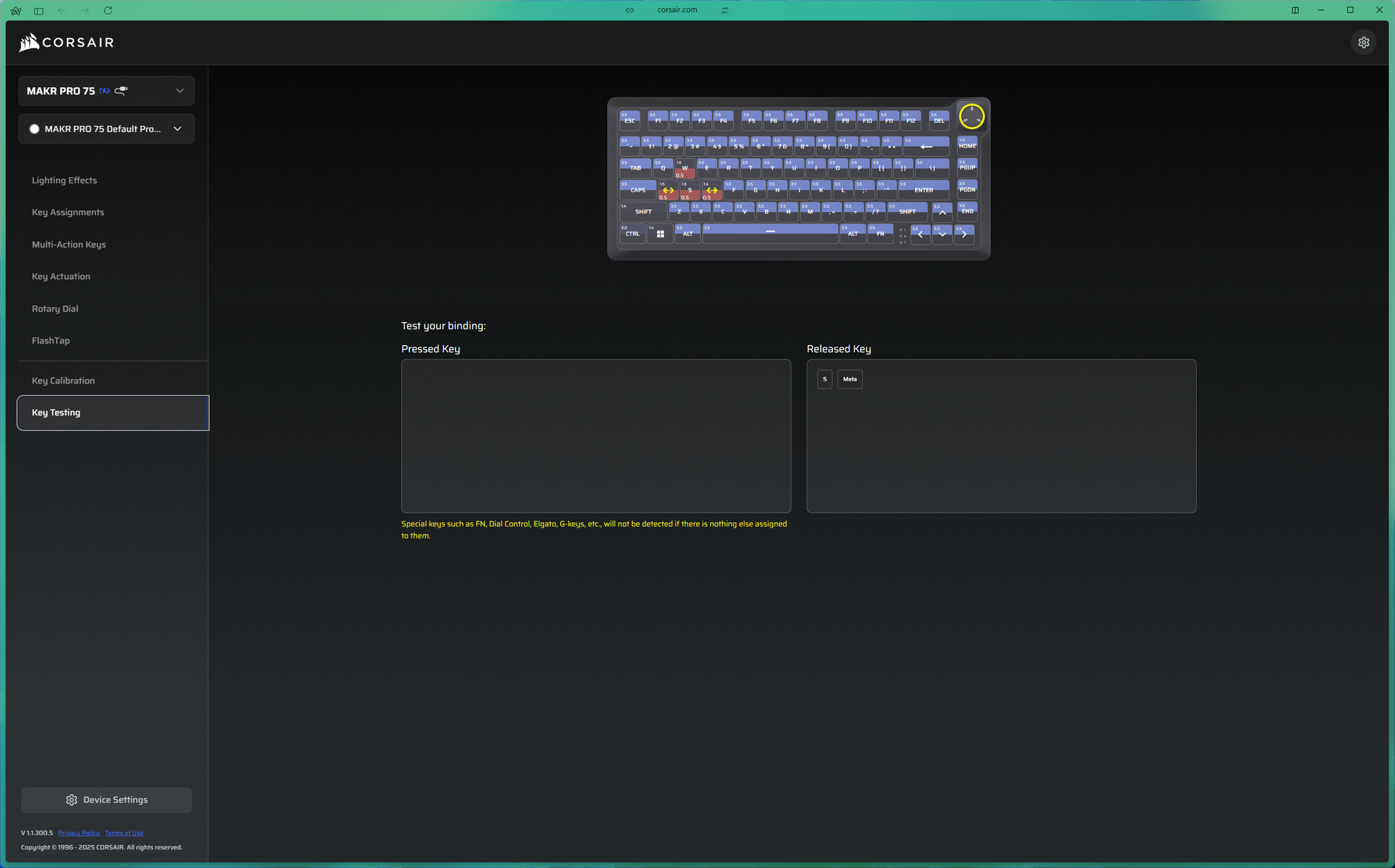
The switch configuration options are thorough. Every key on the board can have its actuation point set individually anywhere between 0.1mm and 4.0mm in 0.1mm steps, and each key also supports a secondary actuation point and a separate reset point. This means you can configure something like your WASD cluster to activate at 0.3mm for maximum responsiveness while keeping the rest of the board at a more conventional depth, so you are not triggering unintended inputs while typing — something I had to do immediately, as it is not configured by default.
Rapid Trigger and FlashTap SOCD Explained
Rapid Trigger works well here. On a standard keyboard, there is a fixed actuation point and a fixed reset point, and the key has to travel back past the reset before it can fire again. With Rapid Trigger active, the reset is dynamic — as soon as you start lifting the key, the keyboard is ready for the next press regardless of where you are in the travel distance. This allows for much faster repeated keypresses with less physical movement, which in competitive gaming translates to quicker execution. It is a well-implemented feature and works as expected.
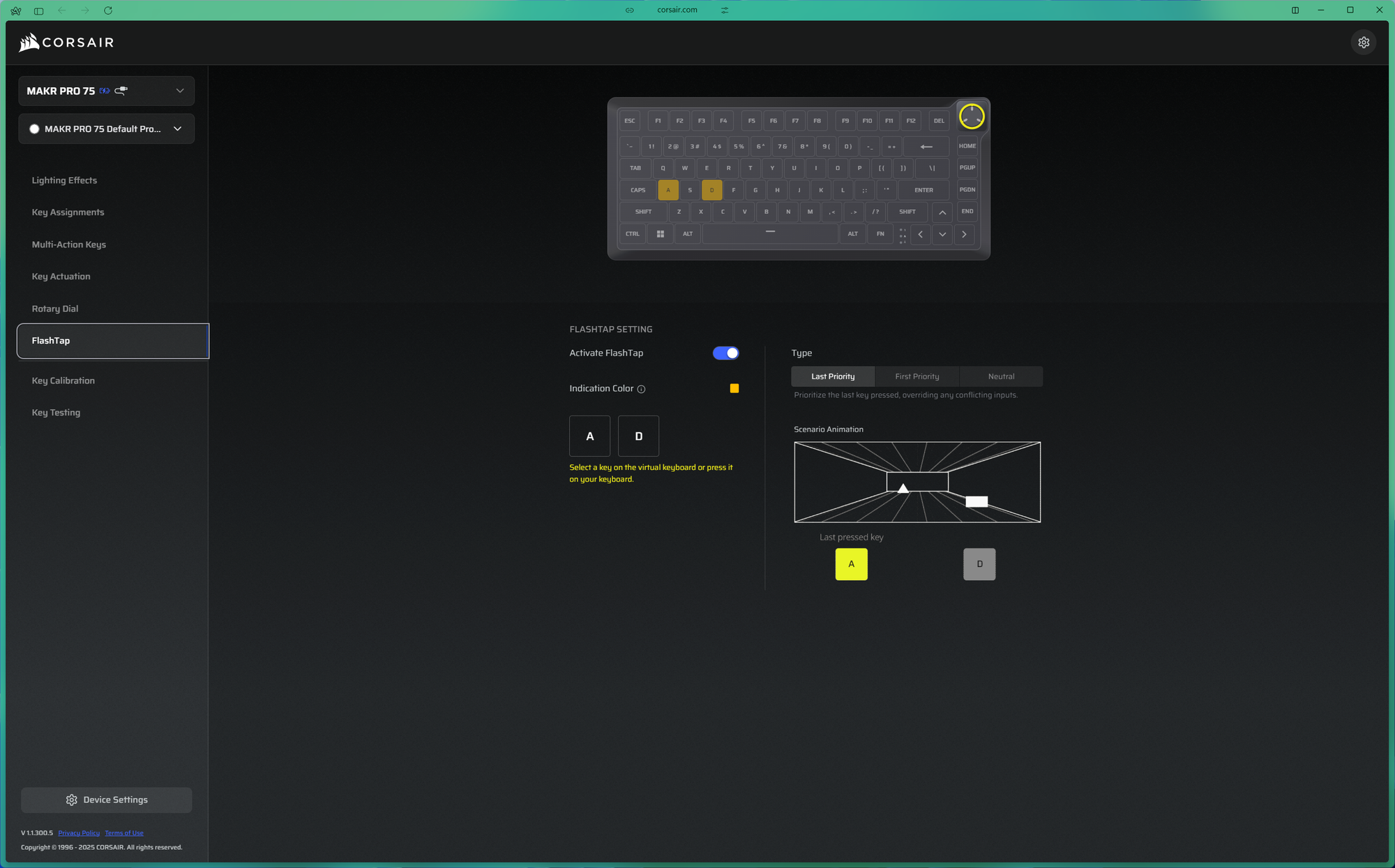
FlashTap is the feature I found most interesting on the MAKR Pro 75. It addresses SOCD — Simultaneous Opposing Cardinal Directions — which occurs when two conflicting directional inputs are held simultaneously. If you hold A to move left and press D while still holding A, most keyboards will have both inputs cancel each other out. FlashTap lets you configure how the keyboard resolves that conflict: you can prioritise the most recently pressed key, the first pressed key, or let it resolve neutrally.
In games like CS2 and Valorant, this is genuinely useful. A lot of competitive play involves making rapid lateral adjustments — you might be holding A to move left and need to immediately register D to correct your position or counter-strafe, without releasing A first. FlashTap lets that happen cleanly so the game registers exactly what you intended. It allows positioning in games at a micro-level, which can be useful when the area of movement needs to be exact, making the MAKR Pro 75 one of the better Hall Effect keyboards for Valorant and CS2 players who want that level of input precision.
Gaming Performance
8,000Hz Polling Rate and Competitive Play
Overall gaming performance is excellent. The 8K polling rate keeps everything feeling immediate, and the combination of Rapid Trigger and FlashTap gives the keyboard a real edge in competitive scenarios over a conventional gaming keyboard. The Hall Effect feature set here is complete, and if your primary use case is competitive gaming, the MAKR Pro 75 delivers where it matters most.
Should You Buy the Corsair MAKR Pro 75?
The MAKR Pro 75 is a keyboard that I find genuinely difficult to give a straightforward recommendation on. The build quality is solid, the Hall Effect feature set is complete and works well — Rapid Trigger, FlashTap, per-key actuation tuning, and 8K polling rate covers everything a competitive player would want. The Web Hub is well-designed and makes configuration accessible.
But when you actually sit down and use the keyboard, the experience does not feel like what the price implies. The stabs are poorly tuned and it shows every time you use the larger keys. The keycaps feel out of place on such a solid chassis. And despite all the internal dampening, the keyboard ends up sounding like something you could have bought for a fraction of the price. The gasket mount offers little of the soft, forgiving feel that gasket mounts are generally valued for. None of these are minor issues when the keyboard costs AED 961.
The optional module pricing makes things harder to justify as well. Charging $79.99 extra for wireless on a keyboard already at $250 is a tough ask when other Hall Effect keyboards exist that cost significantly less and ship with wireless connectivity, better sound profiles, well-tuned stabilisers, and equally feature-rich switches.
If you are a competitive gamer who specifically wants the Corsair ecosystem, values the aluminium build, and is comfortable tuning the stabilisers yourself, then the MAKR Pro 75 will serve you well for gaming. But if you are buying it expecting the full package — premium build, premium sound, premium typing experience — it does not quite deliver all three. And at this price, it really should.
Corsair MAKR Pro 75 vs Lemokey L5 HE 8K: Is Corsair Worth the Premium?
The most direct competitor to the MAKR Pro 75 is the Lemokey L5 HE 8K, which offers Hall Effect switches with the same 8,000Hz polling rate at $199 — roughly AED 200 less. The Lemokey ships with wireless connectivity included, well-tuned stabilisers, and a sound profile that consistently impresses. Where the Corsair pulls ahead is build material — full machined aluminium versus the Lemokey's aluminium-and-plastic construction — plus modular upgradability with the LCD and wireless modules, and the FlashTap SOCD implementation.
If you value the Corsair ecosystem, the aluminium unibody, and plan to use FlashTap in competitive titles, the MAKR Pro 75 has a case. If sound quality, wireless out of the box, and value-for-money are your priorities, the Lemokey L5 HE 8K is the stronger buy.
How Does the MAKR Pro 75 Compare to Other Hall Effect Keyboards?
The Hall Effect keyboard market has become intensely competitive, and the MAKR Pro 75 sits at the premium end of a crowded field. Yunzii and Wooting are both offering Hall Effect boards with Rapid Trigger at significantly lower prices — some under $100 — with sound profiles and stabiliser tuning that punch above their weight. The Wooting 80HE, a direct competitor at the premium tier, is widely regarded as one of the best Hall Effect gaming keyboards available, with a well-balanced sound profile and excellent software.
At AED 961, the Corsair MAKR Pro 75 is asking buyers to pay a premium that the typing and sound experience does not fully support, even if the gaming feature set and aluminium build quality are strong. For anyone searching for the best Hall Effect keyboard in the UAE, the MAKR Pro 75 deserves consideration for its competitive gaming features — but it is not the complete package its price tag suggests.
Written by

Subscribe to our newsletter
Subscribe to our newsletter to get the latest updates and news











Member discussion