The Asus ProArt RTX 5090 OC Edition is a slightly different take on NVIDIA’s flagship graphics card. Rather than chasing the largest cooler, the highest factory overclock or enough RGB lighting to illuminate an entire room, Asus has built this version for creators and high-end systems where size, noise and connectivity matter just as much as raw performance.
Underneath the cooler is the same Blackwell GPU found in every RTX 5090, with the same CUDA cores and GDDR7 memory. The ProArt adds a modest factory overclock, but the more meaningful changes are found around the GPU. The ProArt uses a 2.5-slot cooler with two rather large fans, a vapour chamber, liquid metal thermal compound and a double-vented backplate.
At around AED 21,499, it is also one of the more expensive RTX 5090s you can buy in the UAE. The case for it therefore rests entirely on what Asus has built around the GPU rather than on the GPU itself.
Asus ProArt RTX 5090 OC Edition
The Asus ProArt RTX 5090 OC Edition delivers flagship 4K performance inside a slimmer, quieter and more tasteful design, but it’s gonna cost ya as these things always do.
- Excellent native 4K performance
- Compact 2.5-slot design
- Low temps and fan noise
- Sleek, understated aesthetics
- USB-C display output
- Expensive, to absolutely no one’s surprise
- Minor coil whine under load
Where to buy · Prices checked August 3, 2026
MicrolessAED 21,499ViewTbreak Media UAE may earn a commission on purchases made through these links — it never affects our scores.
The Slimmest Way to Fit a 5090 in a Normal Case
The ProArt RTX 5090 OC Edition is one of the more tasteful flagship graphics cards Asus has produced. Its matte black shroud is decorated with subtle gold lines, dark brown wood-patterned trim and small ProArt markings, with no RGB lighting or aggressive gaming flourishes anywhere in sight. The design looks clean and expensive without becoming dull, and should sit just as comfortably inside a professional workstation as it would in a high-end gaming PC.
Build quality is equally reassuring. The shroud and backplate feel rigid, while Asus uses an internal bracket to maintain mounting pressure around the GPU. The PCB is also covered with a protective coating to help guard against moisture, dust and debris. An adjustable support bracket is included in the box to reduce sag, which is useful considering the size and weight expected from an RTX 5090.

The card measures 304mm x 140mm x 50mm thick, occupying 2.5 slots. That is still large by normal GPU standards, but relatively compact beside aftermarket RTX 5090 cards that frequently stretch beyond 350mm and consume nearly four expansion slots. The slimmer design leaves more room for nearby PCIe devices, improves side-panel clearance and makes cable routing easier, which gives it genuine appeal for compact workstations and SFF-ready enthusiast cases. The Founders Edition is technically thinner, however, so the ProArt’s size advantage is mainly against other third-party cards.
Cooling is handled by two large 115mm Axial-tech fans, which Asus claims produce 20% more airflow and pressure. Beneath them sits a vapour chamber, a substantial heatsink and liquid metal over the GPU, while vents at both ends of the backplate allow air to pass through rather than becoming trapped against the PCB. The fans also stop entirely under lighter loads, keeping the card silent when active cooling is not required.
A physical BIOS switch lets you choose between Performance and Quiet profiles without using any software. Asus GPU Tweak III provides deeper controls for clocks, fan speeds and monitoring, while the factory overclock pushes the boost frequency from the Founders Edition’s 2,407MHz to 2,482MHz by default or 2,512MHz in OC mode. It is a modest uplift, but it does give the ProArt a small edge out of the box.

Power is supplied through a rear-mounted 16-pin connector angled away from the side panel, making it easier to route inside narrower cases. Asus includes a four-to-one PCIe adapter for older power supplies, although a modern ATX 3.1 PSU with a native 12V-2×6 cable is preferable. Display outputs consist of one HDMI 2.1b port, two DisplayPort 2.1b connections and one USB-C port. The USB-C output replaces the third DisplayPort found on the Founders Edition, but offers greater flexibility for creator monitors, portable displays and drawing tablets.

Asus also supplied the ROG Equalizer, a premium 750mm 12V-2×6 cable rated for graphics cards drawing up to 600W. It uses larger-capacity conductors, gold-plated contacts and an internal current-balancing design intended to reduce concentrated loads around individual connector pins. The flexible cable and included combs also make routing much cleaner than the bulky adapter included with the GPU. It does not affect performance, but it is a well-made accessory that feels appropriate when powering a card rated for 575W.

The card was paired with the Asus TUF Gaming 1200W Platinum PSU, which provides comfortable headroom above the recommended 1,000W capacity. It supports ATX 3.1 and PCIe 5.1, includes a native 12V-2×6 connection and is designed to handle the short power spikes generated by modern flagship GPUs. Its 80 Plus Platinum efficiency, flexible modular cables and protective features make it a strong match for the ProArt, particularly in a system using a high-end CPU and several additional components.
Native 4K Is Effortless, Ray Tracing Still Is Not
We tested the Asus ProArt RTX 5090 OC Edition using the following system:
- CPU: Intel Core Ultra 9 270K Plus
- RAM: 32GB DDR5-7200
- Motherboard: ASUS ProArt Z870
- GPU: ASUS ProArt GeForce RTX 5090 OC Edition
- PSU: ASUS TUF Gaming 1200W Platinum
All games were tested at 4K using the Ultra or highest available preset.
The ProArt RTX 5090 recorded 14,083 points in 3DMark Speed Way, 14,259 in Steel Nomad, 34,098 in Port Royal and 22,501 in Time Spy Extreme. It also reached 175.8fps in the 3DMark DirectX Raytracing test. These are strong, expected results for an RTX 5090, confirming that the slimmer 2.5-slot cooler does not appear to compromise its flagship-level performance.
Benchmarks
Asus ProArt RTX 5090 OC Edition
3DMark
Gaming Benchmarks
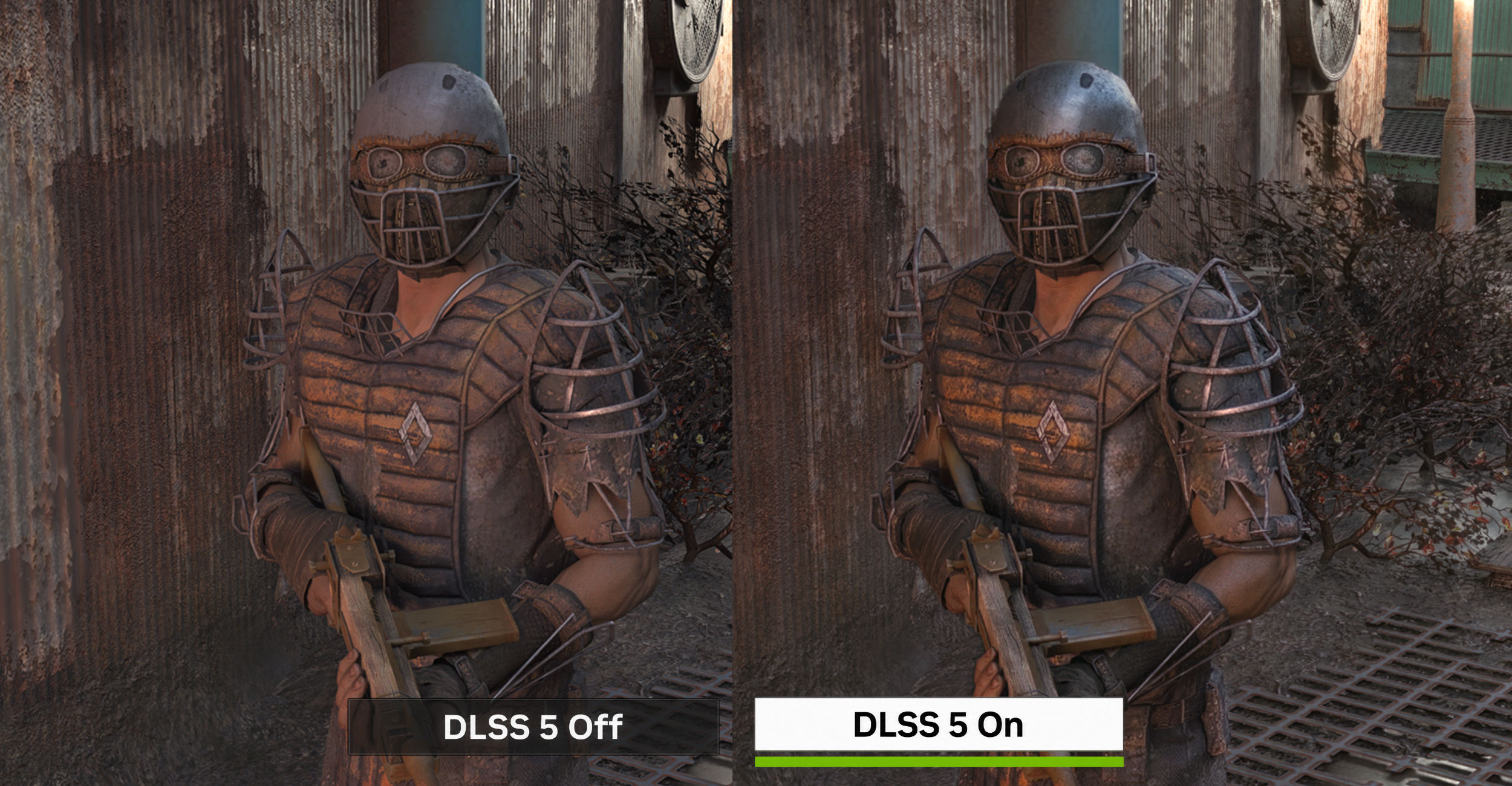
Native 4K performance is excellent in games without heavy ray tracing. Cyberpunk 2077 ran at 110fps using the Ultra preset, while Forza Horizon 6 reached 128fps at Ultra with DLAA. Marvel Rivals was a little more demanding at 76fps, but that is still a smooth and entirely playable result without any help from upscaling or generated frames. For regular rasterised gaming, the RTX 5090 has enough power to comfortably handle 4K at maximum settings, and DLSS is mainly required when chasing higher refresh rates.
Marvel Rivals rose from 76fps to 109fps after enabling DLSS Quality, and then jumped to 180fps with MFG set to 2x. The DLSS result alone is already enough for a high-refresh-rate experience, while MFG pushes it much closer to what a 240Hz display can take advantage of. The reported frame rate does not tell the full story, since generated frames do not reduce input latency in the same way as conventionally rendered ones, but the improvement in motion smoothness is immediately noticeable due to the already high base frame rates.
Ray tracing remains far more punishing, even for an RTX 5090. In Forza Horizon 6, enabling RT dropped performance from 128fps to 68fps. Cyberpunk 2077 showed a similar decline, falling from 110fps at Ultra to 58fps using the RT Ultra preset. Both remain playable, but the results show that native 4K RT can still cut performance almost in half, regardless of how expensive or powerful the card is.

Cyberpunk’s full Path Tracing mode is even more brutal, reducing the native frame rate to 35fps. DLSS Balanced and MFG 2x transformed that into a reported 138fps, while the same combination pushed the RT Ultra from 58fps to 181fps. These are massive gains, but they also show how much NVIDIA’s flagship performance now depends on its complete DLSS feature set. The RTX 5090 can technically run PT at native 4K, but not at a frame rate most buyers of such a card would want to use.
Black Myth: Wukong proved to be the toughest test. At Cinematic settings with Super Resolution set to 90% and DLSS enabled, the game averaged 62fps. Turning on RT dropped that to just 32fps, while MFG 2x brought it back to 58fps. It is an extreme workload, but it reinforces the same point: buying an RTX 5090 does not mean every modern game can be brute-forced at native 4K with every visual setting enabled. It entirely depends on the optimisation of the game and the engine it uses, which unfortunately has been lacking for a few years now. In the most demanding titles then, DLSS and FG are still necessary to maintain smooth performance if you want RT or PT in the mix.
The ProArt RTX 5090 performs exactly as expected from NVIDIA’s fastest consumer graphics card. Native 4K raster performance is superb, while RT and PT continue to demand some combination of DLSS and MFG.
550W You Can Barely Hear
The ProArt RTX 5090 OC Edition drew up to 550W under load, a little under its 575W rating and about what you would expect from a flagship GPU pushed this aggressively. It is a huge amount of power for a single graphics card, but the Asus TUF Gaming 1200W Platinum PSU handled it without any issues and still left enough headroom for the rest of the system.
Temps stayed between 65C and 72C during testing, which is impressive considering the card’s slimmer 2.5-slot design. The two large fans and vapour chamber do a good job of keeping the GPU under control without needing to become excessively loud, and even at maximum fan speed, the card remained remarkably quiet from a normal seating distance.
I did notice some coil whine, or possibly a slightly crusty fan noise, while the GPU was under heavy load. It was only audible when placing my ear close to the card, however, and disappeared into the background during normal use. For a 550W GPU with a relatively compact cooler, the ProArt’s thermal and acoustic performance is one of its strongest qualities.
Should you buy the Asus ProArt RTX 5090 OC Edition?
Asus set out to build an RTX 5090 that behaves itself, and it has. Performance is exactly what NVIDIA’s flagship silicon delivers everywhere else — the ProArt’s mild factory overclock changes nothing you can feel — but it arrives in a 2.5-slot card that holds 65C to 72C under load and stays effectively silent from a normal seating distance. That is the answer to the question the price poses: what you are paying for is not speed; it is everything around the speed.
At AED 21,499, that remains a narrow proposition. The coil whine under heavy load takes a little off otherwise excellent acoustics, and a cheaper third-party 5090 will put up near-identical numbers. But if your build is short of space and quiet rather than money, very few cards make the trade this cleanly.
- You need 5090 performance in a case that cannot swallow a four-slot cooler.
- Noise matters more to you than the last few frames.
- You drive creator monitors, portable displays or a drawing tablet and want the USB-C output.
- You want a flagship card that does not announce itself.
- You want the physically smallest 5090: the Founders Edition is thinner.
- Budget is the binding constraint.
- Coil whine bothers you, even quietly.
Asus ProArt RTX 5090 OC Edition FAQ
How much does the Asus ProArt RTX 5090 OC Edition cost in the UAE?
It sells for around AED 21,499, which places it among the more expensive third-party RTX 5090 cards available in the UAE.
How big is the Asus ProArt RTX 5090 OC Edition?
It measures 304mm x 140mm x 50mm and occupies 2.5 slots. That is compact next to aftermarket RTX 5090 cards that stretch past 350mm and take up nearly four slots, though the Founders Edition is technically thinner.
What power supply do you need for the Asus ProArt RTX 5090?
Asus recommends a 1,000W supply as a minimum. We tested with a 1200W Asus TUF Gaming Platinum unit, and a modern ATX 3.1 PSU with a native 12V-2×6 cable is preferable to the bundled four-to-one PCIe adapter.
Is the ProArt faster than the RTX 5090 Founders Edition?
Only marginally. The factory overclock raises the boost clock from 2,407MHz to 2,482MHz, or 2,512MHz in OC mode. The silicon, CUDA core count and GDDR7 memory are identical, so the difference is not something you will feel in a game.
Does the Asus ProArt RTX 5090 run hot or loud?
No. Temps stayed between 65C and 72C under load and the card was remarkably quiet from a normal seating distance, with the fans stopping entirely under lighter loads. There is some coil whine, but only audible with your ear next to the card.