
Asus ExpertBook Ultra Review
Read our Asus ExpertBook Ultra review to see how Intel's new Panther Lake Core Ultra X7 processor and a stunning 120Hz Tandem OLED display make this ultralight business laptop a true MacBook Pro killer.

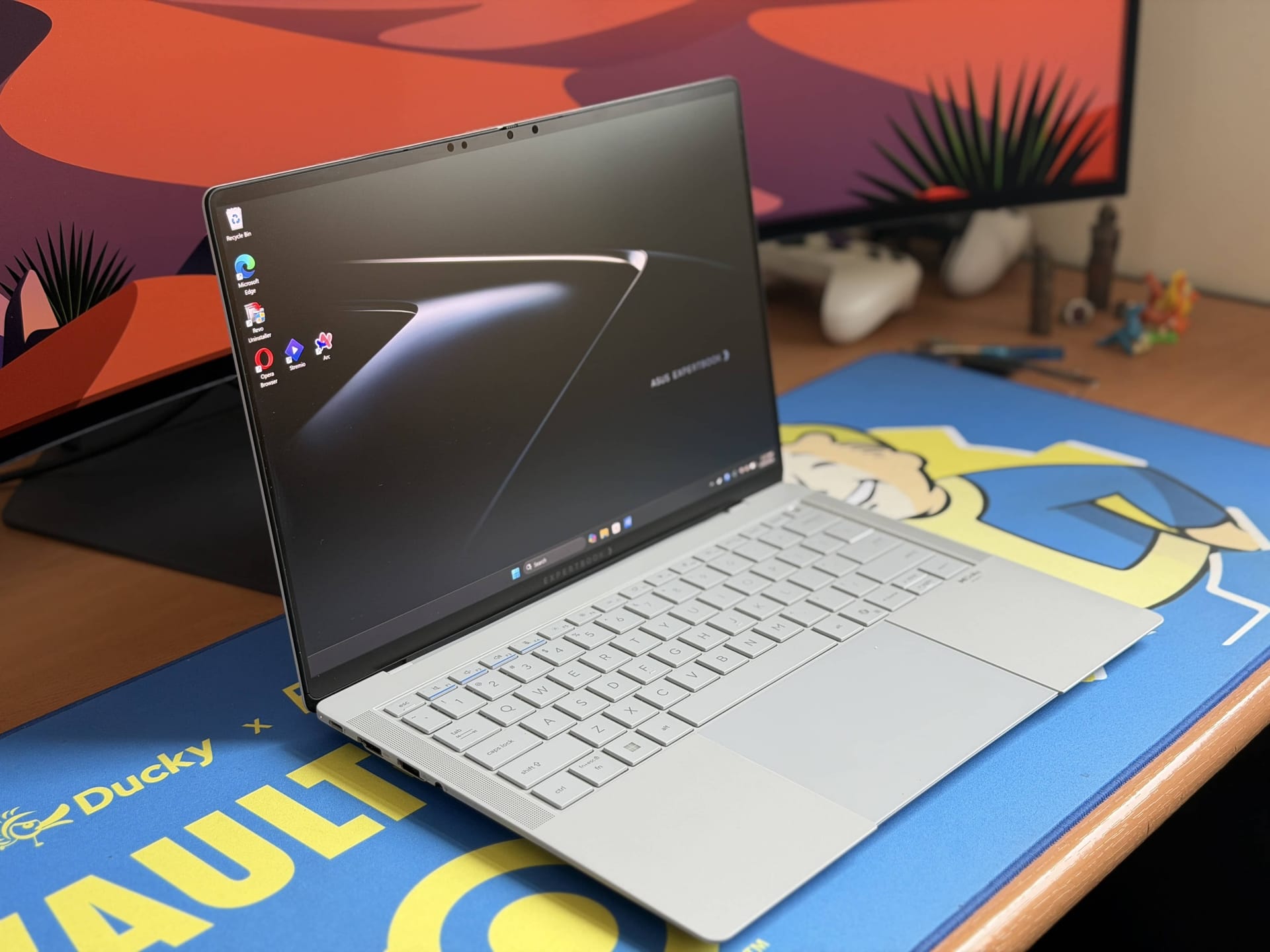
To give you an insight into how I review products, I judge them by two simple metrics: do I want to keep this and how disappointed will I be when it gets taken back? For laptops, for the many I have reviewed, the answer to these questions has always been a ‘no’. While many of them impressed, some with their speed, features and performance, I always preferred my daily driver, the MacBook Air M2, over everything else.
In a laptop, I look for build quality, a premium feel, speedy performance, a great hinge, good software and most importantly, a good trackpad. Apple has been nailing those aspects with the MacBooks for years and is still the undisputed king in this regard.
The Asus Expertbook Ultra most certainly changes that.
Equipped with the latest Intel Core Ultra X7 358H processor, Intel’s Panther Lake architecture that promises significant gains in battery life while improving performance, along with an incredibly lightweight build, the gorgeous ceramic coating finish, Tandem OLED display, 32GB RAM and 1TB SSD, great Dolby Atmos speakers, and yes, a Macbook-esuqe trackpad, Asus’ latest business laptop is as good as - if not better - than the Macbook Pro.
Design and Features
The first thing you notice is the finish. Asus has moved away from the cold, slippery metal of standard premium models and applied a ceramic coating to a magnesium-aluminium alloy chassis. This is easily one of the most beautifully designed and robust laptops I have used.
The ceramic coating feels refreshing and unique; the hand feel is like a mix of matte and sandpaper, though not as coarse, which feels great in the hands and provides a reassuring grip, which is an odd but welcome trait for a laptop.
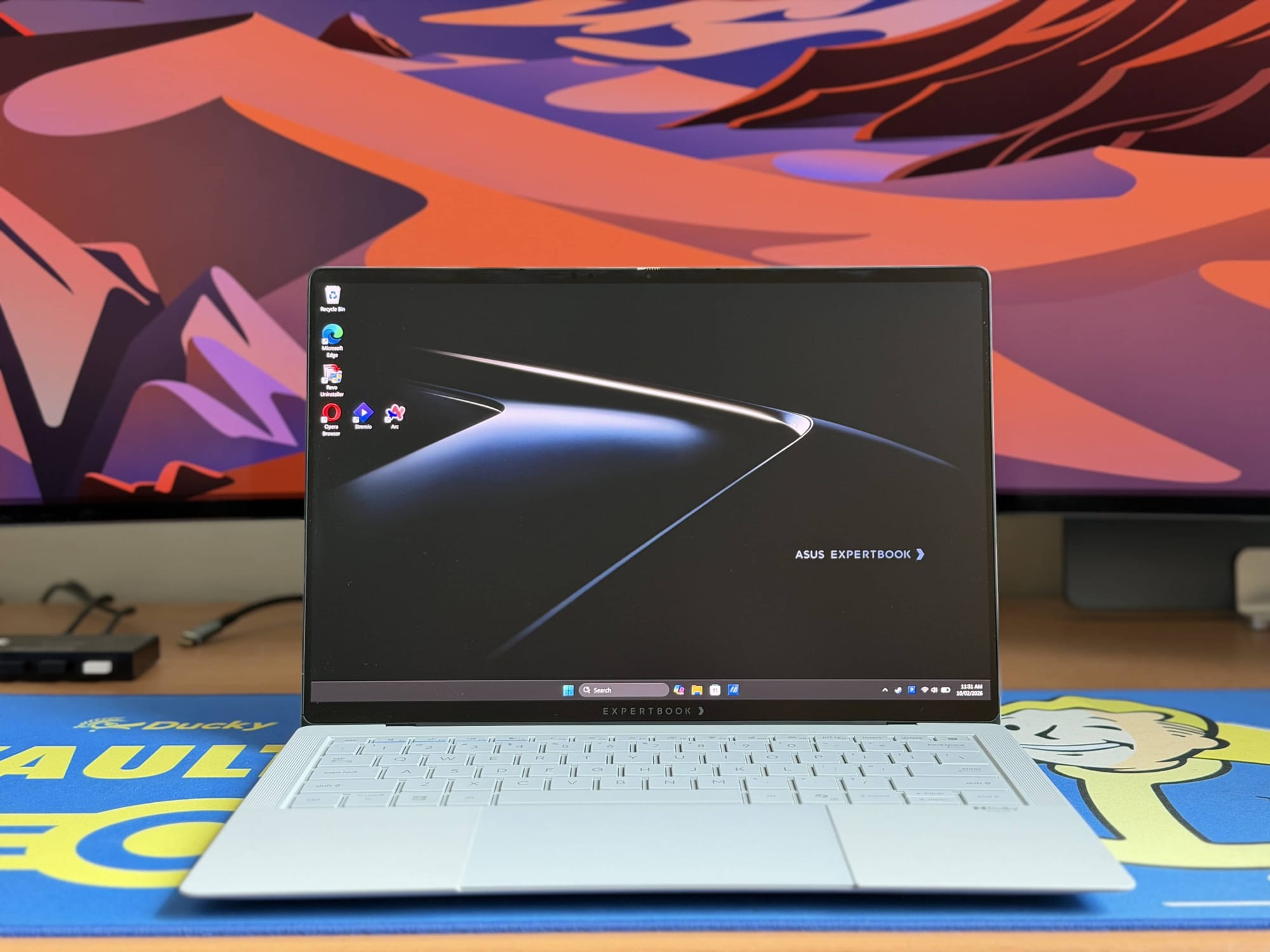
For those of us who are obsessive about keeping our tech pristine, this finish is a welcome change. Unlike the fingerprint magnet that some laptops can be, including my MacBook Air Midnight, this coating resists scratches, smudges, and fingerprints remarkably well.
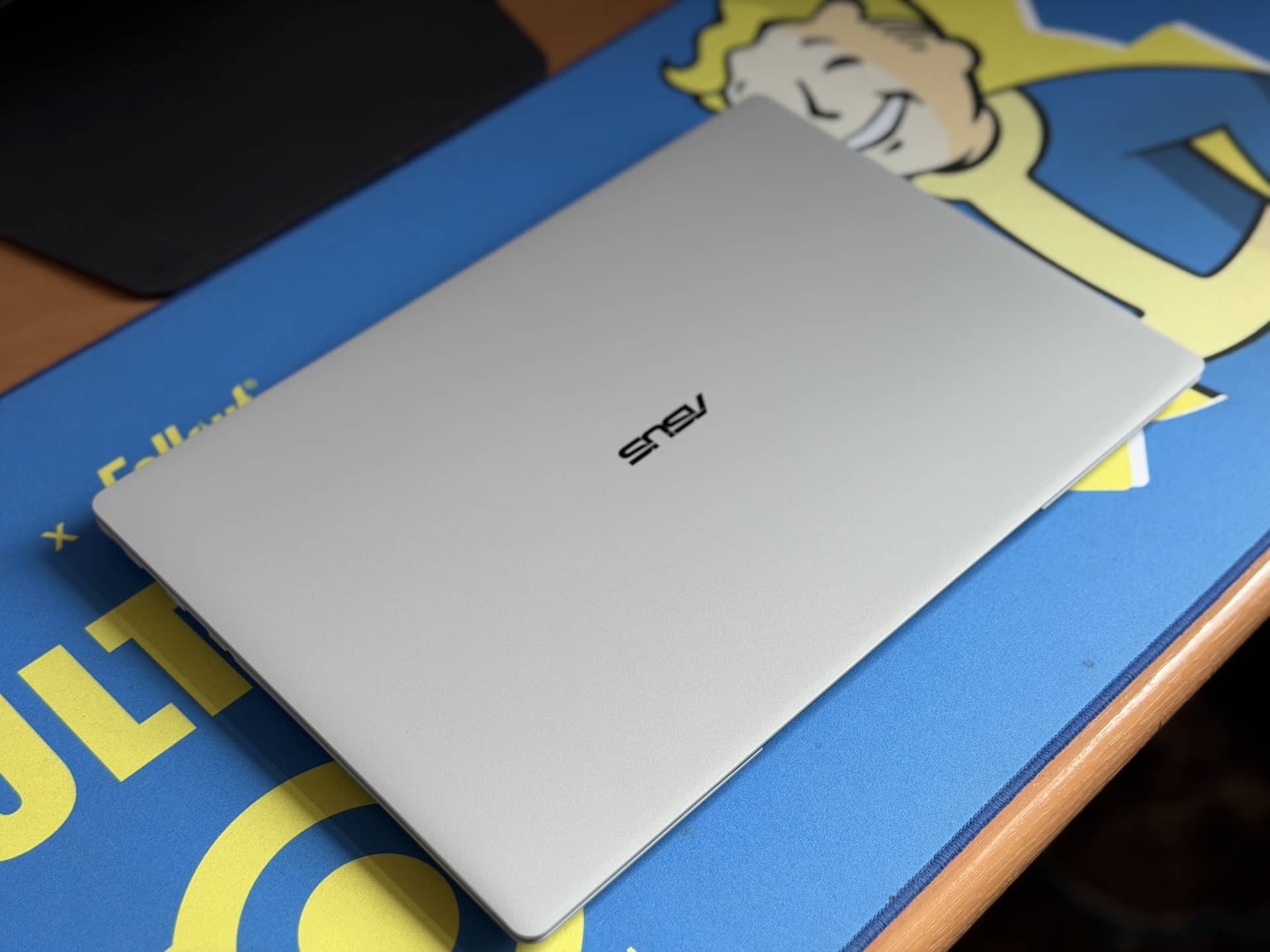
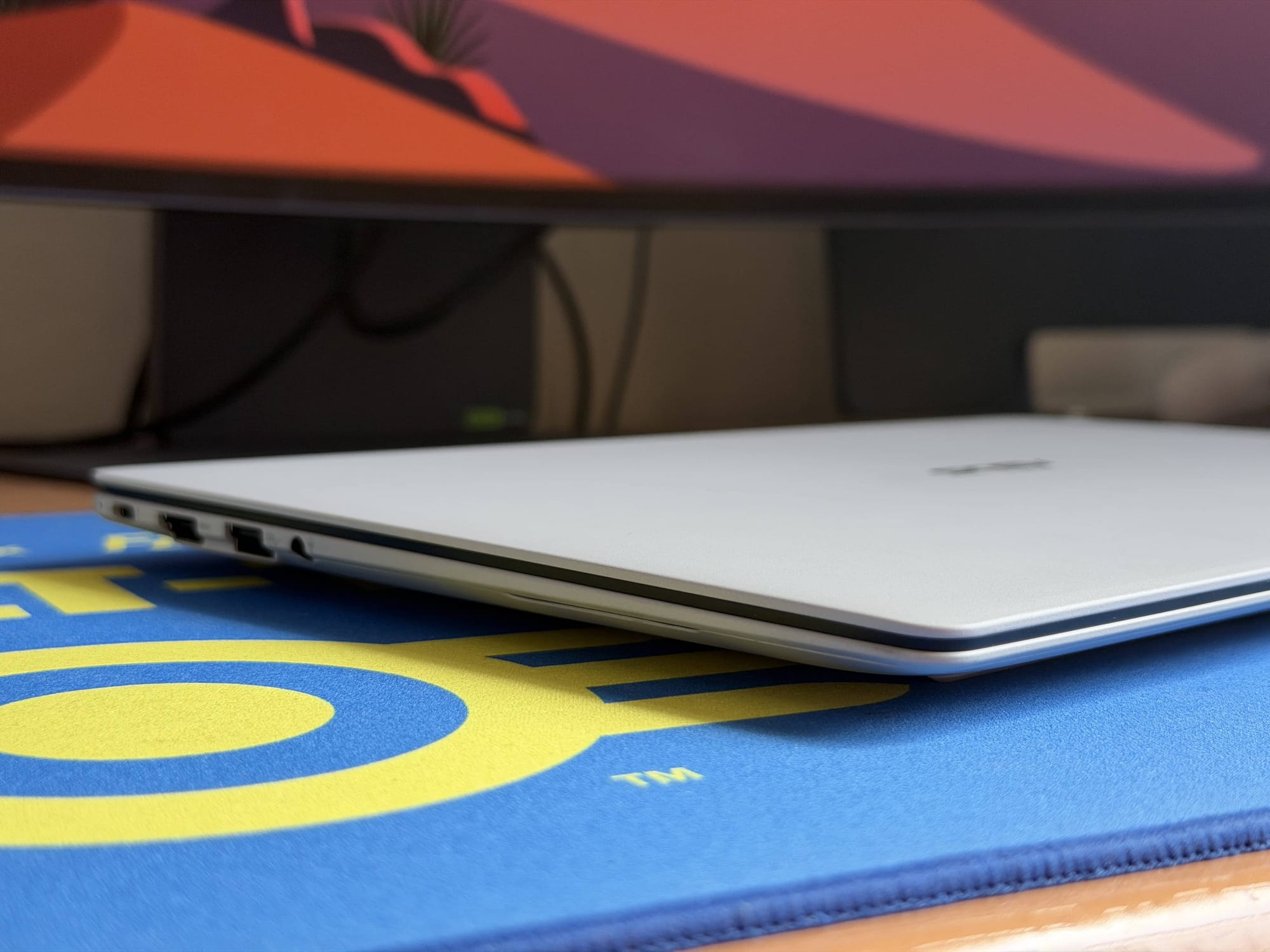
The laptop is also incredibly portable, weighing just under 1kg and measuring a thin 10.9mm, making it effortless to carry.
However, the build isn’t entirely perfect. While the hinge is smooth to operate and allows the lid to be opened with a single finger, it suffers from a frustrating flaw: it is extremely loose. A slight shake or adjustment of the laptop will cause the lid to move and fall back. It seems to be a recurring theme with new devices - much like the MSI Prestige 14 Flip AI+ I reviewed recently - raising the question of whether “wobbly lids” are some bizarre new trend Intel Panther Lake laptops are adopting.
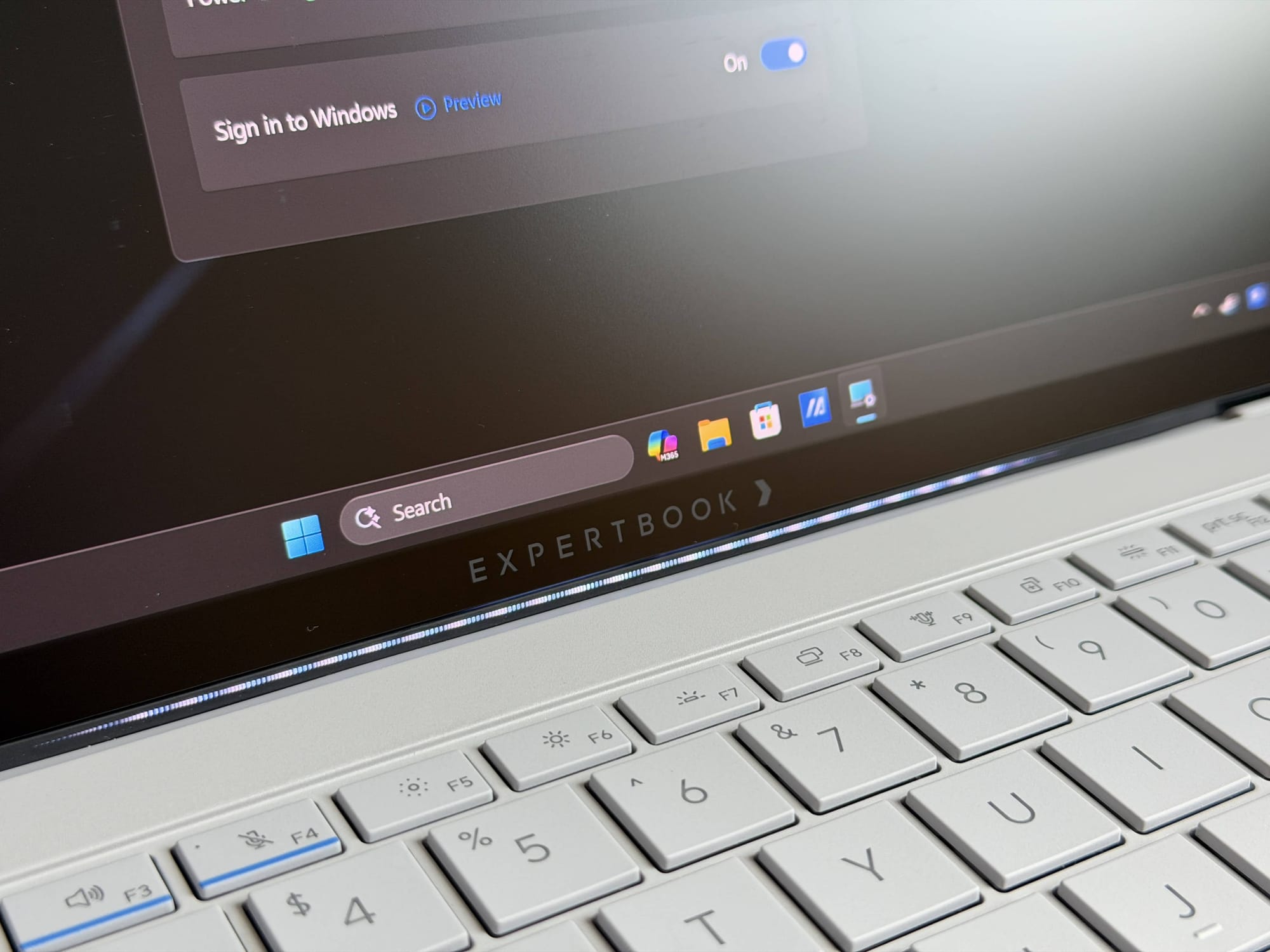
Asus has also added something called ExpertLumi, a strip of LED lights just under the display that lights up whenever you start up, power down, or sign in to Windows. It’s a cool effect, and I like it quite a lot as well, but it seems its functionality is only limited to those functions so far.
I would have loved for the LEDs to indicate the completion of an ongoing download, show a progress bar for a render, or even be integrated into games to show a health bar or something of that sort, but those features do not seem to be supported just yet. Asus seems confident of this feature - they have dedicated an entire button on the keyboard for it - so I am hoping its functionality is improved in future updates.
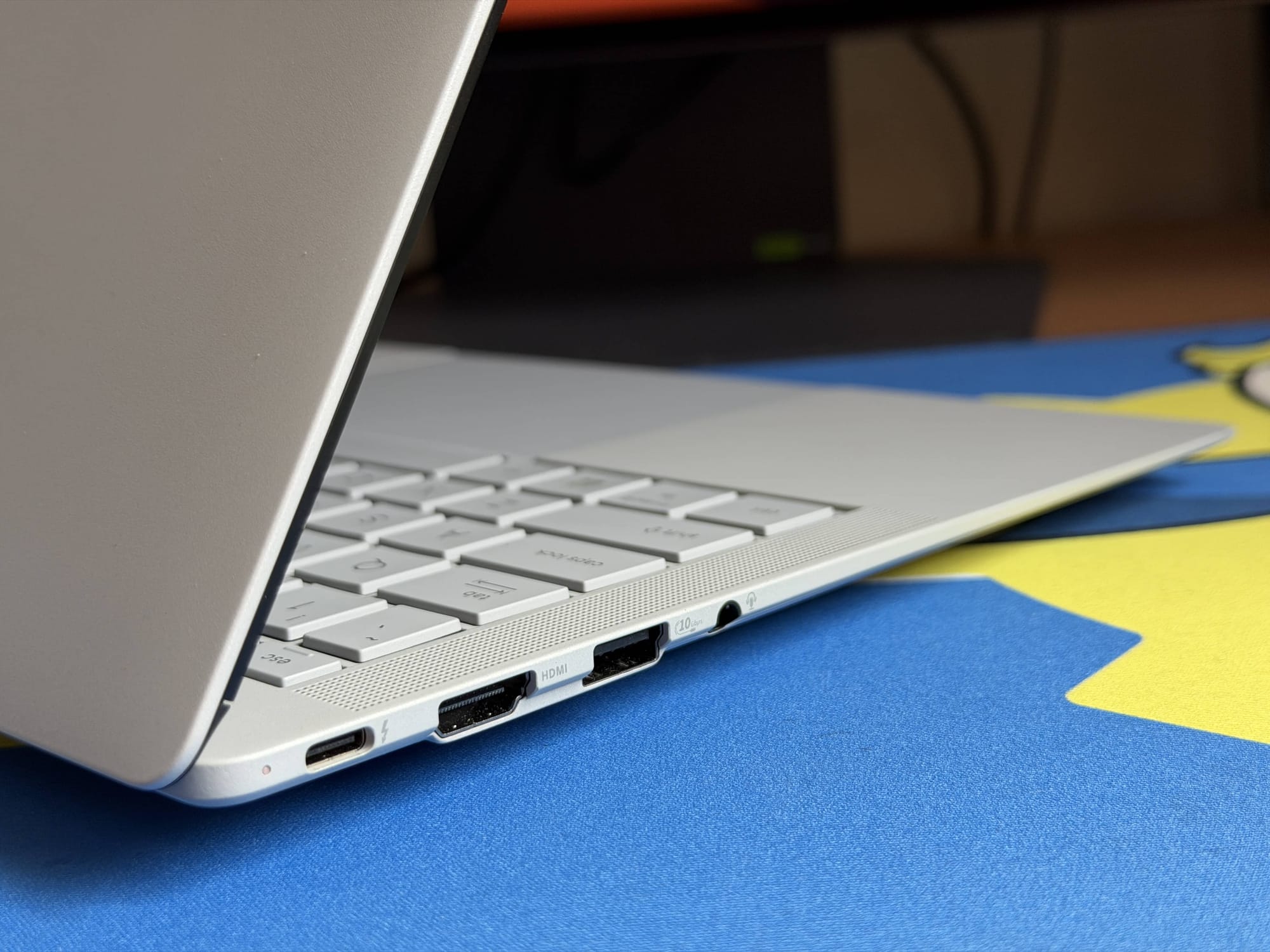
Despite its slim profile, Asus hasn’t skimmed on connectivity. You get two Thunderbolt 4 ports (one on each side), two USB-A 3.2 Gen 2 ports, a full-sized HDMI 2.1 port, and a 3.5mm audio jack. As I noted with the MSI Prestige 14 Flip AI+, a memory card reader for filmmakers and photographers would have been a nice addition, considering how performant the new chips have become.
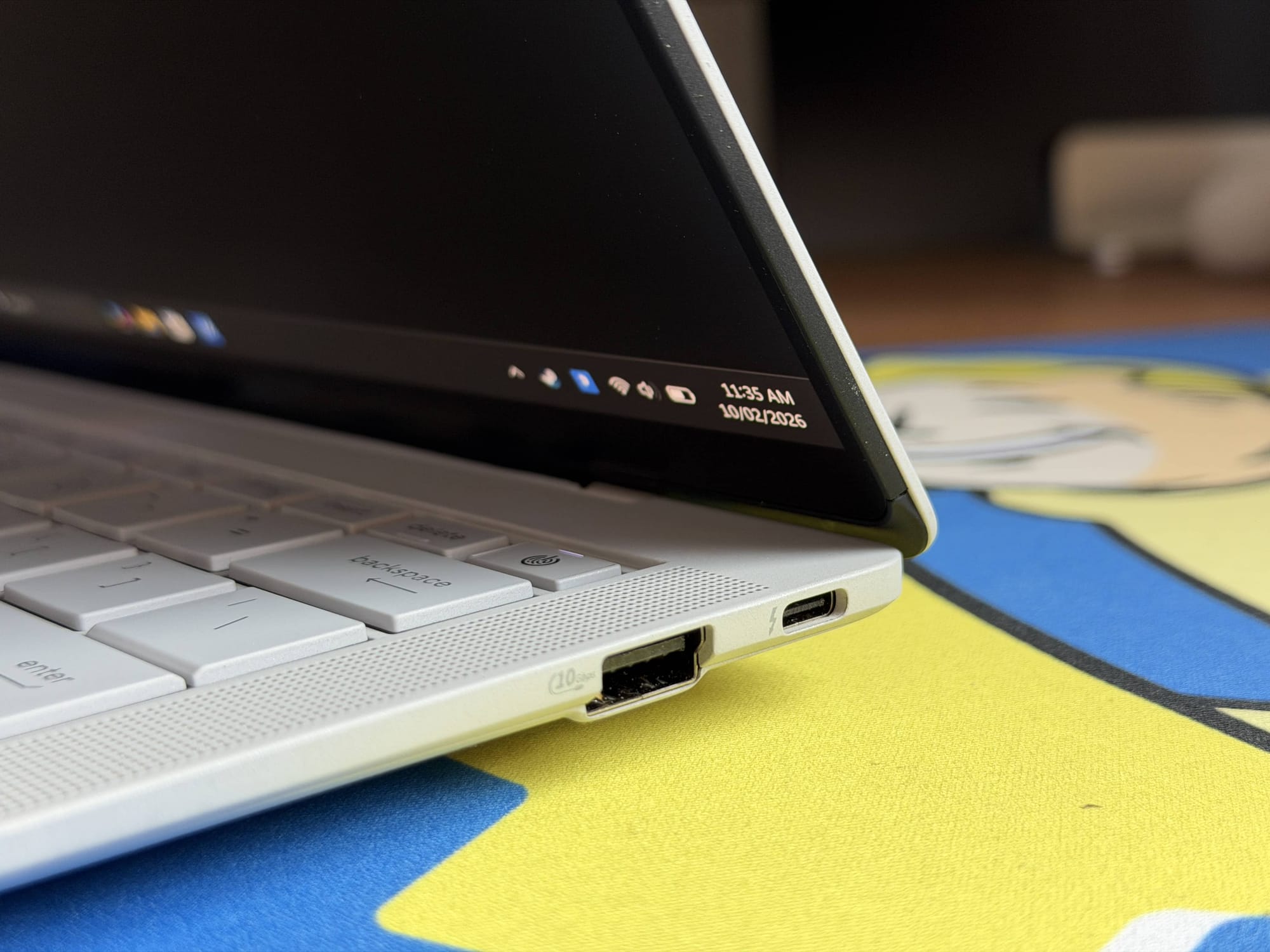
Security and privacy are handled by a 1080p IR camera with a physical privacy shutter and Windows Hello support, while the power button also doubles as a fingerprint scanner. The camera is merely adequate in quality, with low-resolution detail and heavy compression. It would do well for normal video calls, but anything more than that, and you might find it lacking.
Under the hood, the ExpertCool Pro thermal system uses dual fans and triple exhausts to keep the system running, capable of pushing the TDP up to 50W in short bursts for heavy tasks. However, while we will discuss thermals in the next few sections, I should note that the 50W turbo mode was not available to us at the time of review, and the hardware caps out at 45W when plugged in.
Display and Audio
The visual centrepiece of this laptop is the 14-inch 3K Tandem OLED display, boasting a 120hz refresh rate and a blinding 1400 nits of peak HDR brightness. It is fantastic, but what I appreciate most is the Corning Gorilla Glass Matte coating. This anti-reflective finish makes operating the laptop under harsh lighting conditions significantly easier than its glossy competitors.
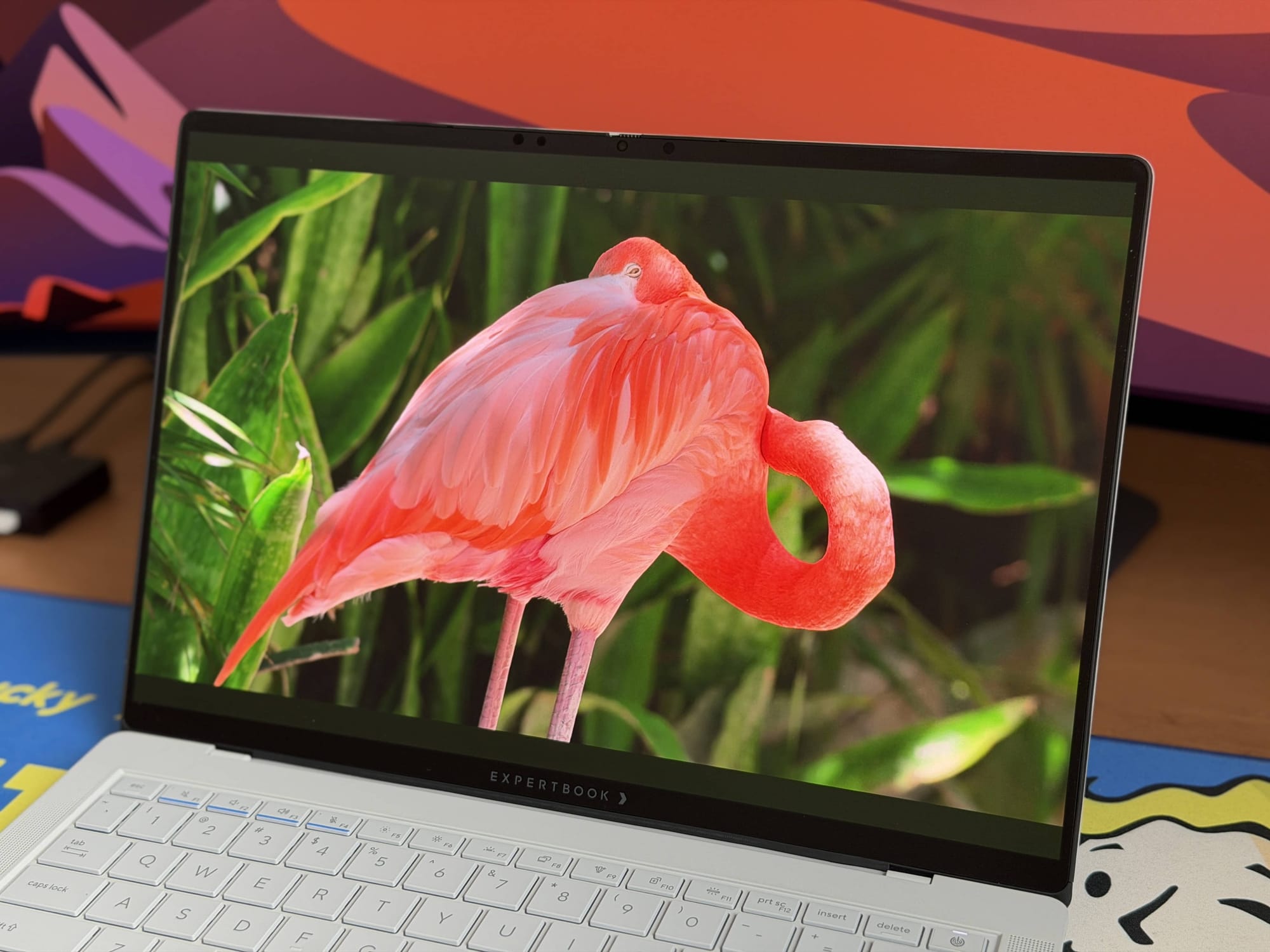
The display is sharp and vibrant, producing the deep inky blacks you expect from OLEDs. However, I did notice a quirk: some colour hues, particularly reds and greens, appear slightly muted and darker than they should. This “issue” is most obvious on websites rather than in video content, but even switching the colour profile from Normal to Vivid didn't fix it, suggesting a calibration quirk on Asus’ part. On the plus side, the matte coating is fingerprint-resistant (for the most part), which is excellent given that the panel is touch-enabled.
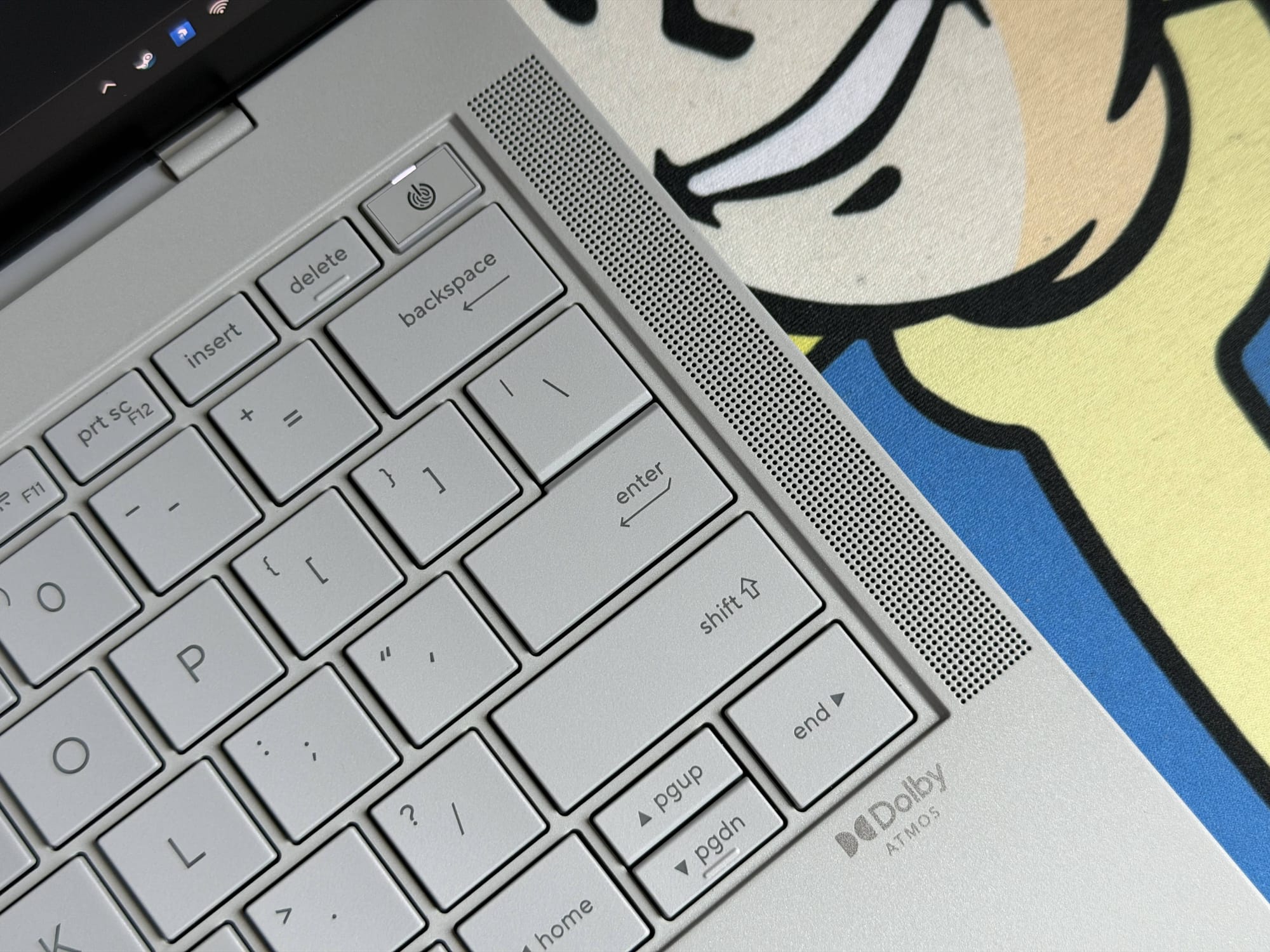
Audio performance is surprisingly robust. The system uses a six-speaker setup - two tweeters and four woofers - powered by Dolby Atmos. While you can’t expect earth-shattering bass from a laptop this thin, the speakers get loud, remain clear, and offer decent detail for casual music listening. They are more than good enough to watch YouTube videos or even movies in a pinch, filling the area around you effectively.
Keyboard and Trackpad
The input experience is equally good. The keyboard features keys with 1.5mm travel, providing a snappy, tactile feedback that is a joy to type on. For my keyboard enthusiasts, the sound profile is a muted poppy signature, and it is really pleasing to the ears.
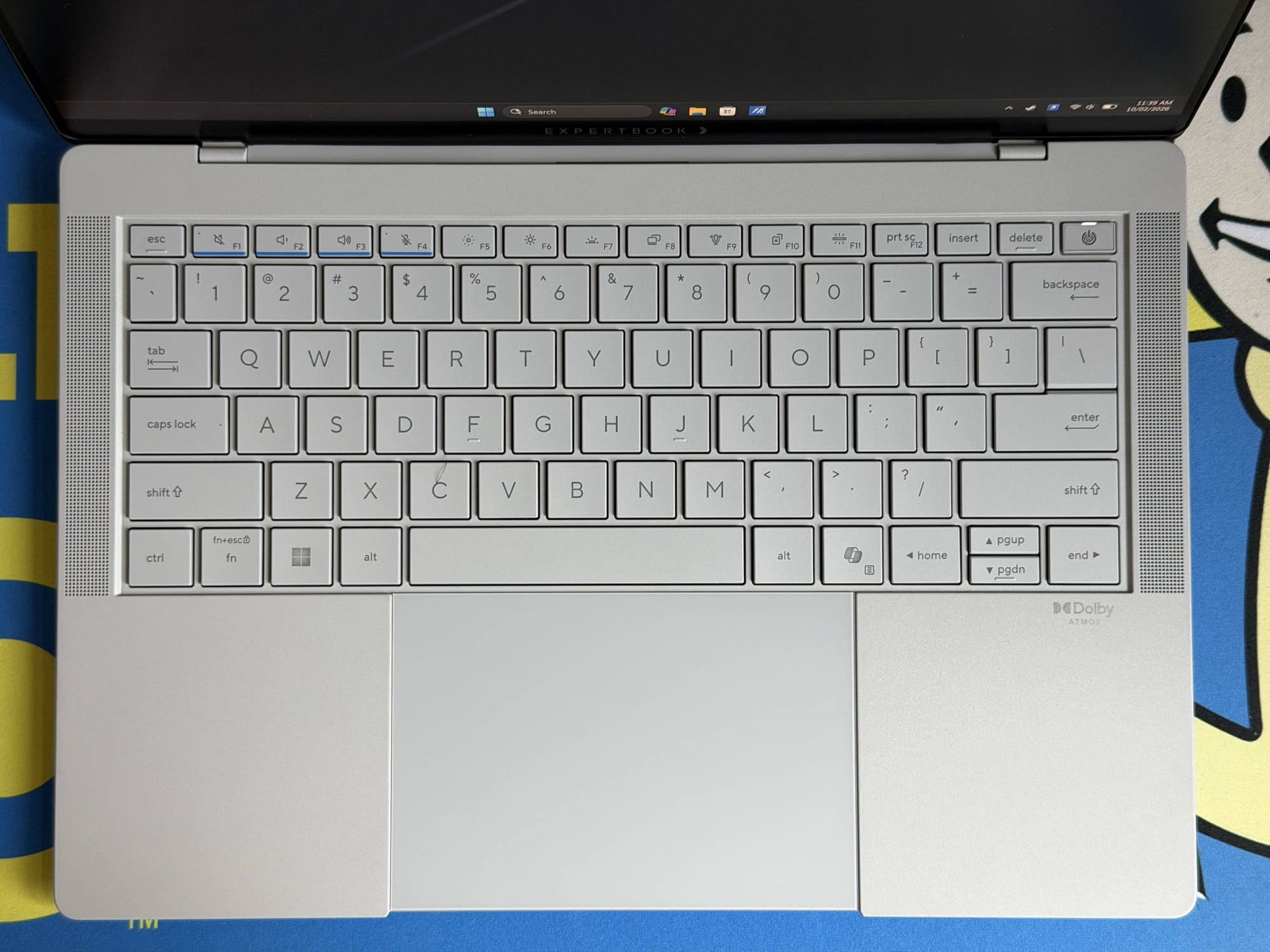
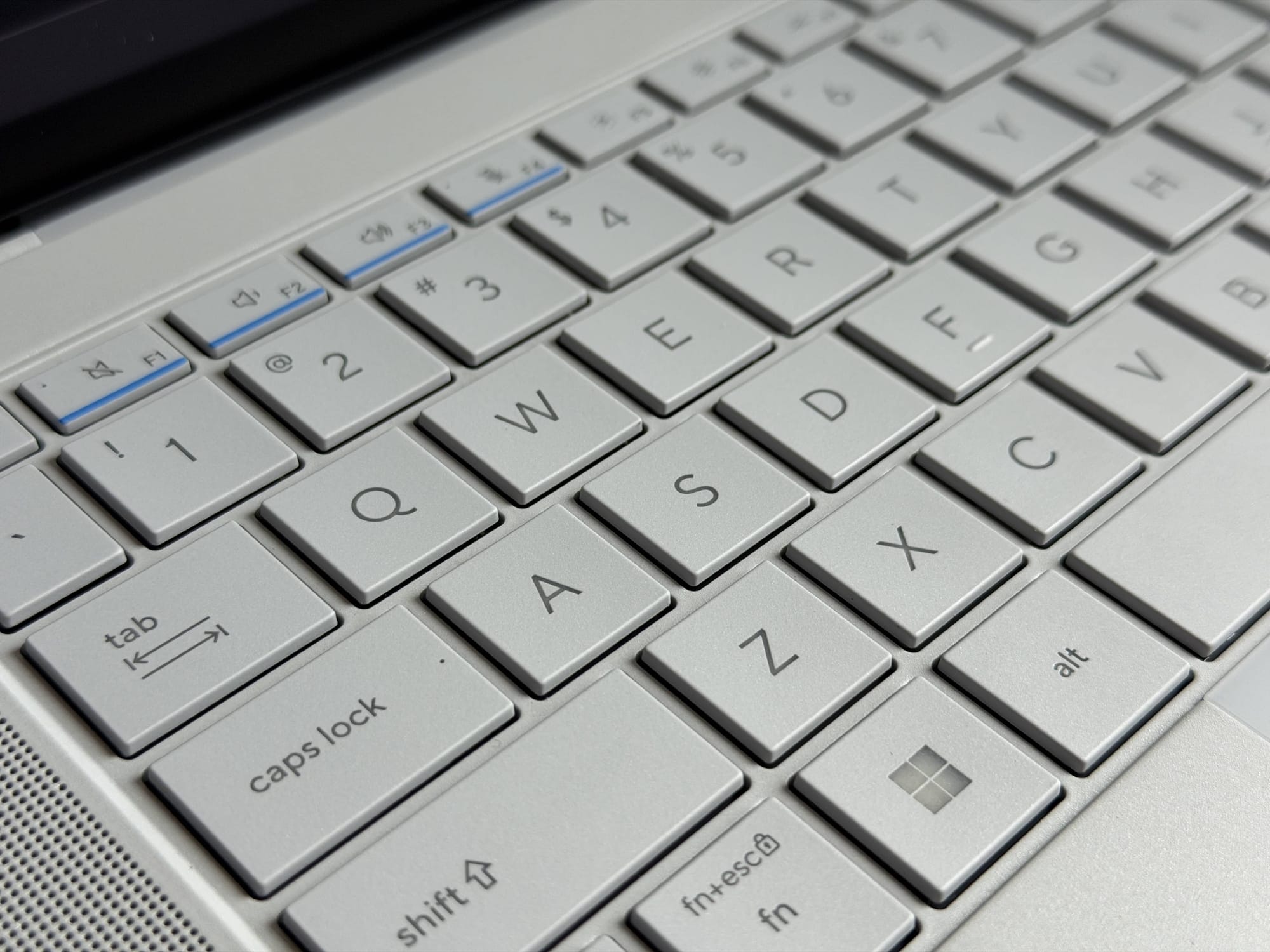
However, the aesthetics clash somewhat with utility here; the key legends are grey with white backlighting. In broad daylight, the light blends with the key colour, washing out the legends and making them hard to read. You will likely need to turn the backlight off during the day to see clearly, though it works perfectly in low-light situations.
As for the 110 cm2 haptic touchpad, it is large and spacious, and it flows smoothly beneath your fingers. Being fully haptic means you can click anywhere on the surface without the mechanical “diving board” feel. It is quite accurate for selecting and dragging items, though it still falls slightly short of the MacBook’s 1:1 ‘mouse-like’ feel. It does, however, include three ‘smart zones’: sliding your finger on the left edge adjusts volume, the right edge adjusts brightness, and the top edge seeks through video - all accompanied by satisfying haptic clicks.
Performance
The Asus ExpertBook Ultra features the Intel Core Ultra X7 358H processor, which packs a total of 16 cores divided into four Performance cores (P-cores) clocked up to 4.8Ghz, eight Efficient Cores (E-cores) running at 3.7Ghz, and four Low Power Efficient Cores (LP E-cores) at 3.3Ghz. It is paired with 32GB of soldered LPDDR5x RAM running at 8533 MT/s and Intel’s new integrated Arc B390 graphics card, which sports 12 Xe3 cores clocked at 2.5Ghz.
Looking at the productivity benchmarks, as we saw with the MSI Prestige 14 Flip AI+ (which houses the same CPU), the Ultra X7 is extremely performant, and trades blows with Apple’s latest; it doesn't entirely beat it.
| Benchmark | Asus ExpertBook Ultra | Apple M5 MacBook Pro 14-inch Laptop | MSI Prestige 14 Flip AI+ |
|---|---|---|---|
| Geekbench 6 CPU - Multi Core | 16,728 | 17,476 | 16,699 |
| Geekbench 6 CPU - Single Core | 2,790 | 4,248 | 2,910 |
| Geekbench AI | 8,590 | 6,924 | 7,848 |
| PCMark 10 | 9,227 | — | 10,176 |
In Geekbench 6, the ExpertBook Ultra posted a CPU Single Core score of 2790 and a Multi-Core score of 16,278. The MSI Prestige squeezed out slightly higher numbers here, managing 2910 in Single Core and 16,699 in Multi-Core. The Apple M5, however, remains ahead of them both in raw throughput, delivering a massive 4248 in Single Core and edging out the Windows machines with a Multi-Core score of 17,476.
The story changes when it comes to AI processing. In the Geekbench 6 AI test, the ExpertBook Ultra takes a commanding lead with a score of 8590, beating both MSI’s 7848 and significantly outpacing the M5’s 6924. This highlights Intel’s aggressive push into NPY efficiency, making the ExpertBook a potentially better choice for future-proofing against the rising tide of local AI workloads.
| Benchmark | Asus ExpertBook Ultra | MSI Prestige 14 Flip AI+ |
|---|---|---|
| 3DMark Fire Strike | 12,838 | 12,610 |
| 3DMark Night Raid | 42,678 | 40,194 |
| 3DMark Port Royal | 3,559 | 3,821 |
| 3DMark Speed Way | 851 | 706 |
| 3DMark Time Spy | 6,713 | 6,392 |
| Black Myth Wukong | 37 | 35 |
| Horizon Zero Dawn | 63 | 57 |
| Marvel Rivals | 31 | 29 |
| Shadow of the Tomb Raider | 59 | 52 |
Moving over to graphics performance, the ExpertBook Ultra surprisingly turns the tables on the MSI, despite sharing the same processor. In 3DMark synthetic tests, the Asus pulled ahead in almost every category. It scored 6713 in Time Spy and 12,838 in Fire Strike, compared to MSI’s 6392 and 12,610, respectively. The Ultra also secured a clear win in Speed Way with 851 points against the MSI’s 706. The only outlier was Port Royal, where the MSI edged ahead with 3821 points versus the Ultra’s 3559.
This synthetic lead translates directly into real-world gaming performance. The ExpertBook Ultra consistently delivered higher frame rates across our test suite. In Horizon Zero Dawn, it managed a smooth 63 fps compared to the MSI’s 57 fps. Shadow of the Tomb Raider ran at 59 fps on the Asus, significantly better than the 52 fps seen on the MSI.
Even in demanding titles like Black Myth Wukong, the Ultra maintained a playable 37 fps with XeSS enabled, while the MSI trailed slightly at 35 fps. It is clear that Asus has done well with the laptop's internals, squeezing out every bit of performance available.
Subjectively, the day-to-day performance with the ExpertBook Ultra feels incredibly snappy. My daily routine involves a mix of image editing, heavy browsing, watching high-resolution videos, and managing files, and the Intel Core Ultra X7 358H handles it all with aplomb.
Everything feels fluid, and the 120Hz screen plays a huge role in that perception. It makes the UI interactions feel immediate and smooth, unlike the MSI Prestige 14 Flip AI+, which felt noticeably sluggish in comparison despite having similar internal hardware.
There is, however, one caveat. While the laptop is speedy when plugged in or fully charged, I noticed a palpable slowdown once the battery dips to around 50%. At full charge, it is responsive and quick, but as you drain the tank halfway, the system begins to throttle. Even using the ‘Balance’ fan profile, you can feel animations and apps take just a little more time to render and load. The moment you plug the charger back in, that instant responsiveness returns.
It is a bit of a bummer to see this old Windows laptop quirk still present in such a modern chip, especially when Apple’s M-series chips deliver the exact same snappy performance whether they are tethered to a wall outlet or running on battery power. It isn’t a dealbreaker, but it is something mobile professionals should keep in mind.
Battery, Fan Noise and Heat
Powering the ExpertBook Ultra is a 70Wh, 4-cell Li-Polymer battery that utilises a high-density 2S2P architecture to maximise efficiency within its slender frame. When combined with the inherent efficiency of the Intel Core Ultra X7 358H, the battery life is excellent.
In my daily use, I easily managed 6 to 7 hours of productivity and still had plenty of power left in the bank to carry over into the next day. While it felt marginally less efficient than the MSI Prestige 14 Flip AI+, that difference could largely be attributed to my usage habits; I kept the ExpertBook Ultra running at 120Hz for the best possible performance, whereas the MSI was locked at 60Hz. When you do eventually need to top up, the included 90W USB-C charger is swift, capable of juicing the laptop up to 50% in 30 minutes.
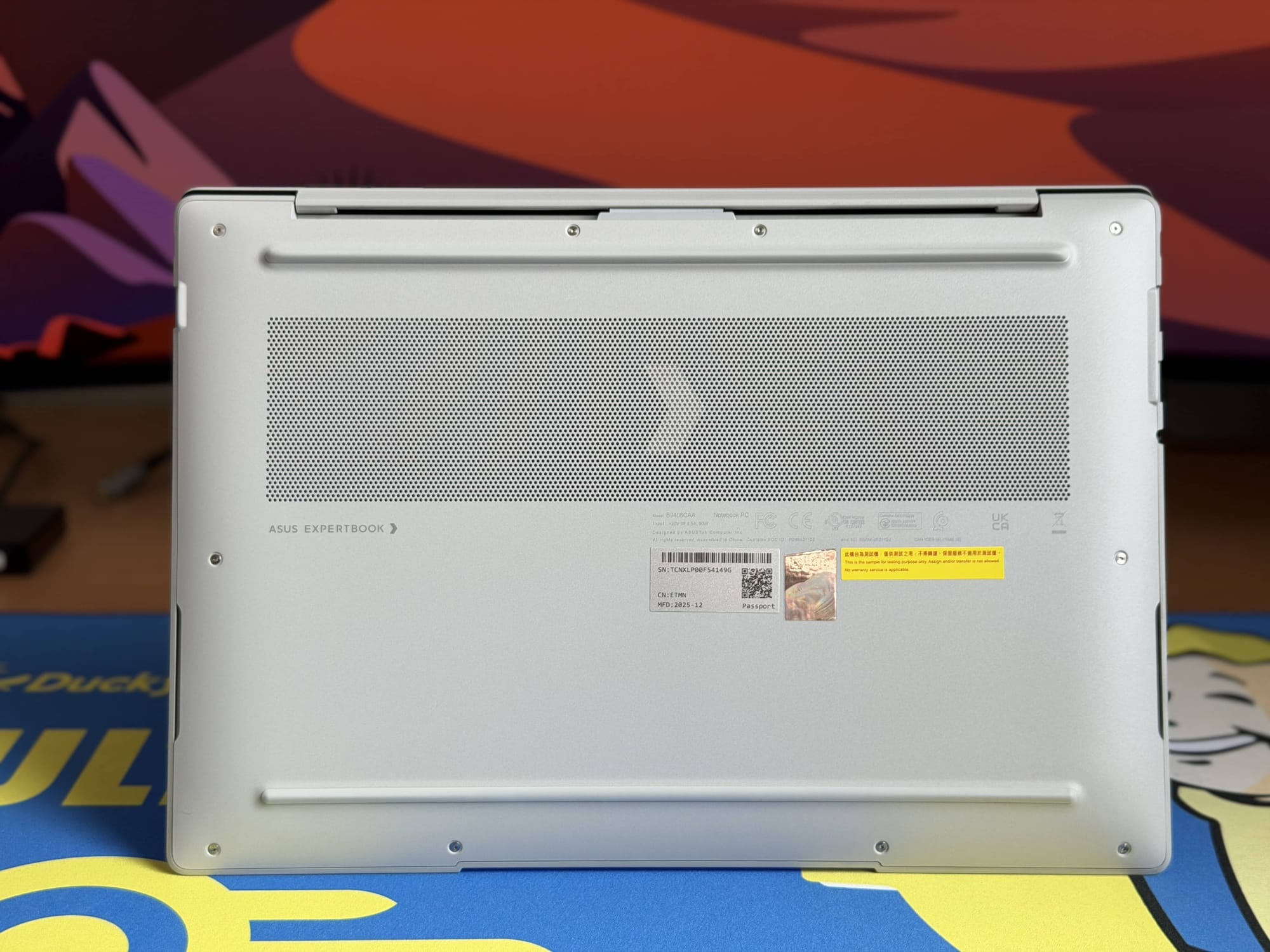
What makes this performance even more impressive is how the laptop manages its thermals. Asus has implemented its ExpertCool Pro thermal solution here, a sophisticated dual-fan system with triple exhaust outlets and three heat pipes that isolate airflow and keep heat away from the user.
The result is remarkable considering how thin the chassis is. Even under load, I barely noticed the chassis getting more than a little warm. The majority of the heat dissipates logically towards the top near the exhaust fans, leaving the keyboard area only slightly warm and barely noticeable during typing. In fact, the only time I noticed the laptop getting noticeably warm was when it was actively charging.
This effective thermal management translates directly into acoustic comfort. Asus manages fan noise brilliantly. During the gaming benchmarks, which pushed the system hard using the Performance profile, the fans were barely audible. I actually had to put my ear right against the chassis just to hear the buzz of the fans spinning at maximum speed.
Should You Buy the Asus ExpertBook Ultra?
After spending a week with the Asus ExpertBook Ultra, I can confidently say that the answer is a resounding yes. This laptop has genuinely surprised me. As I mentioned at the start, I usually judge a laptop by how reluctant I am to return it (among other things, of course), and in this case, I am boxing it up with a genuine sense of reluctance.
It isn’t perfect - no laptop is. The loose hinge is a baffling oversight for a device in this class, and the performance throttling on battery is a legacy Windows quirk I wish were solved by now. But these are relatively minor annoyances in what is otherwise a spectacular machine.
The ceramic coating is a triumph of materials engineering - it feels incredible to touch, provides a reassuring grip, and stays pristine. The Tandem OLED display is fantastic, offering blinding brightness and rich contrast without the glare that usually plagues glossy panels. Combined with a fantastic keyboard, a spacious haptic trackpad, and thermal engineering that keeps things whisper-quiet, it is a joy to use daily.
Then there is the value proposition. Starting at AED 8,999, the ExpertBook Ultra is certainly an investment. However, context is key here. A similarly configured 14” MacBook Pro M5 with 32GB of RAM and a 1TB SSD will set you back AED 9,419.
For less money, Asus offers a comparable, if not superior, experience. You get a better display (OLED vs Mini-LED) that is also a touchscreen, a lighter chassis with that unique ceramic finish, which is just chef’s kiss, and performance that trades blows with Apple’s best.
We were sent a pre-release unit from Asus, and they have informed us that both the loose lid and the performance throttling on battery will be fixed on retail units releasing in April. We will update the review accordingly when we get our hands on the retail sample.
Written by

Subscribe to our newsletter
Subscribe to our newsletter to get the latest updates and news







Member discussion