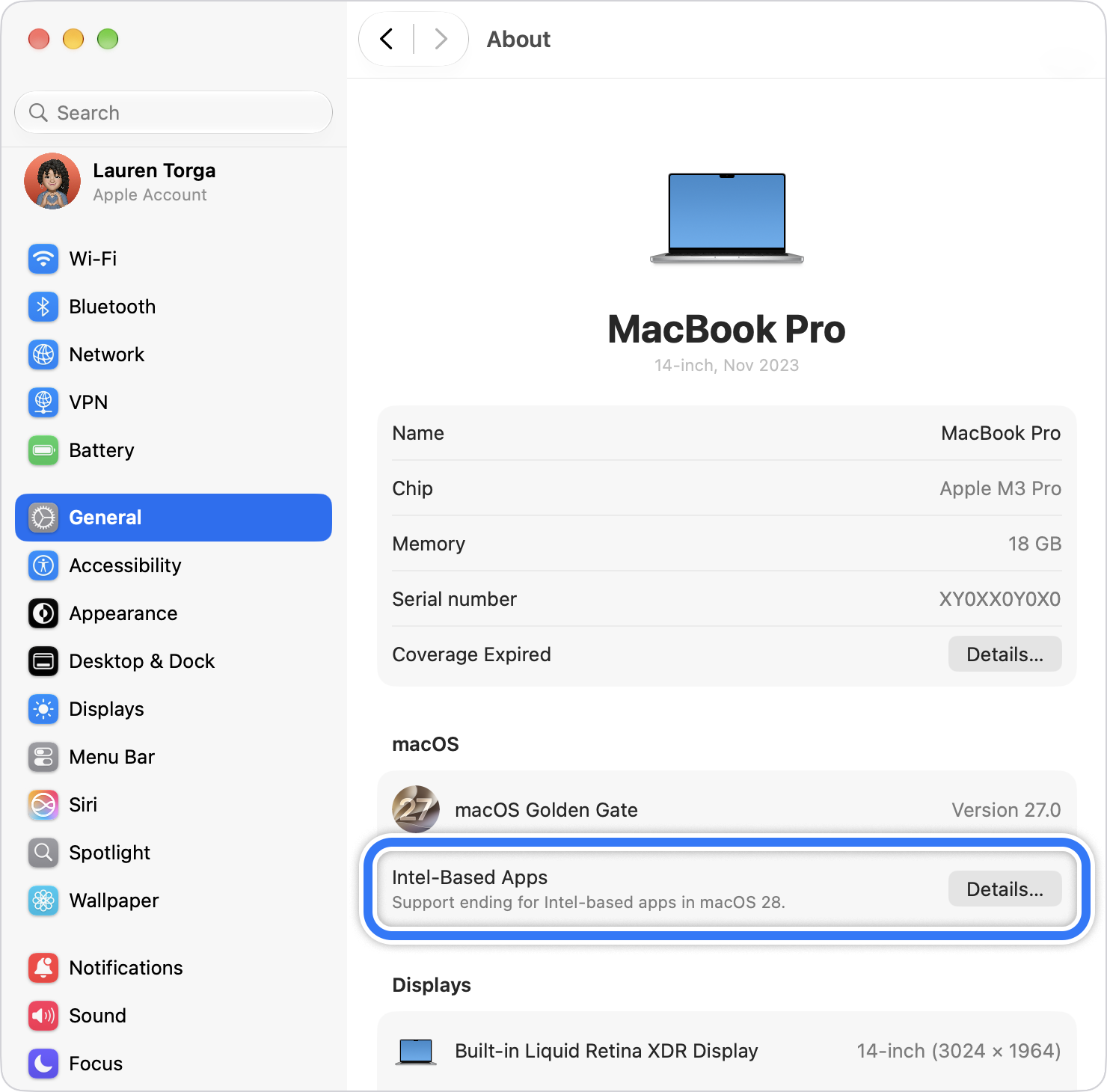
Apple is winding down general Rosetta support: Intel-only apps will continue to run through macOS 27, but they will stop launching on Apple silicon Macs in macOS 28. Apple’s updated support page says only a limited Rosetta subset will remain for certain older, unmaintained games that rely on Intel-based frameworks.

Rosetta support ends in stages
Apple’s developer notice, published on 1 September, says the transition from Intel processors to Apple silicon that began in 2020 is entering its final phase. Apple’s support page sets out the user-facing timeline. From macOS 26.4, users may see a notification when launching apps that still rely on Rosetta, prompting them to look for a native Apple silicon version.
macOS 27 will be the final release with general Rosetta support. Apple’s consumer support page gives the harder deadline: with macOS 28, Intel-only apps will not launch. That includes apps distributed outside the Mac App Store, so developers cannot treat the App Store’s architecture rules as the entire compatibility story.
What Mac users and developers need to do
The immediate job is to identify apps, plug-ins, extensions and updaters that still use Intel code. Apple recommends replacing them with Universal or Apple silicon versions, checking for updates inside the app or downloading a compatible build from the developer.
That leaves older Intel Macs out of the direct impact zone: Rosetta runs on Apple silicon Macs, translating Intel apps for the newer architecture. The change instead affects owners of Apple silicon Macs who still depend on older software, and developers who have not completed the move. Apple has already let Mac App Store developers drop Intel support, while Linux on Apple silicon is still gaining new options as the hardware transition settles in.
Apple’s wording leaves a narrow exception for older, unmaintained games that rely on Intel-based frameworks. It does not promise that every Intel game or utility will survive macOS 28, so users should check with each developer rather than assume Rosetta’s remaining pieces will cover general-purpose software.
The company is asking developers to start the transition now. For users, the useful check is simple: open an affected app’s Get Info panel and look for whether it is Intel, Universal or Apple silicon before the next major macOS upgrade arrives.
When will Rosetta support end on Mac?
General Rosetta support will continue through macOS 27. Intel-only apps will stop launching on Apple silicon Macs with macOS 28.
Will older games still work after macOS 28?
Apple says a limited subset of Rosetta will remain for certain older, unmaintained games that rely on Intel-based frameworks, but it does not guarantee every Intel game will work.
How can I check whether a Mac app needs Rosetta?
Open the app’s Get Info panel and check whether it is listed as Intel, Universal or Apple silicon. Update Intel-only apps through the App Store, the app itself or its developer.