Xbox Series X can run some PlayStation 5 games through an experimental emulator port, but compatibility and performance remain the catch. Developer Devran Cosmo Uenal’s PS5X project adapts KytyPS5 for Microsoft’s console through Developer Mode. The current Xbox fork’s documentation now points to downloadable builds, although it warns that games which work on PC may still fail on Xbox.
That changes the practical picture presented by some coverage. Engadget’s report describes a four-game demonstration and says there’s no public download, while the repository now directs users to releases with installation instructions. For anyone considering an experiment, the current Xbox-specific documentation is the better starting point; the same page contains desktop instructions further down that don’t apply to the console build.
Uenal’s original demonstration showed PS5 software running with an Xbox controller. The September video helped establish the project as a technical experiment rather than a conventional console release. Its age also explains why an account of that demonstration alone doesn’t capture everything the repository now describes.
Which PS5 games run on Xbox?
Engadget identifies GEX Trilogy, Hellboy: Web of Wyrd, Marvel Cosmic Invasion, and Quake II as the four games in the early demonstration. All accepted Xbox controller input, with sound working in some games. Those examples showed the port progressing beyond a menu, with compatibility limited to the games demonstrated.
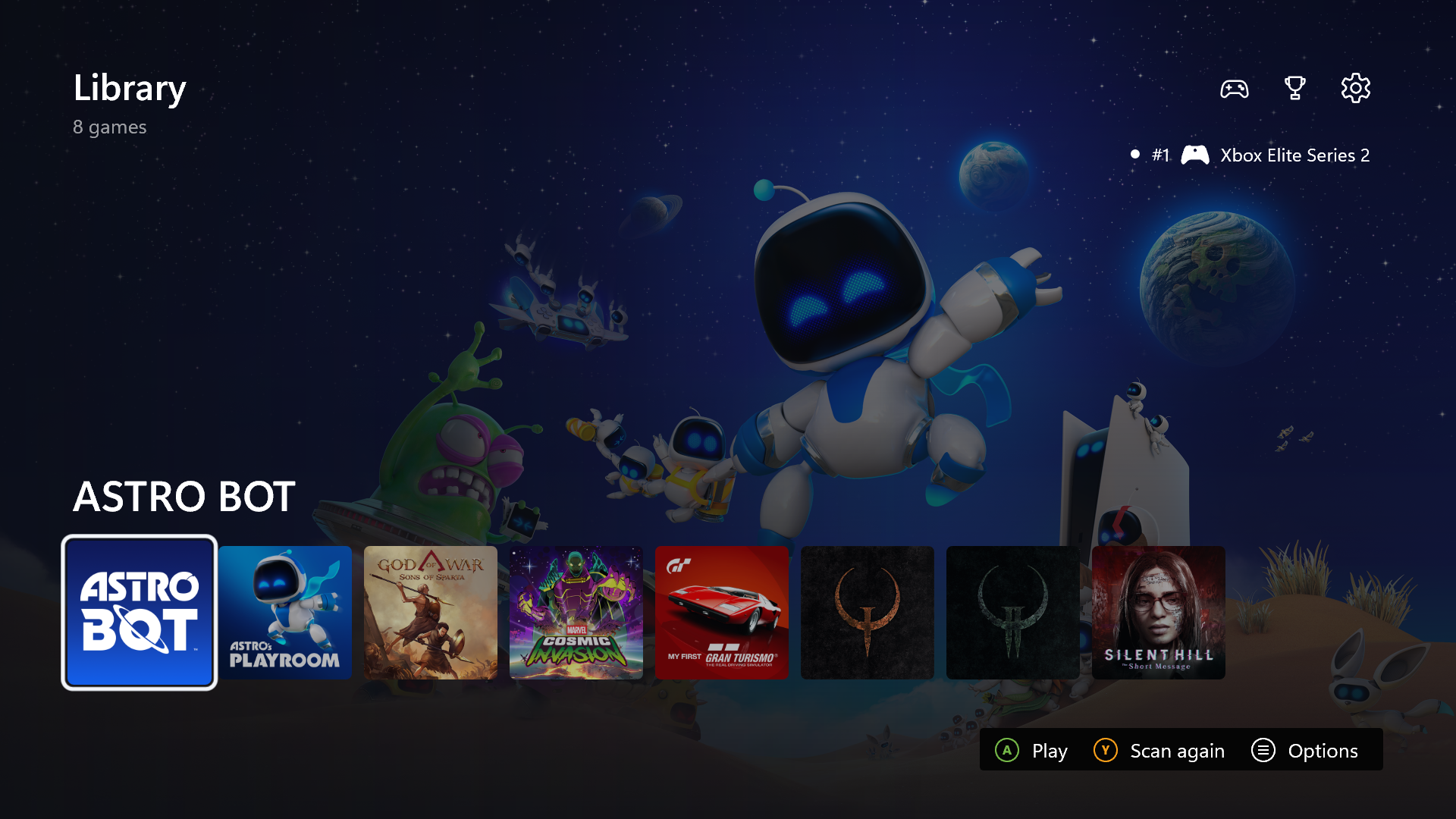
More recent reporting extends beyond that initial selection. Windows Central reported Astro Bot running at around 10fps on Xbox Series X, while separately describing much higher frame rates for the PC version of the emulator. Its console result is a useful illustration of the remaining performance problem: getting a game to run can still leave it well short of comfortable play.

The developer’s documentation also warns that Xbox skips graphics operations it cannot perform, including tessellation. Consequently, a successful boot can coexist with missing visual elements, and Xbox compatibility needs separate testing from PC compatibility. As with the separate project that gets original PS2 discs running on PS5, compatibility depends on the specific implementation and game.
Why Developer Mode creates extra hurdles
The Xbox fork adds a Direct3D 12 renderer alongside the desktop project’s Vulkan renderer, translating shaders through Mesa’s spirv_to_dxil. That extra graphics work helps explain why progress on the desktop version doesn’t automatically transfer to Microsoft’s console. The developer also documents memory-management changes, including committing game memory as needed, a swap file, and texture options that exchange detail for lower memory use.
Microsoft’s resource documentation lists foreground limits of 1GB for UWP apps and 5GB for games, with an exception when running through the Visual Studio debugger. So the widely repeated 5GB figure needs its context: the available budget depends on how the software runs. The fork’s memory work addresses that constraint, but its documentation still calls the Xbox version experimental.
The port also maps DualSense features to an Xbox controller and headset, and supports game folders and archives on a USB drive. Those additions tackle practical problems beyond merely displaying a game. However, the developer’s compatibility warning remains relevant even when the interface, controls, and storage are in place.
This is separate from Microsoft’s official Xbox Labs initiative for AI-assisted ports and remixes. KytyPS5’s documentation says the project has no affiliation with Sony Interactive Entertainment or PlayStation, distributes neither games nor copyrighted system software, and requires legally obtained game files. An emulator download doesn’t supply a PS5 library.
What setting up the console involves
Microsoft’s Developer Mode guide requires the Xbox Dev Mode app, a valid Partner Center app developer account, and console activation. Retail games and apps cannot run while the console is in Developer Mode, although owners can restart back into Retail Mode. Experimenting therefore involves switching console environments rather than adding PS5 games to the normal Xbox dashboard.
Has this been verified on UAE or Saudi consoles?
We haven’t verified the port on a UAE or Saudi console, or confirmed regional account activation. Local setup remains unconfirmed, so we wouldn’t recommend paying for access or buying hardware specifically for this experiment.
Can the Xbox Series S run it as well?
The repository advertises Developer Mode builds for Xbox Series X|S, but describes the fork and its limitations around Series X. Series S game compatibility and performance remain unverified.