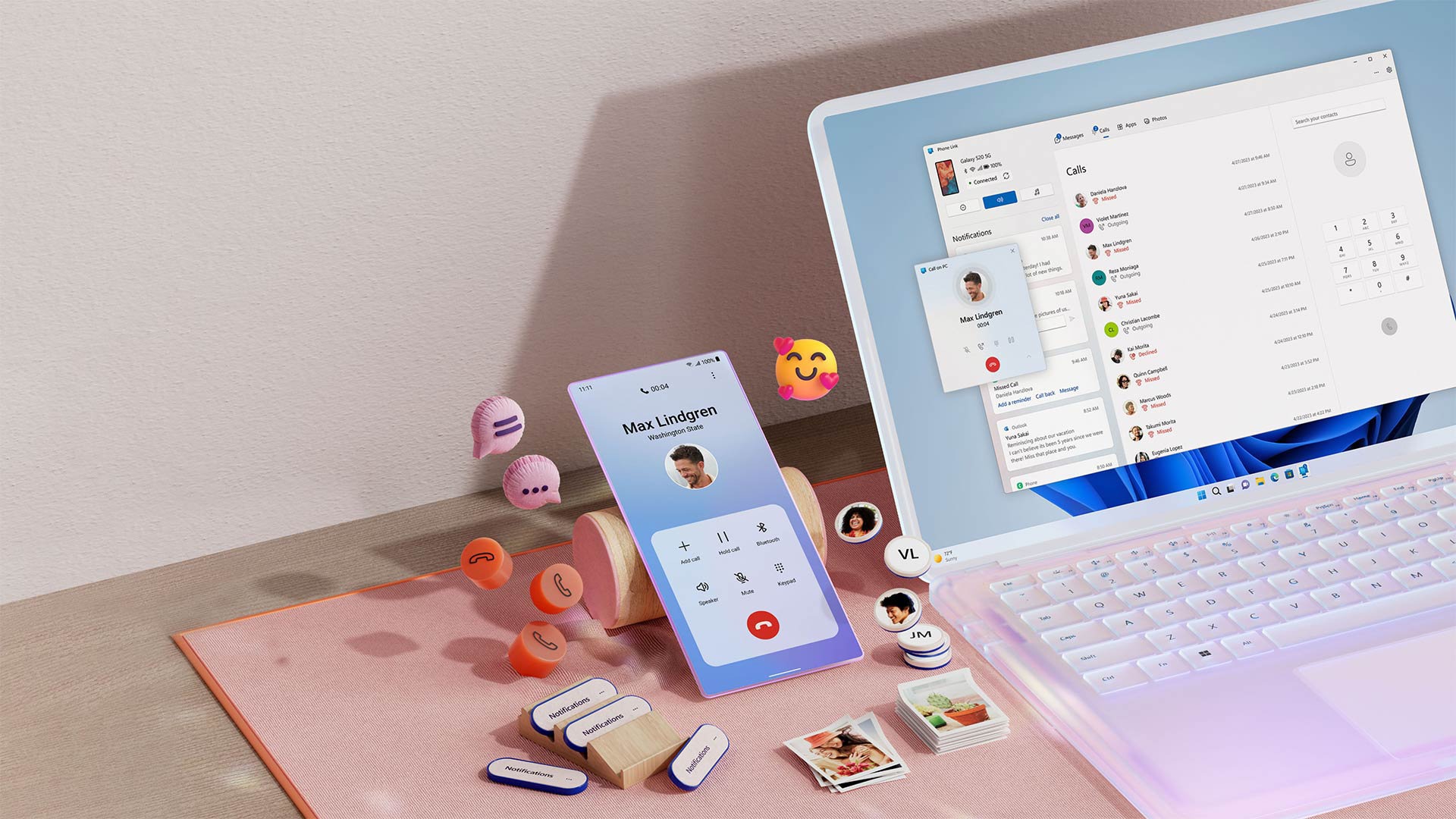
Microsoft is prototyping deeper smartphone integration in Windows 11, moving Phone Link features out of the standalone app and into the Start menu, taskbar, File Explorer and system tray. All of it is experimental and Insider-first, so nothing is guaranteed to ship as described.
- A dedicated phone flyout in the system tray would show your phone’s status, offer quick toggles like Do Not Disturb and find phone, and let you drag files onto the icon to send them.
- Clipboard sync is set to go beyond the current last-item-only limit, with a full cross-device clipboard history shared between your phone and PC.
- A standalone Messages app for Windows 11 is in development, letting you read, reply to and start SMS conversations from the desktop without opening Phone Link.
- Phone Link is free and works in the UAE without any regional restrictions; Android phones get the deepest integration, while iPhone support remains more limited.
Microsoft has spent years bolting your smartphone onto Windows through the Phone Link app, and now it appears ready to skip the app altogether. According to sources cited by Windows Central, the company is prototyping a set of shell-level changes that would make your phone feel like a native part of Windows 11 rather than something you visit through a separate window.
What Microsoft is actually testing
Four features are reportedly being explored internally. First, the phone companion pane in the Start menu is set to show a longer feed of recent activity, such as messages, photos and notifications, with hover previews so you can read a full text or view an image without opening Phone Link. Microsoft has already been iterating on this Start menu integration with Windows Insiders, so this is a continuation rather than a fresh start.
Second, a dedicated smartphone flyout is being tested in the taskbar’s system tray. When your phone is connected, a phone icon appears; clicking it opens a status overview with quick toggles for Do Not Disturb, vibrate mode and find my phone. You would also be able to drag files onto the icon to send them straight to your phone, which is genuinely the sort of small convenience that changes how you work.
Third, clipboard syncing is set to grow up. Today, Windows and your phone only share the last thing you copied. The proposal is a full cross-device clipboard history, so both devices see the whole list of copied items.
Finally, Microsoft is working on a standalone Messages app for Windows 11 that syncs your phone’s SMS conversations, letting you read, reply and start chats from the desktop. It builds on the messaging feature inside Phone Link but would live as its own pinnable app in the Start menu.
Why Phone Link is being broken up
The direction of travel has been visible for a while. You can already browse your phone’s file system and recent photos directly in File Explorer, and use your phone’s camera as a webcam on your PC, none of which requires opening Phone Link. These new features continue that dismantling: the app’s capabilities are being redistributed across the Windows shell, where they arguably should have lived all along.
It also fits the broader cleanup Microsoft has planned for the OS. The company is already reworking the taskbar and other long-standing Windows 11 annoyances in its 2026 update, and pushing developers towards fully native Windows 11 apps instead of web wrappers. Folding phone features into the shell is consistent with both efforts.
The usual caveat applies, and it is a big one: all of this is experimental. Microsoft is trialling the features internally and via the Insider programme, and shipping decisions will depend on feedback. Some or all of it may change or never arrive in this form.
FAQ
Is Phone Link being discontinued?
Microsoft has not said Phone Link is going away. What is happening is that its capabilities are gradually being integrated natively into the Windows 11 shell, including the Start menu, taskbar and File Explorer, so you rely on the standalone app less over time.
When will the new Windows 11 phone features arrive?
There is no confirmed release date. The features are being prototyped internally and are expected to go through Windows Insider testing first, and Microsoft may change or cancel them based on feedback.
Does Phone Link work in the UAE, and is it free?
Yes. Phone Link is preinstalled with Windows 10 and 11 and works globally with no regional restrictions or paid tier. You just need the free Link to Windows app on your Android phone or iPhone and the same Microsoft account signed in on both devices.
Do iPhones get the same integration as Android phones?
No. Android phones get the deepest integration, including file system access in File Explorer and richer controls. iPhone support is more limited, and new shell-level features may arrive on Android first based on previous Insider rollouts.